Agile teams need roadmaps that change as fast as they do. A roadmap frozen in a quarterly planning deck does not work when your priorities shift every two weeks based on what you shipped and what you learned. These fourteen templates are designed for teams running sprints, kanban, or any iterative process where the plan is a living document.
The collection covers three levels of agile planning: sprint-level execution, epic-level tracking, and release-level coordination. Each template is available as a free download in PowerPoint, Google Sheets, or Google Slides. Pick the format that matches how your team actually works. If you want a deeper walkthrough on building agile roadmaps in Sheets from scratch, see the agile roadmap guide for Google Sheets.
Sprint and Iteration Planning
These templates organize work by sprint cycles. Use them when your team runs fixed-length iterations and needs to plan what ships in each one.
Sprint Plan Roadmap (PowerPoint)
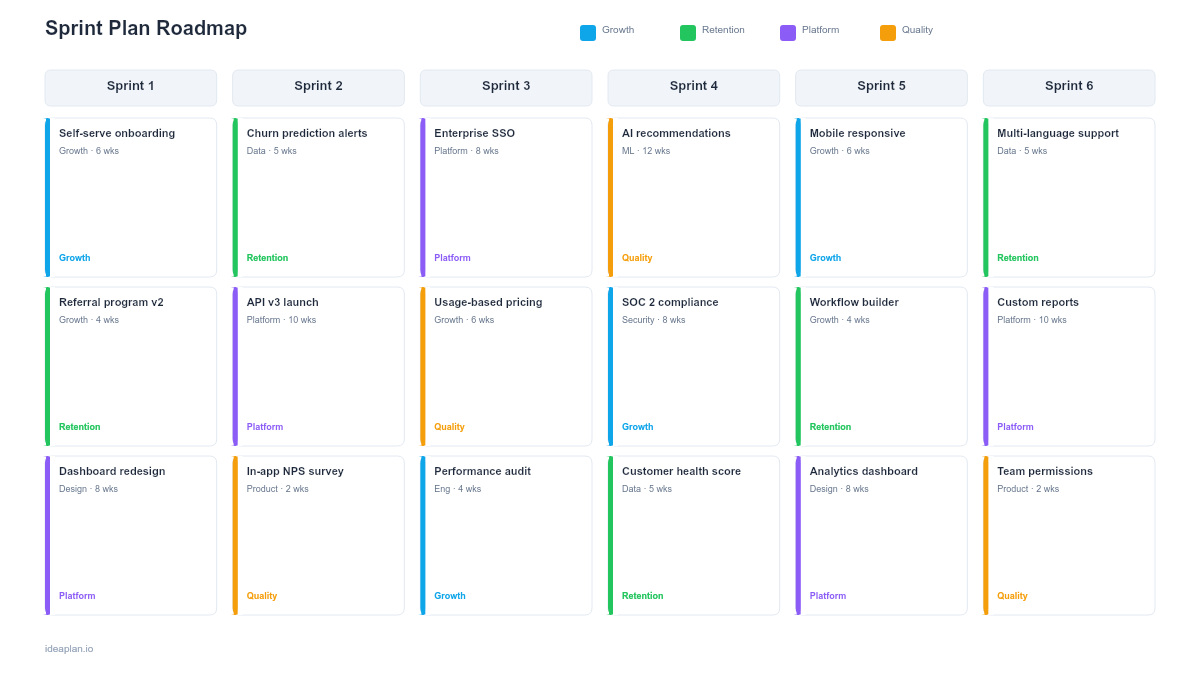
The sprint plan roadmap shows planned work across multiple upcoming sprints. Each sprint column lists the committed stories or tasks, the team capacity, and a confidence indicator. The format makes overcommitment visible. If Sprint 4 has twice the work of Sprint 3 with the same capacity, you know before the sprint starts that something needs to drop. Use this for sprint planning meetings and for communicating the near-term delivery plan to stakeholders.
Sprint Plan Roadmap (Google Slides)
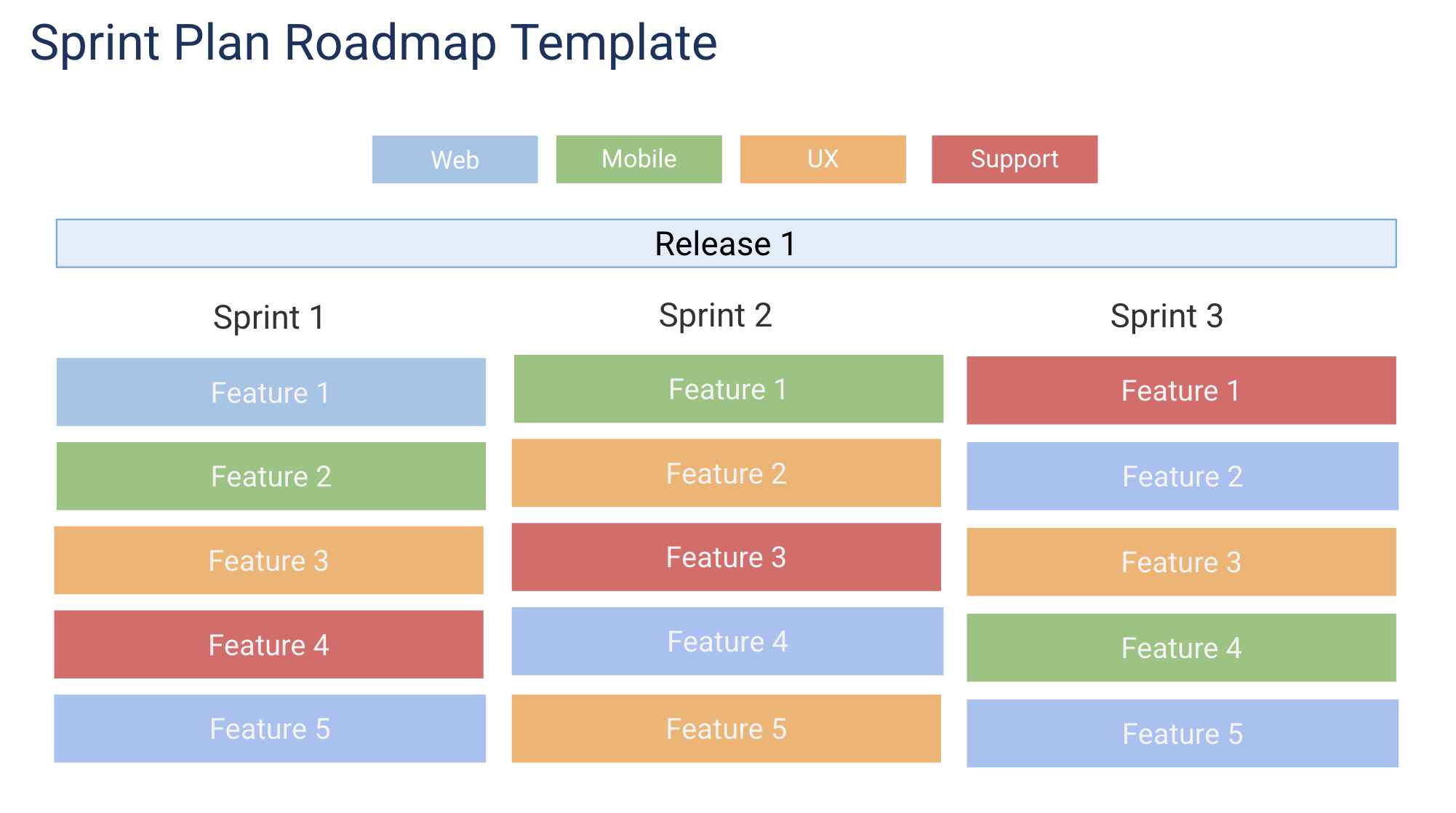
The Google Slides version of the sprint plan roadmap is better for teams that present sprint plans in review meetings. Real-time collaboration lets the entire team contribute during sprint planning, and the presentation format controls pacing when walking stakeholders through the plan. See the full agile roadmap format guide for structuring sprint-based roadmaps.
Agile Release Train Roadmap
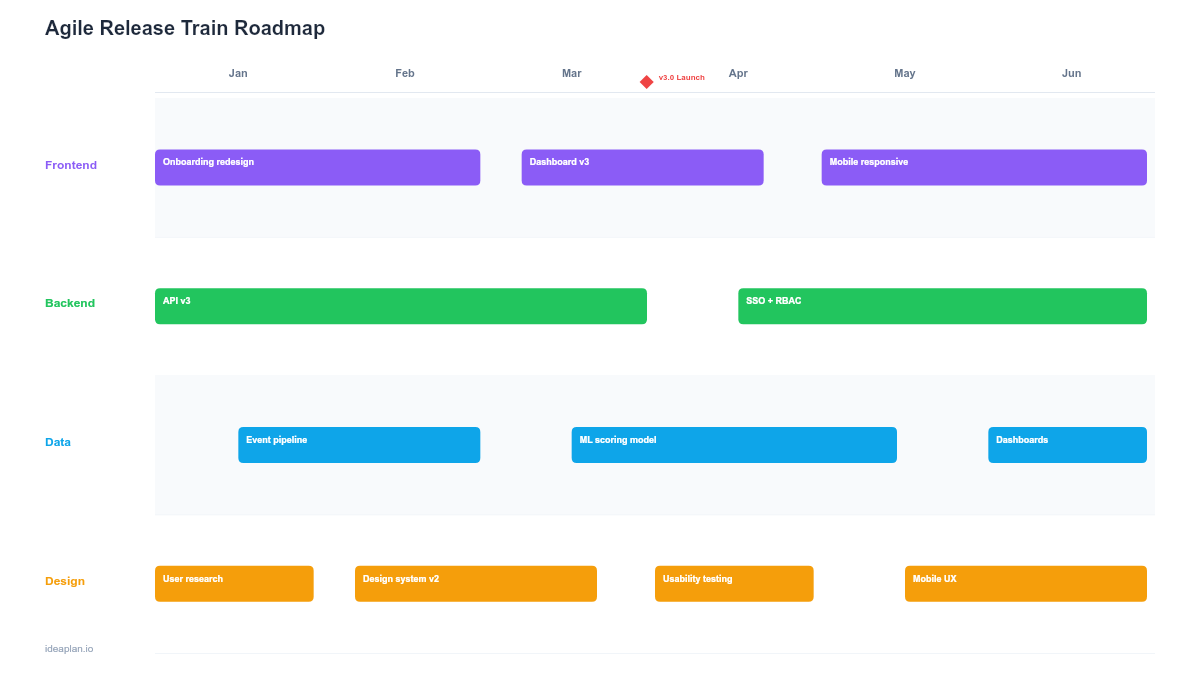
For teams running SAFe or scaled agile with multiple squads on a shared cadence, the agile release train roadmap coordinates work across teams within a program increment. It shows each team's planned features, cross-team dependencies, and shared PI objectives. This is the template you need when agile scaling means more than "we have two teams doing sprints." It is for organizations where five or more teams ship on a coordinated release train.
Async Roadmap
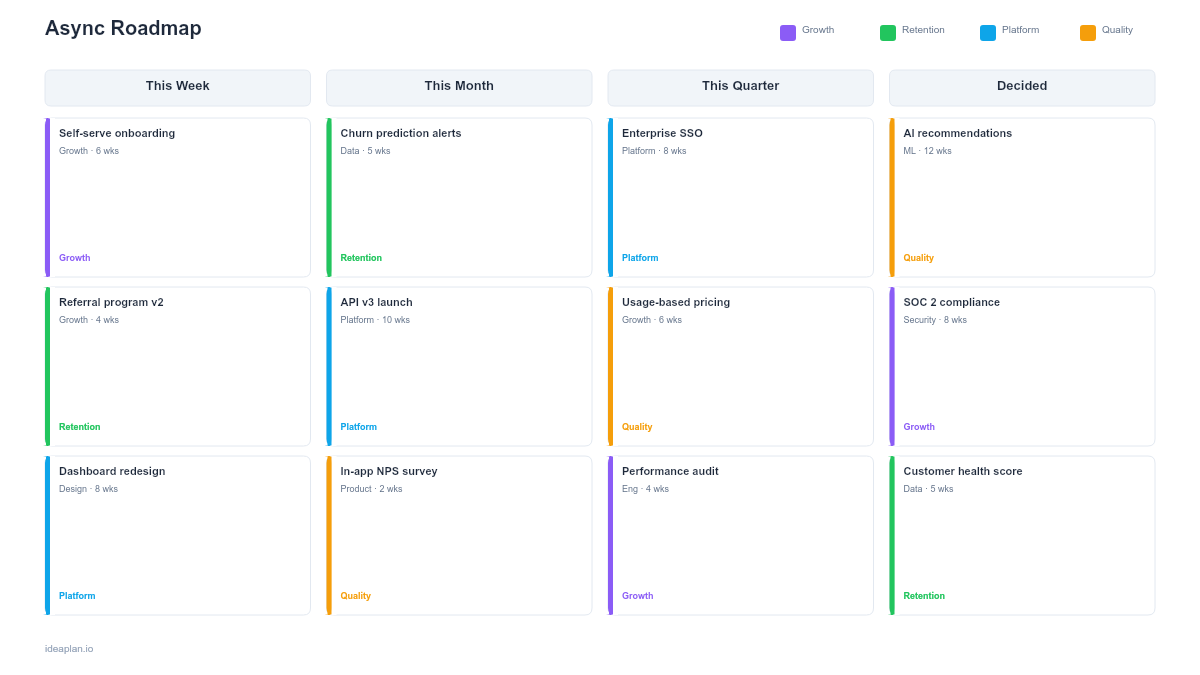
The async roadmap is designed for distributed agile teams working across time zones. It shows sprint commitments, team availability windows, and async communication checkpoints. Each sprint column indicates which team members are online during which hours and when asynchronous handoffs happen. This template makes timezone-based planning visible and prevents the "waiting for the team in Sydney to wake up" bottleneck that kills distributed agile velocity.
SMART Goals Agile Roadmap
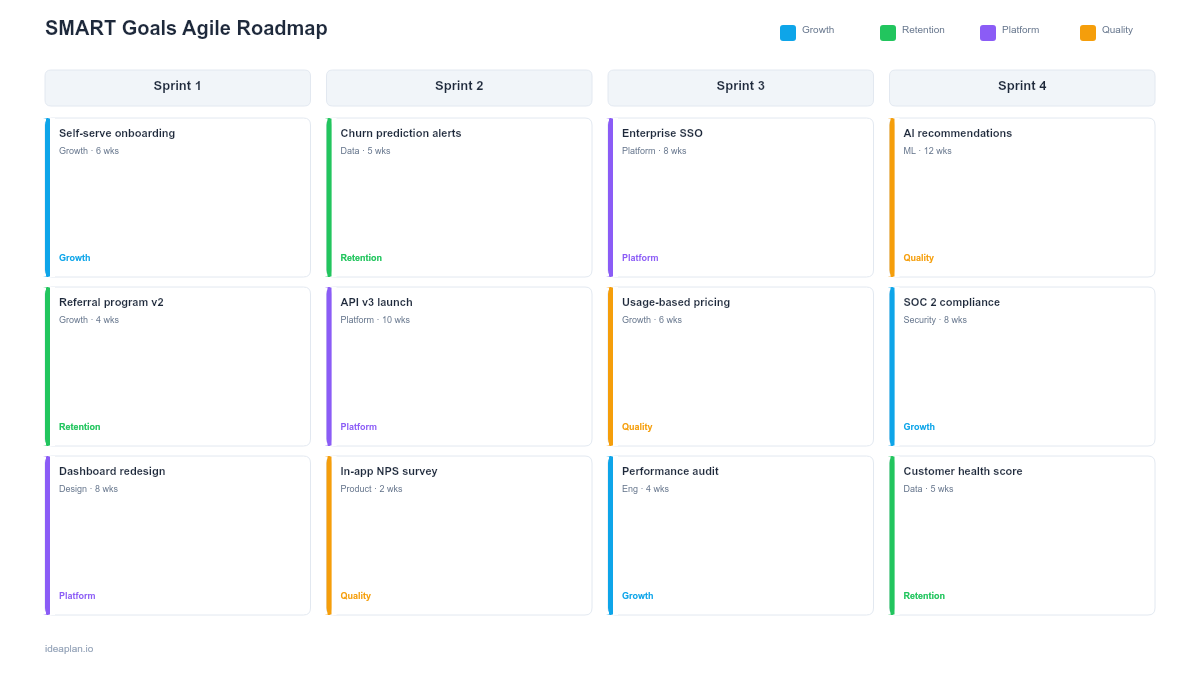
The SMART goals agile roadmap connects sprint work to quarterly objectives using the SMART framework: Specific, Measurable, Achievable, Relevant, Time-bound. Each sprint shows which SMART goal the work supports, creating clear line-of-sight from daily execution to business outcomes. This template answers the stakeholder question "Why are we building this?" by making goal alignment explicit at the sprint level.
Epic and Feature Tracking
When individual sprints are too granular for the audience, epic-level templates show the bigger picture: what themes or features the team is building over the coming weeks or months.
Epic Roadmap (PowerPoint)
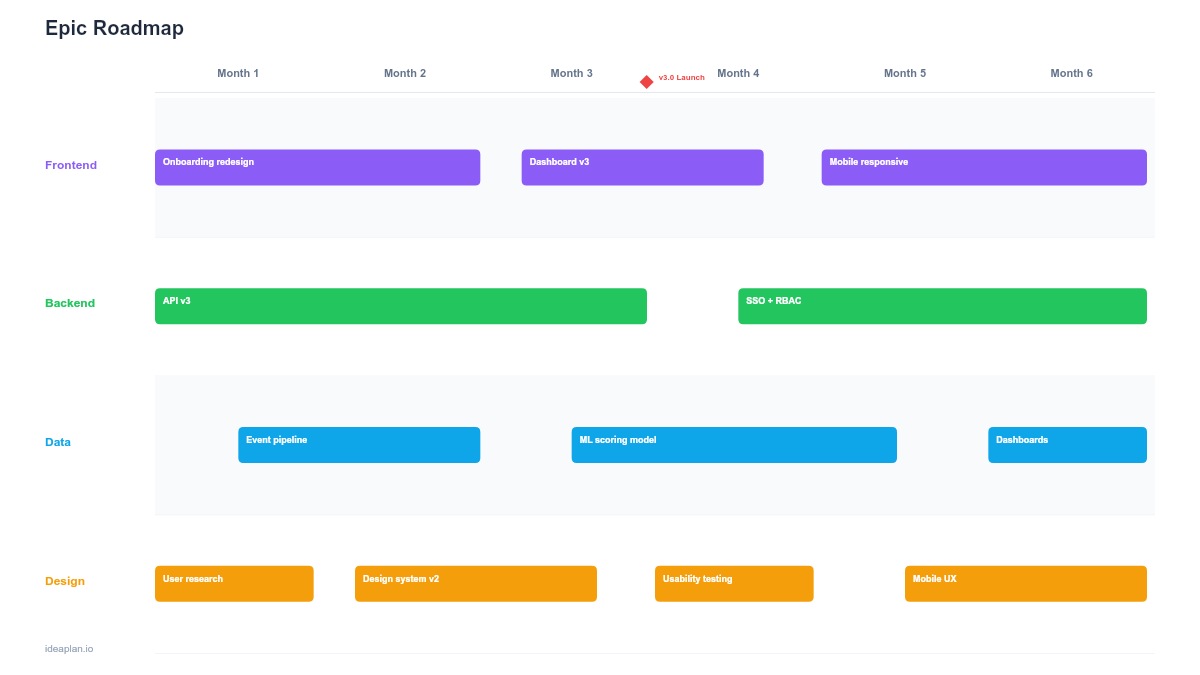
The epic roadmap tracks large features (epics) across sprints with status, priority, and team assignments. Each epic shows its planned timeline as a bar across sprints, with color-coded status indicators. This is the right abstraction level for most product managers. It is detailed enough to track delivery and abstract enough to share with stakeholders who do not care about individual stories.
Epic Roadmap (Google Sheets)
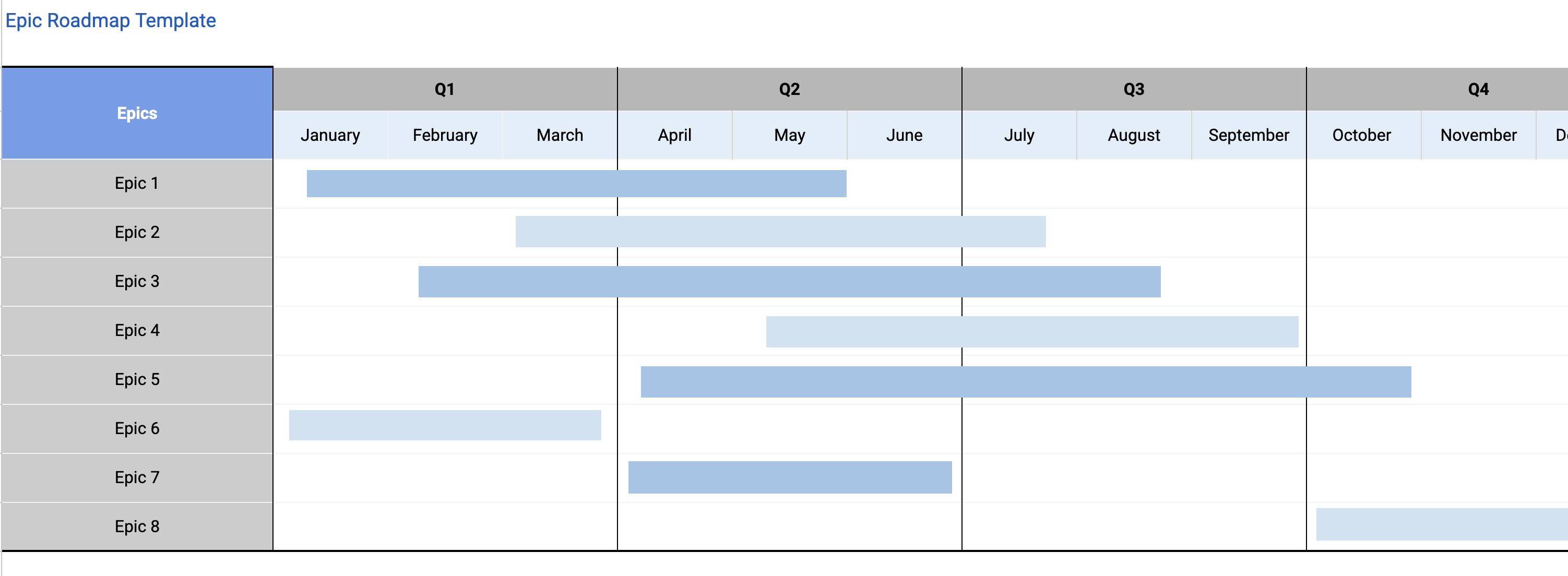
The Google Sheets version adds formula-driven features: automatic status rollups, sprint velocity tracking, and conditional formatting that highlights blocked or at-risk epics. For teams that manage their roadmap as a living spreadsheet updated daily, this is the more practical format. The RICE calculator can help you prioritize which epics to tackle first.
Epic Roadmap (Google Slides)
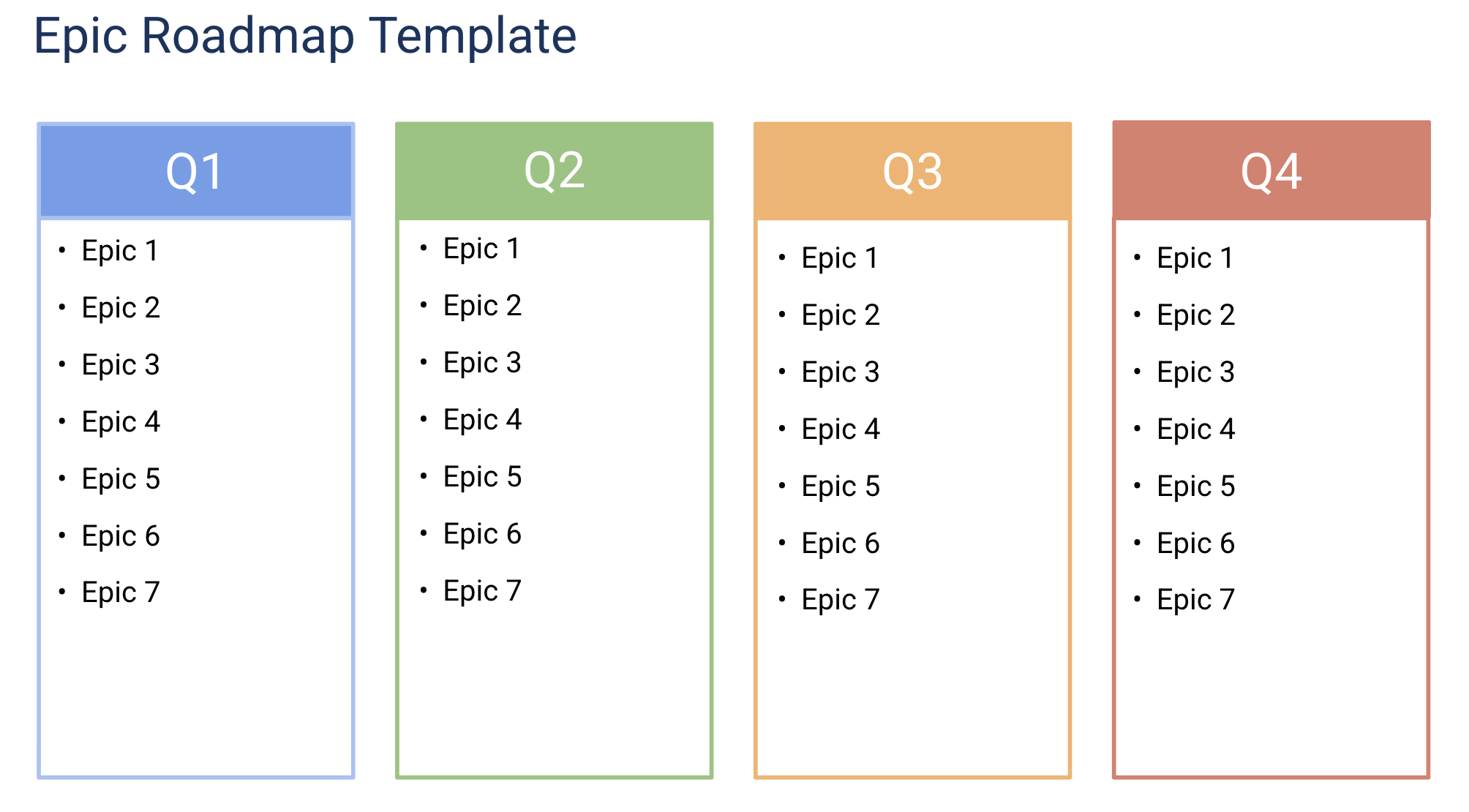
The presentation version of the epic roadmap, optimized for sprint reviews and stakeholder demos. Show what shipped this sprint, what is in progress, and what is coming next, all at the epic level. The slide format keeps the conversation focused on outcomes rather than implementation details.
Kanban and Continuous Delivery
For teams that ship when work is ready rather than on a fixed sprint cadence, kanban templates organize work by workflow stage instead of time period.
Kanban Roadmap (PowerPoint)
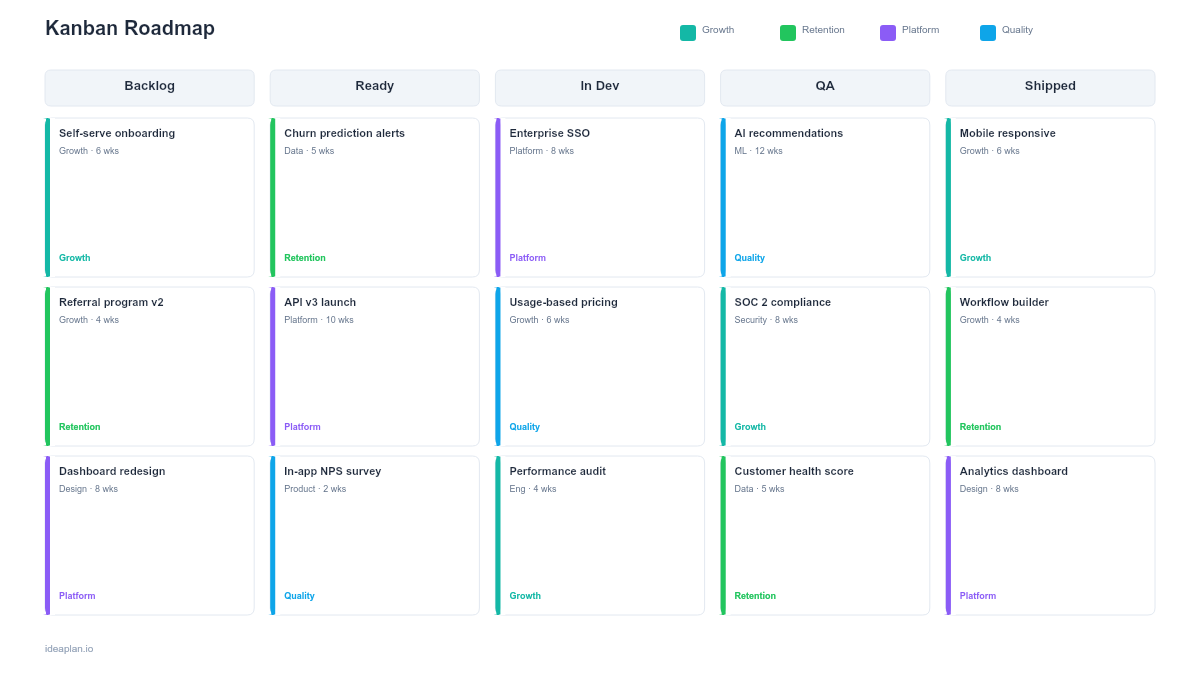
The kanban roadmap displays work items flowing through workflow stages: Backlog, Ready, In Progress, Review, and Done. WIP (work-in-progress) limits are built into the template to prevent overloading any single stage. This format works for platform teams, support-focused teams, or any group where work arrives unpredictably and gets done in the order it is ready. The kanban roadmap guide explains when this format fits better than sprint-based planning.
Kanban Roadmap (Google Sheets)
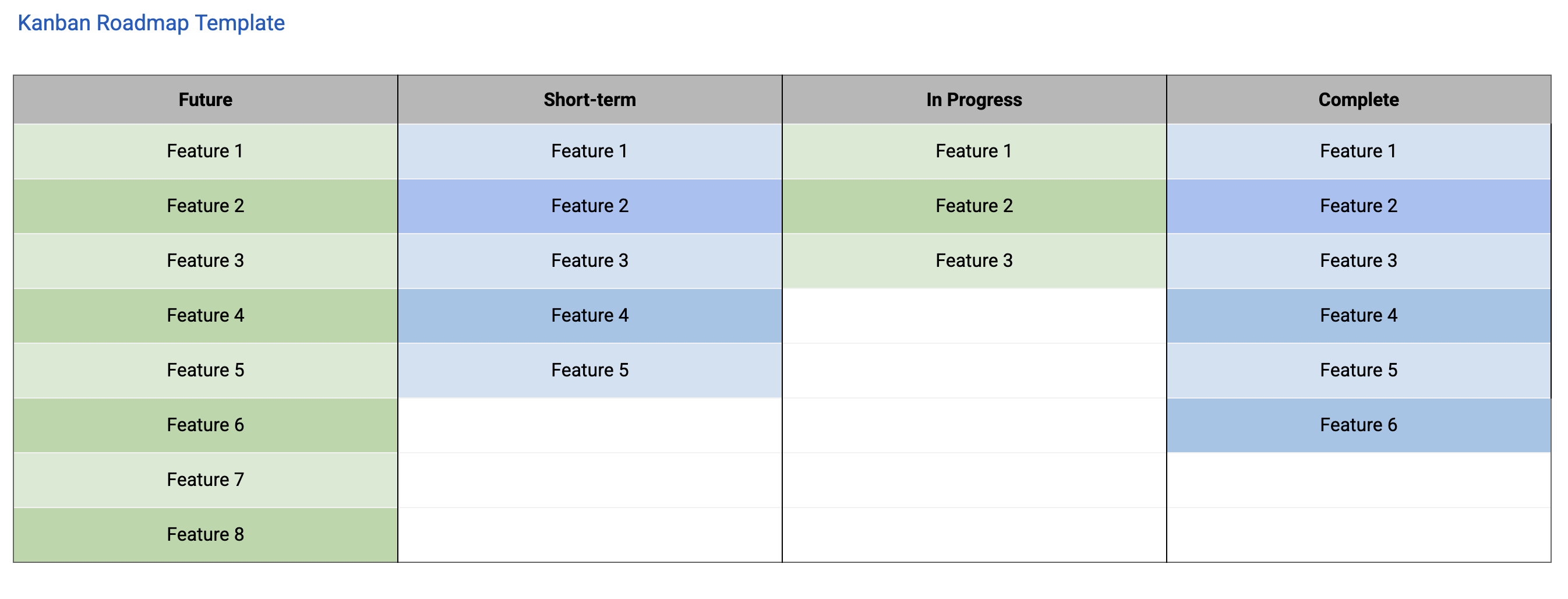
The Google Sheets kanban roadmap adds formulas for cycle time tracking, throughput measurement, and WIP limit enforcement via conditional formatting. When an "In Progress" column exceeds the WIP limit, the cell turns red. For teams managing their kanban board in a spreadsheet (common when Jira feels like overkill), this template gives you a functional board with built-in metrics.
Kanban Roadmap (Google Slides)
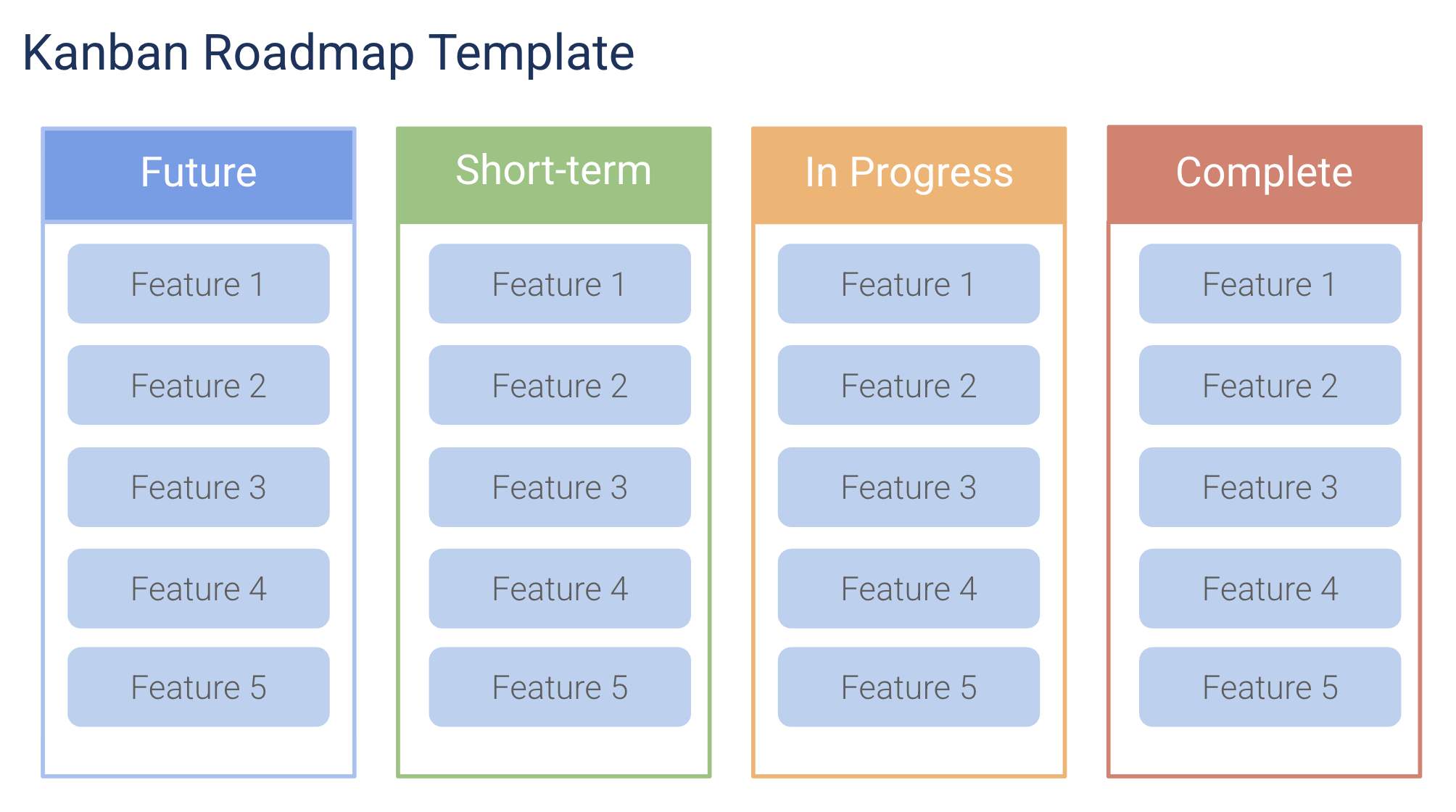
A presentation-ready kanban view for team standups and status meetings. The visual board layout communicates workflow status faster than any status email. Use this when you need to present your kanban flow to stakeholders who are used to seeing roadmaps as timelines. The visual board format is intuitive even for people unfamiliar with kanban.
Release and Milestone Planning
These templates bridge agile execution with release coordination, connecting sprint-level work to the versions and milestones that customers and stakeholders care about.
Release Plan Roadmap
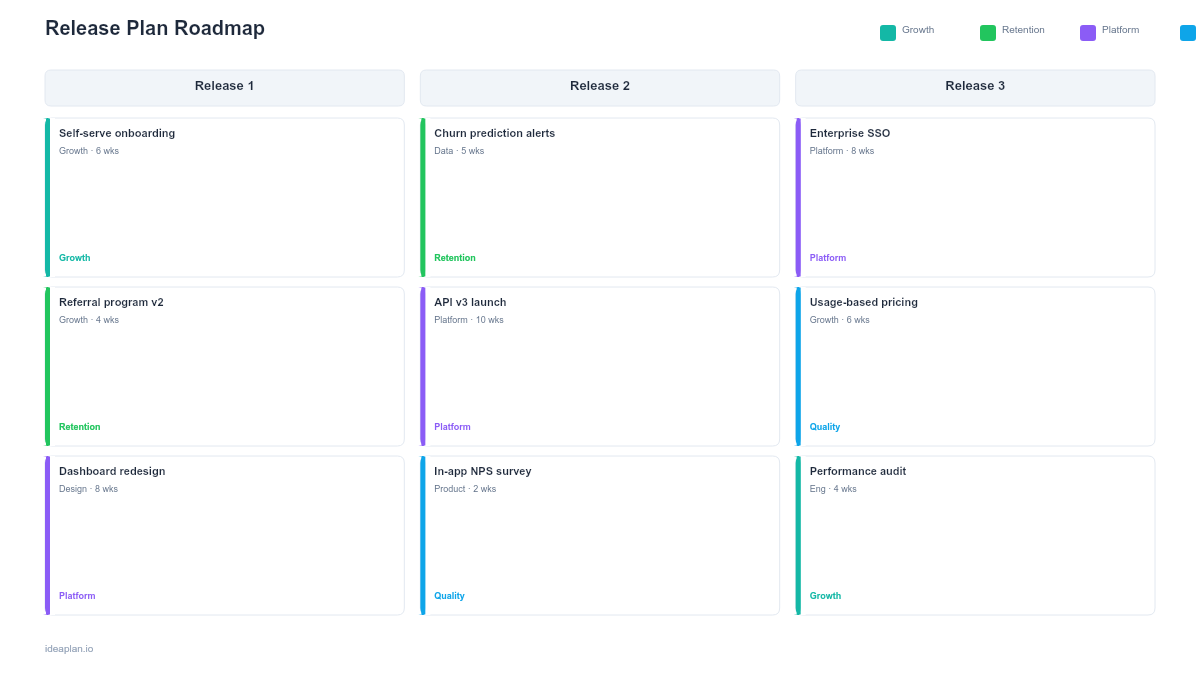
The release plan roadmap groups sprint work into planned releases with target dates, scope summaries, and risk indicators. Each release shows its included features, testing status, and go/no-go criteria. This is the template for teams that ship versioned products: mobile apps, APIs, or enterprise software with formal release cycles. It connects the agile execution pace to the release coordination that marketing, sales, and support teams need.
Gantt Chart Roadmap
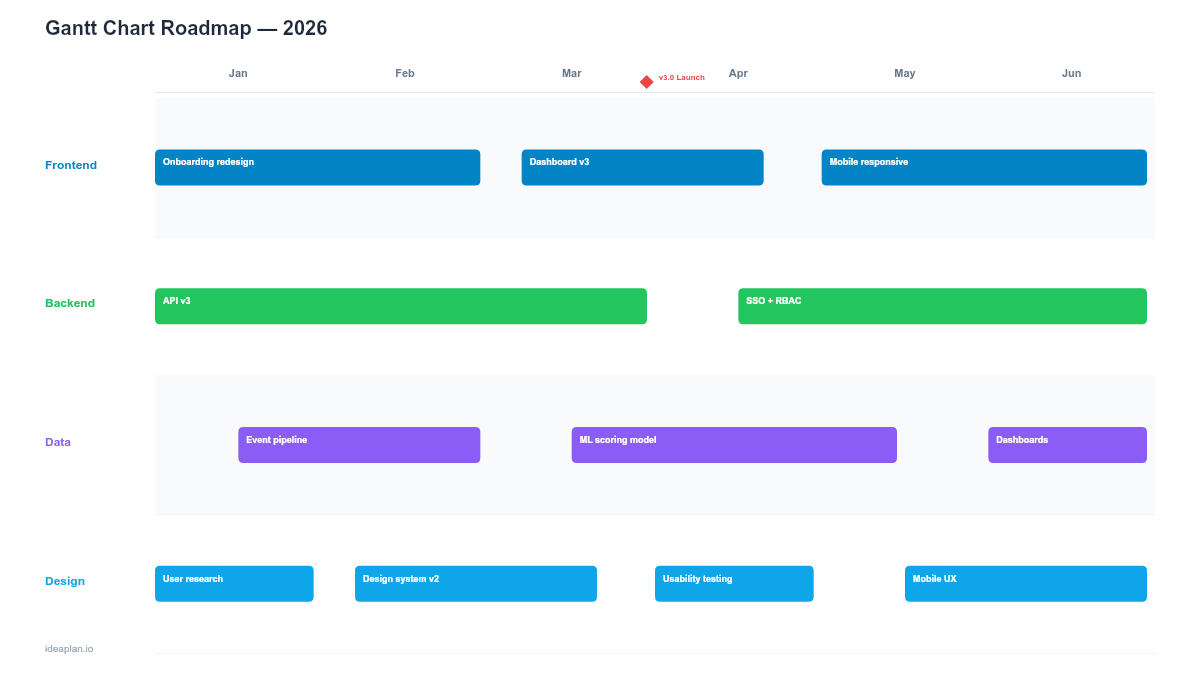
The Gantt chart roadmap shows tasks with their dependencies, durations, and sequential relationships. While purist agile teams avoid Gantt charts, they remain valuable for projects with hard external deadlines and complex dependency chains: compliance work, platform migrations, or coordinated launches with external partners. Use this when you need to show the critical path through a project, not just the backlog.
Milestone Roadmap
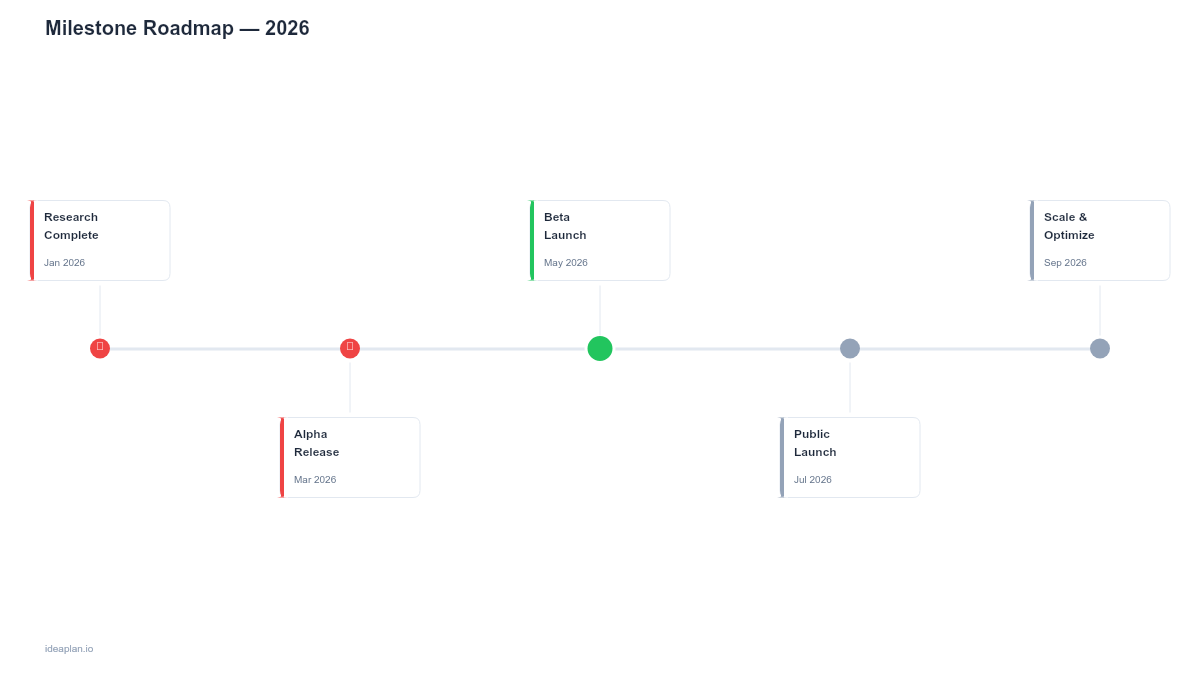
The milestone roadmap strips away task-level detail and shows only the key dates that matter: feature complete, beta launch, marketing launch, GA release. It is the highest-level view of delivery timing and works best for communicating with executives or external partners who need to know when things happen, not how they get built. This minimal format is the right choice when stakeholders need timing without implementation noise.
Which Agile Roadmap Template Should You Use?
Your agile methodology determines the starting point:
- Scrum teams → Sprint Plan Roadmap for planning, Epic Roadmap for tracking, Release Plan for coordination with stakeholders.
- Kanban teams → Kanban Roadmap as your primary view, Milestone Roadmap for stakeholder communication.
- Scaled agile (SAFe) → Agile Release Train Roadmap for cross-team coordination.
- Hybrid teams → Epic Roadmap (Google Sheets) for daily management, Gantt Chart when external dependencies dictate fixed timelines.
Pick one template per audience. Your team sees the sprint or kanban board. Your stakeholders see the epic or milestone view. Your executives see the quarterly or release view. Do not try to make one roadmap serve all three audiences. The roadmap building guide covers how to structure roadmaps for each audience in detail.
Explore More
- Top 8 Agile Frameworks for Product Teams (2026) - 8 agile frameworks compared side by side for product teams.
- How to Run an Effective Sprint Review - Expert answer on running productive sprint reviews and demos.
- Top 10 AI Tools for Product Managers (2026) - 10 AI-powered tools that save product managers hours every week.
- Top 15 Free Product Management Templates (2026) - 15 free PM templates covering roadmaps, PRDs, strategy docs, sprint plans, and retrospectives.
The Agile Transformation Template for Agile Teams pairs well with this one.