Quick Answer (TL;DR)
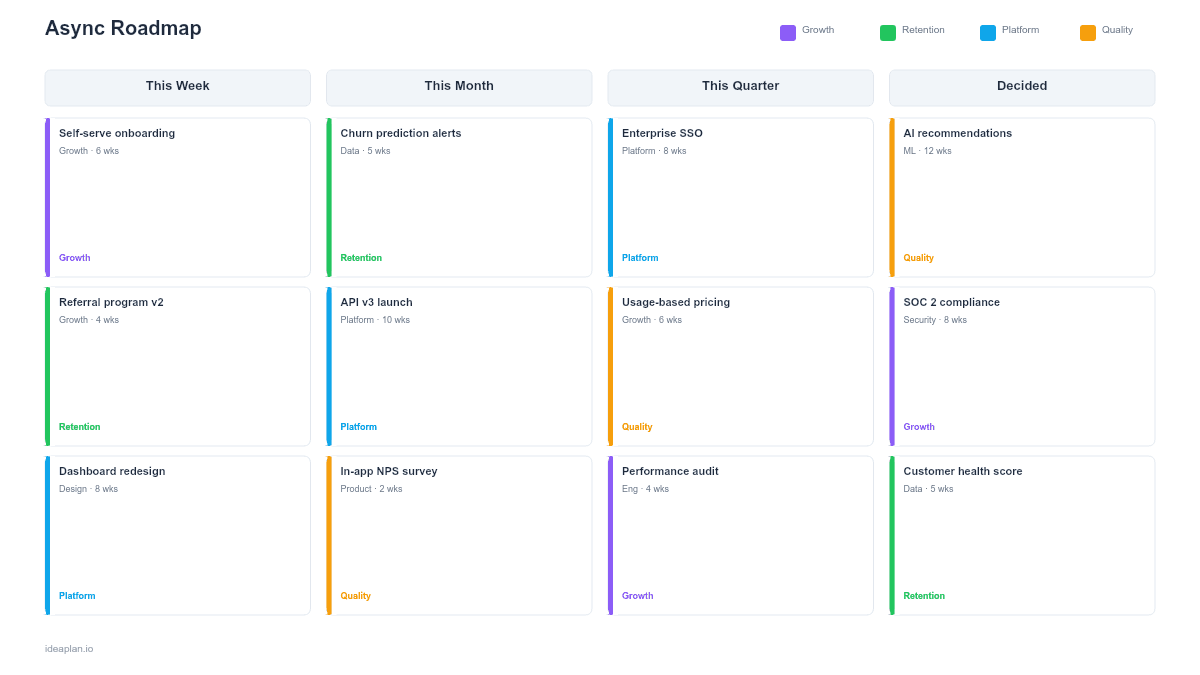
This free PowerPoint template is designed for distributed and remote teams that need to share roadmap status asynchronously. Each initiative card shows a status badge (On Track, At Risk, Blocked), the owner's handle, and a last-updated date. Four columns (This Week, This Month, This Quarter, Decided/Parked) organize work by time horizon. Share it in your team Slack channel weekly instead of holding a status meeting.
What This Template Includes
- Cover slide. Title, team name, and accent bar.
- Instructions slide. Six-step guide for maintaining the roadmap async.
- Blank template slide. Four columns with status, owner, and date placeholder fields on each card.
- Filled example slide. Nine sample initiatives with realistic status badges, owner handles, and update dates showing how a platform team communicates async.
Why PowerPoint for an Async Roadmap
Async communication needs a format that conveys maximum context with minimum friction. A PowerPoint slide is self-contained: anyone can open it, scan the status badges, and understand the current state without scheduling a meeting or navigating a project management tool.
The .pptx format works in Slack (drag and drop for preview), email attachments, Google Drive (opens in Slides), and offline. For teams spread across time zones, this matters more than any real-time tool.
The key difference from a standard roadmap is the emphasis on recency: every card has a "last updated" date so readers know whether the information is current or stale.
Template Structure
This Week. Shipping Now
Items that will ship within the current week. Status should be On Track or Blocked (nothing should be At Risk for a one-week horizon). Update daily or every other day.
This Month. In Progress
Active work with a 2-4 week delivery window. Status badges matter most here: On Track, At Risk, or Blocked. Each card includes the owner and last-updated date so the team can flag stale items.
This Quarter. Planned
Committed work for the current quarter. These items may not have started yet but are planned and resourced. Update weekly.
Decided / Parked. Resolved Items
This column holds two types of items:
- Decided. Items where a decision was made (e.g., "Migrate to GraphQL" with status "Done").
- Parked. Items consciously deferred with a reason (e.g., "Native mobile app" with status "Parked").
This column serves as the team's decision log, preventing async teams from re-debating resolved topics.
Status Badges
- On Track (green). Work is progressing as expected.
- At Risk (amber). There is a blocker or dependency that may cause a delay.
- Blocked (red). Work has stopped. The card should explain what is blocking it.
- Done (green). Completed and shipped.
- Parked (gray). Consciously deferred.
How to Use This Template
1. Assign owners to every card
In async teams, ownership is everything. Use Slack handles (@chen, @maya) so readers know exactly who to message with questions.
2. Update the "last updated" date on every change
This is the async equivalent of verbal status updates. If a card says "Updated Feb 5" and today is Feb 14, the team knows the status is stale and should ping the owner.
3. Share weekly in your team channel
Every Monday (or Friday), post the updated slide in your team's Slack or Teams channel. Add a 2-3 sentence summary: "1 item shipped, 1 at risk (SSO blocked on vendor), 2 new items in This Quarter."
4. Use status badges consistently
Agree as a team on when something moves from On Track to At Risk. A common rule: if a known blocker exists but a workaround is possible, it is At Risk. If no workaround exists, it is Blocked.
5. Move completed items to Decided / Parked
Do not delete shipped items immediately. Move them to the Decided column with a "Done" badge so the team has a record of what shipped. Archive old Done items monthly.
When to Use This Template
This format works best for:
- Distributed teams across multiple time zones that want to reduce status meetings
- Remote-first organizations that default to async communication
- Cross-functional squads where members need to check roadmap status on their own schedule
- Teams with external stakeholders (agencies, partners) who need regular updates without meeting invites
- Any team that wants to replace a weekly status meeting with a shared artifact
If your team meets in person daily, a standard now-next-later roadmap may be simpler. For multi-team coordination with dependencies, use the Multi-Team Coordination template.
Key Takeaways
- Every card has a status badge, owner handle, and last-updated date for maximum async context.
- The Decided/Parked column prevents async teams from re-debating resolved topics.
- Share weekly in Slack or Teams to replace status meetings.
- Status consistency matters: agree as a team on the definition of On Track vs. At Risk vs. Blocked.
- The last-updated date is the async equivalent of a standup. If it is stale, ping the owner.
- Compatible with Google Slides, Keynote, and LibreOffice Impress. Upload the
.pptxto Google Drive to edit collaboratively in your browser.