Quick Answer (TL;DR)
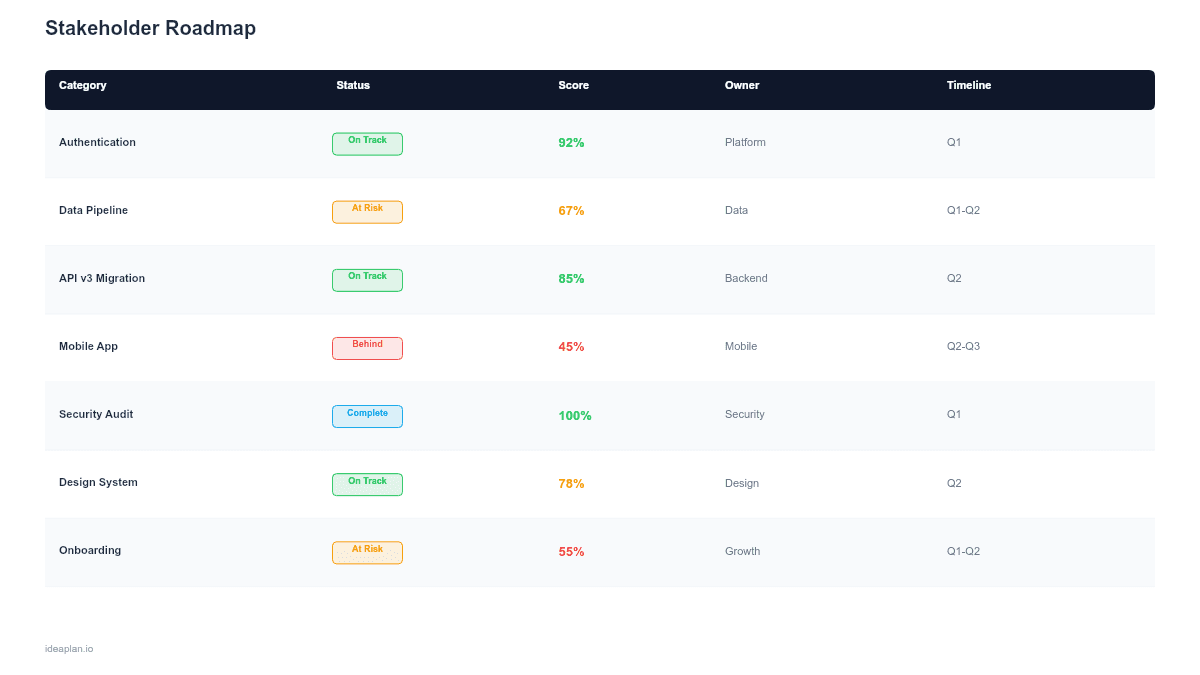
This free PowerPoint stakeholder communication roadmap distills your product plan into a one-page executive summary with strategic themes, key milestones, and outcome targets. It strips away sprint-level detail that executives do not need and focuses on what leadership cares about: where the product is going, when the major checkpoints are, and what business results you expect. Download the .pptx, translate your detailed roadmap into executive language, and use it for board meetings, leadership reviews, and stakeholder alignment sessions.
What This Template Includes
- Cover slide. Product name, fiscal year or planning period, and presenting PM.
- Instructions slide. How to map detailed roadmap items to strategic themes and select the right milestones for your audience. Remove before presenting.
- Executive roadmap slide. A single-page view with 3-5 strategic themes as horizontal rows, key milestones as diamond markers on a quarterly timeline, and outcome targets (metrics with targets) in a sidebar column.
- Appendix slide. A backup detail slide mapping each strategic theme to specific features and initiatives, for stakeholders who want to drill deeper during Q&A.
Why PowerPoint for Stakeholder Communication
Product managers often make the mistake of presenting their working roadmap. Full of epics, user stories, and technical detail. To executives who need strategic context. The result is a 45-minute meeting spent explaining what "Migrate to gRPC" means instead of discussing whether the product strategy is on track.
A dedicated communication roadmap solves this by separating the planning artifact (your detailed roadmap) from the communication artifact (this template). PowerPoint is the default format for executive presentations across most organizations, which means no learning curve, no tool access issues, and easy integration into existing leadership review cadences.
Template Structure
Strategic Theme Rows
Each row represents a strategic theme, not a feature or epic. Themes answer the question "Why are we investing here?" rather than "What are we building?" Examples: "Reduce time-to-value for new customers," "Expand into mid-market," "Improve platform reliability." Three to five themes is the right number. Fewer feels incomplete, more feels unfocused.
Map themes directly to company-level OKRs or business objectives. When a board member asks "How does this connect to our growth target?", the theme-to-OKR mapping should make the answer immediate.
Milestone Markers
Diamond markers on the timeline represent key checkpoints: beta launches, GA releases, partnership go-lives, and metric achievement targets. Select 2-3 milestones per theme per half-year. The criteria for inclusion: would this milestone change a decision if it slipped? If the answer is no, it does not belong on the executive roadmap.
Outcome Targets Sidebar
A column on the right side of the slide lists the target metrics for each theme. For example, "Reduce time-to-value" might target "Onboarding completion: 45% to 65%." "Expand into mid-market" might target "Deals > $50K ARR: 12 to 30." These targets connect the roadmap to business results that stakeholders can evaluate without understanding the underlying features.
Confidence Indicators
Each theme row includes a simple confidence indicator: green (on track), yellow (at risk), red (off track). This gives leadership a traffic-light summary without requiring them to parse Gantt charts. Update these indicators before each review meeting based on actual progress against milestones.
How to Use This Template
1. Translate features into themes
Review your detailed roadmap and group features by the business outcome they serve. A database migration, API optimization, and CDN upgrade all serve the theme "Improve platform reliability." Present the theme, not the implementation details. The product vision guide can help you articulate themes that connect tactical work to strategic direction.
2. Select milestones for your audience
Board members care about revenue milestones and market moves. VP-level stakeholders care about release dates and metric targets. Engineering leadership cares about technical milestones. Pick 8-12 milestones total across all themes, choosing the ones that matter most to your primary audience. You can always add more in the appendix.
3. Set outcome targets with baselines
Every outcome target needs a baseline and a goal. "Improve retention" is not a target. "Monthly retention rate: 82% to 88% by Q3" is a target. Baselines come from your product analytics. Without baselines, outcome targets are aspirations rather than measurable commitments.
4. Present with the right framing
Open with the strategic context: "These five themes represent our product investment areas for the year, aligned to [company OKR/strategy X]." Walk through themes left-to-right, highlighting upcoming milestones and current confidence levels. Reserve detailed feature discussions for the appendix slide if stakeholders want to drill in. Keep the main presentation to 10-15 minutes.
When to Use This Template
Stakeholder communication roadmaps are essential when:
- Board or executive presentations require a strategic summary without feature-level detail
- Multiple stakeholders have different expectations for roadmap content and you need a shared artifact
- Quarterly business reviews include product as an agenda item alongside sales, marketing, and finance
- Stakeholder alignment is breaking down because different leaders have different understandings of what product is working on
- The product team is fatigued from rebuilding roadmap decks for every audience
If your stakeholders are technical and want sprint-level detail, a sprint plan or milestone roadmap may be more appropriate. This template adds value specifically when the audience needs strategic context rather than execution detail.
Featured in
This template is featured in Roadmap Templates for Executive and Board Presentations, a curated collection of roadmap templates for this use case.
Key Takeaways
- Stakeholder roadmaps translate feature-level plans into strategic themes, key milestones, and outcome targets that executives can evaluate.
- Limit to 3-5 themes and 8-12 milestones for readability. The purpose is strategic alignment, not execution tracking.
- Every outcome target needs a measurable baseline and goal, not just a direction.
- Traffic-light confidence indicators (green/yellow/red) give leadership a rapid health check without parsing Gantt charts.
- Maintain the executive roadmap as a stable artifact updated at scheduled intervals, separate from the working roadmap that changes daily.
- Compatible with Google Slides, Keynote, and LibreOffice Impress. Upload the
.pptxto Google Drive to edit collaboratively in your browser.