Quick Answer (TL;DR)
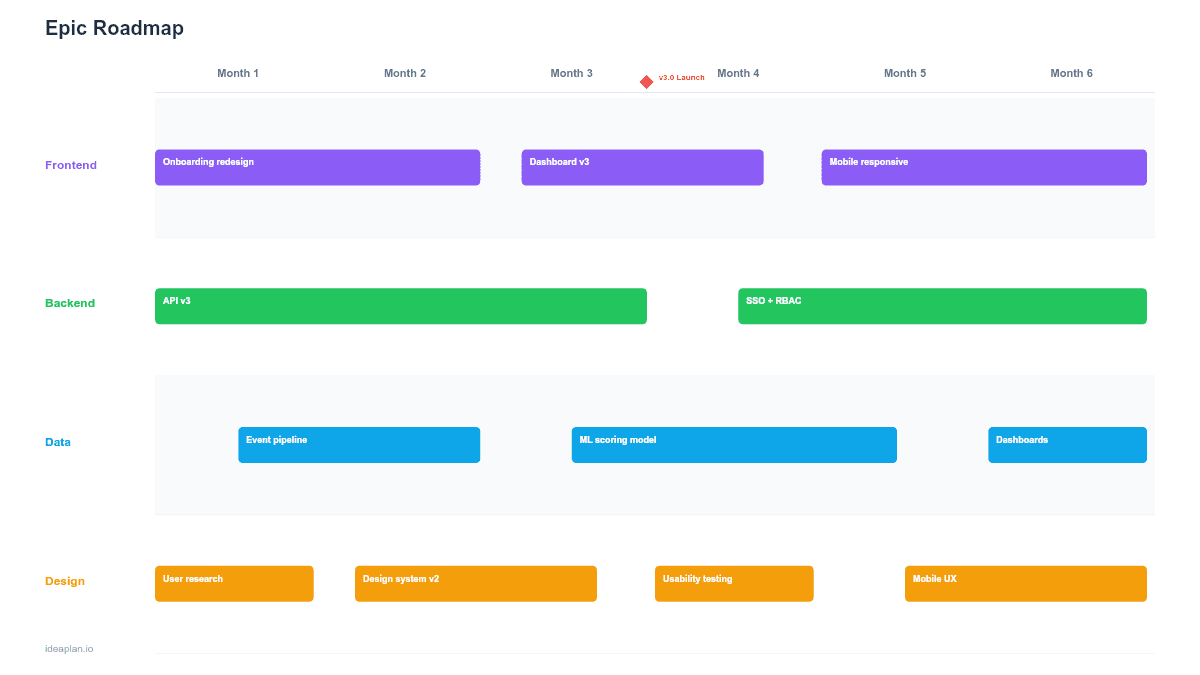
This free PowerPoint epic roadmap template maps epics across a 6-month timeline with story point estimates and progress bars for each. It gives product managers and engineering leads a single-slide view of what large initiatives are in flight, how far along they are, and where they overlap. Download the .pptx, replace the sample epics, and use it in sprint reviews and planning sessions.
What This Template Includes
- Cover slide. Product name, timeline range, and team context.
- Instructions slide. How to define epics, set progress bars, and map them to the timeline. Remove before presenting.
- Blank template slide. Eight epic rows across a 6-month grid. Each row has fields for epic name, owner, story point estimate, and a progress bar.
- Filled example slide. Six epics for a mid-stage SaaS product showing varied durations, overlapping timelines, and completion percentages ranging from 0% to 75%.
Why Track Epics on a Roadmap
An epic roadmap sits between strategy and execution. It is more concrete than a quarterly goals roadmap (you can see specific initiatives) but less granular than a sprint board (you do not see individual stories). This middle layer is where most cross-functional conversations happen.
Product managers use epic roadmaps to answer questions like:
- "When will the new onboarding flow be ready?". Check the epic's bar position and progress percentage.
- "Are we overcommitted this quarter?". Count the parallel epic bars. More than 3-4 concurrent epics per team signals overload.
- "What depends on what?". See which epics overlap and where handoffs need to happen.
The PowerPoint format works well because epic roadmaps are often presented in sprint reviews, quarterly planning, and engineering all-hands. Meetings where slides are the default format.
Template Structure
Epic Rows
Each row represents one epic. The left side shows the epic name, team owner, and total story points. The right side displays a horizontal bar spanning the epic's expected duration on the timeline grid.
Keep the slide to 6-8 epics. If you have more, you likely need to consolidate smaller epics or split the roadmap by team.
Progress Bars
Each epic bar includes an internal progress indicator. A filled portion showing the percentage of story points completed. This turns the roadmap from a plan into a status report. A bar that is 3 months in but only 20% complete signals a problem worth discussing.
Progress is calculated as completed story points divided by total story points for the epic. Update it after each sprint based on your backlog tool.
Story Point Estimates
Total story points appear as a badge on each epic. This is not a precision tool. It helps stakeholders understand relative size. An epic with 80 points takes roughly four times the effort of a 20-point epic. That relative comparison is enough for roadmap-level planning.
Timeline Grid
The 6-month grid uses monthly columns with alternating shading. Epics that span multiple months show as bars crossing column boundaries. The current date can be marked with a vertical line (a "today" marker) so the audience can instantly see which epics should be further along than they are.
How to Use This Template
1. Define your epics
Pull epics from your backlog tool. Each epic should represent a distinct capability or user outcome that takes 2-8 weeks of engineering effort. If an epic takes less than a sprint, it is probably a story. If it takes more than a quarter, break it into smaller epics.
2. Estimate story points
Total up the story points for all stories within each epic. If stories have not been estimated yet, use the team's historical velocity to generate a rough T-shirt estimate and convert to points later.
3. Place bars on the timeline
Position each bar based on planned start and end dates. Factor in dependencies. If Epic B needs output from Epic A, ensure the bars do not overlap incorrectly. Leave small gaps between dependent epics to represent integration and testing time.
4. Set initial progress
For epics already in progress, fill the bar to match the current completion percentage. For planned epics that have not started, leave the bar empty (0%).
5. Update after each sprint
After every sprint, update progress bars based on completed story points. Move bar edges if the timeline has shifted. Color-code bars by status: green (on track), amber (at risk), red (behind). Present the updated slide in your sprint review.
When to Use This Template
The epic roadmap PowerPoint template works best for:
- Sprint reviews where the team shows how sprint work contributes to larger epics
- Quarterly planning where engineering and product align on which epics to prioritize
- Engineering all-hands where leadership wants a progress snapshot across active initiatives
- Stakeholder updates where non-technical audiences need to see project status at a glance
If your audience prefers a spreadsheet format for filtering and sorting epics, the Epic Roadmap Google Sheets template is a better fit. For presentation-focused epic tracking in Google's ecosystem, use the Epic Roadmap Google Slides template.
Featured in
This template is featured in Agile and Sprint Roadmap Templates, a curated collection of roadmap templates for this use case.
Key Takeaways
- Epic roadmaps bridge the gap between strategic goals and sprint-level execution.
- Progress bars turn a static plan into a live status report that updates every sprint.
- Story point badges communicate relative size without false precision.
- Limit to 6-8 epics per slide to maintain readability.
- PowerPoint format integrates directly into sprint reviews, planning meetings, and all-hands presentations.
- Compatible with Google Slides, Keynote, and LibreOffice Impress. Upload the
.pptxto Google Drive to edit collaboratively in your browser.