Quick Answer (TL;DR)
This free PowerPoint template connects SaaS product initiatives to the subscription metrics that drive the business: MRR, churn rate, expansion revenue, and NRR. Each feature or initiative is tagged with its target metric impact, planned tier (which pricing plan it affects), and release quarter. Download the .pptx, map your product work to revenue outcomes, and use it to align product, finance, and leadership on how the roadmap drives growth.
What This Template Includes
- Cover slide. Product name, current MRR, target MRR, and the planning period.
- Instructions slide. How to tag initiatives with metric impacts, assign tier targets, and connect the roadmap to financial projections. Remove before presenting.
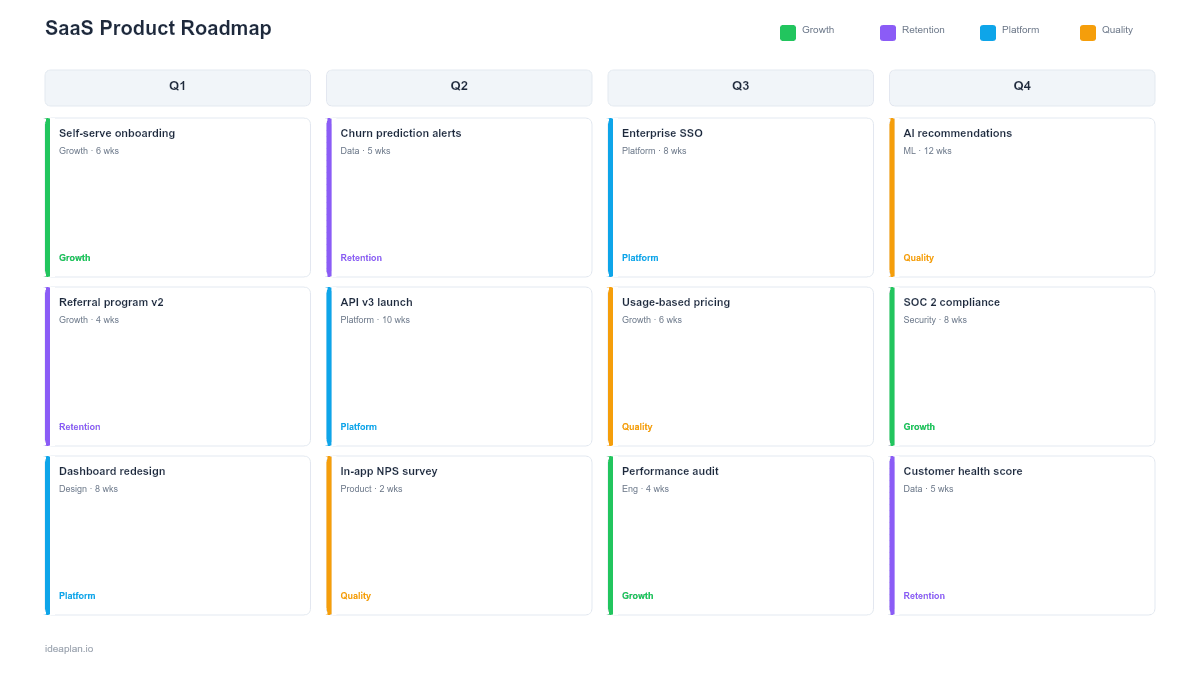
- Blank template slide. Four initiative rows (Acquisition, Activation, Retention, Expansion) across a quarterly timeline with metric impact cards, tier tags, and revenue projection callouts.
- Filled example slide. A B2B SaaS roadmap with 14 initiatives across four rows, showing how each maps to specific MRR movements, from onboarding improvements reducing churn to premium feature releases driving upgrades.
Why SaaS Products Need a Metrics-Linked Roadmap
A SaaS roadmap that lists features without connecting them to subscription metrics is a shopping list, not a strategy. When the board asks "How will the product roadmap impact ARR?", a feature list cannot answer that question. A metrics-linked roadmap can.
The core insight is that every SaaS product initiative affects one of four revenue levers: bringing in new revenue (acquisition), getting users to value faster (activation), keeping them from leaving (retention), or getting them to pay more (expansion). Most product teams implicitly know which lever each feature pulls, but rarely make this explicit on the roadmap itself.
Making it explicit changes the conversation. Instead of debating whether the "Dashboard v2" or "API rate limiting" feature is more important in the abstract, the team evaluates them against their metric impact: Dashboard v2 targets a 3-point improvement in Day-30 retention for mid-market accounts, while API rate limiting enables an enterprise tier that adds $40K MRR from 8 committed prospects. That framing makes prioritization concrete.
Template Structure
Revenue Lever Rows
Four horizontal rows organize work by which subscription lever the initiative pulls:
- Acquisition. Features and improvements that bring new customers in the door: free tier enhancements, viral features, integration marketplace, signup flow optimization. These drive new MRR.
- Activation. Work that gets new signups to first value faster: onboarding wizards, setup automation, quick-start templates, time-to-value reduction. These reduce early churn and improve signup-to-paid conversion.
- Retention. Features that keep existing customers: reliability improvements, feature depth, customer-requested capabilities, platform stability. These reduce revenue churn.
- Expansion. Capabilities that drive upgrades and add-on purchases: premium features, usage-based pricing tiers, team collaboration features, enterprise controls. These grow expansion MRR.
This framework maps directly to the AARRR pirate metrics model but scoped to the levers a SaaS PM controls through product decisions.
Metric Impact Cards
Each initiative card includes:
- Target metric. The specific number the initiative aims to move (e.g., "Reduce 90-day churn from 8% to 5%").
- Confidence level. High, Medium, or Low. A/B tested initiatives with historical data get High. New bets with no precedent get Low. This honesty prevents the roadmap from overpromising.
- MRR impact estimate. Dollar impact if the target metric is achieved. For retention: current MRR at risk times the improvement. For expansion: addressable accounts times average upgrade value.
Tier Tags
Each initiative shows which pricing tier it primarily affects: Free, Starter, Pro, or Enterprise. This ensures the roadmap balances investment across tiers. A common failure mode is building exclusively for enterprise customers while the free-to-paid funnel atrophies.
Revenue Projection Bar
A summary bar at the bottom aggregates the MRR impact estimates across all four rows per quarter. This shows the cumulative revenue trajectory the roadmap is designed to produce. It is an estimate, not a forecast. Label it clearly to avoid false precision.
How to Use This Template
1. Map current MRR composition
Break down your MRR by source: new MRR (from new customers), expansion MRR (from upgrades), and churned MRR (from cancellations). Calculate net revenue retention to understand whether existing customers are growing or shrinking in value. This baseline determines which revenue lever deserves the most roadmap investment.
2. Tag every planned initiative
For each initiative on your backlog, assign a primary revenue lever (Acquisition, Activation, Retention, or Expansion) and estimate its metric impact. If an initiative does not plausibly move a subscription metric, question whether it belongs on the roadmap. The product metrics guide helps identify which metrics each feature type affects.
3. Balance across levers
Check the distribution. If 70% of initiatives target Retention but your NRR is already 115%, the Retention lever may be over-invested. If no initiatives target Expansion but your average revenue per account has been flat for three quarters, that is a gap. A healthy SaaS roadmap typically allocates across all four levers with emphasis shifting based on the business stage.
4. Align pricing and product
Work with finance or pricing leadership to ensure the roadmap supports the pricing strategy. If the plan is to launch an enterprise tier in Q3, the roadmap needs enterprise-grade features (SSO, audit logs, SLA) shipping before the pricing change. The pricing for product managers guide covers how product and pricing decisions interact.
5. Set quarterly metric targets
Define the metric target each quarter aims to achieve: "Q2: Reduce 90-day churn from 8% to 6%." These targets create accountability for the initiatives placed in that quarter. If Q2 ends and churn is still 8%, the team investigates whether the initiatives shipped, were adopted, or were ineffective.
6. Present to board and investors
SaaS boards evaluate product roadmaps through a financial lens. This template speaks their language: MRR impact, churn reduction, expansion revenue. Lead with the revenue projection bar, then drill into the lever rows to show how the team plans to deliver those numbers.
When to Use This Template
A SaaS product roadmap with metrics linkage fits when:
- Board or investor presentations require connecting product work to revenue projections
- Multiple pricing tiers exist and the team needs to balance feature investment across Free, Pro, and Enterprise
- Churn is the primary problem and leadership wants a roadmap explicitly designed to reduce it
- Expansion revenue is a growth priority and the team needs to plan features that drive upgrades and add-ons
- Product and finance teams are misaligned on how the roadmap affects the financial model
For roadmaps that focus on outcome targets without the SaaS metrics overlay, the outcome-based roadmap PowerPoint template provides a more general framework. For quarterly planning without the revenue linkage, the quarterly roadmap PowerPoint template is simpler to maintain.
Featured in
This template is featured in SaaS Product Roadmap Templates, a curated collection of roadmap templates for this use case.
Key Takeaways
- SaaS roadmaps organized by revenue lever (Acquisition, Activation, Retention, Expansion) connect product work to subscription metrics.
- Metric impact cards with confidence levels make the expected business outcome of each initiative explicit.
- Tier tags ensure balanced investment across pricing plans and prevent over-indexing on a single customer segment.
- Revenue projection bars give leadership a financial view of the roadmap's cumulative impact.
- PowerPoint format enables board presentations, investor updates, and cross-functional alignment between product and finance.
- Compatible with Google Slides, Keynote, and LibreOffice Impress. Upload the
.pptxto Google Drive to edit collaboratively in your browser.