Quick Answer (TL;DR)
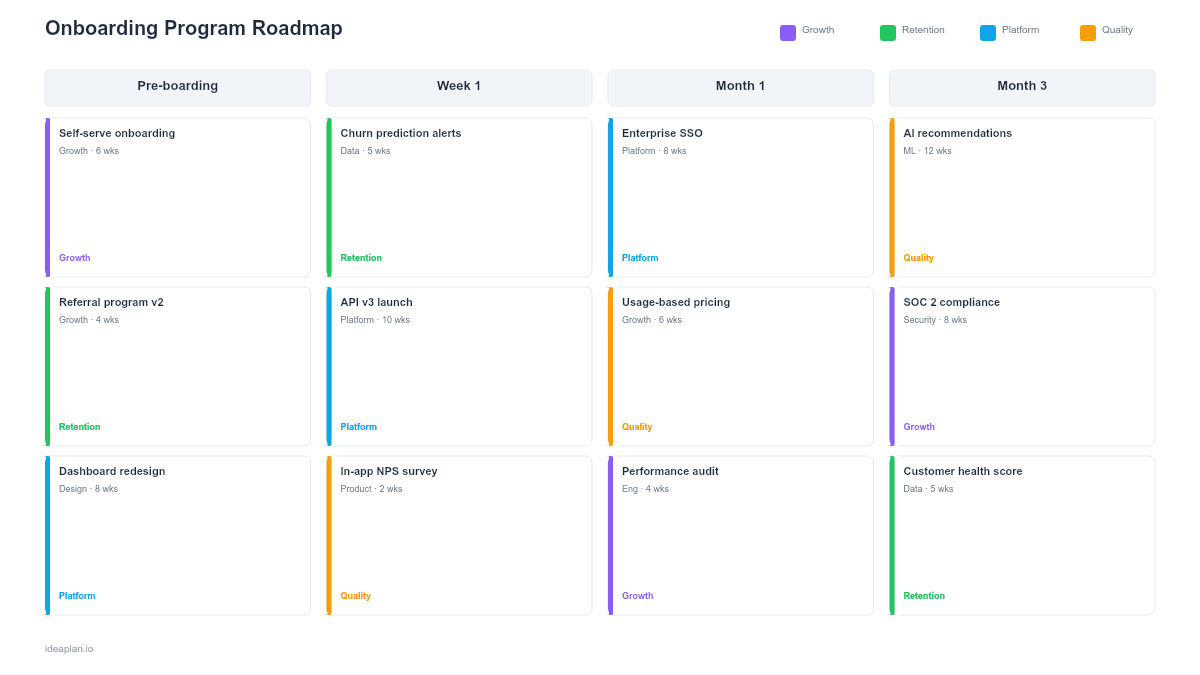
This free PowerPoint onboarding program roadmap template lays out every phase of your onboarding experience. From first contact through full adoption. On a visual timeline with ownership, milestones, and success metrics. Whether you are onboarding new employees or new product users, the template gives stakeholders a single slide showing what happens when, who owns each phase, and how you measure whether people are actually reaching activation. Download the .pptx, customize the phases for your program, and present it to leadership or cross-functional partners.
What This Template Includes
- Cover slide. Title slide with program name, target audience (employees or users), planning horizon, and program owner.
- Instructions slide. How to define phases, set milestones, and choose success metrics. Remove before presenting.
- Blank onboarding timeline slide. A phased timeline with rows for orientation, training, guided practice, and independent work. Each phase shows duration, responsible team, and a completion milestone.
- Filled example slide. A realistic 90-day employee onboarding program for a product team, showing week-by-week milestones from day-one setup through first independent project delivery.
Why PowerPoint for Onboarding Roadmaps
Onboarding programs involve multiple teams. HR, engineering, product, and the hiring manager. All responsible for different moments in the new hire or new user experience. A PowerPoint slide creates a shared visual contract that everyone can reference. It answers the questions that get lost in scattered documents: When does IT provision accounts? When does the first product training happen? When should someone be fully autonomous?
For user onboarding, the same logic applies. Product, growth, and customer success teams need to agree on what the first 30 days look like. A customer journey map captures the ideal experience; this roadmap captures the execution plan for delivering it.
Template Structure
Phase Rows
The template divides onboarding into four phases: orientation (days 1-3), foundational training (weeks 1-2), guided practice (weeks 3-6), and independent execution (weeks 7-12). Each row contains the activities, responsible teams, and tools used during that phase. You can adjust phase names and durations to match your program.
Milestone Markers
Diamond markers on the timeline indicate completion milestones. Moments where you check whether the person has reached the expected level. Examples: "Completed all tool access setup," "Passed product knowledge assessment," "Shipped first contribution." Milestones create natural checkpoints for managers and program owners.
Success Metrics Bar
A bottom bar tracks the key metrics across the timeline: time to value, task completion rate, and satisfaction scores at each phase boundary. This connects the onboarding roadmap to measurable outcomes instead of leaving it as a list of activities.
How to Use This Template
1. Define your onboarding phases
Map out what a new person needs to learn and do in each phase. For employee onboarding, interview recent hires about what helped and what was missing. For user onboarding, review your onboarding completion rate data to find where people drop off. Structure phases around what the person needs, not what is convenient for internal teams.
2. Assign ownership to each phase
Every phase needs a single owner. The person responsible for making sure activities happen on time. Shared ownership means no ownership. HR might own orientation, the hiring manager owns guided practice, and the team lead owns the transition to independent work.
3. Set measurable milestones
Each milestone should have a clear pass/fail criterion. "Feels comfortable" is not a milestone. "Completed three pull requests with code review" is. For user onboarding, define activation criteria using actual product behavior. Features used, tasks completed, or value received.
4. Review with stakeholders and iterate
Walk through the timeline with everyone who has a role in the program. Ask: Are handoffs between phases clear? Is any phase too compressed? Are we measuring the right outcomes? Use the stakeholder management guide to navigate feedback from multiple teams with different priorities.
When to Use This Template
Onboarding program roadmaps are valuable when:
- New hire volume is increasing and ad-hoc onboarding cannot scale
- User activation rates are low and you need a structured plan to improve time to first key action
- Multiple teams contribute to the onboarding experience and need coordination
- Onboarding quality is inconsistent across managers, teams, or regions
- Leadership wants visibility into how new people ramp and when they become productive
If your onboarding is a single-day event with one owner, a checklist is enough. This template adds value when the program spans weeks, involves multiple teams, and needs executive alignment.
Featured in
This template is featured in Customer Success and Retention Roadmap Templates, a curated collection of roadmap templates for this use case.
Key Takeaways
- Structure onboarding into distinct phases with clear boundaries, owners, and measurable milestones at each transition.
- Assign a single owner per phase to prevent accountability gaps between HR, management, and the team.
- Define activation criteria using observable behavior rather than subjective assessments of readiness.
- Track time to productivity, retention, and satisfaction as the three core metrics for onboarding effectiveness.
- Review the roadmap quarterly with stakeholders to incorporate feedback from recent cohorts and close gaps.
- Compatible with Google Slides, Keynote, and LibreOffice Impress. Upload the
.pptxto Google Drive to edit collaboratively in your browser.