Quick Answer (TL;DR)
This free PowerPoint ML roadmap template tracks machine learning initiatives across five lifecycle stages: Data Readiness, Experimentation, Validation, Production, and Monitoring. Each stage includes cards for data work, model work, and product integration work running in parallel. Download the .pptx, map your ML projects onto the lifecycle, and give stakeholders a clear picture of where each AI feature stands and what it takes to ship.
What This Template Includes
- Cover slide. Product name, ML team name, number of active model projects, and current quarter focus.
- Instructions slide. How to map ML projects to lifecycle stages, define evaluation criteria, and track model performance. Remove before presenting.
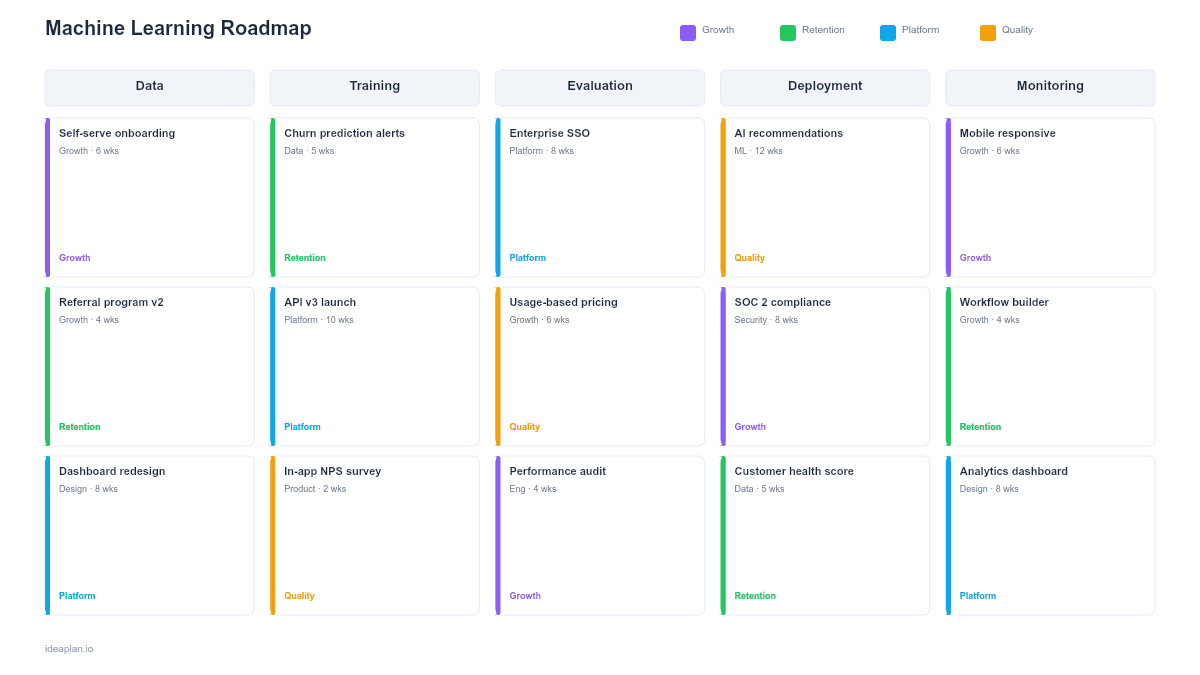
- Blank template slide. Five lifecycle stages with three parallel tracks (Data, Model, Product) and placeholder initiative cards with evaluation metric fields.
- Filled example slide. A working ML roadmap for a SaaS product with four model projects at different lifecycle stages: a recommendation engine in Production, a churn predictor in Validation, a search relevance model in Experimentation, and a document classifier in Data Readiness.
Why ML Projects Need a Different Roadmap
Standard product roadmaps assume a predictable path from specification to delivery. ML projects break that assumption in three ways.
First, outcomes are uncertain until experimentation completes. You can scope a feature and estimate delivery time. You cannot guarantee that a model will achieve the accuracy threshold needed to be useful. The roadmap must account for experiments that fail and require iteration before advancing to the next stage.
Second, ML projects have data dependencies that precede any engineering work. A model is only as good as its training data. If the data pipeline is unreliable, the labeling is inconsistent, or the volume is insufficient, no amount of model architecture tuning will help. The template separates data work from model work to make this dependency visible.
Third, shipping a model is not the end. It is the beginning of a monitoring and retraining cycle. Model drift means production performance degrades over time. The roadmap includes a Monitoring stage that most feature roadmaps lack. For a full treatment of the ML lifecycle, see the AI Product Lifecycle framework.
Template Structure
Five Lifecycle Stages
The roadmap flows left to right through:
- Data Readiness. Data sourcing, cleaning, labeling, and pipeline construction. The question here: do we have the data to build this model?
- Experimentation. Model architecture selection, training runs, hyperparameter tuning, and offline evaluation against baseline metrics. The question: can a model learn the pattern we need?
- Validation. A/B testing or shadow mode deployment to measure real-world performance against product metrics. The question: does model accuracy translate to user value?
- Production. Full rollout, integration into the product UX, and scaling infrastructure. The question: does this work reliably at scale?
- Monitoring. Performance tracking, drift detection, retraining triggers, and eval pass rate measurement. The question: is the model still meeting its quality bar?
Three Parallel Tracks
Each stage is divided into three rows:
- Data. Pipeline development, labeling workflows, data quality checks, feature store updates.
- Model. Architecture design, training, evaluation, optimization, serving infrastructure.
- Product. UX design for AI features, fallback behavior, user feedback collection, AI feature adoption tracking.
Initiative Cards
Each card includes:
- Project name. The specific model or AI feature (e.g., "Product Recommendation Engine v2").
- Owner. ML engineer or PM responsible for advancing the project through this stage.
- Key metric. The evaluation metric that determines whether the project can advance (e.g., "Precision@10 > 0.85" or "Conversion lift > 3%").
- Status. Green (on track), amber (at risk), red (blocked), grey (not started).
- Stage gate. The specific criterion that must be met to advance to the next stage.
Evaluation Metrics Summary
An optional bottom row summarizes the key evaluation metric for each active project, with current value, target value, and trend direction. This gives leadership a quick read on whether ML investments are delivering results.
How to Use This Template
1. Inventory your ML projects
List every ML initiative in flight or planned. Include models in production that need monitoring, not just new development. Most teams undercount their active ML surface area.
2. Place each project in its current stage
Assess honestly where each project sits. A model that has been "almost ready" for production for three months is still in Validation. A data pipeline that is not yet producing clean labeled data means the project is in Data Readiness, regardless of any model prototyping happening in parallel.
3. Define stage gate criteria
For each project, write the specific metric threshold that must be met to advance. Use the LLM evaluation framework for language model projects. For traditional ML, define precision, recall, F1, or business metric thresholds. Vague criteria like "good enough accuracy" will stall decision-making.
4. Staff the parallel tracks
Each active project needs someone responsible for each track (Data, Model, Product) in its current stage. If the Data track has no owner, the project will stall there regardless of model progress.
5. Review weekly with the ML team, monthly with stakeholders
ML projects move at different speeds than standard product work. Weekly team reviews catch experiments that need redirecting. Monthly stakeholder reviews use this template to show portfolio-level progress without drowning executives in model evaluation details.
When to Use This Template
An ML roadmap PowerPoint template is the right choice when:
- Your product has 2+ active ML projects at different lifecycle stages that need portfolio-level visibility
- Stakeholders need to understand ML timelines without deep technical knowledge of model development
- Data readiness is a bottleneck and you need to make data work visible alongside model work
- Stage gate decisions (go/no-go on production deployment) require structured evaluation criteria
- Model monitoring and retraining need to be planned as ongoing work, not afterthoughts
If you are planning a single AI feature rather than a portfolio of ML projects, the AI Feature Integration Roadmap template is more focused. For a broader view of AI product planning, see the AI Product Roadmap template.
To assess whether your organization is ready for ML investment at all, the AI readiness assessment tool provides a structured evaluation.
Featured in
This template is featured in AI and Machine Learning Roadmap Templates, a curated collection of roadmap templates for this use case.
Key Takeaways
- ML roadmaps differ from standard product roadmaps because outcomes are uncertain, data dependencies precede engineering, and monitoring is ongoing.
- Five lifecycle stages (Data Readiness, Experimentation, Validation, Production, Monitoring) capture the full model development cycle.
- Three parallel tracks (Data, Model, Product) ensure no critical dimension is invisible.
- Stage gate criteria with specific metric thresholds prevent projects from advancing without evidence.
- PowerPoint format makes ML portfolio status accessible to non-technical stakeholders.
- Compatible with Google Slides, Keynote, and LibreOffice Impress. Upload the
.pptxto Google Drive to edit collaboratively in your browser.