Quick Answer (TL;DR)
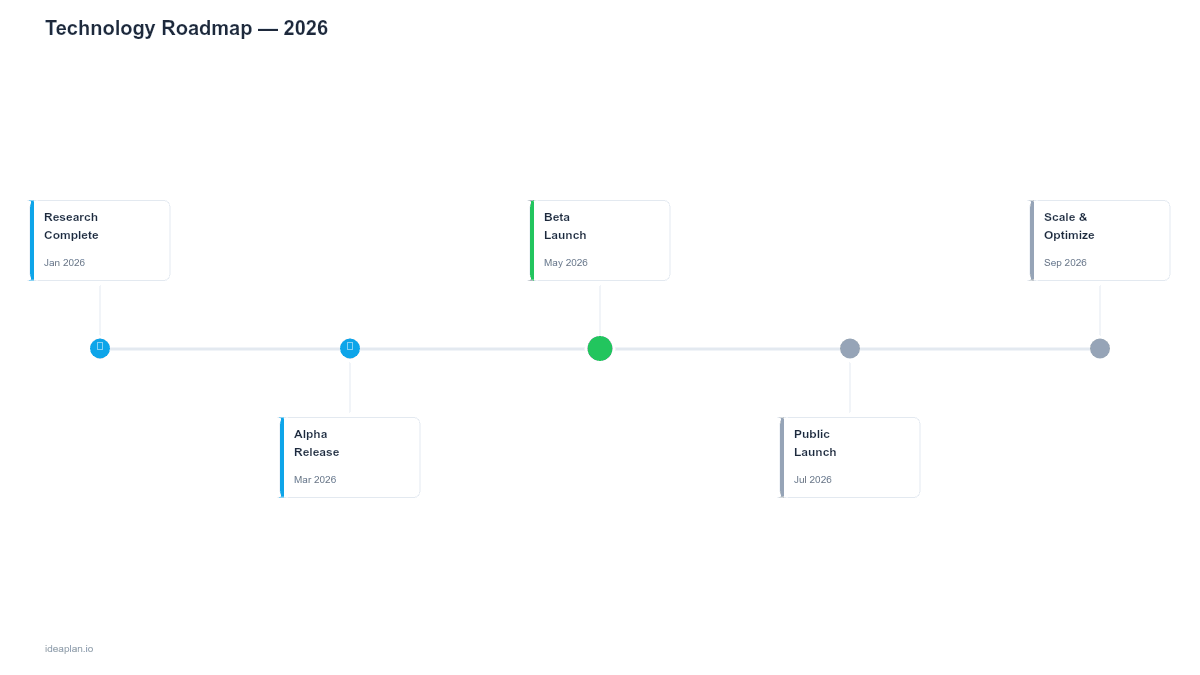
This free PowerPoint technology roadmap template maps tech stack upgrades, infrastructure investments, and platform migrations onto a quarterly timeline with effort estimates and risk indicators. It gives technical product managers a single slide showing when each technical initiative lands, which teams are affected, and where the highest-risk work sits. Download the .pptx, fill in your planned technical work, and use it to align engineering leadership on sequencing and resourcing.
What This Template Includes
- Cover slide. Title slide with system or platform name, planning horizon, and technical owner.
- Instructions slide. How to categorize initiatives, assign risk levels, and read the timeline. Remove before presenting externally.
- Blank technology timeline slide. A four-quarter grid with rows for each technology layer (infrastructure, backend, frontend, data, integrations). Each initiative shows effort size, risk level (low/medium/high), and team ownership.
- Filled example slide. A realistic technology roadmap for a mid-stage SaaS company showing a database migration, API versioning project, CI/CD pipeline upgrade, and frontend framework migration, with dependencies marked between items.
Why PowerPoint for Technology Roadmaps
Technology roadmaps serve two audiences: engineers who need execution detail and executives who need strategic context. PowerPoint forces you to distill complex technical plans into visual summaries that both audiences can read. A Jira board shows what is happening this sprint; a technology roadmap slide shows why you are investing in infrastructure this quarter and how it connects to product goals.
The slide format also makes trade-off conversations easier. When a VP of Engineering asks to add a new cloud migration, you can show the timeline impact on existing work. Something that gets lost in spreadsheets with hundreds of rows.
Template Structure
Technology Layer Rows
Each row represents a technology layer: infrastructure, backend services, frontend, data platform, and third-party integrations. This grouping shows where investment is concentrated and where gaps exist. A roadmap heavy on backend work with no frontend investment signals a potential UX debt problem.
Initiative Cards
Each card contains four elements: the initiative name, estimated effort in engineer-weeks, a risk badge (green/yellow/red), and the owning team. Cards span the weeks or months they occupy on the timeline. Overlapping cards in the same row indicate parallel work that may compete for the same engineers.
Dependency Arrows
Dashed arrows between cards show hard dependencies. "API v3 must ship before the mobile app can adopt it." Dependencies crossing rows are the highest-risk items because they require coordination between teams that may have different sprint cadences and priorities.
How to Use This Template
1. Inventory planned technical work
Gather all technical initiatives from engineering roadmaps, technical debt backlogs, and infrastructure requests. Categorize each by technology layer. If an initiative spans multiple layers, place it in the layer where most of the effort lives and add a dependency arrow to the others.
2. Estimate effort and assign risk
For each initiative, estimate effort in engineer-weeks using historical data from past projects. Assign a risk level: low (well-understood work, clear path), medium (some unknowns or external dependencies), high (new technology, large blast radius, or tight timeline). The product experimentation guide can help frame risk assessment for unfamiliar technical territory.
3. Sequence on the timeline
Place initiatives on the quarterly grid based on dependencies and team availability. Start with high-risk items. These need the most lead time and schedule buffer. Avoid stacking multiple high-risk initiatives in the same quarter for the same team.
4. Review with engineering leadership
Walk through the slide with tech leads and engineering managers. Ask three questions: Are the effort estimates realistic? Are all dependencies captured? Is any team overloaded in a single quarter? Use the capacity planning template alongside this roadmap to validate that planned work fits available bandwidth.
When to Use This Template
Technology roadmaps are essential when:
- Multiple infrastructure projects compete for the same engineering teams
- Platform migrations (database, cloud provider, framework) need multi-quarter sequencing
- Leadership needs visibility into why engineering capacity is going to non-feature work
- Technical debt paydown needs a structured timeline rather than ad-hoc sprint allocation
- Cross-team dependencies exist between backend, frontend, and infrastructure teams
If your technical work fits within a single sprint and does not require cross-team coordination, a sprint plan is sufficient. This template adds value when technical initiatives span multiple quarters and multiple teams.
Key Takeaways
- Technology roadmaps map infrastructure, platform, and stack investments onto a shared timeline that both engineers and executives can read.
- Organize by technology layer (infrastructure, backend, frontend, data, integrations) to surface where investment is concentrated.
- Assign risk levels and effort estimates to every initiative so trade-off conversations are grounded in data.
- Sequence high-risk work first with buffer time; avoid stacking multiple high-risk items in the same quarter.
- Frame technical investments in business outcomes to maintain leadership support for non-feature engineering work.
- Compatible with Google Slides, Keynote, and LibreOffice Impress. Upload the
.pptxto Google Drive to edit collaboratively in your browser.