Quick Answer (TL;DR)
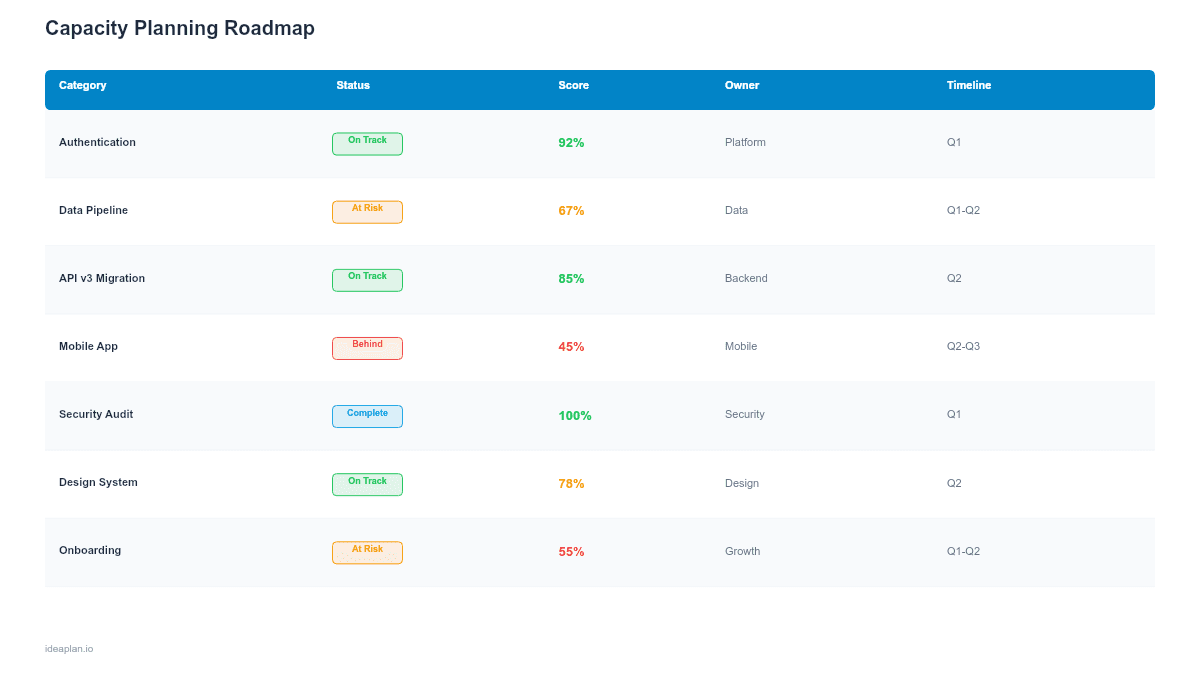
This free PowerPoint capacity planning template shows how your team's bandwidth is allocated across initiatives, with percentage-based breakdowns and visual overcommitment warnings. It surfaces the gap between what leadership wants built and what the team can actually deliver. Download the .pptx, input your team's capacity and planned work, and use the output to negotiate scope before the quarter starts.
What This Template Includes
- Cover slide. Title slide with team name, planning period, and capacity owner.
- Instructions slide. How to calculate available capacity, allocate across initiatives, and read the overcommitment indicators.
- Blank capacity view slide. A quarterly grid with rows for each initiative and columns for team members. Percentage allocation cells with color-coded thresholds (green < 80%, yellow 80-100%, red > 100%).
- Filled example slide. A complete capacity plan for a six-person product team with four initiatives, showing realistic allocation, a 15% buffer for unplanned work, and one overcommitted engineer highlighted in red.
Why Capacity Planning Matters
The most common roadmap failure is not picking the wrong features. It is planning more work than the team can deliver. A roadmap with 15 initiatives and a team that can realistically deliver 8 is not ambitious; it is a plan for chronic underdelivery and burnout.
Capacity planning makes the math explicit. If your team has six engineers and each works 10 productive hours per day (after meetings, context switching, and communication overhead), the team has 60 productive hours per day. Allocate that budget across initiatives. When the total allocated hours exceed the budget, the slide turns red, and the conversation shifts from "Can we add one more thing?" to "What should we cut?"
This discipline is especially important when multiple stakeholders are competing for the same team's time. The capacity slide becomes a neutral artifact that shows why not everything fits. And forces the prioritization conversation before the quarter starts, not after it fails.
Template Structure
Team Capacity Row
The top row shows total available capacity for the planning period. The calculation is straightforward:
Available capacity = (Team members) x (Working days) x (Productive hours per day) x (Availability factor)
The availability factor accounts for vacations, holidays, on-call rotations, and recurring meetings. A realistic factor for most engineering teams is 0.65-0.75. Meaning a 40-hour work week yields 26-30 hours of focused development time. Teams that skip this adjustment consistently overcommit.
Initiative Rows
Each row represents one initiative. The row shows:
- Initiative name. Linked to a spec or PRD for detail
- Estimated effort. Total hours or story points needed
- Assigned team members. Who is working on this initiative
- Allocation percentage. What fraction of each person's capacity goes to this initiative
Allocation Heat Map
Each cell is color-coded based on the team member's total allocation across all initiatives:
- Green (< 80%). Healthy. Room for unplanned work and context switching.
- Yellow (80-100%). Tight. No buffer for surprises. Acceptable for short bursts.
- Red (> 100%). Overcommitted. Mathematically impossible to deliver everything on time. Something must be cut or moved.
Buffer Row
The bottom row reserves capacity for unplanned work: bugs, production incidents, ad-hoc requests, and scope creep. Industry data consistently shows that 15-20% of engineering capacity goes to unplanned work. Teams that do not budget for this are overcommitted from day one.
How to Use This Template
1. Calculate available capacity
Input your team's headcount, the number of working days in the period, and the availability factor. Be honest about productive hours. Counting 8 hours of focused development per day when the real number is 5.5 leads to the same overcommitment problem the template is designed to prevent.
2. List planned initiatives
Add one row per initiative. Include the estimated effort from your planning conversations. If estimates do not exist yet, use rough T-shirt sizes and convert to hours using your team's historical data: S = 40 hours, M = 80 hours, L = 160 hours, XL = 320 hours.
3. Assign people to initiatives
Allocate each team member across initiatives as percentages. One engineer might be 60% on Initiative A, 25% on Initiative B, and 15% buffer. The constraint is that no person's allocations can exceed 100%, and ideally they should not exceed 85% to leave room for context switching and unplanned work.
4. Read the heat map
Look for red cells. Any team member allocated above 100% needs immediate relief: either move them off an initiative, reduce the scope of their work, or extend the timeline. Yellow cells are acceptable for one quarter but unsustainable long-term.
5. Negotiate scope
Present the capacity plan to leadership alongside the roadmap. When a new initiative is proposed, show the allocation impact. "Adding Initiative E requires 30% of Engineer A's time. They are currently at 85%. We can do it if we reduce Initiative B from 40% to 25%, which pushes its delivery from Q1 to Q2." This framing turns a political negotiation into a resource math conversation.
When to Use This Template
Capacity planning is essential when:
- The team is overcommitting. Missed deadlines and carryover stories are becoming the norm
- Multiple stakeholders are requesting work from the same team
- Quarterly planning needs a reality check on what fits in the timeline
- Hiring decisions need data. The gap between available and needed capacity justifies headcount requests
- Velocity is declining and the team suspects overallocation as the cause
If your team has clear capacity and a manageable backlog, a simple sprint plan may be sufficient. Capacity planning adds the most value when demand consistently exceeds supply and the team needs a structured way to say no.
The Allocation Math
Here is a concrete example. A team of five engineers plans for Q1 (60 working days):
| Input | Value |
|---|---|
| Engineers | 5 |
| Working days | 60 |
| Hours per day | 8 |
| Availability factor | 0.70 |
| Available capacity | 1,680 hours |
| Buffer (15%) | 252 hours |
| Allocatable capacity | 1,428 hours |
If the four planned initiatives total 1,600 hours, the team is 172 hours over budget. That is roughly one engineer-month of work that will not get done. The capacity plan makes this gap visible before the quarter starts, when there is still time to cut scope or adjust timelines. Discovering the gap in Week 8 of the quarter is too late.
For teams tracking release planning alongside capacity, the allocation view shows whether committed release dates are realistic given the team's bandwidth.
Key Takeaways
- Capacity planning prevents the most common roadmap failure: committing to more work than the team can deliver.
- The availability factor (typically 0.65-0.75) accounts for meetings, on-call, and context switching that reduce productive development time.
- Budget 15-20% of capacity for unplanned work. Teams that skip this are overcommitted from day one.
- Color-coded allocation cells (green, yellow, red) make overcommitment visible before the quarter starts.
- Use the capacity plan as a negotiation tool: trade-offs, not refusals, when leadership proposes additional work.
- Compatible with Google Slides, Keynote, and LibreOffice Impress. Upload the
.pptxto Google Drive to edit collaboratively in your browser.