Quick Answer (TL;DR)
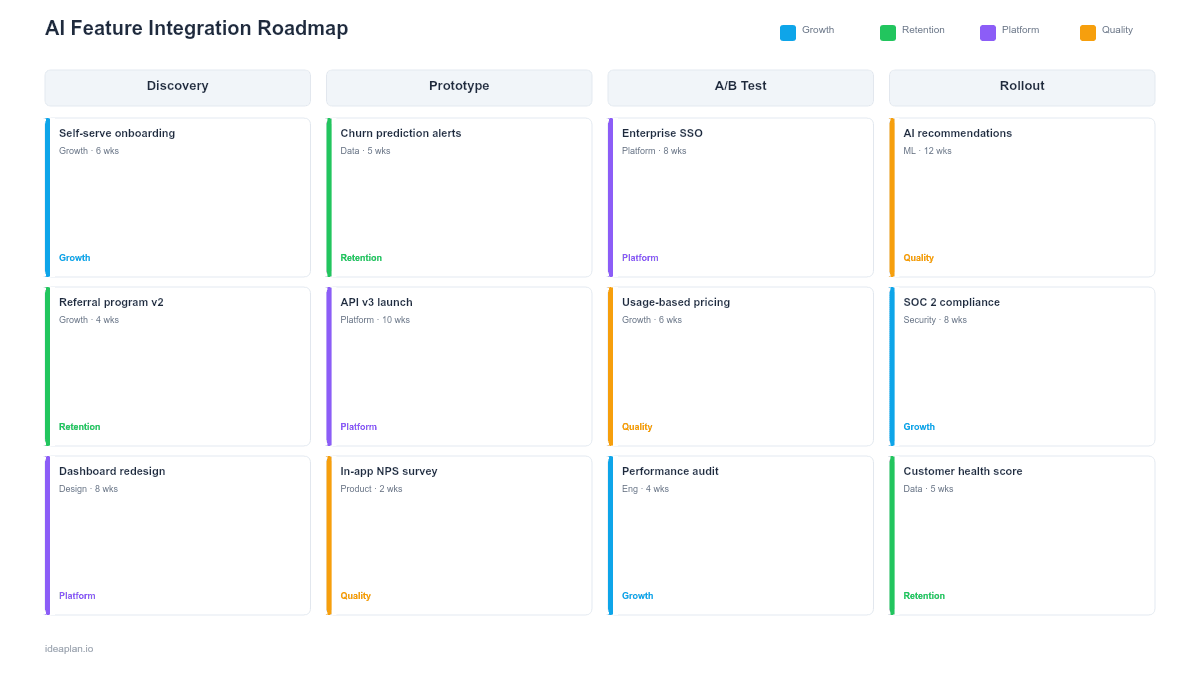
An AI feature integration roadmap is for teams adding AI-powered capabilities to an existing product rather than building an AI-first product from scratch. The challenge is different: you already have users, existing workflows, and established expectations. Introducing AI must enhance the experience without disrupting it. This template structures the integration process into phases. From feasibility assessment through phased rollout and optimization. With A/B testing checkpoints, fallback plans, and user adoption metrics at every stage. It takes about 30 minutes to complete and ensures your team has a clear plan for bringing AI into production safely.
What This Template Includes
- Feasibility assessment matrix that evaluates candidate AI features on user value, technical viability, data availability, risk level, and alignment with product strategy before committing engineering resources.
- Phased rollout planner with configurable stages from internal testing through beta, limited GA, and full rollout, each with defined entry criteria and success metrics.
- A/B testing framework with test design templates, sample size calculators, metric definitions, and statistical significance thresholds for each experiment.
- Fallback and degradation plan documenting what users experience when the AI feature is unavailable, slow, or producing low-confidence results.
- User adoption dashboard tracking feature discovery rate, activation rate, retention impact, satisfaction scores, and support ticket volume related to the AI feature.
- Change management checklist covering internal training, documentation updates, support team preparation, and customer communication for each rollout phase.
Template Structure
Feasibility and Prioritization
Not every product problem should be solved with AI. This section provides a structured assessment for each candidate AI feature, scoring it across five dimensions: the user problem it addresses and how painful that problem is today, the technical feasibility given current model capabilities and data assets, the data requirements and whether existing data is sufficient or new collection is needed, the risk profile including failure modes and user trust implications, and strategic alignment with the product vision.
The scoring matrix produces a prioritized list of AI features. It also surfaces features that score high on user value but low on feasibility. These go into a future opportunities backlog rather than the active roadmap. The goal is to commit to AI features where the team has high confidence in both the value and the ability to deliver, rather than betting on ambitious moonshots that may never reach production.
Integration Architecture Planning
Adding AI to an existing product introduces new architectural components: model serving endpoints, feature computation pipelines, caching layers for predictions, and graceful degradation paths. This section maps out where the AI component fits into the existing system architecture, what new infrastructure is needed, and how the AI feature interacts with existing data flows and user interfaces.
The architecture plan pays special attention to the interface between AI and non-AI components. The AI feature should be designed as a module that can be enabled, disabled, or degraded independently without affecting the rest of the product. This isolation is critical for safe rollouts and fast rollbacks. The section also plans for latency budgets. If the existing page loads in 200 milliseconds, users will not accept an AI feature that adds two seconds.
Phased Rollout Plan
The rollout plan breaks the launch into stages, each with progressively wider exposure and progressively higher confidence requirements. A typical sequence is: internal dogfooding with the product team, closed beta with selected power users, limited general availability at 5 to 10 percent of traffic, expanded availability at 50 percent, and full rollout. Each stage has defined entry criteria (metrics from the previous stage must be met), a minimum observation period, and clear success metrics.
The phased approach serves two purposes. First, it limits blast radius. If the AI feature has an unexpected failure mode, it affects a small percentage of users and can be rolled back quickly. Second, it generates real-world performance data that informs the go/no-go decision for the next stage. No amount of offline testing can fully predict how an AI feature will perform with live users, and staged rollouts turn the launch itself into a structured learning exercise.
A/B Testing and Experimentation
Every rollout stage is also an experiment. This section defines the A/B tests that will run at each phase: what the control and treatment groups see, what primary and guardrail metrics are tracked, how long the test runs, and what statistical significance threshold triggers a decision. Primary metrics measure whether the AI feature improves the user experience (task completion time, conversion rate, satisfaction score). Guardrail metrics ensure the AI feature does not degrade other parts of the experience (page load time, error rate, support ticket volume).
The template includes guidance on test design pitfalls specific to AI features. Novelty effects can inflate early metrics. Users may engage more with an AI feature simply because it is new, not because it is useful. The observation period at each stage should be long enough for novelty to wear off. Network effects can also confound results if the AI feature changes how users interact with shared resources.
Fallback and Graceful Degradation
AI features fail in ways that traditional features do not. Models produce low-confidence predictions, APIs time out under load, and data pipeline delays leave the model serving stale features. Google's MLOps guide provides a useful reference for designing resilient AI serving architectures. This section documents what users experience in each failure scenario. The design principle is simple: when the AI fails, the user should see the same experience they had before the AI was introduced, not a broken one.
The fallback plan covers three scenarios: complete outage (the model serving endpoint is unreachable), degraded performance (the model is responding but with higher latency or lower confidence), and quality regression (the model is returning predictions that fall below acceptable accuracy thresholds). Each scenario has a detection mechanism, an automatic response (fall back to non-AI behavior), and an escalation path for the engineering team.
User Adoption and Success Tracking
Launching an AI feature is only the beginning. This section tracks whether users are actually discovering, adopting, and benefiting from the AI capability. The adoption funnel measures feature discovery rate (do users know the AI feature exists?), activation rate (do they try it?), continued use rate (do they keep using it after the first interaction?), and satisfaction (do they find it useful?).
Adoption tracking also monitors for negative signals: an increase in support tickets mentioning confusion with the AI feature, a drop in overall product satisfaction among users exposed to the AI feature, or a decline in usage of the non-AI workflow that the AI was intended to enhance. These signals may indicate that the AI feature, while technically working, is not aligned with user expectations or mental models.
How to Use This Template
Step 1: Score Candidate AI Features
What to do: List every AI feature under consideration and score each on user value, technical feasibility, data availability, risk, and strategic alignment. Rank them and select one to three features for the active roadmap.
Why it matters: Attempting too many AI features simultaneously dilutes engineering focus and makes it impossible to run clean experiments. Start with the highest-confidence opportunity and expand from there.
Step 2: Design the Integration Architecture
What to do: Map where the AI component fits in your existing system. Plan the model serving endpoint, feature computation pipeline, caching strategy, and fallback path. Ensure the AI module can be toggled independently.
Why it matters: AI features that are tightly coupled with existing logic are difficult to roll back and debug. Designing for isolation from the start makes every subsequent phase safer and faster.
Step 3: Define Rollout Stages
What to do: Set up three to five rollout stages with increasing traffic percentages. For each stage, define entry criteria, observation period, and success metrics. Be explicit about what triggers advancement to the next stage versus a rollback.
Why it matters: Staged rollouts convert the launch from a single high-stakes event into a series of small, reversible steps. This reduces risk and builds organizational confidence in the AI capability.
Step 4: Set Up A/B Tests
What to do: Design the experiment for each rollout stage. Define control and treatment groups, primary metrics, guardrail metrics, sample size requirements, and the observation period. Ensure your analytics infrastructure can track these metrics before the first user sees the feature.
Why it matters: Without rigorous A/B testing, the team is relying on intuition to determine whether the AI feature is working. Data from controlled experiments replaces opinions with evidence.
Step 5: Document Fallback Behaviors
What to do: For each failure mode (outage, degraded performance, quality regression), document what the user sees, how the system detects the failure, and what automatic response occurs. Test the fallback paths before launching the first rollout stage.
Why it matters: AI features fail more often and in more subtle ways than traditional features. Users will encounter a failure scenario. The question is whether they experience a graceful fallback or a broken product.
Step 6: Instrument Adoption Tracking
What to do: Set up event tracking for feature discovery, activation, continued use, and satisfaction. Also instrument negative signal tracking: support ticket categorization, satisfaction surveys for exposed users, and usage patterns that suggest confusion.
Why it matters: Without adoption tracking, the team cannot distinguish between an AI feature that users love and one they tolerate. Early adoption data also informs whether to invest in improving the feature or redirecting resources elsewhere.
When to Use This Template
This template is designed for product teams adding AI capabilities to products that already have an established user base and existing workflows. It follows the principles of a technology roadmap, focusing on phased delivery and technical risk management. The AI PM Handbook covers the broader product management context for leading these initiatives. The core challenge is not building the AI model itself. It is integrating that model into a product where users have expectations, habits, and trust that must be preserved. For a broader view of roadmap planning fundamentals, see the guide to building a product roadmap.
It is ideal for teams launching AI features such as intelligent search, content recommendations, automated categorization, smart defaults, predictive text, anomaly detection, or any enhancement where AI augments rather than replaces the existing user experience. If the AI feature is the entire product rather than an addition to an existing one, the AI Product Roadmap Template is a better starting point.
Product teams at growth-stage and enterprise companies will find this template particularly useful because they face the tightest constraints around user trust and regression risk. A startup with a small user base can tolerate more experimentation; a company with millions of active users needs the structured rollout and fallback planning that this template provides.
Teams that have built an AI model in isolation and now need to bring it to production within an existing product will also benefit from this template. The feasibility assessment and integration architecture sections help bridge the gap between the data science team that built the model and the product engineering team that must deploy it.
Common Mistakes to Avoid
- Launching the AI feature to all users at once. Phased rollouts exist for a reason. Even if the model looks great in offline evaluation, live user behavior will surface edge cases that testing did not cover. Start small and expand with data.
- Neglecting the fallback experience. When the AI feature fails. And it will. Users should fall back to the pre-AI experience gracefully. If the fallback is a broken state or an error message, you have a trust problem.
- Measuring only AI-specific metrics and ignoring product-level guardrails. An AI feature that improves its own engagement metric but increases overall page load time or support ticket volume is a net negative. Always track guardrail metrics alongside primary metrics.
- Underestimating the change management effort. Support teams need training, documentation needs updating, and power users need communication about what changed and why. A technically perfect AI feature that confuses the support team will generate a poor user experience anyway.
- Declaring success too early based on novelty-inflated metrics. Users engage more with new features simply because they are new. Wait for the novelty effect to subside before concluding that the AI feature is genuinely valuable.
Featured in
This template is featured in AI and Machine Learning Roadmap Templates, a curated collection of roadmap templates for this use case.