Quick Answer (TL;DR)
This free PowerPoint template plans customer education initiatives across four channels: Knowledge Base & Documentation, Tutorials & Courses, Webinars & Live Training, and Certification Programs. Each channel tracks content coverage, engagement metrics, and quarterly production targets. Download the .pptx, assess your education gaps, and use it to build a program that reduces support load, improves product adoption, and turns customers into power users.
What This Template Includes
- Cover slide. Product name, total published education resources, and education program owner.
- Instructions slide. How to assess content gaps, measure education impact, and prioritize production by support deflection value. Remove before presenting.
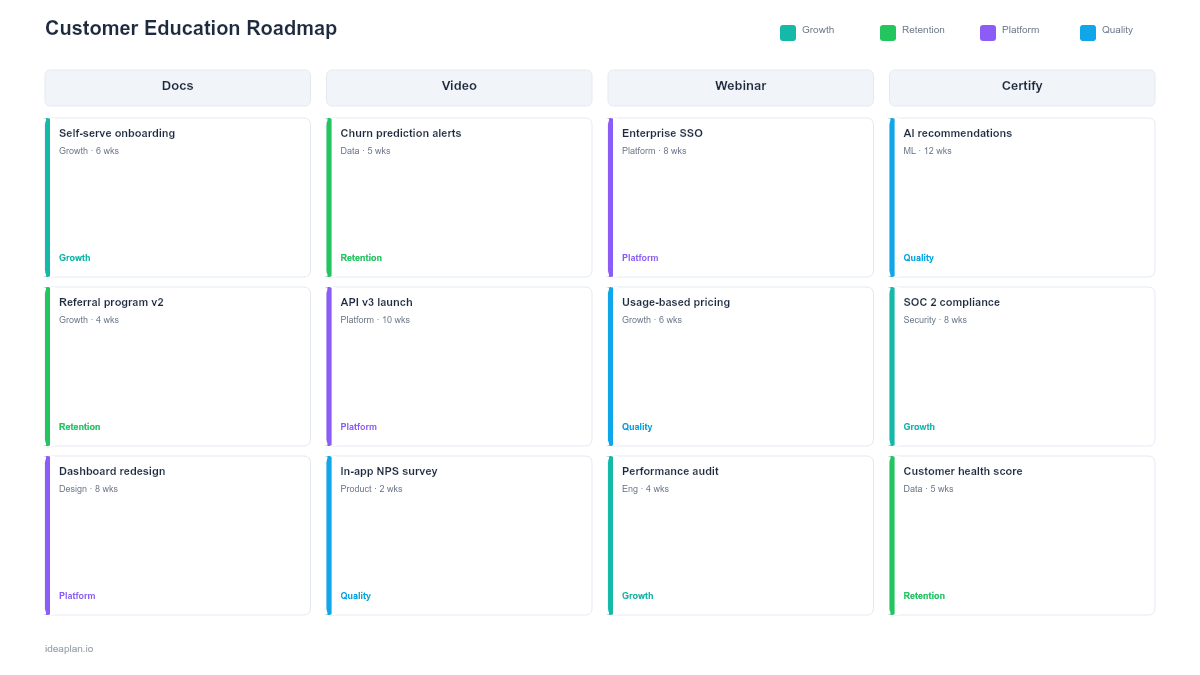
- Blank template slide. Four education channels across a quarterly timeline with content coverage indicators, production initiative cards, and engagement metric targets.
- Filled example slide. A B2B SaaS customer education roadmap showing 30 new knowledge base articles, a 5-module onboarding course, monthly webinar series, and a two-tier certification program, with support ticket deflection rates tracked at each milestone.
Why Customer Education Needs a Roadmap
Every support ticket is a failure of education. When a customer asks "how do I export my data?" it means the help documentation either does not exist, cannot be found, or does not answer the question clearly. Multiply that by hundreds of tickets per month, and the cost of missing education content becomes concrete.
Customer education also drives adoption depth. Customers who complete onboarding tutorials use 3-4x more features than those who skip them. Customers who attend webinars have higher retention rates than those who do not. Certification programs create product champions who advocate internally at their companies, reducing churn risk.
Without a roadmap, education content gets produced reactively. Articles written after a spike in support tickets, webinars scheduled when someone has time. A roadmap shifts education from reactive to strategic by mapping content production to the customer journey and prioritizing by measurable impact on support deflection and feature adoption.
Template Structure
Knowledge Base & Documentation Channel
Covers help articles, FAQ pages, troubleshooting guides, API documentation, and release notes. Each initiative card specifies: topic cluster, number of articles, target audience (admin, end user, developer), and the support ticket category it deflects. Common initiatives include: mapping the top 50 support tickets to missing or incomplete articles, restructuring information architecture by user role, and implementing in-app contextual help links.
Tutorials & Courses Channel
Covers step-by-step tutorials, video walkthroughs, interactive product tours, and multi-module courses. Each card tracks: course topic, format (video, interactive, written), estimated production time, and onboarding completion rate impact. Prioritize tutorials for the workflows that new users need in their first week. The actions that determine whether they reach the aha moment or churn during trial.
Webinars & Live Training Channel
Covers scheduled webinars, live Q&A sessions, customer office hours, and recorded training libraries. Each card includes: topic, frequency (weekly, monthly, quarterly), target audience, and expected attendance. Webinars serve two purposes: education (teaching customers how to use features) and feedback (hearing directly what customers struggle with). The feedback loop is as valuable as the education itself.
Certification Programs Channel
Covers skill assessments, certification tracks, badges, and partner training. Certification programs are a later-stage investment that makes sense once the knowledge base and tutorial foundation is solid. Each card defines: certification tier (beginner, advanced, expert), prerequisites, exam format, and business goal (customer retention, partner enablement, or brand credibility). Certified users become internal advocates who train their colleagues, reducing your per-customer education cost over time.
How to Use This Template
1. Map support tickets to content gaps
Export the last 90 days of support tickets and categorize them by topic. The top 20 topic clusters represent your highest-value education opportunities. For each cluster, check whether a knowledge base article exists, whether it is accurate, and whether it is findable. This analysis directly informs Q1 production priorities.
2. Define content by customer journey stage
Map education content to four stages: onboarding (first 30 days), adoption (months 1-3), expansion (months 3-6), and mastery (6+ months). Onboarding content should cover setup, first workflows, and common mistakes. Adoption content covers intermediate features and integrations. Expansion content covers advanced workflows and team rollout. The customer journey mapping guide provides a detailed framework for this mapping.
3. Prioritize by support deflection value
Calculate the cost of each support ticket category: ticket volume per month multiplied by average resolution cost (agent time at loaded hourly rate). A category generating 200 tickets per month at $25 per ticket costs $5,000 monthly. An article that deflects 60% of those tickets saves $3,000 per month. A clear ROI for a few hours of writing.
4. Set production cadence and engagement targets
Define quarterly production targets per channel: "Publish 15 new knowledge base articles in Q1," "Launch onboarding course by Q2," "Run 6 webinars in Q3." Pair production targets with engagement metrics: article views, course completion rates, webinar attendance, and the customer effort score trend that validates whether education is reducing friction.
5. Review with support and success teams
Support agents know the exact questions customers ask. Customer success managers know which features customers underuse. Present the roadmap to both teams and ask: "Does this content plan address the gaps you see daily?" Their input ensures the roadmap reflects actual customer needs, not assumptions about what customers should learn.
When to Use This Template
A customer education roadmap is the right tool when:
- Support ticket volume is growing and hiring more agents is not sustainable
- Feature adoption is low despite shipping capable features. Customers do not know they exist or how to use them
- Customer onboarding is taking too long and self-serve education could accelerate time to value
- You are scaling beyond high-touch customer success and need scalable, self-serve education to maintain quality
- Enterprise customers request training programs or certification as part of procurement requirements
If your focus is specifically on the first-use onboarding flow rather than ongoing education, the onboarding program roadmap PowerPoint template provides deeper structure for that phase. For broader content planning across marketing and education, the content strategy roadmap PowerPoint template covers the full content operation.
Key Takeaways
- Customer education roadmaps coordinate knowledge base, tutorial, webinar, and certification investments across a shared timeline.
- Support ticket analysis is the fastest way to identify high-value content gaps. The top 20 ticket categories are your production priority list.
- Measure education impact through support deflection rates, feature adoption lift, and retention correlations.
- Build foundational content (knowledge base, onboarding course) before premium content (certification programs, advanced training).
- PowerPoint format lets you present education investment plans to customer success, support, product, and executive teams in a single artifact.
- Compatible with Google Slides, Keynote, and LibreOffice Impress. Upload the
.pptxto Google Drive to edit collaboratively in your browser.