Quick Answer (TL;DR)
This free PowerPoint template plans white-label product development across four tracks: Customization Framework, Tenant Isolation & Infrastructure, Branding API & Configuration, and Partner Onboarding. Each track shows the engineering, design, and operations work required to turn a single-tenant product into a white-label offering that partners can rebrand and resell. Download the .pptx, map your white-label architecture decisions, and use it to align product, engineering, and BD teams around the buildout timeline.
What This Template Includes
- Cover slide. Product name, white-label program name, planning timeline, and program owner.
- Instructions slide. How to define customization boundaries, plan tenant architecture, and sequence the buildout. Remove before presenting.
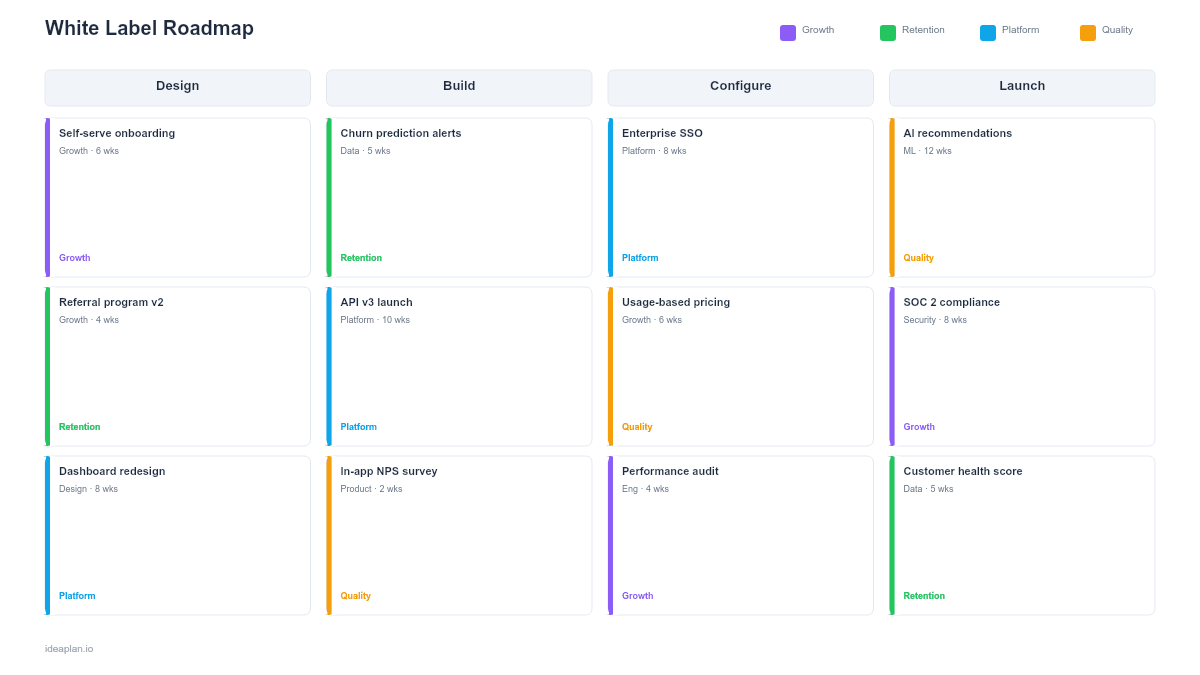
- Blank white-label roadmap slide. Four tracks across a quarterly timeline with architecture decision cards, development milestones, and partner onboarding gates. Dependency lines connect infrastructure work to partner-facing features.
- Filled example slide. A SaaS analytics product building white-label capabilities for agency partners, showing 14 milestones from multi-tenant architecture through first partner launch.
Why White-Label Needs a Dedicated Roadmap
White-labeling a product is an architectural decision disguised as a business decision. BD signs a partner who wants your product under their brand. Engineering discovers the product was never designed for multi-tenancy. CSS is hardcoded. The logo is baked into the build. Customer data is co-mingled. What seemed like a revenue opportunity becomes a 6-month engineering project.
A white-label roadmap surfaces these technical realities before the partner deal closes. It maps the gap between what the product can do today and what white-label distribution requires, then sequences the work so BD knows when the product will actually be ready for partners.
The platform strategy concepts apply directly here. A white-label product is a platform with one specific extension point: the brand layer. The architecture decisions you make. How deep customization goes, how tenants are isolated, how configurations are managed. Determine whether onboarding a new partner takes a day or a quarter.
Template Structure
Customization Framework
The first track defines what partners can customize and what stays locked. Activity cards cover: theming system architecture (CSS variables vs. compiled themes), UI component customization boundaries, feature toggles per tenant, custom domain support, and email template branding. Each customization decision includes the engineering effort and the partner experience impact. The goal is maximum perceived customization with minimum engineering surface area.
Tenant Isolation & Infrastructure
The second track covers the multi-tenant architecture: database isolation strategy (shared schema vs. separate databases vs. schema-per-tenant), data residency per partner, authentication integration (SSO per tenant), billing isolation, and performance isolation to prevent one partner's usage from affecting another. These decisions have long-term cost implications. The infrastructure roadmap PowerPoint template provides additional detail for the technical architecture layer.
Branding API & Configuration
The third track builds the self-serve tooling that partners use to configure their branded instance: branding portal, logo and color upload, custom domain provisioning, email sender configuration, and analytics dashboard per tenant. The quality of this tooling determines onboarding speed. If every new partner requires engineering tickets to set up, the white-label program will not scale past 5-10 partners.
Partner Onboarding
The fourth track covers the operational process for launching new partners: onboarding documentation, partner success playbook, support escalation paths, SLA definitions, and billing integration. Each onboarding milestone ties to a "time to first partner live" target. Activity cards include the handoff from BD (deal signed) to onboarding (partner configured) to ongoing management (partner producing revenue).
How to Use This Template
1. Define customization boundaries
Before writing code, decide what partners can change and what they cannot. Three tiers work well: Brand (logo, colors, domain, email templates. Every partner gets this), Feature (toggle specific features on/off per partner. Select partners get this), and Data (isolated data, custom fields, integrations. Enterprise partners get this). Document these tiers on the roadmap.
2. Choose the tenant architecture
The infrastructure track requires an early architecture decision. Shared database with tenant IDs is cheapest to build but hardest to isolate. Separate databases per tenant are expensive but provide full isolation. Schema-per-tenant balances cost and isolation. Make this decision with engineering leadership before committing the timeline. The technical architecture roadmap PowerPoint template helps plan the infrastructure buildout.
3. Sequence infrastructure before partner-facing features
Tenant isolation and data architecture must be in place before the branding API or partner onboarding makes sense. Place infrastructure work in Q1-Q2 and partner-facing tooling in Q2-Q3. The dependency lines on the template make this sequencing visible. Resist the temptation to start onboarding partners before the infrastructure is ready.
4. Target the first partner launch
Identify one partner who will be the beta white-label customer. Plan their onboarding as the first milestone in the Partner Onboarding track. Building for a real partner with real requirements is more effective than building in the abstract. Their feedback shapes the customization boundaries and onboarding process.
5. Set scaling targets
After the first partner is live, define the scaling plan: time-to-onboard target (e.g., under 2 weeks for Brand-tier partners), maximum concurrent tenants supported, and revenue per partner threshold. These targets determine when the white-label program needs additional investment in automation, documentation, or partner success staffing.
When to Use This Template
A white-label roadmap is the right choice when:
- A partner or customer wants to resell your product under their brand and the product was not built for multi-tenancy
- BD has identified white-label distribution as a growth channel and engineering needs to plan the buildout
- The product already has basic multi-tenancy but lacks the branding, configuration, and onboarding tooling for partner self-service
- Multiple partners are requesting white-label capabilities and the team needs to prioritize what to build first
- Leadership wants to understand the investment required to make the product white-label-ready before committing to partner deals
For building broader platform extensibility beyond white-labeling, the platform roadmap PowerPoint template covers APIs, developer ecosystem, and third-party integrations. For managing the partnerships themselves, the partnership development roadmap PowerPoint template tracks partner lifecycle stages.
Key Takeaways
- Four tracks (Customization Framework, Tenant Isolation, Branding API, Partner Onboarding) cover the full white-label buildout from architecture to launch.
- Infrastructure and tenant isolation must be sequenced before partner-facing tooling. Dependency lines on the roadmap prevent premature partner commitments.
- Define customization boundaries in three tiers (Brand, Feature, Data) to set clear expectations with partners about what they can and cannot change.
- Target one beta partner for the initial launch to ground the buildout in real requirements rather than abstract specifications.
- PowerPoint format makes the white-label program plan presentable to engineering leadership, BD teams, and potential partners evaluating the partnership.
- Compatible with Google Slides, Keynote, and LibreOffice Impress. Upload the
.pptxto Google Drive to edit collaboratively in your browser.