Quick Answer (TL;DR)
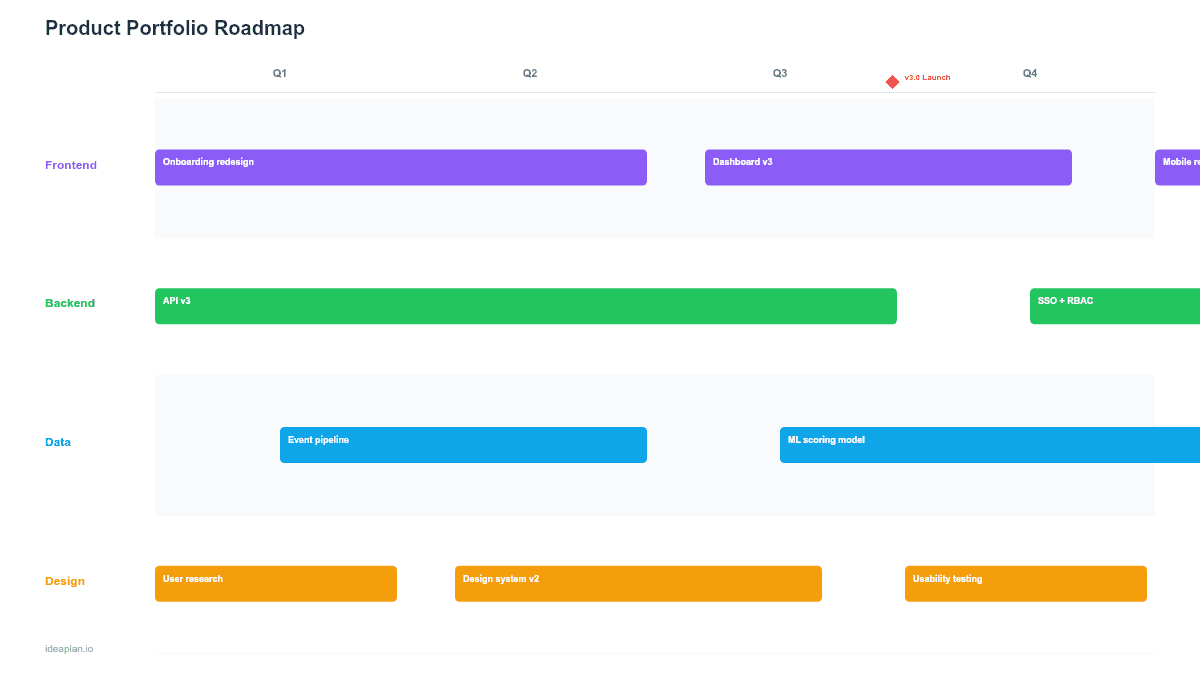
This free PowerPoint portfolio roadmap template places multiple products on a shared quarterly timeline with investment allocation percentages and status indicators. It gives product leaders a single slide showing where resources are going across the entire product portfolio. Download the .pptx, add your products and initiatives, and use it in leadership reviews, board presentations, and annual planning sessions.
What This Template Includes
- Cover slide. Title slide with company name, planning horizon, and portfolio scope.
- Instructions slide. Guide for mapping products, setting allocation percentages, and maintaining the view across quarters.
- Blank portfolio slide. Rows for up to six products across four quarterly columns. Each product row has space for initiatives, allocation percentages, and status indicators.
- Filled example slide. A complete portfolio view for a company with four products, showing how engineering investment shifts across the year based on strategic priorities.
Why a Portfolio View Matters
Individual product roadmaps show what a single team is building. A portfolio roadmap shows how the company is investing across all of its products. This distinction matters at the leadership level because trade-offs happen between products, not just between features within one product.
When Product A needs three more engineers for a critical launch, those engineers come from somewhere. Usually Product B or C. The portfolio roadmap makes these allocation decisions visible so leadership can evaluate them explicitly instead of discovering them after the fact.
The PowerPoint format is the right choice for this audience. VPs, CPOs, and board members rarely log into Jira or Productboard. They review strategy in slide decks. A single-slide portfolio view gives them the context they need to approve resource decisions and challenge investment balance.
Template Structure
Product Rows
Each row represents one product in the portfolio. The row header shows the product name, product lead, and the team's total headcount. Up to six rows fit on one slide. More than that and you likely need to group products into business units first.
Quarterly Columns
Four columns for Q1 through Q4. Each cell within a product row shows the key initiatives planned for that quarter, along with the percentage of the product team's capacity allocated to new features vs. maintenance vs. technical debt.
Investment Allocation
Each product-quarter cell includes a small allocation bar showing the split between:
- Growth (green). New features and capabilities that drive acquisition or expansion
- Retention (blue). Improvements to existing features that reduce churn
- Platform (gray). Infrastructure, technical debt, and scalability work
This makes it easy to spot imbalances: a product spending 90% on growth with 0% on platform is accumulating technical debt. A product spending 80% on platform may be over-investing in infrastructure at the expense of user-facing value.
Status Indicators
Each initiative card has a status dot: green (on track), yellow (at risk), red (blocked or delayed). At the portfolio level, these dots surface problems early. If Product C has three red dots in Q2, leadership can intervene before the quarter ends.
How to Use This Template
1. List your products
Add one row per product. Include the product lead name and team size so the audience understands the resource context. If your company has more than six products, group smaller products into a single "Other" row.
2. Map quarterly initiatives
For each product-quarter, list the top 2-3 initiatives. Keep names short and outcome-oriented. The portfolio roadmap is not a feature list. It is a strategic allocation view. Link to individual product roadmaps for feature-level detail.
3. Set allocation percentages
For each product-quarter, estimate the percentage split between growth, retention, and platform work. These numbers do not need to be precise. Directional accuracy is enough. The goal is to see the pattern: is the company investing enough in growth? Is any product dangerously underinvesting in platform?
4. Add status indicators
Update status dots weekly or bi-weekly. The portfolio slide should reflect current reality, not the original plan. If a Q1 initiative slipped to Q2, move it and note the change. Stakeholders trust roadmaps that are honest more than roadmaps that pretend everything is on track.
5. Present at leadership reviews
Use this slide at monthly or quarterly leadership reviews. Focus discussion on allocation balance, cross-product dependencies, and status exceptions (yellow and red dots). The single-slide format forces the conversation to stay at the strategic level.
When to Use This Template
Portfolio roadmaps are the right format when:
- Your company has 3+ products and leadership needs to see how resources are distributed
- Board or executive presentations require a single view of the product investment strategy
- Annual planning sessions where teams compete for headcount and budget
- Cross-product dependencies need to be visible. One product's API work enabling another product's feature launch
- M&A integration where acquired products need to be mapped alongside existing ones
If you only manage one product, a quarterly roadmap or product strategy roadmap is a better fit. If you need a deeper view of product strategy for a single product, start there and roll up into the portfolio view.
Featured in
This template is featured in:
Key Takeaways
- Portfolio roadmaps show investment decisions across products, not just features within one product.
- The allocation split (growth, retention, platform) surfaces strategic imbalances at a glance.
- Limit to 2-3 initiatives per product per quarter. This is a strategy view, not a backlog.
- Status indicators (green, yellow, red) give leadership early warning of cross-product risks.
- Update monthly and present at leadership reviews to keep the portfolio view trusted and actionable.
- Compatible with Google Slides, Keynote, and LibreOffice Impress. Upload the
.pptxto Google Drive to edit collaboratively in your browser.