Quick Answer (TL;DR)
This free Google Slides features-by-month roadmap template organizes your planned product features into monthly columns for a clear, chronological view. It is the simplest roadmap format for answering the question stakeholders ask most: "What are we shipping and when?"
What This Template Includes
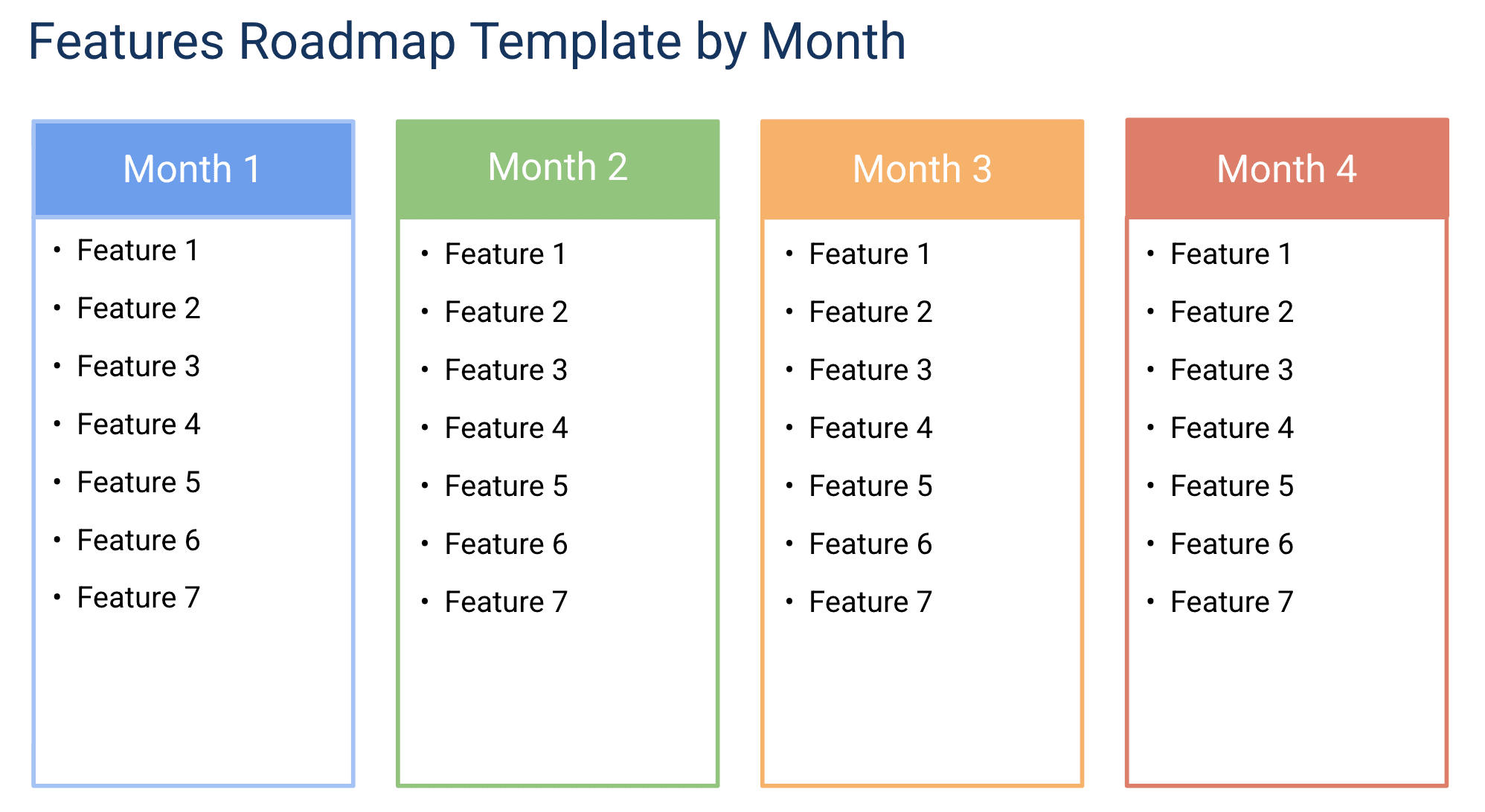
- Monthly column layout. A grid with one column per month spanning 3-12 months, with each feature displayed as a styled card in its target release month. The slide format makes the entire timeline scannable in a single view.
- Feature cards with metadata. Each card includes the feature name, priority level, team owner, and a one-line user benefit statement so reviewers get context without opening a separate spec.
- Category color coding. Features grouped and colored by category (e.g., Core Product, Growth, Infrastructure) so investment balance is visible at a glance. The visual system makes it immediately clear which features are must-haves versus nice-to-haves in any given month.
- Status badges. On Track, At Risk, and Delayed badges that communicate delivery confidence without requiring the audience to ask follow-up questions.
- Milestone markers. Key dates like launches, conferences, or regulatory deadlines placed on the timeline for context, anchoring the monthly plan to immovable events.
- Quarterly summary view. An additional slide that rolls up monthly features into a quarterly perspective for executive reviews, turning the detail into a narrative.
Why Use Google Slides for a Features-by-Month Roadmap
The month-by-month format is the most universally understood roadmap layout. Everyone. From engineers to executives to board members. Can read a monthly timeline without explanation. Google Slides makes this format presentation-ready with minimal effort.
The monthly cadence hits a sweet spot between too granular (daily or weekly, which changes constantly) and too abstract (quarterly, which lacks commitment). Monthly roadmaps are specific enough to plan against but flexible enough to adjust as priorities shift.
Google Slides lets you present the roadmap progressively. Start with the big picture (quarterly summary slide), then drill into individual months. This narrative structure keeps stakeholder meetings focused and prevents the audience from getting lost in details.
Template Structure
Feature Backlog
Before features land on the monthly timeline, they live in the backlog. This section is an unordered list of every feature request, idea, and initiative that has been captured but not yet scheduled. Each entry includes a brief description, the requesting stakeholder or source (customer feedback, sales request, engineering proposal), and a preliminary priority score. In Google Slides, you can maintain this as a separate slide or link to a shared backlog doc in the speaker notes. The backlog serves as the intake funnel. Nothing goes on the roadmap without first appearing here.
Monthly Columns
The heart of the template. Each column represents one calendar month and contains the features planned for release during that period. Features are ordered top-to-bottom by priority within each column. High-priority features appear at the top so that if the team runs out of capacity, the items that slip are always the lowest priority ones. This structure makes trade-off conversations concrete: "We have room for five features in March. Which five matter most?"
Capacity Planning Row
A row at the top of the monthly columns that shows total available engineering capacity (in story points, person-days, or whatever unit your team uses) alongside total estimated effort for the features in that column. When estimated effort exceeds capacity, highlight the cell in red. An early warning that the month is overcommitted. In Google Slides, a simple bar or percentage indicator at the top of each column communicates this clearly to any audience. This visual forces realistic planning and prevents the chronic overloading that plagues most product teams.
Dependency and Risk Flags
Each feature card supports optional flags for dependencies ("Requires API v3 from Platform team") and risks ("Pending legal review"). These flags surface cross-team coordination needs and potential blockers before they become last-minute surprises. When multiple features in the same month have dependency flags pointing to the same external team, it is a signal to coordinate proactively.
Completed and Shipped Log
As features are completed and shipped, they move to a "Shipped" section at the bottom of each monthly column or to a separate summary slide. This creates a historical record of delivery that is valuable for retrospectives, performance reviews, and demonstrating team velocity to leadership. Over time, the shipped log becomes a powerful data set for improving estimation accuracy.
How to Use This Template
1. Set up your timeline
Make a copy of the template. Adjust the month labels to cover your planning horizon. Typically 3-6 months ahead. Anything beyond 6 months should stay at the theme level rather than specific features.
Why it matters: A clear horizon prevents scope creep into vague long-term promises. It also tells stakeholders what is in-scope for commitment versus what is speculative.
2. Place features in their target month
Add feature cards to the appropriate monthly column. Include the feature name, owning team, and category. Keep descriptions brief. The slide is for communication, not specification. Link to detailed specs in your speaker notes. Score and rank features using a consistent methodology before placing them. RICE scoring, value-versus-effort matrices, or simple priority tiers.
Why it matters: Without explicit scoring, feature selection becomes driven by recency bias (the last request gets prioritized) or authority bias (the most senior person's request wins). A scoring framework creates a defensible, transparent prioritization process.
3. Color-code by category
Apply consistent colors to features based on their category: product improvements, growth experiments, infrastructure, technical debt, or whatever categories your team uses. This immediately shows whether your monthly plan is balanced or skewed toward one area.
Why it matters: Visual category grouping reveals investment patterns that are invisible in a flat feature list. Stakeholders can instantly see whether the team is investing appropriately across product areas.
4. Add status badges and check capacity
For features currently in development, add status badges (On Track, At Risk, Delayed). For features in future months, leave the status blank. It is too early to assess. Update badges before each stakeholder meeting. After placing features, check capacity indicators to ensure total estimated effort does not exceed available capacity. Stop adding features to a month when you reach 80% capacity to leave room for bug fixes and unplanned work.
Why it matters: The 80% capacity rule is the most important discipline in monthly planning. Teams that plan to 100% capacity are guaranteed to slip because they have zero margin for the inevitable surprises. Production incidents, key engineer out sick, or scope discovery during implementation.
5. Present month by month
Walk stakeholders through the roadmap chronologically. Start with the current month (what is shipping now), then move to next month (what is coming), then the quarter ahead (what is planned). End with the quarterly summary slide for the big-picture view.
Why it matters: A rolling monthly process keeps the roadmap grounded in current reality while still providing enough forward visibility for stakeholders to plan around. Review and adjust the rolling three-to-six-month view at the end of each month.
When to Use This Template
The features-by-month format is a practical implementation of the features roadmap approach, ideal for teams that ship on a regular monthly cadence or need to communicate timelines to external stakeholders in calendar terms. If you are new to roadmap planning, the guide to building a product roadmap covers the fundamentals of structuring and presenting feature plans. Sales teams, customer success managers, and marketing teams all think in months. "When can I tell the customer this feature will be available?" A monthly roadmap answers that question directly. Google Slides makes this communication presentation-ready for product update meetings, customer advisory board presentations, and sales enablement briefings.
This template works best for teams with 3-15 engineers working on a single product or product area. Larger organizations with multiple squads should consider an epic roadmap or initiative roadmap that rolls up to a monthly view, rather than tracking individual features across dozens of contributors.
It is particularly effective for B2B SaaS products where customers and prospects frequently ask about upcoming features. The monthly format translates naturally into customer-facing communications, release notes, and sales enablement materials. Product managers can share a sanitized version of the Google Slides deck directly with customers without needing to create a separate artifact.
It is also the right format for product-led growth companies where feature releases directly drive marketing campaigns, blog posts, and customer communications. The monthly structure gives marketing enough lead time to plan around feature launches.
Featured in
This template is featured in Quarterly and Timeline Roadmap Templates, a curated collection of roadmap templates for this use case.
Key Takeaways
- Monthly columns are the most universally understood roadmap format, making them ideal for cross-functional and customer-facing communication in any meeting.
- The 80% capacity rule prevents chronic overcommitment and builds a buffer for unplanned work that every team inevitably encounters.
- Feature scoring frameworks remove subjectivity from prioritization and give product managers a defensible rationale for sequencing decisions.
- Category color coding reveals investment balance (or imbalance) at a glance across the planning horizon.
- Rolling three-to-six-month planning horizons balance forward visibility with the reality that long-range predictions are unreliable.
- Status badges communicate delivery confidence without requiring the audience to ask "is this on track?". Keeping presentations focused on decisions rather than status updates.