Quick Answer (TL;DR)
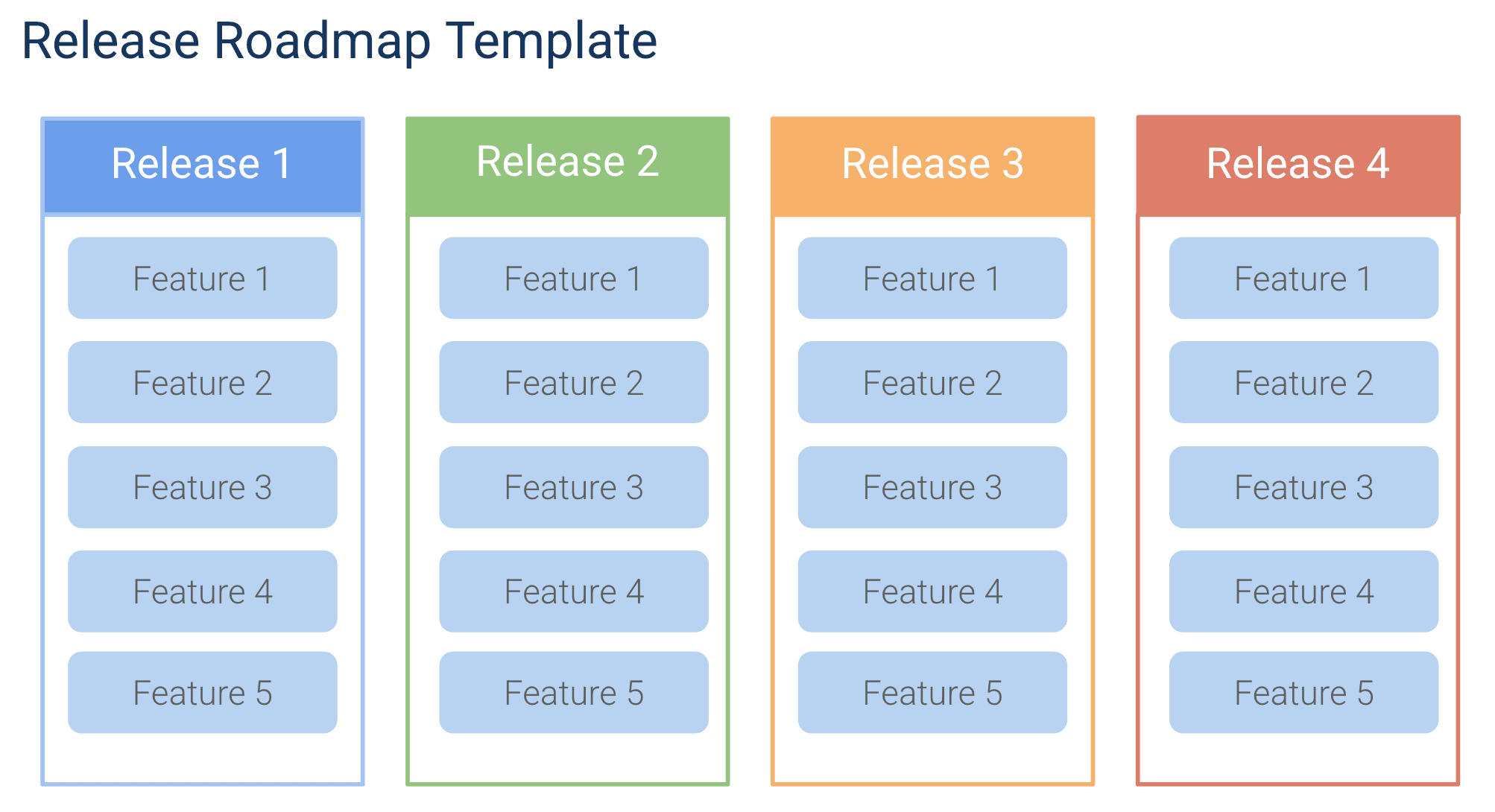
This free Google Slides release roadmap template presents your product release schedule as a visual timeline with feature highlights, target dates, and go-to-market milestones. Built for cross-functional alignment meetings following release management best practices. Engineering knows what to build, marketing knows when to launch, and leadership knows what is coming. For more on the product release roadmap format and how to structure your release planning end to end, see our guide to building a product roadmap.
What This Template Includes
- Release timeline slide showing upcoming releases with version numbers, target dates, and key feature highlights per release, giving stakeholders a clear visual of the shipping schedule.
- Release detail slides for each major release with expanded feature descriptions, the release theme (a sentence describing the customer value), contributing teams, current status, and known risks. Serving as both an execution guide and a stakeholder communication artifact.
- GTM milestone indicators with marketing launch dates, documentation deadlines, and sales enablement checkpoints integrated into the timeline so cross-functional coordination is visible at a glance.
- Risk indicators with visual risk badges (green, yellow, red) per release so the audience immediately knows which releases need attention and which are on track.
- Feature groupings organized under each release with brief descriptions and category badges, making it easy to see the composition of each version.
- Historical "shipped" slide showing recently completed releases with delivery dates and early impact data, building confidence and demonstrating a track record of consistent delivery.
Why Use Google Slides for Your Release Roadmap
Release roadmaps serve as coordination documents across product, engineering, marketing, support, and sales. A Google Slides version is the most effective way to get all of these teams on the same page because it structures the information as a narrative rather than raw data.
In a meeting setting, slides let the presenter control pacing. You can start with the big picture (full timeline), zoom into the next release (feature details), and finish with action items per team. This flow is impossible in a spreadsheet where everyone is scanning different rows.
Google Slides also excels at version management for release communication. Create a new deck for each release cycle. After each release ships, add it to the "shipped" archive. Over time, you build a library of release decks that serve as institutional memory.
Template Structure
Release Calendar Slide
The release calendar slide is the centerpiece of the deck. It displays upcoming releases on a visual timeline, typically spanning three to six months. Each release appears as a block with its version number or code name, target date, and a one-line theme describing the customer value. This slide answers the question stakeholders ask most often: "When is the next release, and what is in it?" In Google Slides, the visual format lets you use color, size, and position to communicate priority and timing more effectively than a table of dates.
Release Detail Slides
Each release on the calendar has a dedicated detail slide that expands the summary into specifics. A release detail slide includes the release theme, the list of features and improvements included, the teams contributing work, the current status, and any known risks. These slides serve dual purposes: they guide the execution team on what to build and they give stakeholders a communication artifact they can share with customers, partners, or their own teams. For high-profile releases, include mockups or wireframes to make the upcoming changes tangible.
Feature-to-Release Overview
A single slide mapping features to their assigned releases provides a clear view of the delivery pipeline. This slide makes it easy to spot when a release is overloaded or when a feature has been deferred multiple times. In a presentation setting, this overview slide works well as a reference during Q&A. When stakeholders ask about a specific feature, you can quickly show where it sits in the release plan.
Team Coordination Slide
Releases that require contributions from multiple teams are more complex to manage and more likely to slip. The team coordination slide lists the teams contributing to each upcoming release and highlights inter-team dependencies that must be resolved. In a Slides format, a simple matrix with team names and checkmarks communicates this information more clearly than a detailed spreadsheet, and it prompts the right conversations during cross-functional review meetings.
Rollout Strategy Slide
Not every release goes to all users on day one. The rollout strategy slide defines how each major release will be deployed: big-bang, phased, or targeted. For each strategy, include the success metrics that determine whether to continue, pause, or roll back. This slide is especially important when presenting to leadership because it demonstrates that the team has considered risk management, not just feature delivery. Phased rollouts limit the blast radius of any defect and show operational maturity.
How to Use This Template
1. Define your release schedule
Make a copy and set up the timeline with your upcoming releases. Include the release version or name, target date, and a one-sentence theme. Show 3-5 upcoming releases on the main timeline slide.
Why it matters: A predictable cadence sets expectations for everyone. Stakeholders know when to expect updates, engineers know when their code must be ready, and marketing can plan launch activities around confirmed dates. A regular rhythm also reduces the temptation to cram features into a release because another one is always coming soon.
2. Add feature highlights per release
For each release, list the top 3-5 features that stakeholders care about. These should be the externally visible improvements. Internal refactoring can be mentioned in release notes but does not need roadmap presence.
Why it matters: Release themes prevent versions from becoming random collections of unrelated changes. When every feature in a release connects to a theme, the release tells a coherent story that marketing can promote, sales can pitch, and support can explain.
3. Integrate GTM milestones
Add marketing launch dates, documentation freeze dates, and support training dates to the timeline. These cross-functional milestones ensure the release roadmap is a coordination tool, not just an engineering schedule.
Why it matters: Releases that surprise marketing, sales, or support teams create chaos for customers and internal teams alike. GTM coordination ensures every function is prepared before customers see new features.
4. Assess and display risk
Before each review meeting, evaluate each release’s risk level. Green means on track with no concerns. Yellow means minor issues that the team is managing. Red means the release date or scope is in jeopardy. Be honest. Hiding risk erodes trust.
Why it matters: Transparency about delivery confidence prompts early intervention for at-risk releases. Stakeholders respect honesty about delays far more than discovering them at the last minute.
5. Update after each release
When a release ships, move it to the "shipped" slide and add the next planned release to the pipeline. Update any dates that shifted and note the reason. This ongoing maintenance keeps the deck current and useful.
Why it matters: A rollout plan is insurance. It costs almost nothing to create but can save the team from a full-scale production incident. And maintaining the "shipped" archive builds an institutional record of delivery that is invaluable for retrospectives and planning.
When to Use This Template
Use a release roadmap presentation when you have a defined release cadence and need to coordinate timing across multiple teams. It is essential for products where marketing launches, support training, and sales enablement must happen in sync with engineering delivery. The Google Slides format is the right choice when you need to present this information in meetings. Quarterly business reviews, release review meetings, customer advisory boards, or company all-hands.
The template is particularly valuable for B2B SaaS products where customers need advance notice of changes. Enterprise customers often have their own change management processes, and surprising them with new features or changed behavior damages trust. A polished release roadmap deck shared with key accounts gives them the predictability they need to manage their own teams and processes.
This template also works well for SaaS products with regular release cycles, mobile apps with app store submission timelines, and teams managing multiple product lines. When a company ships releases for a web application, a mobile application, and an API, a unified release deck that shows all product lines on a single timeline reveals conflicts. Such as two products scheduling major releases on the same day. That would otherwise create support and communication bottlenecks.
It is also the right format for release review meetings. A recurring meeting where product, engineering, and GTM teams align on what is shipping, what is slipping, and what needs to change. The slide format lets the presenter control pacing and focus attention on the releases that need discussion.
Featured in
This template is featured in Quarterly and Timeline Roadmap Templates, a curated collection of roadmap templates for this use case.
Key Takeaways
- Release roadmap presentations align engineering delivery with go-to-market timing across all stakeholder teams, in a format that controls pacing and emphasis.
- Release themes give each version a coherent story that marketing can promote, sales can pitch, and support can explain. Far more effective than a random list of features.
- The visual timeline communicates the shipping schedule more effectively than status emails or spreadsheets, and risk indicators create transparency about delivery confidence.
- GTM milestone integration ensures marketing, support, and sales are prepared before customers see changes, preventing launch-day chaos.
- Cross-team dependency tracking surfaced in the coordination slide prevents the integration failures that cause last-minute release delays.
- Maintaining a "shipped" archive slide builds confidence in the team’s delivery track record and provides institutional memory for retrospectives.