Quick Answer (TL;DR)
This free PowerPoint template maps your product's engagement loops. The trigger-action-reward-investment cycles that drive repeat usage. Each loop is visualized as a cycle with measurable conversion rates between steps, plus improvement initiatives targeting the weakest links. Download the .pptx, diagram your core loops, and use it to plan retention work with a clear model of what brings users back and where the cycle breaks down.
What This Template Includes
- Cover slide. Product name, number of engagement loops mapped, and headline retention metric (DAU/MAU ratio or weekly retention rate).
- Instructions slide. How to identify loops, measure conversion between loop steps, and prioritize improvements. Remove before presenting.
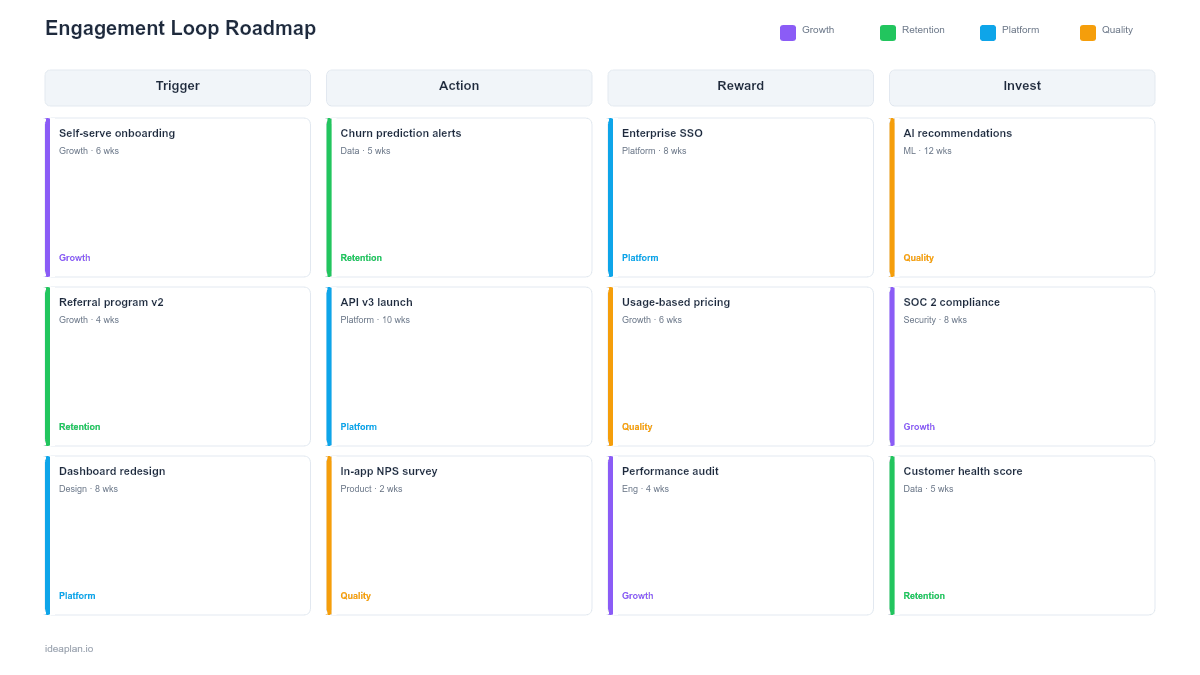
- Blank template slide. Three loop diagrams arranged horizontally, each with four cycle steps (Trigger, Action, Reward, Investment) and conversion rate connectors.
- Filled example slide. A collaboration SaaS product with 3 engagement loops: a content creation loop, a notification-driven check-in loop, and a social feedback loop, with conversion rates showing the content creation loop as the strongest and the social feedback loop as the weakest.
Why Engagement Loops Matter More Than Feature Lists
Features get users in the door. Loops keep them coming back. A product with ten features but no engagement loops will see declining usage after the novelty wears off. A product with three features and a strong loop will show flat or growing retention curves.
An engagement loop has four steps. A trigger prompts the user to return (a notification, a calendar reminder, a teammate's action). The user takes an action (opens the app, reviews a dashboard, responds to a comment). The action produces a reward (new information, social validation, a sense of progress). The reward leads to an investment (creating content, inviting a teammate, customizing a workflow) that generates the next trigger, closing the loop.
Most retention problems are loop problems. Users churn because the trigger is too weak (they forget the product exists), the action is too effortful (they do not bother), the reward is not satisfying (they do not get value), or the investment does not generate a new trigger (the loop is open, not closed). The Kano model helps distinguish which rewards are baseline expectations versus genuine delighters that strengthen the loop.
Template Structure
Loop Diagrams
Each loop is drawn as a four-step cycle:
- Trigger. What brings the user back. External triggers (email, push notification, Slack message from a teammate) and internal triggers (habit, curiosity, anxiety about missing something). Strong loops eventually shift from external to internal triggers.
- Action. What the user does when triggered. The action should be as low-friction as possible. A single tap or click is ideal. If the action requires navigation through three screens, the loop has a friction problem.
- Reward. What the user gets from taking the action. Variable rewards are more engaging than predictable ones. A social feed has variable content each time, while a static dashboard provides the same experience. Categorize rewards as social (seeing others' activity), informational (learning something new), or functional (completing a task).
- Investment. What the user puts into the product that increases the likelihood of future loops. Created content, configured settings, added teammates, stored data. Investment creates switching costs and generates triggers for other users.
Conversion Rate Connectors
Between each loop step, an arrow shows the conversion rate:
- Trigger-to-Action. What percentage of triggered users actually take the action? Low rates indicate weak triggers or high friction.
- Action-to-Reward. What percentage of users who take the action receive a meaningful reward? Low rates indicate the reward is unreliable or delayed.
- Reward-to-Investment. What percentage of rewarded users make an investment? Low rates indicate the product is not creating stickiness.
- Investment-to-Trigger. What percentage of investments generate a new trigger (for the same user or for others)? This is where the loop either closes or breaks.
Improvement Initiative Cards
Below each loop, initiative cards target the weakest conversion link:
- Target link. Which step transition this initiative improves (e.g., "Trigger-to-Action").
- Current conversion. Baseline rate.
- Initiative. What the team will build or change.
- Target conversion. Expected rate after the initiative ships.
How to Use This Template
1. Identify your product's core loops
Most products have 1-3 engagement loops. Look at your retention data: what do returning users actually do? If 60% of daily active users check notifications and respond to comments, that is a loop. If 30% create new content that generates notifications for teammates, that is another loop. Map what users actually do, not what you wish they did.
2. Diagram each loop's four steps
For each loop, define the trigger, action, reward, and investment. Be specific. "User receives notification" is a trigger. "User opens app" is an action. "User sees three new comments on their post" is a reward. "User replies to comments, generating notifications for others" is an investment.
3. Measure conversion between steps
Use analytics to calculate the conversion rate at each step transition. What percentage of push notifications result in an app open? What percentage of app opens lead to a meaningful action? What percentage of actions result in content creation or configuration changes? These numbers reveal exactly where each loop is weak.
4. Prioritize the weakest links
The step transition with the lowest conversion rate in your strongest loop is usually the highest-impact improvement target. Strengthening the weakest link in a loop that already works for some users will improve retention more than trying to create an entirely new loop. See the prioritization guide for frameworks to rank these opportunities.
5. Plan loop-strengthening initiatives
For each weak link, design an initiative that directly addresses the drop-off. If Trigger-to-Action is low, improve notification relevance or reduce action friction. If Reward-to-Investment is low, make the investment step easier or more naturally connected to the reward. Track sessions per user as a leading indicator of loop health.
When to Use This Template
The engagement loop roadmap PowerPoint template works best for:
- Retention strategy sessions where the team needs a model for why users come back (or do not)
- Growth team planning where improving daily/weekly engagement is the primary objective
- Product reviews where leadership wants to understand the behavioral mechanics driving retention
- New feature evaluation where the team assesses whether a proposed feature strengthens, weakens, or creates an engagement loop
If your focus is on preventing churn through targeted interventions rather than building loops, the Retention Strategy Roadmap PowerPoint template provides a churn-focused format. For building community-driven engagement that feeds loops through social investment, the Community Building Roadmap PowerPoint template offers a complementary view.
Featured in
This template is featured in SaaS Product Roadmap Templates, a curated collection of roadmap templates for this use case.
Key Takeaways
- Engagement loops (trigger-action-reward-investment) are the behavioral mechanics that drive repeat product usage.
- Each loop step has a measurable conversion rate. The weakest link determines the loop's overall strength.
- Most retention problems are loop problems: weak triggers, high-friction actions, unreliable rewards, or investments that do not close the loop.
- Strengthening existing loops is usually higher-ROI than creating new ones.
- PowerPoint format makes engagement loop models visible to leadership and cross-functional partners in retention reviews and growth planning sessions.
- Compatible with Google Slides, Keynote, and LibreOffice Impress. Upload the
.pptxto Google Drive to edit collaboratively in your browser.