Quick Answer (TL;DR)
This free PowerPoint template structures the build-out of a developer portal across five pillars: documentation hub, API explorer, sandbox environment, authentication and key management, and portal analytics. Each pillar tracks feature completeness, developer satisfaction, and adoption metrics on a phased timeline. Download the .pptx, define your portal scope, and use it to coordinate engineering, developer relations, and technical writing around a shared launch plan.
What This Template Includes
- Cover slide. Portal name, target developer audience, and portal product owner.
- Instructions slide. How to scope portal features by developer journey stage, set adoption targets, and phase the build. Remove before presenting.
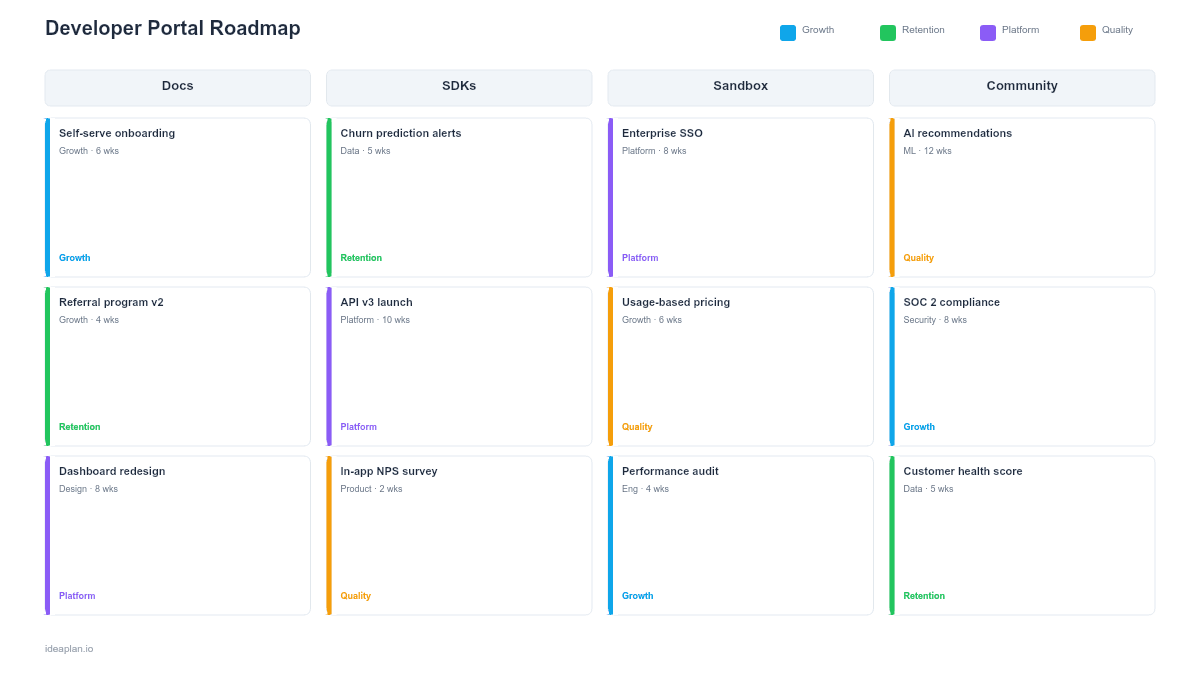
- Blank portal roadmap slide. A phased timeline (Foundation, Beta, GA, Iteration) with rows for each portal pillar. Cards show feature name, build effort, developer journey stage it serves, and adoption metric target.
- Filled example slide. A realistic developer portal roadmap for a B2B API platform showing documentation migration, interactive API explorer launch, sandbox provisioning, OAuth 2.0 key management, and analytics dashboard with activation rate targets at each phase.
Why PowerPoint for Developer Portal Roadmaps
Developer portals are multi-disciplinary projects that span engineering, technical writing, design, and developer relations. Without a shared plan, each team builds their piece in isolation. Docs ship without an API explorer to test them, a sandbox launches without authentication to protect it, and analytics get added after the portal is live when you realize you cannot measure anything.
A PowerPoint timeline organizes these pillars on a phased plan that shows dependencies. Documentation must exist before the API explorer can reference it. Authentication must work before the sandbox can provision developer accounts. Analytics instrumentation must be in place before launch so you can measure adoption from day one. The slide format lets you present this phased approach to leadership, engineering, and developer relations in a single artifact.
Template Structure
Documentation Hub Pillar
Covers API reference docs, getting-started guides, tutorials, code samples, changelogs, and search. Cards track content coverage (percentage of endpoints documented), content freshness, and search effectiveness (percentage of searches that return relevant results). The documentation hub is typically the highest-traffic section of any developer portal and the first thing developers evaluate when deciding whether to invest time in your platform.
API Explorer Pillar
An interactive tool that lets developers make API calls directly from the browser with pre-filled parameters, live response previews, and code generation. Cards track endpoint coverage (how many endpoints are available in the explorer), supported authentication methods, and time to first API call reduction targets. The API explorer bridges the gap between reading documentation and writing code.
Sandbox Environment Pillar
A safe environment where developers can test integrations without affecting production data. Cards cover provisioning flow (how quickly a developer gets a working sandbox), data seeding (pre-populated test data that makes experiments meaningful), reset capability, and usage limits. Sandbox quality directly affects whether developers reach the "aha moment" before they give up.
Authentication and Key Management Pillar
Covers developer registration, API key generation, OAuth 2.0 flows, rate limit management, and key rotation. Cards track signup-to-key time (how long from registration to a working API key), authentication error rates, and self-service capability (can developers manage keys without contacting support?). Authentication friction is the number one reason developers abandon a portal during onboarding.
Portal Analytics Pillar
Tracks developer behavior across the portal: page views, API explorer usage, sandbox activity, documentation search patterns, and onboarding completion rates. Cards show which metrics are instrumented, which dashboards are built, and how data feeds back into portal improvement decisions. Without analytics, portal iteration is guesswork.
How to Use This Template
1. Map your developer journey stages
Define the stages a developer moves through: Discover (finds your portal), Evaluate (reads docs and tries the explorer), Build (creates a sandbox and writes integration code), and Scale (goes to production and manages keys). Each portal pillar serves specific stages. Documentation and the API explorer serve Evaluate. Sandbox serves Build. Authentication and analytics serve Scale. Place features on the roadmap based on which stages you need to support first.
2. Scope the Foundation phase
The Foundation phase delivers the minimum portal that is worth launching: documentation for core endpoints, basic API explorer, developer registration with key provisioning, and analytics instrumentation. Resist the urge to build everything before launch. A portal with good docs and working authentication is more useful than a delayed portal with every feature. Use prioritization to determine what makes the cut for Foundation.
3. Define Beta and GA criteria
Beta means the portal is usable by a select group of developers who will provide feedback. GA means it is ready for public traffic. Define specific criteria: "Beta requires docs for 80% of endpoints, working API explorer, and sandbox with test data. GA requires 100% endpoint coverage, OAuth support, and portal uptime SLA." Place these criteria as milestones on the timeline.
4. Plan the Iteration phase
After GA launch, the portal needs continuous improvement based on developer feedback and analytics data. Plan quarterly iteration cycles: fix the top 3 developer friction points, add the most-requested features, and update content for new API versions. The iteration phase is not optional. It is where the portal actually gets good. Include it on the roadmap so leadership does not reallocate the team after launch.
When to Use This Template
A developer portal roadmap is essential when:
- Your API has external consumers (partners, third-party developers, customers building integrations)
- Developer onboarding depends on self-service. You cannot hand-hold every developer through setup
- Multiple teams contribute portal content (engineering, technical writing, developer relations) and need coordination
- Platform strategy depends on developer adoption metrics that a portal directly affects
- Competitive pressure requires a portal experience that matches or exceeds what developers expect from modern APIs
If your API is internal-only with fewer than 20 consuming developers, a shared wiki with API specs is sufficient. This template is for teams building a public or semi-public portal where developer experience directly affects business outcomes.
Key Takeaways
- Developer portals span five pillars (documentation, API explorer, sandbox, authentication, analytics) that must be coordinated on a phased timeline.
- Launch a Foundation version with core docs and working authentication before building every feature. A usable portal now beats a perfect portal in 9 months.
- Authentication friction is the number one onboarding killer. Minimize the steps from registration to a working API key.
- Include an Iteration phase on the roadmap after GA launch. Portals get good through continuous improvement based on developer feedback and analytics, not through a single launch effort.
- Measure portal success by time-to-first-call and support ticket deflection, not by page views alone.
- Compatible with Google Slides, Keynote, and LibreOffice Impress. Upload the
.pptxto Google Drive to edit collaboratively in your browser.