Quick Answer (TL;DR)
This free PowerPoint template lays out API development work. New endpoints, versioning milestones, developer portal improvements, and third-party integration launches. On a quarterly timeline. Each item is tagged by API version, breaking-change risk, and target consumer (internal teams, partners, or public developers). Download the .pptx, map your planned API work onto it, and use it to align backend engineering, developer relations, and partner teams on what ships when and what breaks what.
What This Template Includes
- Cover slide. Title slide with API product name, current version, and API product owner.
- Instructions slide. How to categorize API work by track, flag breaking changes, and communicate deprecation timelines. Remove before external distribution.
- Blank API timeline slide. A four-quarter grid with rows for each work track (core API endpoints, versioning and deprecation, developer experience and docs, integrations and partnerships). Each card shows API version, breaking-change flag, effort estimate, and target consumer group.
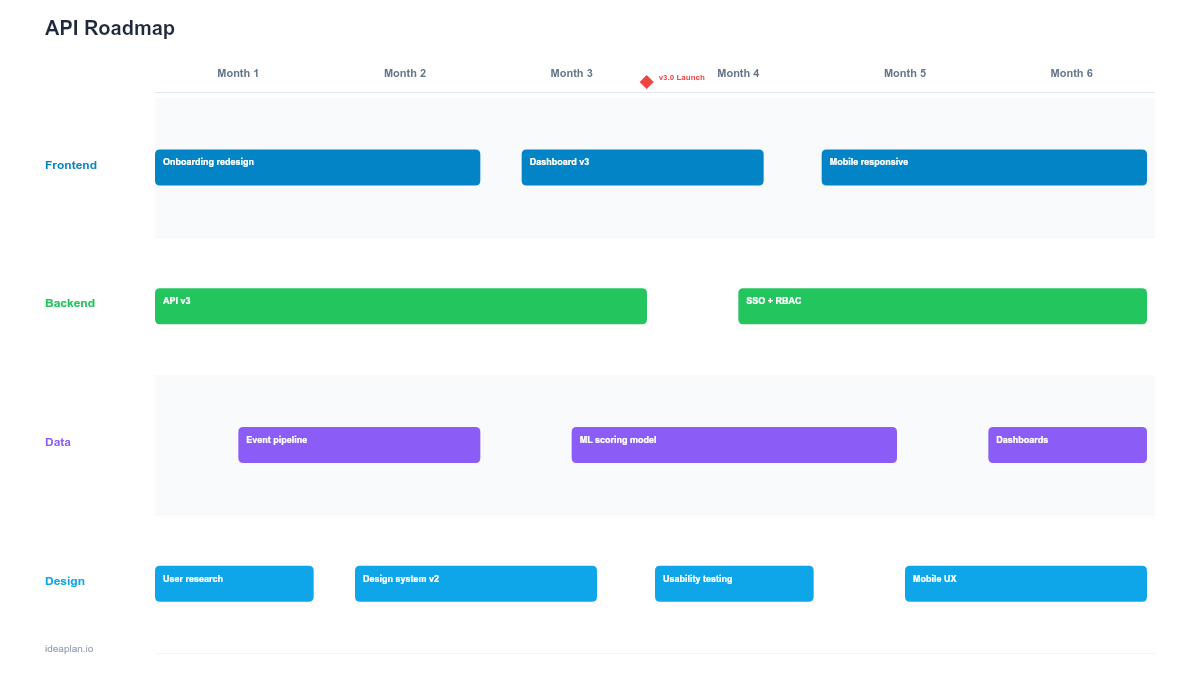
- Filled example slide. A realistic API roadmap for a SaaS platform showing a v3 endpoint launch, v1 deprecation schedule, webhook system rebuild, OpenAPI spec automation, and three partner integration launches, with breaking-change warnings highlighted.
Why PowerPoint for API Roadmaps
APIs are contracts. Every change you make affects consumers you may not even know about. A PowerPoint timeline forces you to show the relationship between new capabilities and breaking changes on the same view. Making it obvious when a version bump will disrupt partners or when a deprecation window is too tight for consumers to migrate.
The format also bridges the communication gap between engineering and business teams. A partner manager needs to know when the new webhook API ships so they can pitch it to integration partners. A customer success lead needs the deprecation timeline so they can warn affected accounts. These audiences will not read an API changelog, but they will look at a slide.
Template Structure
Work Track Rows
Four rows cover the full API lifecycle: core API endpoints (new resources, expanded fields, query parameters, rate limit changes), versioning and deprecation (major version releases, sunset schedules, migration guides), developer experience (API documentation, SDKs, sandbox environments, error message improvements), and integrations and partnerships (third-party connectors, marketplace listings, co-built integrations).
Breaking-Change Indicators
Cards with breaking changes carry a red warning badge. Non-breaking additions (new optional fields, new endpoints) carry a green badge. This binary signal is the most important piece of information on the roadmap for external consumers. It tells them whether they need to do work on their side when you ship.
Consumer Group Tags
Each card is tagged with its target consumer: internal (your own frontend and mobile teams), partner (contracted integration partners), or public (anyone using the API). Items targeting public consumers need the longest lead time for communication and migration support. Internal-only changes can move faster.
How to Use This Template
1. Inventory planned API changes
Collect all planned API work from backend engineering backlogs, partner requests, and internal frontend needs. Classify each item by work track. Pay special attention to items that require changes from API consumers. These need extra planning time. The product requirements document for each API feature should specify whether the change is breaking or additive.
2. Flag breaking changes and set deprecation windows
For every breaking change, define a deprecation window. The period between announcing the change and removing the old behavior. Industry standard is 6-12 months for public APIs, 3-6 months for partner APIs, and 1-3 sprints for internal APIs. Map these windows onto the timeline so the announcement date, migration period, and sunset date are all visible.
3. Sequence by dependency and consumer impact
Place non-breaking additions first. They deliver value without requiring consumer work. Cluster breaking changes into planned version bumps rather than spreading them across the year. One major version migration per year is manageable for consumers; quarterly breaking changes erode trust. Use the release plan template for detailed release-level sequencing within each quarter.
4. Review with engineering, partners, and developer relations
Backend engineers validate technical feasibility and effort. Developer relations validates that documentation and migration guides will be ready before breaking changes ship. Partner-facing teams (partnerships, customer success) validate that deprecation windows give their contacts enough time to adapt. This cross-functional review catches the most common API roadmap failure: shipping a breaking change before consumers are ready.
When to Use This Template
An API roadmap is critical when:
- Your product has an API-first architecture with multiple consumer groups (internal, partner, public)
- Version migrations require coordinated timelines between your team and external consumers
- Partner integrations depend on specific endpoint availability and cannot be scheduled ad hoc
- Developer experience investments (docs, SDKs, sandbox) need dedicated capacity alongside core API work
- Platform strategy depends on API adoption metrics that require planned capability expansion
If your API serves only your own frontend and has no external consumers, a standard feature roadmap is sufficient. This template becomes essential once external developers depend on your API contract.
Featured in
This template is featured in Technical and Engineering Roadmap Templates, a curated collection of roadmap templates for this use case.
Key Takeaways
- API roadmaps organize work by track (endpoints, versioning, developer experience, integrations) with breaking-change flags as the most critical visual signal.
- Tag every item by consumer group (internal, partner, public) to calibrate communication lead time and deprecation windows.
- Cluster breaking changes into planned version bumps rather than spreading them across the year. One major migration per year is the maximum most consumers can absorb.
- Deprecation windows need explicit start and end dates on the timeline so both your team and API consumers can plan accordingly.
- Review with developer relations and partner teams before committing to timelines. They know what consumers can and cannot absorb.
- Compatible with Google Slides, Keynote, and LibreOffice Impress. Upload the
.pptxto Google Drive to edit collaboratively in your browser.