Quick Answer (TL;DR)
This free PowerPoint template plans workflow automation features across three capability levels. Triggers & Actions, Conditional Logic, and Custom Workflows. Organized by system layer (event engine, rule processor, workflow builder, and integrations). Each slide maps automation capabilities to delivery phases with adoption targets. Download the .pptx, identify where users currently perform repetitive manual tasks, and build a roadmap that turns those pain points into automated workflows.
What This Template Includes
- Cover slide. Product name, automation maturity target, and a summary of manual workflows targeted for automation.
- Instructions slide. How to identify automation candidates, design trigger-action patterns, and sequence the build from simple rules to a full workflow builder. Remove before presenting.
- Blank template slide. Four system layers across three capability levels with placeholder feature cards and adoption milestones.
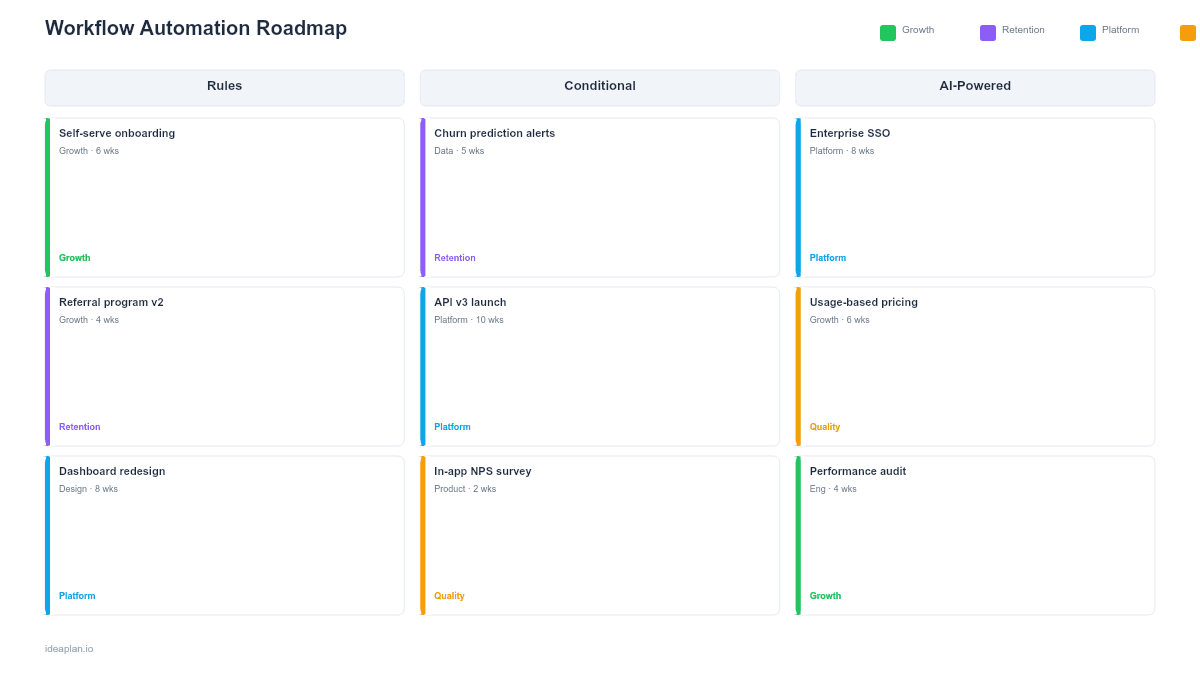
- Filled example slide. A complete automation roadmap showing 15 features from basic event triggers through conditional branching to a visual workflow builder, with user adoption targets at each level.
Why Workflow Automation Needs Structured Planning
Automation features have an unusual property: each one you ship creates demand for the next. Once users can auto-assign tickets based on labels, they want conditional routing based on priority. Once they have conditional routing, they want multi-step workflows with approval gates. This escalating demand makes a roadmap essential for staying ahead of user expectations without over-building.
Three common failure modes make the case for planning:
- Building the builder too early. Teams often jump to a visual workflow builder before shipping the underlying event engine and rule processor. The builder looks impressive in demos but is fragile without solid infrastructure. Ship triggers and conditions first, then wrap them in a builder UI.
- Ignoring the error path. Automated workflows that fail silently are worse than no automation. Users trust manual processes because they can see each step. Automation earns trust only when it surfaces errors clearly and allows retry or override. Plan error handling and audit logging alongside the happy path.
- Under-investing in integrations. Workflows that only operate within your product hit a ceiling quickly. Users need to trigger actions in external tools (Slack notifications, Jira ticket creation, email sequences). The integration roadmap template can complement this template for external connectivity planning.
Template Structure
System Layers
Four rows represent the technology stack that powers automation:
- Event Engine. Event detection, webhook ingestion, scheduled triggers, and event replay for debugging.
- Rule Processor. If-then logic, condition evaluation, filter matching, and variable substitution.
- Workflow Builder. Multi-step sequences, branching logic, delay timers, approval gates, and the visual editor UI.
- Integrations. Outbound actions to external tools, inbound triggers from external events, and OAuth connection management.
Capability Levels
Three columns define progressive automation sophistication:
- Triggers & Actions. Simple event-driven automation. "When X happens, do Y." Examples: auto-assign on creation, send notification on status change, update field on tag addition. No conditions, no branching.
- Conditional Logic. Rule-based automation with if/else evaluation. "When X happens, if condition A is true, do Y; otherwise do Z." Examples: route high-priority items to senior team, escalate overdue tasks, apply different SLAs by customer tier.
- Custom Workflows. Multi-step, user-defined automation with branching, delays, and external actions. Users build their own workflows through a visual editor or configuration UI. Examples: approval chains, multi-stage onboarding sequences, cross-tool data synchronization.
Adoption Milestones
Flag markers on the timeline indicate target adoption rates at each capability level. For example: 20% of active users have created at least one trigger-action rule by end of Level 1, 10% are using conditional logic by end of Level 2, and 5% have built custom workflows by end of Level 3. These targets calibrate whether the team is building ahead of or behind user demand.
How to Use This Template
1. Catalog repetitive user tasks
Interview support, customer success, and power users to identify the top 10 manual tasks users perform repeatedly. Common candidates: assigning items, changing statuses, sending follow-ups, creating linked records. Each of these is a potential automation target. The user research methods guide outlines interview techniques for this discovery.
2. Design the event taxonomy
Before building triggers, define the event vocabulary. Every automation starts with an event: "item created," "status changed to X," "due date passed." A clear, consistent event taxonomy makes the system predictable for users and extensible for engineers.
3. Ship Triggers & Actions to validate demand
Start with 5-8 pre-built trigger-action combinations that address the most common manual tasks. Measure how many users activate them and which ones get the highest usage. If adoption is low, the problem might be discoverability rather than capability.
4. Add Conditional Logic based on user requests
Once basic automations are live, users will ask for exceptions: "I want this rule to apply only when the priority is high." Track these requests to prioritize which conditions to support first. Build the rule processor to be generic so new conditions can be added without new deployments.
5. Build the workflow builder last
The visual workflow builder is the most engineering-intensive component and the hardest to get right. Ship it only after the event engine and rule processor are stable and users have demonstrated demand for multi-step sequences. Reference the feature adoption rate metric to validate that each capability level reaches its adoption target before investing in the next.
When to Use This Template
This template fits when:
- Users perform repetitive manual tasks in your product that follow predictable patterns (if X, then Y) and you want to automate them.
- Competitors offer automation and your users cite it as a reason to switch. Automation is increasingly table-stakes in project management, CRM, and operations tools.
- Support ticket volume includes requests that are essentially "can you set up a rule to do X automatically?". A signal that users want self-serve automation.
- You are building a platform and need to give users the ability to customize behavior without engineering involvement. See the platform strategy glossary entry for context on when platform features like automation become strategic.
- Power users are building workarounds using Zapier or other external automation tools to compensate for missing in-product automation.
For teams planning the third-party integration layer that automation depends on, the Integration Roadmap PowerPoint template covers API, webhook, and OAuth planning. For the underlying technology infrastructure, the Technology Roadmap PowerPoint template addresses event processing and scalability.
Key Takeaways
- Automation demand escalates: shipping triggers creates demand for conditions, which creates demand for workflows. Plan ahead of this curve.
- Build infrastructure (event engine, rule processor) before the visual builder. The builder is a UI layer on top of working automation primitives.
- Error handling and audit logging are not optional. Automation earns user trust through transparency, not just convenience.
- Measure adoption at each capability level before investing in the next. Low adoption of basic triggers means the problem is discoverability, not missing advanced features.
- Pre-built automations lower the adoption barrier. Users who activate a pre-built rule are more likely to create custom ones later.
- Compatible with Google Slides, Keynote, and LibreOffice Impress. Upload the
.pptxto Google Drive to edit collaboratively in your browser.
The Workflow Automation Assessment Template pairs well with this one.