Quick Answer (TL;DR)
This free PowerPoint template organizes your integration strategy across three tiers. Native integrations, partner-built connectors, and API platform capabilities. Planned on a quarterly timeline. It gives product and partnership teams a single view of what connects to your product and when. Download the .pptx, populate it with your integration pipeline, and use it to coordinate engineering effort, partner timelines, and go-to-market plans for each integration launch.
What This Template Includes
- Cover slide. Product name, total integrations planned for the year, and the strategic goal the integration program serves.
- Instructions slide. How to evaluate integration requests, tier integrations by build approach, and coordinate with external partners. Remove before presenting.
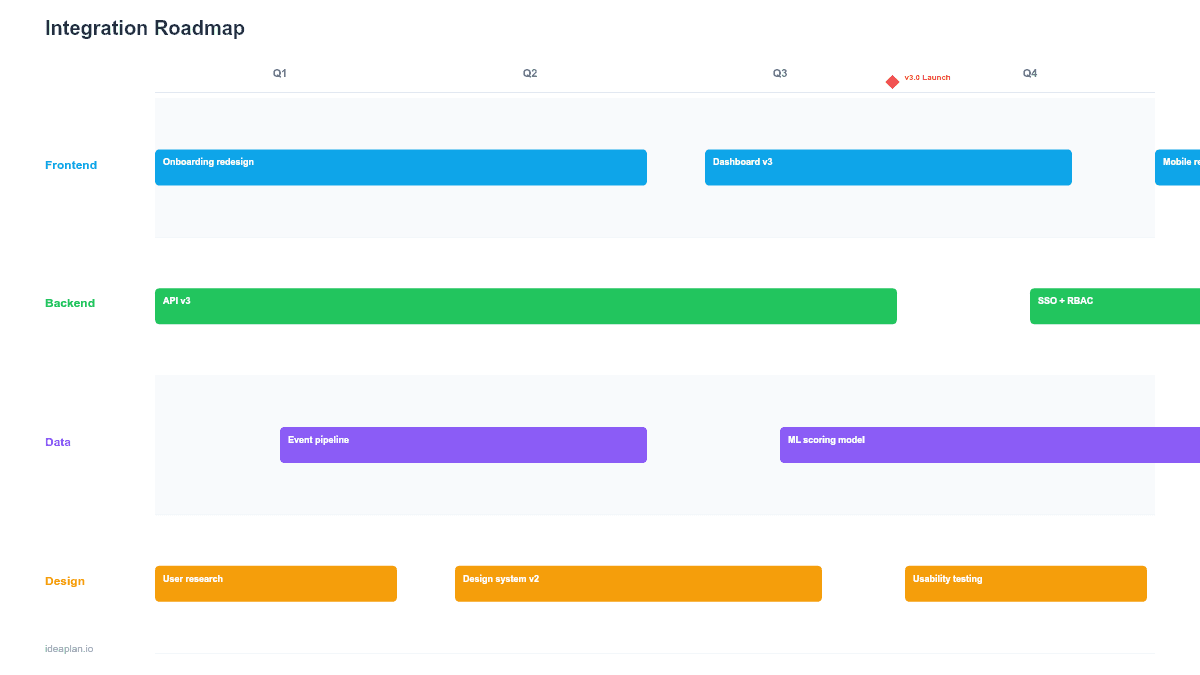
- Blank template slide. Four quarterly columns with three tier rows (Native, Partner, Platform). Placeholder cards with fields for integration name, partner, effort, and launch status.
- Filled example slide. A project management SaaS integration roadmap showing 12 integrations across four quarters: Slack and Jira native integrations in Q1, Zapier and partner-built CRM connectors in Q2-Q3, and a public API launch in Q4.
Why Integrations Need Their Own Roadmap
Integration requests are the most common feature request category for B2B SaaS products. Every sales call surfaces "do you integrate with X?" Every support ticket reveals a manual workflow that a connection could automate. Without a structured plan, teams build integrations reactively. Whichever customer shouts loudest gets the next connector.
A dedicated integration roadmap prevents three problems:
- Engineering whiplash. Without priorities, integration work interrupts feature development in unpredictable bursts. A roadmap allocates dedicated capacity per quarter.
- Partner misalignment. Third-party integrations require coordination on API compatibility, testing, and joint go-to-market. Partners need advance notice, not last-minute requests.
- Strategic drift. Building integrations that do not support your product strategy wastes engineering time on connectors that do not drive adoption or retention.
For teams building a platform strategy, the integration roadmap is the operational plan that turns the strategy into shipped connectors.
Template Structure
Integration Tier Rows
Three rows categorize integrations by who builds and maintains them:
- Native. Built and maintained by your engineering team. Deepest functionality, tightest UX integration. Highest engineering cost. Reserve for your top 5-8 most-requested integrations.
- Partner. Built by the third-party vendor or a mutual partner, using your API. Your team provides documentation, sandbox access, and certification. Lower engineering cost, but you still own quality assurance.
- Platform. API, webhook, and middleware capabilities (Zapier, Make, n8n) that let users build their own integrations. Highest reach, lowest per-integration cost, but limited depth.
Quarterly Columns
Four quarterly columns sequence integration launches across the year. Each column should balance the three tiers. A quarter that is all Native integrations will exhaust engineering capacity, while a quarter that is all Platform work may not show visible progress to customers.
Integration Cards
Each card includes:
- Integration name. The third-party product or capability (e.g., "Salesforce CRM sync").
- Tier badge. Native, Partner, or Platform.
- Strategic driver. Why this integration matters. "Top 3 customer request," "blocks $500K deal," or "required for marketplace launch."
- Status. Scoping, In Development, Beta, Live.
- Effort estimate. Engineering weeks for Native. Review hours for Partner.
Dependency Notes
Some integrations depend on platform capabilities. A partner-built Salesforce connector depends on your OAuth implementation. A Zapier integration depends on your webhook infrastructure. Dotted lines between cards show these prerequisites.
How to Use This Template
1. Collect and rank integration requests
Pull integration requests from sales feedback, support tickets, churned customer interviews, and competitive analysis. Count frequency and attach revenue impact where possible. A request from 40% of prospects carries more weight than one from a single enterprise account. The competitive analysis framework can reveal which integrations competitors already offer.
2. Assign tiers based on strategic value and complexity
Your most important integrations (by revenue impact and user demand) should be Native. Integrations where the partner has a strong API team and motivation to build should be Partner. Everything else should be reachable via Platform capabilities.
3. Sequence by dependencies and partner readiness
Platform infrastructure (OAuth, webhooks, API documentation) must ship before Partner integrations can begin. Native integrations can proceed in parallel but compete for the same engineering capacity. Sequence Native integrations by deal pipeline impact. The integration that unblocks the largest revenue opportunity goes first.
4. Coordinate go-to-market per integration
Every integration launch needs a landing page, help article, and announcement. Partner integrations need co-marketing. Add GTM milestones to the Communication row or coordinate with your go-to-market strategy. An integration that ships without announcement is an integration nobody discovers.
5. Review quarterly with product, partnerships, and sales
At the start of each quarter, review the pipeline. Reprioritize based on closed-lost analysis (which integrations did prospects need?), partner timeline changes, and engineering capacity. Move integrations between tiers if the build-or-partner calculation shifts.
When to Use This Template
The integration roadmap is the right choice when:
- Your product depends on ecosystem connectivity and customers expect integrations with their existing tools
- Sales is losing deals due to missing integrations and you need to prioritize which connectors to build first
- You are launching a public API or marketplace and need to sequence platform capabilities alongside initial partner integrations
- Multiple stakeholders (product, engineering, partnerships, sales) contribute to integration decisions and need a shared plan
- Integration requests outnumber your capacity and you need a visible framework for saying "not yet" to lower-priority requests
If you are planning a broader technology platform evolution rather than specific integrations, the Platform Roadmap PowerPoint template covers that scope. For mapping your full product feature plan including integrations as one component, the Quarterly Product Roadmap template provides a wider view.
Key Takeaways
- Three integration tiers (Native, Partner, Platform) let you scale ecosystem connectivity without overwhelming your engineering team.
- Prioritize native integrations by revenue impact and deal pipeline data, not by who asks loudest.
- Platform capabilities (OAuth, webhooks, API docs) are prerequisites for partner integrations. Sequence them first.
- Every integration launch needs a go-to-market plan. Shipped but unannounced integrations are invisible to customers.
- Budget 10-15% of ongoing capacity for integration maintenance. APIs change, and broken integrations damage trust faster than missing ones.
- Compatible with Google Slides, Keynote, and LibreOffice Impress. Upload the
.pptxto Google Drive to edit collaboratively in your browser.