Quick Answer (TL;DR)
This free PowerPoint template structures the build-out of a webhook system across four pillars: event catalog, delivery infrastructure, retry and failure handling, and consumer experience (registration, testing, monitoring). Each pillar tracks reliability metrics, event coverage, and consumer adoption. Download the .pptx, scope your event types and delivery requirements, and use it to coordinate backend engineering and developer relations around a webhook system that is reliable enough for production integrations.
What This Template Includes
- Cover slide. Platform name, webhook system version, and infrastructure owner.
- Instructions slide. How to define event types, set delivery SLAs, and plan the build in phases. Remove before presenting.
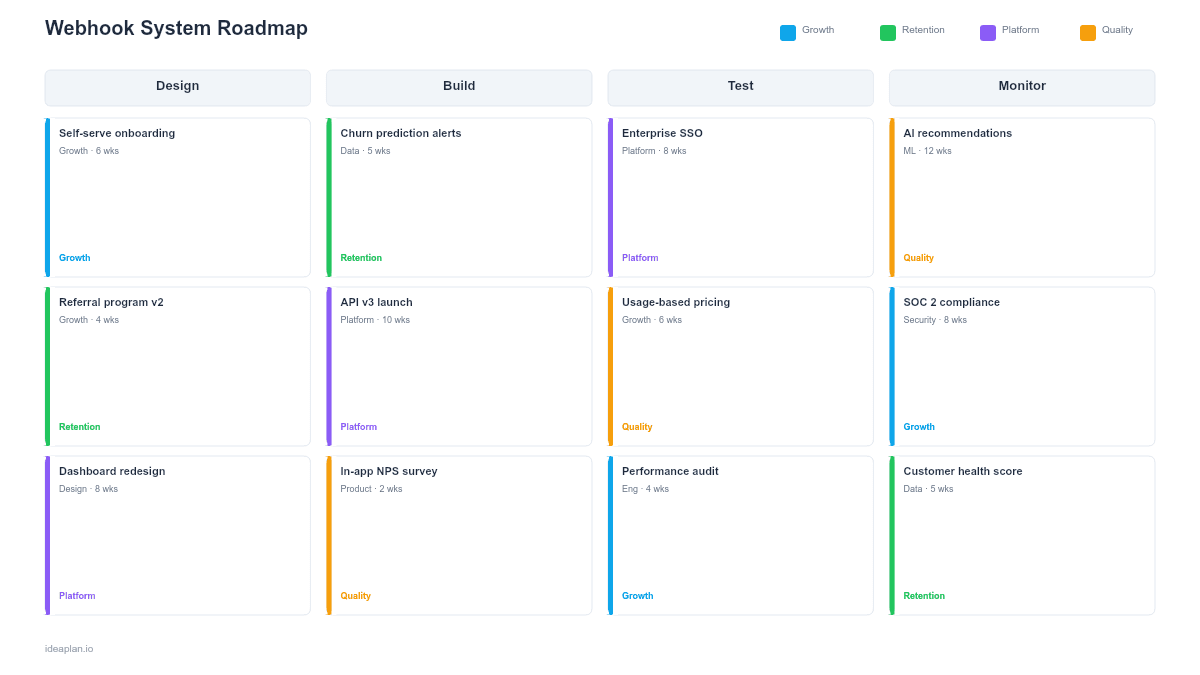
- Blank webhook roadmap slide. A phased timeline (Foundation, Reliability, Scale, Ecosystem) with rows for each pillar. Cards show component name, build effort, reliability target, and consumer adoption metric.
- Filled example slide. A realistic webhook roadmap for a B2B SaaS platform showing 15 event types rolling out in three waves, delivery infrastructure with 99.95% reliability target, exponential retry with dead letter queue, and a consumer dashboard with real-time delivery logs and test mode.
Why PowerPoint for Webhook Roadmaps
Webhooks appear simple. Send an HTTP POST when something happens. In practice, building a reliable webhook system is one of the hardest infrastructure challenges for a platform team. Delivery must be guaranteed even when consumers are down. Event ordering matters for some use cases but not others. Consumers need tools to debug failed deliveries without contacting support. And the system must scale from hundreds to millions of events per day without losing messages.
A PowerPoint timeline organizes these concerns into phases that build on each other. Foundation delivers basic event sending. Reliability adds retry logic and failure handling. Scale adds throughput and performance. Ecosystem adds consumer-facing tools. Presenting this phased approach prevents the most common webhook mistake: shipping a basic webhook endpoint and calling it done, then spending the next year firefighting delivery failures.
Template Structure
Event Catalog Pillar
Defines which events your system sends: resource created, updated, deleted, status changed, threshold exceeded, and custom business events. Cards show event name, payload schema, estimated volume, and rollout phase. Start with the events that integration partners request most frequently. The event catalog is your webhook system's API contract. Changing event schemas after consumers depend on them is a breaking change that requires the same care as an API version bump.
Delivery Infrastructure Pillar
Covers the technical components that send webhooks reliably: event queue, HTTP delivery service, TLS enforcement, request signing (HMAC), timeout handling, and throughput capacity. Cards track delivery success rate (target: 99.95%), p99 delivery latency, and events-per-second capacity. This pillar is invisible to consumers when it works and catastrophic when it does not.
Retry and Failure Handling Pillar
Defines what happens when delivery fails. Cards cover retry strategy (exponential backoff with jitter), maximum retry attempts, dead letter queue for permanently failed events, consumer alerting for repeated failures, and manual replay capability. Track retry rate (percentage of events requiring retry) and dead letter volume as health indicators. A good webhook system retries silently and only surfaces failures that need human attention.
Consumer Experience Pillar
Covers everything consumers interact with: webhook registration UI, event subscription management, delivery logs, test mode (send synthetic events to verify endpoint configuration), payload inspection, and the developer portal documentation for webhooks. Cards track consumer onboarding time (how long from registration to receiving the first webhook), self-service capability, and support ticket volume for webhook-related issues.
How to Use This Template
1. Define your event catalog from integration use cases
Interview integration partners and internal teams that consume events. Ask: "What do you need to know happened, and how quickly?" Group events by resource type and action. Prioritize events by consumer demand and implementation complexity. A common first wave includes object.created, object.updated, and object.deleted for your core resources. Avoid the temptation to ship 50 event types at once. Start with 5-10 high-demand events and expand based on adoption data.
2. Set delivery reliability targets
Define your delivery SLA: what percentage of webhooks must be successfully delivered within what time window? 99.95% within 60 seconds is a strong target for most SaaS platforms. This SLA drives your infrastructure decisions: queue technology, retry strategy, and monitoring thresholds. Build delivery monitoring from day one so you can measure actual reliability against the target. Track system uptime for the webhook delivery service separately from your main application.
3. Design the retry and failure handling strategy
Exponential backoff with jitter is the industry standard: retry after 1 minute, then 5 minutes, then 30 minutes, then 2 hours, then 12 hours, with randomized jitter to prevent thundering herd. Set a maximum retry count (typically 5-8 attempts over 24-48 hours). After exhausting retries, move the event to a dead letter queue and alert the consumer. Provide a manual replay API so consumers can re-request delivery after fixing their endpoint.
4. Build consumer-facing tools before public launch
Consumers need three things before they trust your webhooks for production use: delivery logs (so they can see what was sent and when), test mode (so they can verify their endpoint handles your payloads correctly), and event documentation (so they know every field in every payload). Ship these tools before announcing webhooks to partners. A webhook system without consumer tooling generates support tickets on every delivery failure because consumers cannot self-diagnose.
When to Use This Template
A webhook system roadmap is essential when:
- Integration partners need real-time notifications about events in your system
- Polling-based integrations are creating performance problems or data freshness delays
- Your platform strategy depends on enabling third-party automation workflows
- Internal microservices need event-driven communication that is more reliable than ad hoc HTTP calls
- Customer automation requirements (Zapier, Make, custom integrations) depend on webhook availability
If your integration needs are limited to a handful of internal services, a message queue (RabbitMQ, SQS, Kafka) may be more appropriate than a full webhook system. This template is for teams building outbound webhooks that external consumers depend on for production integrations.
Key Takeaways
- Webhook systems require four pillars (event catalog, delivery infrastructure, retry handling, consumer experience) built in phases from Foundation through Ecosystem.
- Set a delivery reliability SLA (99.95% is a strong target) and build monitoring from day one to measure actual performance against it.
- Exponential backoff with jitter and a dead letter queue handle failures gracefully without overwhelming recovering endpoints.
- Consumer-facing tools (delivery logs, test mode, payload documentation) must ship before public launch to prevent a flood of support tickets.
- Include enough data in event payloads for most consumers to act without a follow-up API call, and sign every payload with HMAC for delivery verification.
- Compatible with Google Slides, Keynote, and LibreOffice Impress. Upload the
.pptxto Google Drive to edit collaboratively in your browser.