Quick Answer (TL;DR)
Most product teams manage risk by hoping for the best. This free PowerPoint template replaces hope with structure: a risk register that scores each threat by probability and impact, assigns mitigation owners, and schedules regular reviews. Download the .pptx, catalog the risks on your current roadmap, and present a plan that shows leadership you have identified what could go wrong and what you intend to do about it.
What This Template Includes
- Cover slide. Product name, roadmap period, total risk count, and the number of high-severity risks requiring active mitigation.
- Instructions slide. How to identify risks, score them, write mitigation plans, and set review cadences. Remove before presenting.
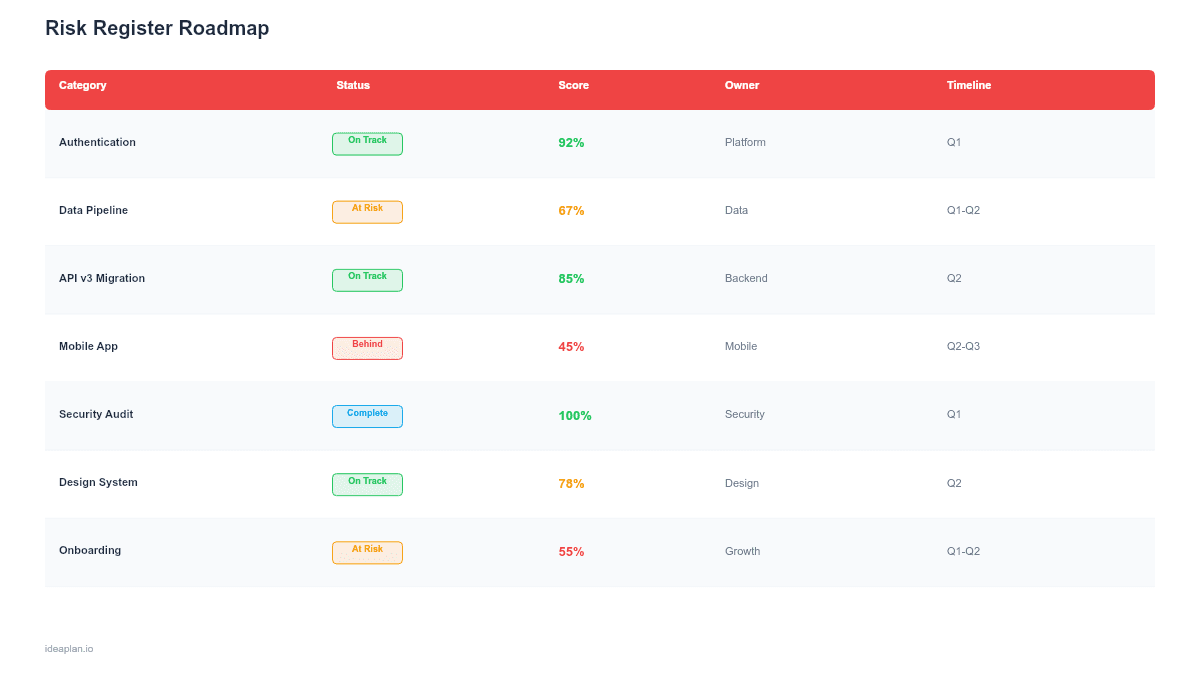
- Blank template slide. A probability-impact matrix (5x5 grid) with color-coded zones (green/yellow/orange/red), plus a risk register table with columns for risk ID, description, category, probability (1-5), impact (1-5), risk score, mitigation plan, owner, status, and next review date.
- Filled example slide. A SaaS product with 10 risks mapped, including "Key engineer departure delays platform rewrite," "Regulatory change requires data residency by Q4," and "Third-party API deprecation breaks core integration."
Why Product Teams Need a Risk Register
Product roadmaps describe what you plan to build. Risk registers describe what could prevent you from building it. Most teams create the first artifact but skip the second, which means they are planning with half the picture.
The value of a risk register is not prediction. You cannot forecast every problem. The value is preparation. A team that has identified "single point of failure on the payments service" as a risk and assigned an engineer to build redundancy will recover from an outage in hours. A team that discovers the same risk during the outage will take days.
Risk registers also change the conversation with leadership. Instead of surprising a VP with bad news, you present the risk early: "We have identified this threat, scored it at 20 out of 25, and here is our mitigation plan." That framing turns risk from a source of blame into a sign of product maturity. The risk assessment template covers one-time assessments; this register is the living document you maintain continuously.
Template Structure
Probability-Impact Matrix
The 5x5 grid is the visual summary. Each axis runs from 1 (lowest) to 5 (highest):
- Probability. How likely is this risk to occur within the planning period? 1 = rare, 5 = near certain.
- Impact. If the risk occurs, how severe is the effect on the product, users, or business? 1 = negligible, 5 = critical.
The grid is color-coded:
- Green (score 1-4). Low risk. Monitor but no active mitigation required.
- Yellow (score 5-9). Moderate risk. Document a mitigation plan; activate if probability increases.
- Orange (score 10-15). High risk. Active mitigation in progress with a named owner.
- Red (score 16-25). Critical risk. Escalate to leadership. Mitigation is a top priority.
Risk Register Table
The working artifact. Each row captures one risk with full context:
- Risk ID. Sequential identifier for cross-referencing in PRDs, sprint planning, and retrospectives.
- Description. What could happen, stated as a specific scenario. "Data loss" is too vague. "Unrecoverable data loss in the analytics pipeline due to missing backup for the clickstream database" is actionable.
- Category. Technical, Market, Regulatory, People, Vendor, or Security. Categories help you spot concentration: if 8 of 10 risks are technical, you may be underestimating market and people risks.
- Mitigation plan. The specific actions that reduce probability or impact. Each plan should be concrete enough to estimate effort and assign to an individual.
- Status. Open, Mitigating, Mitigated, or Occurred. Risks that have occurred move to the incident or post-mortem process.
Risk Trend View
A supplementary strip along the bottom shows how total risk exposure changes over time. Plot the sum of all risk scores at the start of each month. A rising trend means new risks are appearing faster than existing ones are being mitigated. A falling trend means the mitigation work is paying off.
How to Use This Template
1. Brainstorm risks with the full team
Risk identification should not be a solo exercise. Run a 30-minute session with engineering, design, and key stakeholders. Ask three questions: "What could prevent us from delivering the roadmap?" "What external changes could affect our plans?" "Where are we relying on a single person or system?" You will get 15-25 candidate risks.
2. Score probability and impact
For each risk, assign a probability score (1-5) and an impact score (1-5). Multiply them for the risk score. Be honest. Teams systematically underestimate probability because acknowledging risk feels pessimistic. Use historical data where available: if a key engineer left once in the last two years, the probability of it happening again is not 1.
3. Plot on the matrix and prioritize
Place each risk on the 5x5 grid. Red-zone risks get immediate mitigation plans. Orange-zone risks get documented plans activated within the quarter. Yellow and green risks are monitored. This matches how prioritization works for features. Limited capacity means you address the highest-value items first.
4. Write mitigation plans for high-severity risks
Each red and orange risk needs a mitigation plan with three elements: what action reduces the risk, who owns it, and by when. "Add database backup" is a plan. "Reduce risk" is not. The plan should reduce either probability (prevent it from happening) or impact (limit the damage if it does).
5. Review monthly and re-score
Risks are not static. A regulatory risk scored at 3 probability may jump to 5 when a new law is proposed. A technical risk may drop to 1 after the mitigation is deployed. Schedule a monthly 15-minute review to re-score, add new risks, and close mitigated ones.
When to Use This Template
Risk registers are essential when:
- The roadmap includes high-stakes features like payment processing, data migrations, or compliance deadlines
- Cross-team dependencies create risks that no single team controls
- Leadership asks "What could go wrong?" and you need a structured answer instead of an improvised list
- Regulated industries require documented risk management as part of audit trails
- The team has been surprised by preventable problems in the past two quarters
If your product is early-stage with low complexity and a small team, a simple risk list in your planning doc may suffice. The register format adds value when the risk count exceeds what you can track informally. Typically 8-10 or more active risks.
Key Takeaways
- A risk register turns vague anxiety about what could go wrong into a scored, owned, and tracked plan.
- The probability-impact matrix (5x5) sorts risks into color-coded zones so you focus mitigation effort on red and orange items first.
- Every high-severity risk needs a specific mitigation plan with an owner and deadline. Not just acknowledgment.
- Re-score monthly: risks are dynamic, and a moderate risk in January may become critical by March.
- Present the register in leadership reviews to demonstrate preparation rather than waiting to deliver bad news reactively.
- Compatible with Google Slides, Keynote, and LibreOffice Impress. Upload the
.pptxto Google Drive to edit collaboratively in your browser.