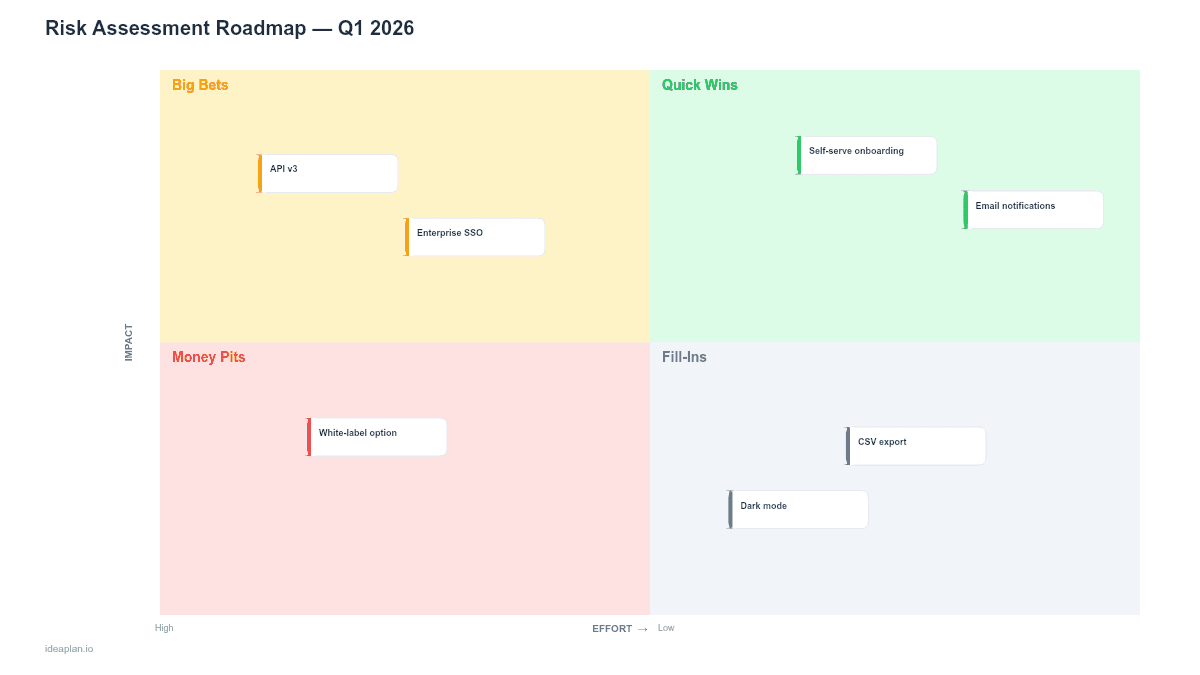
Quick Answer (TL;DR)
This free PowerPoint risk assessment roadmap template helps product teams identify, score, and plan mitigation for the risks that threaten roadmap execution. It includes a likelihood-impact matrix for scoring, a risk register for tracking, and a mitigation timeline for sequencing response actions. Download the .pptx, catalog your product risks, and use the output to make your product strategy more resilient before problems materialize.
What This Template Includes
- Cover slide. Product name, assessment period, and risk owner.
- Instructions slide. How to identify risks, score them, and build mitigation plans. Remove before presenting.
- Risk matrix slide. A 5x5 likelihood-vs-impact grid with color zones (green, yellow, orange, red). Risk items are plotted as numbered circles with a legend mapping numbers to risk descriptions.
- Risk register slide. A table listing each risk with its score, category, owner, mitigation action, status, and target resolution date.
- Mitigation timeline slide. A Gantt-style view showing when each mitigation action starts and ends, aligned to the product roadmap quarters.
Why PowerPoint for Risk Assessment
Risk registers buried in spreadsheets rarely get reviewed. Putting the risk matrix and mitigation timeline into the same slide deck as your product roadmap forces the conversation: "Here is what we plan to build, and here is what could derail it." The visual matrix makes severity obvious. A cluster of items in the red zone is hard to ignore in a leadership review.
PowerPoint also works well for risk communication across audiences. Engineering needs the detail in the risk register. Executives need the matrix and timeline. Both are in the same deck, and you can show the appropriate slides for each audience.
Template Structure
Likelihood-Impact Matrix
The 5x5 grid scores each risk on two dimensions:
- Likelihood (x-axis). How probable is this risk? Rare (1), Unlikely (2), Possible (3), Likely (4), Almost Certain (5).
- Impact (y-axis). If it happens, how severe is the effect? Negligible (1), Minor (2), Moderate (3), Major (4), Critical (5).
The product of likelihood and impact gives a composite score (1-25). Scores map to zones: green (1-4), yellow (5-9), orange (10-15), red (16-25). Items in the red zone need immediate mitigation plans. Items in orange need monitoring with a trigger condition for escalation.
Risk Register Table
Each row captures one risk with structured fields: risk ID, description, category (technical, market, operational, regulatory, resource), likelihood score, impact score, composite score, owner name, mitigation action, current status (open/mitigating/resolved), and target date.
Mitigation Timeline
A Gantt-style bar chart showing mitigation actions across weeks or months. Bars are color-coded by risk severity. This view answers the question: "When will our highest risks be addressed?" It also reveals whether mitigation work conflicts with feature delivery capacity.
How to Use This Template
1. Identify risks
Run a 30-minute risk identification session with product, engineering, and design leads. Ask: "What could prevent us from delivering the roadmap this quarter?" Capture risks in plain language. Common categories include technical complexity, market shifts, resource constraints, vendor dependencies, and regulatory changes. The competitive analysis framework can surface market risks you may not have considered.
2. Score each risk
Rate likelihood and impact on a 1-5 scale independently. Avoid averaging across the group. Discuss disagreements because they often reveal different assumptions about the product or market. Plot each risk on the matrix slide.
3. Assign owners and mitigation actions
Every risk in the orange or red zone needs an owner and a specific mitigation action. "Monitor the situation" is not a mitigation plan. A mitigation action should be concrete: "Build fallback data pipeline using S3 in case vendor API becomes unreliable" or "Hire contract QA engineer by March to cover regression testing gap."
4. Build the mitigation timeline
Place mitigation actions on the timeline slide. Align them with your quarterly roadmap to check for capacity conflicts. If mitigation work requires significant engineering time, it needs to be reflected in the capacity plan alongside feature work.
When to Use This Template
Risk assessment roadmaps add the most value when:
- The product roadmap includes high-stakes initiatives. New platform launches, pricing changes, or market entry
- External dependencies (vendors, regulatory bodies, partner APIs) create uncertainty you cannot control directly
- The team has been surprised by preventable issues in recent quarters and needs a structured approach to anticipation
- Stakeholder management requires demonstrating that leadership has considered downside scenarios
- Regulated industries demand documented risk assessment as part of product governance
For teams building incremental features with well-understood technology and stable markets, a formal risk roadmap may be unnecessary. Focus on sprint planning and retrospectives instead.
Key Takeaways
- A risk assessment roadmap makes threats to delivery visible before they become surprises.
- Score risks on a 5x5 likelihood-impact matrix to prioritize where to invest mitigation effort.
- Every red-zone risk needs an owner, a specific mitigation action, and a target resolution date.
- Align mitigation timelines with feature roadmaps so engineering capacity reflects both planned work and risk responses.
- Review the risk register monthly for active risks and quarterly for the full inventory.
- Compatible with Google Slides, Keynote, and LibreOffice Impress. Upload the
.pptxto Google Drive to edit collaboratively in your browser.