Quick Answer (TL;DR)
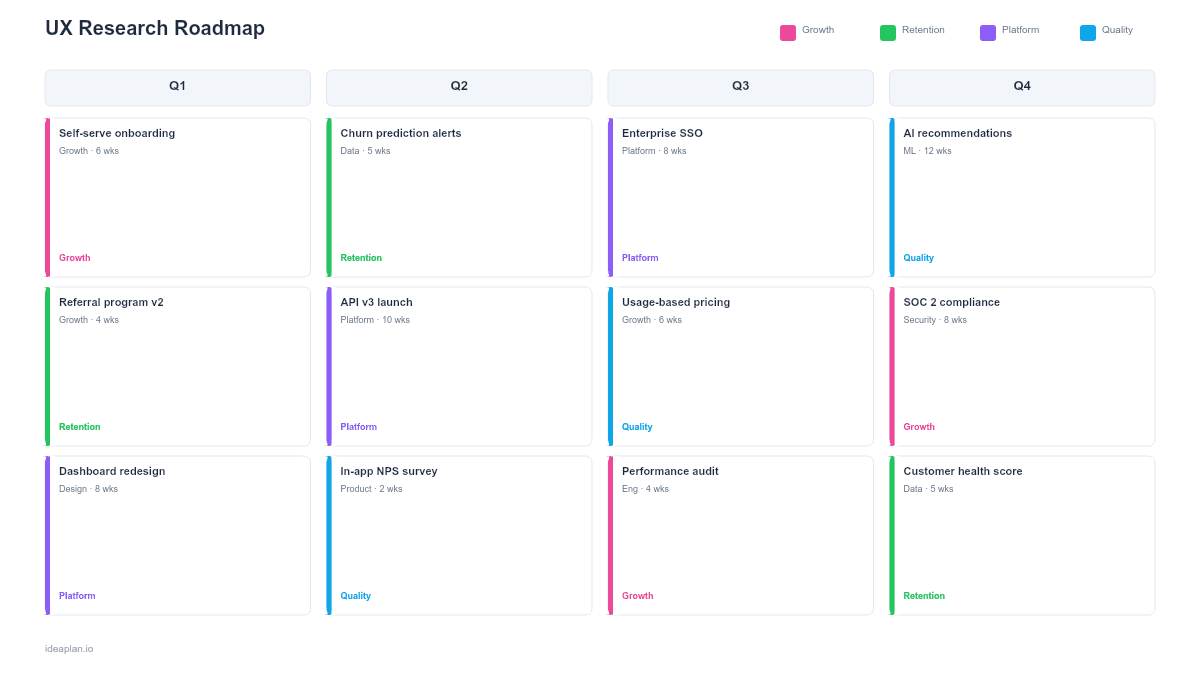
This free PowerPoint template organizes your user research plan across quarters, mapping each study to the product question it answers, the method used, and the expected delivery date. Download the .pptx, fill in your research backlog, and use it to show product and design leadership how research connects to roadmap decisions.
What This Template Includes
- Research overview slide. High-level quarterly view of all planned studies, color-coded by research type (evaluative, generative, strategic).
- Study detail slides. One slide per study with research question, method, participant criteria, timeline, and how findings feed into product decisions.
- Method-question matrix slide. A reference grid mapping common product questions to the best research method for answering them.
- Findings tracker slide. A summary table for logging completed study outcomes and linking them to the features or decisions they informed.
Why PowerPoint for Research Planning
Research roadmaps serve two audiences: the research team (who needs operational detail) and product leadership (who needs to see how research connects to roadmap decisions). PowerPoint bridges both audiences. Researchers update study details in the file. Leaders review the overview slide in planning meetings. The format also works for sharing findings summaries with stakeholders who will never open a research repository tool.
Template Structure
The template moves from strategic overview to study-level detail.
Slide 1. Quarterly Overview. A timeline showing all planned studies across the quarter. Each study is a horizontal bar with start and end dates, color-coded by type. This slide answers the leadership question: "What is research working on and when do we get results?"
Slide 2. Method-Question Matrix. A reference table mapping product questions to methods. "Why are users dropping off during onboarding?" maps to usability testing. "What jobs are users hiring our product to do?" maps to JTBD interviews. This slide helps product managers request the right study type.
Slides 3+. Study Details. Each planned study gets one slide: research question, method, participant count, recruiting criteria, timeline, deliverables, and the product decision the findings will inform. Tying each study to a specific decision prevents research from becoming disconnected from the roadmap.
How to Use This Template
1. Audit open product questions
Meet with product managers and designers to collect their biggest unanswered questions. Group them by theme: onboarding, retention, new market entry, feature adoption. This list becomes your research backlog. For a structured approach, use continuous discovery habits to maintain a steady flow of questions.
2. Match questions to methods
Use the method-question matrix to assign the right research method to each question. Generative questions ("What problems do users face?") need interviews or diary studies. Evaluative questions ("Can users complete this flow?") need usability tests. Strategic questions ("Should we enter this market?") need surveys or competitive analysis.
3. Sequence by roadmap priority
Align the research timeline to the product roadmap. If the team is planning a new onboarding flow for Q3, the usability study needs to complete in Q2 so findings can inform design. Work backward from product delivery dates to set research deadlines.
4. Share and update monthly
Present the overview slide in monthly planning meetings. Update the findings tracker as studies complete. Over time, the tracker builds an evidence library that connects research to product outcomes. Useful for demonstrating research ROI.
When to Use This Template
A UX research roadmap is essential when research is more than ad-hoc requests. Use this template when:
- The research team supports multiple product squads and needs to prioritize study requests across teams
- Product decisions are being made without user evidence and you need to show how research fills the gap
- Stakeholders ask "what does research do?" and you need a clear artifact that maps studies to business impact
- You are building a research practice and want to establish a repeatable planning cadence
If you are focused more on the customer experience end-to-end rather than individual studies, consider a customer journey roadmap instead.
Key Takeaways
- Map every research study to a specific product question and the decision it will inform. Studies without a clear product connection are low-priority.
- Sequence research to finish before the product team needs the findings. Work backward from roadmap delivery dates.
- Use the method-question matrix to match the right research approach to each question instead of defaulting to the same method every time.
- Keep 20-30% capacity unallocated for urgent requests that emerge mid-quarter.
- Track findings and their product impact over time to demonstrate research ROI to leadership.
- Compatible with Google Slides, Keynote, and LibreOffice Impress. Upload the
.pptxto Google Drive to edit collaboratively in your browser.