Quick Answer (TL;DR)
Support escalation is where customer frustration meets internal process. When it works, issues reach the right expert quickly and get resolved within SLA. When it breaks, tickets bounce between teams, response times blow past targets, and engineering gets pulled into support firefighting. This free PowerPoint template plans escalation improvements across four tracks: tier structure, SLA framework, automation, and self-service deflection. Download the .pptx and build a support escalation process that scales with your customer base.
What This Template Includes
- Cover slide. Title slide with product name, support operations owner, and improvement period.
- Instructions slide. How to assess current escalation maturity, define SLA targets by tier, and measure improvement. Remove before sharing externally.
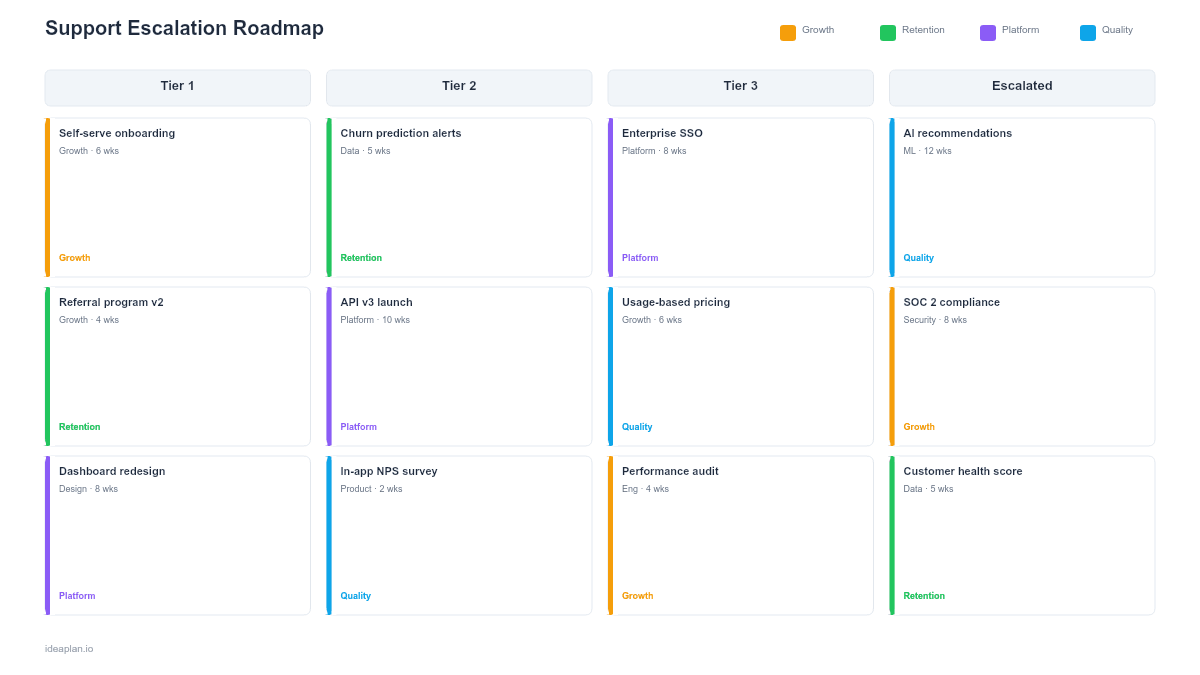
- Blank escalation improvement slide. A four-track quarterly timeline covering tier structure, SLA framework, automation, and self-service. Each track shows specific initiatives with target metrics and ownership.
- Filled example slide. A complete escalation roadmap for a B2B SaaS company with 2,000 customers, showing the progression from a two-tier support model to a four-tier model with automated routing, SLA-based prioritization, and a knowledge base that deflects 40% of inbound tickets.
Why Support Escalation Needs a Roadmap
Support teams typically grow reactively. The first hire answers everything. At 500 customers, someone becomes the "technical escalation person." At 2,000 customers, the process is a tangled web of Slack messages, informal handoffs, and engineering interrupts that no one designed and everyone hates.
The cost of poor escalation compounds in ways that are easy to miss. Every ticket that reaches engineering is an interruption that costs 30-60 minutes of context-switched development time. Every bounced ticket adds hours to resolution time and erodes customer satisfaction. Every missed SLA becomes a churn risk factor. Research consistently shows that resolution time predicts retention more than first response time does.
A roadmap turns escalation from an organic mess into a designed system. Each quarter improves one or more of the four tracks, with measurable targets that show whether the investment is working. The slide format makes it easy to present the improvement plan to leadership alongside the cost of inaction. Particularly the engineering time currently consumed by unstructured escalations.
Template Structure
Tier Structure Track
Define clear escalation tiers with explicit scope, skills, and handoff criteria. A typical B2B SaaS model uses four tiers: Tier 0 (self-service. Knowledge base, in-app guidance), Tier 1 (general support. Account issues, known bugs, how-to questions), Tier 2 (technical support. Complex configuration, data issues, integration troubleshooting), Tier 3 (engineering. Code-level investigation, bug fixes, infrastructure issues). Each tier has a defined boundary. The criteria for escalating up and the criteria for resolving at-tier.
SLA Framework Track
SLAs define response and resolution targets by priority and tier. Priority levels (P1-P4) set the urgency. Tiers determine routing. The combination creates a matrix: a P1 at Tier 3 might have a 30-minute response target and 4-hour resolution target, while a P3 at Tier 1 gets an 8-hour response and 48-hour resolution. Track first response time and time to resolution against these targets to measure adherence.
Automation Track
Automation reduces manual routing and accelerates resolution. Initiatives progress from basic (auto-tagging tickets by product area, auto-routing by keyword) to intermediate (suggested responses from similar resolved tickets, auto-escalation when SLA breach is imminent) to advanced (AI-powered ticket classification, automated resolution for known issues, predictive escalation before the customer reports the problem).
Self-Service Deflection Track
Every ticket that a customer resolves without contacting support is a ticket that does not enter the escalation funnel. This track covers knowledge base expansion, in-app troubleshooting guides, community forums, and contextual help. The target metric is deflection rate. The percentage of potential tickets resolved through self-service channels. Mature support organizations deflect 30-50% of inbound volume.
How to Use This Template
1. Audit current escalation patterns
Pull ticket data for the last 90 days. Categorize by: resolution tier (where the ticket was resolved, not where it was opened), time in each tier, number of handoffs, and SLA adherence by priority. This data reveals the actual escalation patterns. Which are often different from the documented process. Pay special attention to tickets that reached engineering: what percentage could have been resolved at Tier 2 with better tooling or documentation?
2. Define tier boundaries and SLAs
For each tier, write explicit entry and exit criteria. "Complex technical issues" is not a boundary; "issues requiring database-level investigation or code changes" is. Set SLA targets based on customer expectations and competitive benchmarks, not internal convenience. The customer effort score is a useful complement to time-based SLAs for measuring the customer experience of escalation.
3. Identify the highest-impact automation opportunities
Sort current ticket volume by category and resolution pattern. Categories with high volume and repetitive resolution steps are prime automation candidates. An auto-response that resolves 200 password reset tickets per month frees more support capacity than a sophisticated AI classification system for 10 edge cases. Start with the math, not the technology.
4. Build the self-service content library
Analyze the top 20 ticket categories by volume. For each, determine whether a knowledge base article, in-app tooltip, or video walkthrough could enable self-resolution. Prioritize by volume times average resolution time. Deflecting a high-volume, quick-resolution category frees less total support time than deflecting a moderate-volume, slow-resolution category.
5. Measure and iterate quarterly
Track four metrics each quarter: escalation rate (percentage of tickets escalated beyond Tier 1), SLA adherence by tier and priority, self-service deflection rate, and engineering interrupt hours. Improvement in any single metric is good. Improvement across all four confirms the escalation system is maturing. If one metric improves while another degrades (for example, deflection rate increases but escalation rate for remaining tickets also increases), investigate the interaction between tracks.
When to Use This Template
Support escalation roadmaps are most valuable when:
- Ticket volume is growing faster than support headcount and the team needs efficiency gains to keep up
- Engineering is getting pulled into support regularly, reducing development capacity by 10% or more
- SLA adherence is declining and customer satisfaction scores reflect the longer resolution times
- The support team has grown past 5 people and informal escalation processes are breaking down
- Self-service is minimal. Most issues require a human even when the answer is documented somewhere
For early-stage products with low ticket volume where one person handles all support, formal escalation tiers add unnecessary process. Start with a customer experience roadmap focused on overall support quality, then add escalation structure as volume justifies it.
Key Takeaways
- Structure escalation into defined tiers with explicit boundaries, so tickets reach the right expert without bouncing between teams.
- Set SLA targets by priority and tier, then measure adherence weekly to catch degradation before customers notice.
- Automate routing and resolution for high-volume, repetitive ticket categories first. The math matters more than the sophistication.
- Target 30-50% self-service deflection through knowledge base, in-app help, and community forums to scale support without proportional headcount growth.
- Track engineering interrupt hours as a leading indicator. Reducing Tier 3 escalation is often the highest-ROI improvement.
- Compatible with Google Slides, Keynote, and LibreOffice Impress. Upload the
.pptxto Google Drive to edit collaboratively in your browser.