Quick Answer (TL;DR)
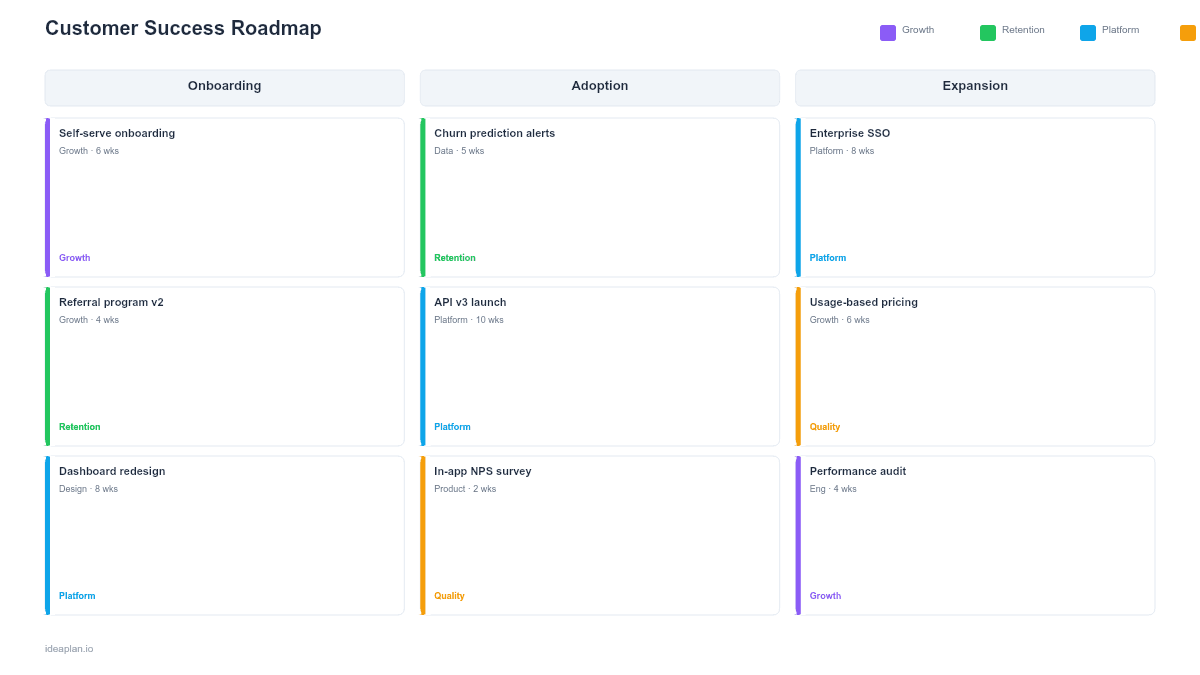
This free PowerPoint template organizes your customer success strategy into three tracks: retention, expansion, and customer health. Each slide maps initiatives to the metrics they target. churn rate, NRR, health score distribution, and time-to-value. Download the .pptx, fill in your customer data, and use it to align product, CS, and sales on a shared plan for protecting and growing the customer base.
What This Template Includes
- Customer health overview slide. A snapshot of your customer base segmented by health score (healthy, at-risk, critical), with counts and revenue at each tier.
- Retention initiatives slide. Planned programs to reduce churn: onboarding improvements, proactive outreach triggers, at-risk intervention playbooks, and product changes targeting retention drivers.
- Expansion initiatives slide. Planned plays for growing existing accounts: upsell triggers, usage-based upgrade paths, feature adoption campaigns, and cross-sell motions.
- Quarterly timeline slide. A calendar view showing when each initiative launches, with ownership (CS, Product, Marketing) and expected metric impact.
- Success metrics slide. Target metrics for the year with quarterly checkpoints: gross retention rate, NRR, expansion rate, average health score, and time-to-value.
Why PowerPoint for Customer Success Planning
Customer success roadmaps sit at the intersection of product, sales, and CS operations. PowerPoint works because it creates a shared artifact that all three teams can reference. The CS team uses it for quarterly planning. Product uses it to see which product changes drive retention. Sales uses the expansion slide to coordinate upsell timing with CS outreach. A shared deck eliminates the "CS has their plan, product has theirs, and they do not connect" problem.
Template Structure
The template follows a "diagnose, intervene, expand, measure" structure.
Slide 1. Health Overview. Segment your customer base by health score. Show how many customers (and how much ARR) sit in each tier. This slide makes the retention and expansion opportunity concrete. If 30% of ARR is in "at-risk" accounts, the retention track becomes the priority.
Slide 2. Retention Track. List the top 3-5 initiatives that reduce churn. Each initiative has a description, the churn driver it addresses, the target metric, and a timeline. Common retention initiatives: improving onboarding completion, building automated health score alerts, creating at-risk playbooks, and shipping product changes that address top churn reasons.
Slide 3. Expansion Track. List the top 3-5 initiatives that grow existing accounts. Each initiative targets a specific expansion lever: seat-based growth, tier upgrades, add-on adoption, or increased usage. Connect each initiative to the product feature or CS motion that enables it.
Slide 4. Quarterly Timeline. A calendar view showing all retention and expansion initiatives across four quarters. Color-code by owner (CS, Product, Marketing) to show cross-functional dependencies. This view prevents overloading any single quarter and ensures consistent effort across the year.
How to Use This Template
1. Build the health score baseline
If you do not have a customer health score, start with a simple composite: product usage frequency, support ticket volume, NPS or CSAT response, and contract renewal date proximity. Segment customers into three tiers. The health overview slide cannot be built without this data.
2. Identify the top churn drivers
Analyze churned accounts from the past 12 months. Group reasons into categories: product gaps, poor onboarding, lack of engagement, pricing misalignment, competitive loss. Rank by frequency and ARR impact. The retention track should address the top 3 drivers.
3. Map expansion opportunities
Review healthy accounts for expansion signals: high usage approaching plan limits, teams requesting additional seats, feature requests that match a higher tier. Each signal becomes an expansion initiative with a CS playbook and a product enablement component.
4. Set targets and present
Define annual targets for gross retention, NRR, and expansion rate. Break them into quarterly checkpoints. Present the full deck to CS, product, and sales leadership. The health overview slide starts the conversation with data; the timeline slide ends it with commitments.
When to Use This Template
Customer success roadmaps are essential for SaaS companies where retention and expansion drive the majority of revenue growth. Use this template when:
- Churn is above target and the team needs a structured plan connecting product, CS, and sales actions to retention outcomes
- NRR is below 100% and expansion is not keeping pace with contraction. The expansion track creates a focused plan to grow existing accounts
- CS operates reactively and you want to shift to proactive interventions driven by health scores and automated triggers
- Product and CS are not aligned on which product changes drive retention versus which ones drive new acquisition
For revenue planning that extends beyond customer success into new logo acquisition and broader growth strategy, see the revenue growth roadmap.
Featured in
This template is featured in Customer Success and Retention Roadmap Templates, a curated collection of roadmap templates for this use case.
Key Takeaways
- Segment your customer base by health score before building the roadmap. The distribution of healthy, at-risk, and critical accounts determines whether retention or expansion should get more resources.
- Connect every initiative to the specific churn driver or expansion lever it addresses. Initiatives without a clear metric target are activity, not strategy.
- Coordinate across CS, product, and sales on the quarterly timeline. Retention and expansion require cross-functional execution, not siloed plans.
- Set NRR, gross retention, and expansion rate targets with quarterly checkpoints to track whether initiatives are working.
- Review monthly for progress, quarterly for strategic adjustments based on actual customer data.
- Compatible with Google Slides, Keynote, and LibreOffice Impress. Upload the
.pptxto Google Drive to edit collaboratively in your browser.
The Customer Health Dashboard Template pairs well with this one.