Quick Answer (TL;DR)
This free PowerPoint template maps your service across four layers. Customer actions, frontstage interactions, backstage processes, and support systems. With improvement initiatives attached to each pain point. It shows product and design teams not just what users see, but what happens behind the scenes to make the experience work. Download the .pptx, map a key service flow, and use it to plan improvements that address root causes instead of symptoms.
What This Template Includes
- Cover slide. Service name, the specific user journey being blueprinted, and the number of touchpoints mapped.
- Instructions slide. How to define each layer, draw the line of visibility, and attach improvement initiatives. Remove before presenting.
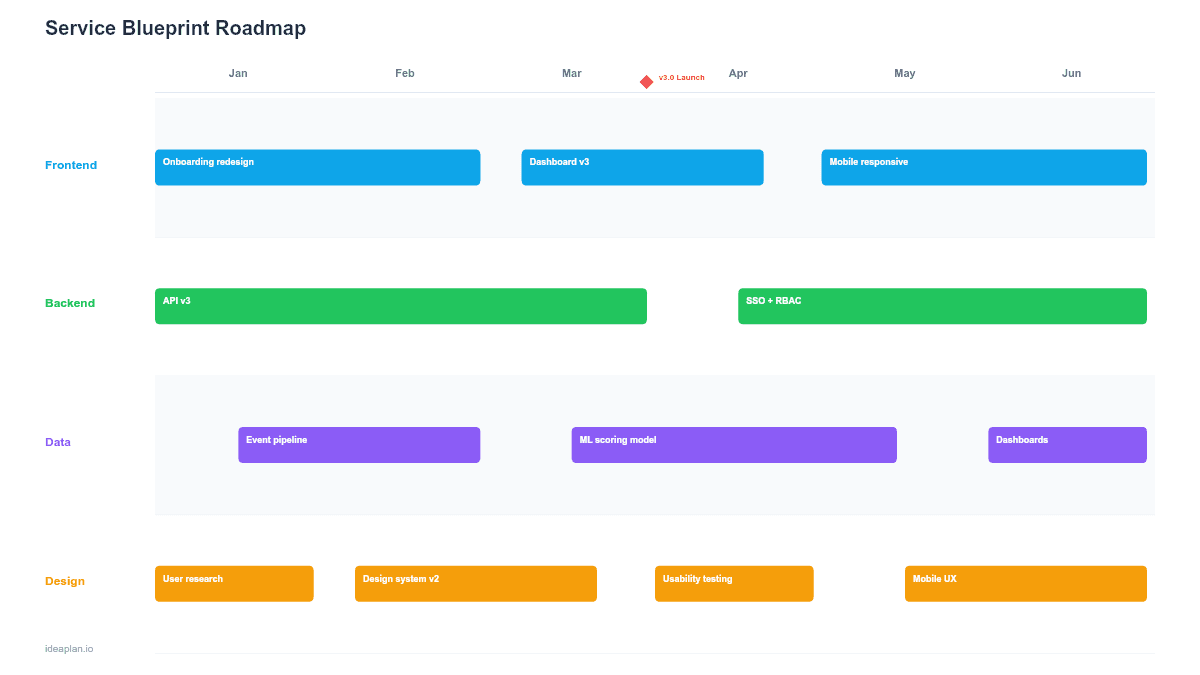
- Blank template slide. Four horizontal swim lanes (Customer Actions, Frontstage, Backstage, Support Systems) with touchpoint columns and initiative cards below pain points.
- Filled example slide. A SaaS onboarding service blueprint with 6 touchpoints, showing how a user's signup-to-first-value journey depends on 4 frontstage interactions, 5 backstage processes, and 3 support systems, with 4 improvement initiatives targeting identified failures.
Why Service Blueprints Belong on Your Roadmap
A customer journey map shows the user's experience. A service blueprint shows why that experience is what it is. The difference matters when you are planning improvements.
If onboarding takes too long, the journey map shows the symptom: users drop off at step 3. The service blueprint shows the cause: step 3 triggers a manual data migration backstage that takes 48 hours. Fixing the frontstage (adding a progress bar, sending an email) treats the symptom. Fixing the backstage (automating the migration) treats the cause.
Product teams that plan from service blueprints consistently prioritize higher-impact work because they can see the full chain from user action to system response. The design thinking framework emphasizes this kind of systems-level understanding before jumping to solutions.
Template Structure
Customer Actions Lane
The top lane shows what the user does at each touchpoint: visits the landing page, clicks "Start Free Trial," enters company information, invites teammates, completes first workflow. These are the observable steps in the user's journey.
Each action includes an emotion indicator (positive, neutral, negative) based on user research. Negative emotions at specific touchpoints are the starting points for improvement planning.
Frontstage Lane
Below the customer actions, the frontstage lane shows what the user interacts with: the signup form, the onboarding wizard, the welcome email, the in-app tour. These are the visible touchpoints the product team designs and controls.
The line of interaction sits between the customer actions and the frontstage. It marks where the user's world meets the product's interface.
Backstage Lane
Below the line of visibility sits everything the user never sees: account provisioning, data migration, team workspace creation, welcome sequence triggers, CRM record creation. This is where most service failures originate.
Pain points in the backstage lane are invisible to users but directly cause the negative experiences they report. A 30-second delay in account provisioning backstage creates a loading spinner frontstage that makes users wonder if the signup failed.
Support Systems Lane
The bottom lane shows the infrastructure and third-party services that backstage processes depend on: databases, email providers, payment processors, analytics pipelines. When a support system is unreliable, every backstage process that depends on it inherits that unreliability. Tracking this layer helps with user research by connecting observed user frustration to specific technical causes.
How to Use This Template
1. Choose a specific service flow
Pick one user journey to blueprint. "New user onboarding" and "first purchase" are common starting points. Do not try to blueprint the entire product. Focus on a flow where you know users experience friction.
2. Map customer actions left to right
Document each step the user takes, from entry to completion. Use existing analytics and session recordings to verify the actual flow, not the designed flow. Users often take detours that the team did not intend.
3. Fill in the frontstage layer
For each customer action, document what they interact with. Be specific: "Onboarding wizard step 2: team invite form" not just "onboarding." Include error states and edge cases. These are often where the experience breaks down.
4. Map backstage processes
For each frontstage interaction, document what happens behind the scenes. Talk to engineering: "When a user clicks 'Invite Team,' what systems fire?" Map every process, including manual ones. Manual backstage processes are the most common source of service failures in growing products.
5. Attach improvement initiatives to pain points
Identify where the experience breaks down (negative emotion indicators, high drop-off rates, support ticket clusters). For each pain point, trace it down through the layers to find the root cause. Attach an improvement initiative to the root-cause layer. Usually backstage or support systems, not frontstage. Use the opportunity solution tree to explore multiple solutions before committing.
When to Use This Template
The service blueprint roadmap PowerPoint template works best for:
- Onboarding improvement projects where drop-off rates suggest hidden backstage failures
- Cross-functional planning where product, engineering, and operations need to see how their work connects
- Service reliability initiatives where user-facing issues trace back to infrastructure dependencies
- Design reviews where the team needs to understand system constraints before proposing UX changes
If your focus is on the user's emotional journey without backstage detail, the Customer Journey Roadmap PowerPoint template provides a simpler format. For experience improvements organized by lifecycle stage, the Customer Experience Roadmap PowerPoint template groups work by awareness, acquisition, and retention phases.
Key Takeaways
- Service blueprints show four layers: customer actions, frontstage interactions, backstage processes, and support systems.
- Most service failures originate backstage or in support systems, not in the frontstage UX.
- The line of visibility separates what users see from what happens behind the scenes. And it is usually where root causes hide.
- Improvement initiatives should target the root-cause layer, which is rarely the layer where users experience the problem.
- PowerPoint format makes service blueprints presentable in design reviews, cross-functional planning, and stakeholder alignment sessions.
- Compatible with Google Slides, Keynote, and LibreOffice Impress. Upload the
.pptxto Google Drive to edit collaboratively in your browser.