Quick Answer (TL;DR)
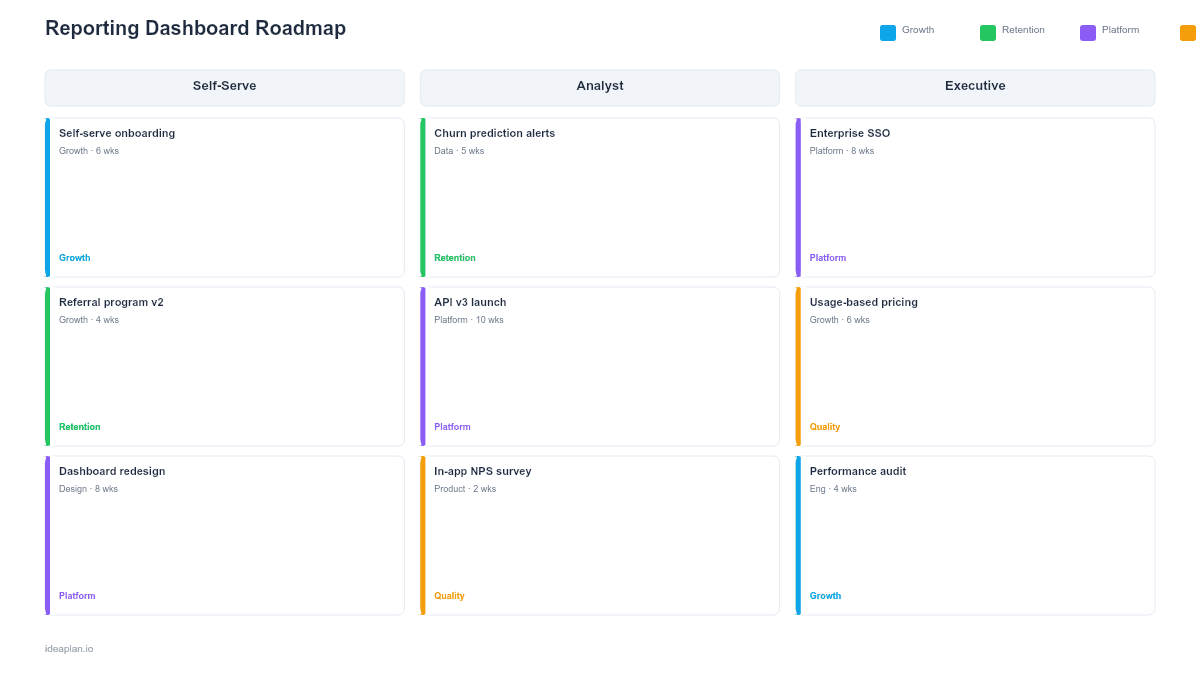
This free PowerPoint template plans reporting and dashboard capabilities across four tracks: Data Sources & Pipelines, Dashboard Features, Visualization & UX, and Self-Serve Analytics. Each track shows current state, target capabilities, and quarterly initiatives with adoption metrics. Download the .pptx, map your reporting gaps, and use it to align product, data engineering, and design teams on a shared plan for turning raw data into decisions.
What This Template Includes
- Cover slide. Product name, number of active dashboard users, and analytics product owner.
- Instructions slide. How to assess reporting maturity, identify high-value dashboards, and sequence data source integrations. Remove before presenting.
- Blank template slide. Four reporting tracks across a quarterly timeline with capability maturity indicators, initiative cards, and user adoption targets.
- Filled example slide. A B2B SaaS reporting roadmap showing data warehouse migration, executive KPI dashboard, cohort analysis builder, and scheduled report delivery, with dashboard adoption rates tracked at each milestone.
Why Reporting Dashboards Need a Roadmap
Most reporting capabilities grow organically. Someone builds a dashboard for a specific question. Another team builds a different dashboard against a different data source. Within a year, the company has 40 dashboards, half of which show conflicting numbers because they query different tables with different definitions of "active user."
A reporting roadmap prevents this sprawl by sequencing investments in three phases: first, get the data foundations right (single source of truth, consistent metric definitions). Second, build the high-value dashboards that serve the widest audience. Third, enable self-serve analytics so teams can answer their own questions without filing data requests.
Skipping phase one is the most common mistake. Teams build beautiful dashboards on top of inconsistent data, which creates a worse outcome than no dashboards at all. Confident decisions based on wrong numbers. The product analytics setup guide covers how to establish reliable data foundations before building visualization layers.
Template Structure
Data Sources & Pipelines Track
Covers data ingestion, transformation, warehousing, and metric definitions. Each initiative card specifies: source system, data freshness target (real-time, hourly, daily), transformation logic, and the downstream dashboards it feeds. Common initiatives include: consolidating event tracking to a single analytics platform, building a metrics layer with canonical definitions, and setting up incremental data pipelines that refresh within minutes rather than overnight.
Dashboard Features Track
Covers the core dashboards the product delivers to users. Each card describes: dashboard purpose, target audience (executives, team leads, individual contributors), key metrics displayed, and interaction model (static view, filterable, drillable). Prioritize dashboards by audience size multiplied by decision frequency. A daily-use dashboard for 200 users delivers more value than a monthly board deck for 5 people.
Visualization & UX Track
Covers chart types, layout patterns, color systems, accessibility, and mobile responsiveness. Good data with poor visualization still leads to missed insights. Initiatives include: standardizing chart types for common data patterns (line for trends, bar for comparisons, table for precise values), implementing consistent color encoding, adding data labels and tooltips, and ensuring dashboards render on tablets for meetings. The customer journey mapping guide can inform how users move through multi-page dashboard flows.
Self-Serve Analytics Track
Covers query builders, ad-hoc exploration, saved views, and scheduled reports. The goal is reducing the percentage of analytics questions that require a data team member to answer. Initiatives include: building a filtered report builder, enabling custom date ranges and segment comparisons, allowing users to save and share custom views, and scheduling automated email/Slack delivery for recurring reports.
How to Use This Template
1. Audit existing reports and dashboards
Inventory every dashboard and report in your organization. For each one, document: who created it, when it was last updated, data source, number of weekly viewers, and whether it is still accurate. Most audits reveal that 30-50% of existing dashboards are stale, broken, or unused. Retire these before building new ones.
2. Define your metric dictionary
Before building any new dashboard, agree on metric definitions. What counts as an "active user"? Is churn rate calculated monthly or annually? Does MRR include trial revenue? Document each definition in a shared metric dictionary that every dashboard references. Disagreements about numbers almost always trace back to undefined or inconsistently applied definitions.
3. Prioritize by decision impact
Rank planned dashboards by the decisions they support and the frequency of those decisions. A daily active users dashboard used by 15 product managers every morning is higher priority than a quarterly board deck, even though the board deck has a more senior audience. Use RICE scoring with reach measured as "viewers per week" and impact measured as "decision quality improvement."
4. Build data foundations first
Sequence the Data Sources track ahead of Dashboard Features. If the data pipeline is not reliable, every dashboard built on top of it will show wrong numbers and erode trust. Allocate Q1 to data infrastructure work even if stakeholders want dashboards immediately. A two-month delay in dashboard delivery is cheaper than six months of decisions based on bad data.
5. Set adoption targets
For each dashboard, define an adoption target: percentage of the target audience who use it at least once per week. Track this metric from launch. If a dashboard has 200 potential users and only 15 are checking it weekly, the problem is not the data. It is discoverability, relevance, or usability. Iterate on the dashboard or deprecate it.
When to Use This Template
A reporting dashboard roadmap is the right tool when:
- Multiple teams request analytics dashboards and you need to prioritize and sequence delivery
- Data quality issues undermine trust in existing reports and require foundational fixes before new builds
- Self-serve analytics is a product goal and you need to plan the transition from request-based to self-serve reporting
- Dashboard sprawl has created conflicting metrics across teams and a consolidation plan is needed
- Your product includes customer-facing analytics as a feature (embedded dashboards, export reports, usage summaries)
If your focus is on internal product analytics instrumentation rather than user-facing dashboards, the product analytics roadmap PowerPoint template covers event tracking and internal measurement. For broader data platform work, the data product roadmap PowerPoint template covers the full data stack.
Key Takeaways
- Reporting roadmaps sequence data foundations, dashboard builds, visualization improvements, and self-serve capabilities so each layer supports the next.
- Define metric definitions before building dashboards. Conflicting numbers erode trust faster than missing dashboards.
- Prioritize dashboards by decision impact and viewer frequency, not by the seniority of the requester.
- Track dashboard adoption rates from launch. Low adoption signals a discoverability, relevance, or usability problem.
- PowerPoint format lets you present analytics investment plans to product leadership, data teams, and executives in a single shared view.
- Compatible with Google Slides, Keynote, and LibreOffice Impress. Upload the
.pptxto Google Drive to edit collaboratively in your browser.