Quick Answer (TL;DR)
This free PowerPoint template organizes your analytics buildout across four phases: foundation tracking, feature instrumentation, advanced analysis capabilities, and self-serve reporting. Each phase includes specific events to instrument, dashboards to build, and insight milestones to hit. Download the .pptx, map it to your product's analytics gaps, and use it to align engineering and data teams on what gets measured and when.
What This Template Includes
- Cover slide. Product name, analytics maturity stage, and the core question your analytics roadmap answers.
- Instructions slide. How to assess your current analytics maturity, prioritize instrumentation gaps, and set phase timelines. Remove before presenting.
- Blank template slide. Four phase columns with rows for Events & Tracking, Dashboards & Reports, and Analysis Capabilities. Placeholder cards for each planned deliverable.
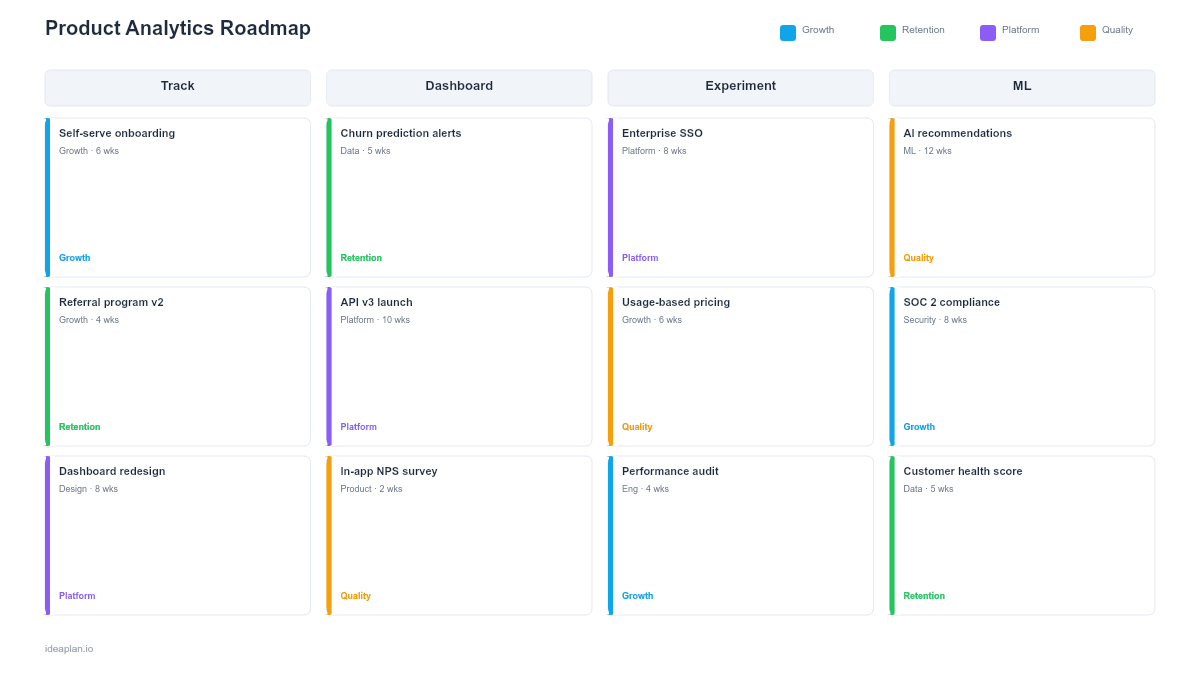
- Filled example slide. A SaaS product's analytics roadmap moving from basic pageview tracking to cohort analysis, funnel optimization, and predictive churn modeling over four phases.
Why Analytics Deserves a Roadmap
Most product teams treat analytics as an afterthought. Adding tracking events one at a time when someone asks "do we have data on this?" The result is a patchwork of inconsistent event names, missing properties, and dashboards that answer last quarter's questions.
An analytics roadmap treats data capability as a product in its own right. It answers:
- "What can we measure today vs. what do we need?". Gaps between current instrumentation and required insights become visible and prioritizable.
- "When will we be able to answer this question?". Instead of ad hoc requests, stakeholders can see when specific analysis capabilities come online.
Teams serious about product metrics need instrumentation that matches their ambition. You cannot run a real A/B testing program if your event taxonomy is inconsistent. You cannot measure feature adoption if you never instrumented the feature.
Template Structure
Phase Columns
Four columns represent progressive analytics maturity stages rather than fixed calendar dates. Each team moves through them at their own pace:
- Phase 1: Foundation. Core event taxonomy, basic funnels, essential dashboards.
- Phase 2: Feature Coverage. Feature-level instrumentation, user journey tracking, segmentation.
- Phase 3: Advanced Analysis. Cohort analysis, predictive models, experimentation infrastructure.
- Phase 4: Self-Serve. Business user dashboards, automated alerts, embedded analytics.
Assign estimated durations to each phase based on your team's data engineering capacity.
Capability Rows
Three rows organize work by type:
- Events & Tracking. What gets instrumented. Specific events, properties, and tracking plans.
- Dashboards & Reports. What gets visualized. Dashboards, scheduled reports, and data views.
- Analysis Capabilities. What becomes possible. New types of analysis the team can perform once the infrastructure is in place.
Maturity Indicators
Each phase includes a maturity badge showing the analytics questions you can answer at that stage. Phase 1 might be "We know how many users sign up." Phase 4 might be "We can predict which users will churn next month."
How to Use This Template
1. Audit your current analytics state
Before filling in the template, document what you track today. List every event, every dashboard, and every regular analysis your team performs. This audit reveals gaps. The space between what you measure and what you need to measure. The product analytics setup guide walks through this process in detail.
2. Define the questions each phase must answer
Work backward from business questions. Phase 1 should answer foundational questions: "How many users activate?" "Where do users drop off?" Phase 3 should answer strategic questions: "Which user segments have the highest lifetime value?" "What predicts churn?"
3. Map instrumentation work to phases
For each phase, list the specific events, properties, and dashboards needed to answer that phase's questions. Be concrete. "Add feature_used event with feature_name and user_plan properties" is actionable. "Improve tracking" is not.
4. Assign ownership and timelines
Each card should have an owner (data engineer, product analyst, or PM) and a time estimate. Analytics instrumentation competes with feature development for engineering time. Making the effort visible prevents it from being perpetually deprioritized.
5. Review at phase transitions
When completing a phase, validate that the new capabilities actually answer the intended questions. Run the dashboards. Perform the analyses. If the data is incomplete or unreliable, fix it before moving to the next phase.
When to Use This Template
The product analytics roadmap is the right choice when:
- Your analytics coverage is patchy. Some features are well-instrumented, others have no tracking at all
- Data requests from stakeholders are frequent and ad hoc. A roadmap sets expectations about when specific data becomes available
- You are building or rebuilding your event taxonomy. Migrating analytics tools, consolidating tracking, or starting fresh
- Product decisions are being made without data because the right metrics do not exist yet
- Your team is growing and needs self-serve analytics so PMs and analysts are not bottlenecked on data engineering
If your primary goal is tracking metrics against business outcomes rather than building analytics infrastructure, the Outcome-Based Roadmap PowerPoint template may be a better fit. For setting the metrics themselves, see the North Star Metric guide.
Key Takeaways
- Analytics gaps are invisible until you audit them. Start by documenting what you measure today versus what you need.
- Phase-based planning builds analytics maturity progressively. Foundation tracking before advanced analysis.
- Each phase should answer specific business questions. If a phase does not enable a new class of decisions, it is not scoped correctly.
- Assign ownership to every instrumentation task. Unowned analytics work gets permanently deferred.
- Validate each phase by running real analyses before moving to the next stage.
- Compatible with Google Slides, Keynote, and LibreOffice Impress. Upload the
.pptxto Google Drive to edit collaboratively in your browser.