Quick Answer (TL;DR)
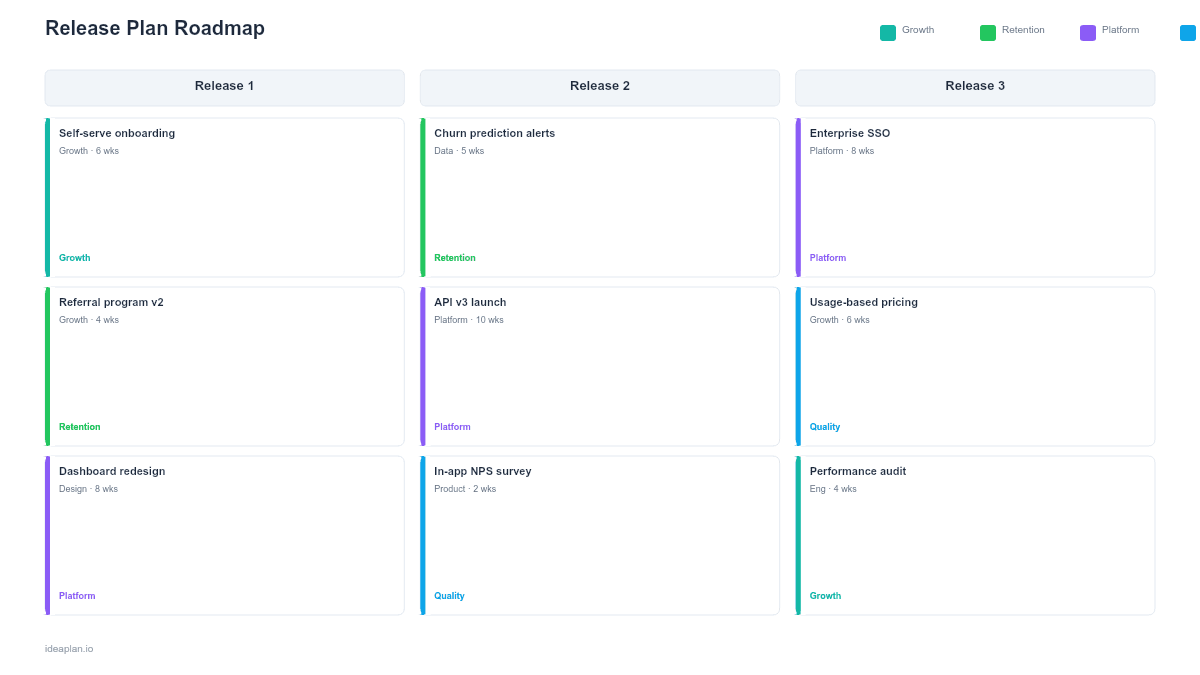
A release plan roadmap defines everything that goes into a software release: which features ship, what dependencies must be resolved, who is responsible for each component, and what the timeline looks like from code-complete to general availability. This free IdeaPlan template gives product and engineering teams a shared document that prevents the chaos that turns release week into a fire drill. For background on the release plan roadmap format and how it fits into the broader planning process, see our guide to building a product roadmap.
What This Template Includes
- Release scope definition listing every feature, bug fix, and improvement included in the release
- Dependency tracker mapping cross-team and external dependencies using critical path analysis with owners and due dates
- Release timeline with phases for development, code freeze, QA, staging, and deployment
- Stakeholder communication plan defining who gets notified, when, and through what channel
- Rollback criteria specifying conditions that trigger a release revert
- Post-release checklist for monitoring, documentation updates, and success metrics
Template Structure
Release Scope
The scope section is the authoritative list of what is included in the release. Each item has a title, a brief description, the team or individual responsible, and a status indicator. The scope section answers the most common question in release planning: "Is X in this release?" If an item is not listed here, it is not in the release. This clarity eliminates the last-minute feature additions that destabilize releases. A strict scope freeze date, documented at the top of this section, reinforces the discipline.
Dependency Map
Most release failures trace back to an unmanaged dependency. The dependency map in this template captures every dependency the release has on other teams, third-party services, infrastructure changes, or data migrations. Each dependency includes an owner, a required-by date, and a current status. Reviewing this map daily during the release cycle is the single most effective practice for avoiding launch-day surprises. When a dependency turns red, the team can decide early whether to delay the release, cut the dependent feature, or find a workaround.
Release Timeline and Phases
A release moves through distinct phases, and each phase has entry and exit criteria. The template structures these as: Development (features are being built), Code Freeze (no new features accepted, only bug fixes), QA and Validation (testing against acceptance criteria), Staging (deployment to a pre-production environment for final verification), and Deployment (push to production). Defining these phases explicitly prevents the common failure where development bleeds into QA, which compresses testing, which produces a buggy release.
Communication Plan
Releases affect people beyond the engineering team. Sales needs to know what is new so they can position it. Support needs to understand changes so they can help customers. Marketing may need to coordinate announcements. The communication plan section lists every stakeholder group, the information they need, the timing of their notification relative to the release, and the channel through which they will receive it. A release that ships perfectly but surprises the support team is still a failed release from the organization's perspective.
Rollback Plan
Not every release goes smoothly. The rollback plan defines the conditions under which the team will revert to the previous version, the technical steps to execute a rollback, and who has the authority to make that call. Having this plan in writing before the release removes the pressure of making a high-stakes decision under stress. Teams that define rollback criteria in advance make faster, better decisions when something goes wrong.
How to Use This Template
1. Define the release scope and freeze date
What to do: List every feature, fix, and improvement targeted for this release. Set a scope freeze date after which no new items can be added without explicit approval from the release owner.
Why it matters: Scope creep is the leading cause of delayed releases. A documented freeze date creates a forcing function for teams to finish their work or defer it to the next release.
2. Map all dependencies
What to do: For each item in the release scope, identify what it depends on. Record the dependency, its owner, the date it must be resolved by, and its current status.
Why it matters: Dependencies that are discovered during QA or deployment are almost impossible to resolve without delaying the release. Mapping them early gives the team weeks instead of hours to manage them.
3. Build the release timeline
What to do: Set dates for each phase: development end, code freeze, QA start and end, staging deployment, and production deployment. Share the timeline with all contributing teams.
Why it matters: A shared timeline synchronizes multiple teams. Without it, one team may assume QA starts Monday while another assumes Wednesday, creating a two-day gap that cascades through the schedule.
4. Draft the communication plan
What to do: List every stakeholder group affected by the release. For each, note what they need to know, when they need to know it, and how the message will be delivered.
Why it matters: Proactive communication builds trust. Stakeholders who learn about a release from the changelog feel surprised. Stakeholders who receive a heads-up email three days before deployment feel respected and prepared.
5. Define rollback criteria and rehearse
What to do: Write down the specific metrics or conditions that would trigger a rollback. Walk through the rollback procedure with the on-call engineer before the release.
Why it matters: Rollback decisions made under pressure are slow and error-prone. Pre-defined criteria and a rehearsed procedure allow the team to act decisively if production issues arise.
When to Use This Template
Use a release plan roadmap whenever your release involves more than one team, affects external-facing functionality, or carries meaningful risk. Solo developers shipping to a staging environment can skip the formality, but any release that touches customers or requires coordination benefits from a structured plan.
This template is particularly valuable for teams transitioning from continuous deployment to scheduled releases. Continuous deployment works well when changes are small and independent, but when features require coordinated marketing launches, partner integrations, or compliance reviews, batching them into planned releases with a formal plan reduces chaos. The template provides just enough structure to coordinate without creating the heavy process overhead that slows down agile teams.
Organizations with regulatory or compliance requirements will find the release plan roadmap essential. Auditors often require evidence that releases were planned, tested, and approved before deployment. This template, when filled out and archived for each release, creates an audit trail that satisfies those requirements without introducing a separate documentation burden.
Key Takeaways
- A release plan roadmap ensures every feature, dependency, and stakeholder communication is accounted for before deployment.
- Scope freeze dates prevent the last-minute additions that destabilize releases.
- Daily dependency reviews during the release cycle catch blockers while there is still time to act.
- Pre-defined rollback criteria and a rehearsed procedure enable fast, confident decisions if production issues arise.
- Archive completed release plans to build an audit trail and a knowledge base for improving future releases.