Quick Answer (TL;DR)
This free PowerPoint template creates a recurring product health assessment covering four dimensions: performance, UX quality, code health, and user satisfaction. Each dimension has scored indicators, trend arrows, and linked remediation initiatives. Download the .pptx, configure the health dimensions for your product, and run quarterly assessments that surface degradation before it reaches customers.
What This Template Includes
- Cover slide. Title slide with product name, assessment period, and product operations owner.
- Instructions slide. How to score each health dimension, calculate the composite health score, and interpret trend indicators. Remove before presenting to leadership.
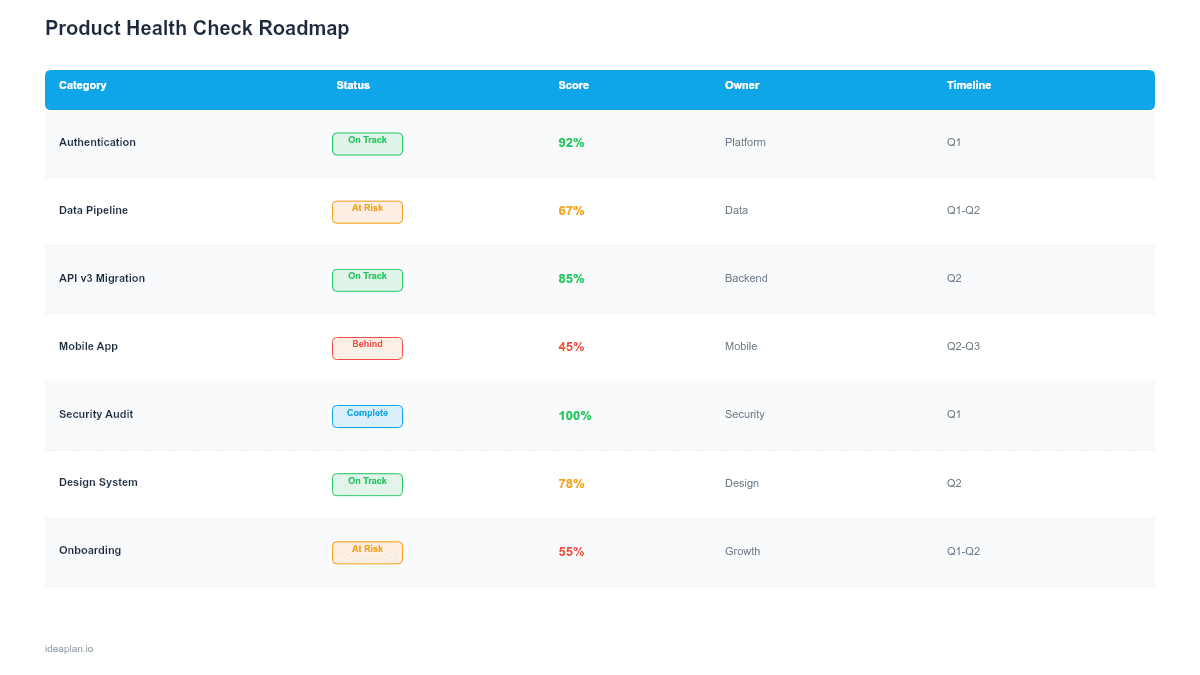
- Blank health scorecard slide. A four-quadrant layout with rows for each health indicator, columns for current score (1-10), previous score, trend arrow, and linked remediation initiative. A composite health score in the center summarizes overall product condition.
- Filled example slide. A complete health check for a mid-stage SaaS product showing degraded performance (P95 latency up 40%), stable UX quality, growing technical debt, and declining NPS. With remediation initiatives mapped to each red indicator.
Why Product Health Checks Matter
Products degrade slowly. Page load times creep up by 200ms per quarter. Test coverage drops from 85% to 68% as the team ships faster. NPS slides from 42 to 35 over six months. No single sprint causes the decline, so no single sprint catches it. By the time someone notices, the accumulated damage takes months to reverse.
A structured health check creates a forcing function. Every quarter, the team reviews the same indicators against the same benchmarks. Trend lines that look flat week-to-week reveal themselves as steady declines when plotted quarterly. The health score turns a vague sense that "the product feels slower" into a specific number that demands action.
The template also makes trade-offs visible. When leadership asks why the team is spending two sprints on performance work instead of new features, the health scorecard shows a red indicator on P95 latency and a declining customer satisfaction score. The investment case makes itself.
Template Structure
Performance Indicators
Track the metrics that directly affect user experience: P50 and P95 page load times, API response latency, error rates, and uptime. Benchmark each against industry standards and your own historical baselines. A P95 of 3.2 seconds might be acceptable for a complex analytics dashboard but unacceptable for a checkout flow. Context matters. The template lets you set different thresholds per indicator.
UX Quality Indicators
Measure the user-facing quality of the product: task completion rates for core workflows, usability test scores, accessibility audit results, and design consistency metrics. These indicators catch problems that performance monitoring misses. A feature can be fast and reliable but confusing to use. The complete guide to user research covers methods for gathering these signals systematically.
Code Health Indicators
Track the structural integrity of the codebase: test coverage percentage, dependency freshness (how many dependencies are more than two major versions behind), technical debt tickets as a percentage of total backlog, build time trends, and deployment failure rate. These indicators predict future velocity. A codebase with declining test coverage and stale dependencies will ship slower and break more often.
User Satisfaction Indicators
Capture how users feel about the product: NPS, CSAT, support ticket volume trends, feature adoption rates, and churn risk signals. These lag indicators confirm whether the leading indicators (performance, UX, code health) are translating into actual user experience. A product with excellent performance metrics but declining NPS has a problem the technical indicators are not capturing.
How to Use This Template
1. Define indicators and benchmarks
Select 3-5 indicators per health dimension. For each, set a green threshold (healthy), yellow threshold (needs attention), and red threshold (requires immediate action). Base thresholds on industry benchmarks, historical performance, and business requirements. Avoid setting thresholds so tight that everything is always yellow.
2. Collect baseline scores
Run the first assessment to establish baselines. This initial run will likely surface several red indicators. That is expected and useful. The baseline assessment becomes the reference point for measuring improvement over time.
3. Link remediation initiatives to red indicators
Every red indicator should have a linked remediation initiative on the product roadmap. If P95 latency is red, the remediation might be a database query optimization sprint. If test coverage is red, the remediation might be a testing sprint targeting the most critical code paths. No red indicator should exist without a plan to address it.
4. Run assessments on a fixed cadence
Quarterly is the standard cadence. Monthly is appropriate for products in a recovery phase with multiple red indicators. Stick to the cadence even when things are going well. Health checks are most valuable when they catch degradation early, not when they confirm problems the team already knows about.
5. Present to leadership with trend context
Show the current scorecard alongside the previous two quarters. Trend lines matter more than absolute scores. A health score of 7.2 that was 8.1 two quarters ago tells a different story than a 7.2 that was 6.5 two quarters ago. Leadership needs to see direction, not just position.
When to Use This Template
Product health checks are most valuable when:
- The team is shipping fast and needs a structured way to catch quality degradation before it compounds
- Performance or reliability issues are appearing in customer complaints but the team lacks a systematic view of what is degrading
- Technical debt is growing and the team needs data to justify investment in maintenance work against feature pressure
- Product ops or product quality is a formal function and needs a recurring assessment framework
- Leadership reviews require a structured product quality summary beyond feature delivery metrics
If the product is in early-stage development where the codebase is small and the team has direct visibility into every component, a health check adds overhead without proportional value. This template is for products that have grown past the point where any single person can hold the full quality picture in their head. For products with primarily performance concerns, a performance optimization roadmap may be more targeted.
Key Takeaways
- Product quality degrades gradually. Quarterly health checks surface trends that sprint-level monitoring misses.
- Score each indicator against defined thresholds (green, yellow, red) to make subjective quality assessments comparable over time.
- Every red indicator must have a linked remediation initiative on the roadmap, or the health check becomes a reporting exercise with no teeth.
- Present trend lines alongside absolute scores. Direction matters more than position for leadership decision-making.
- Allocate 15-20% of quarterly capacity to health-check-driven remediation to prevent accumulated degradation.
- Compatible with Google Slides, Keynote, and LibreOffice Impress. Upload the
.pptxto Google Drive to edit collaboratively in your browser.