Quick Answer (TL;DR)
This free PowerPoint template breaks your product into three layers. Capabilities, features, and components. With dependency lines connecting them. It gives product managers and engineering leads a structural view of how the product fits together, where gaps exist, and which components block the most work. Download the .pptx, replace the sample product tree, and use it to plan feature work with full visibility into what depends on what.
What This Template Includes
- Cover slide. Product name, decomposition scope (full product or a specific area), and the number of capabilities mapped.
- Instructions slide. How to define capabilities vs. features vs. components and draw dependency lines. Remove before presenting.
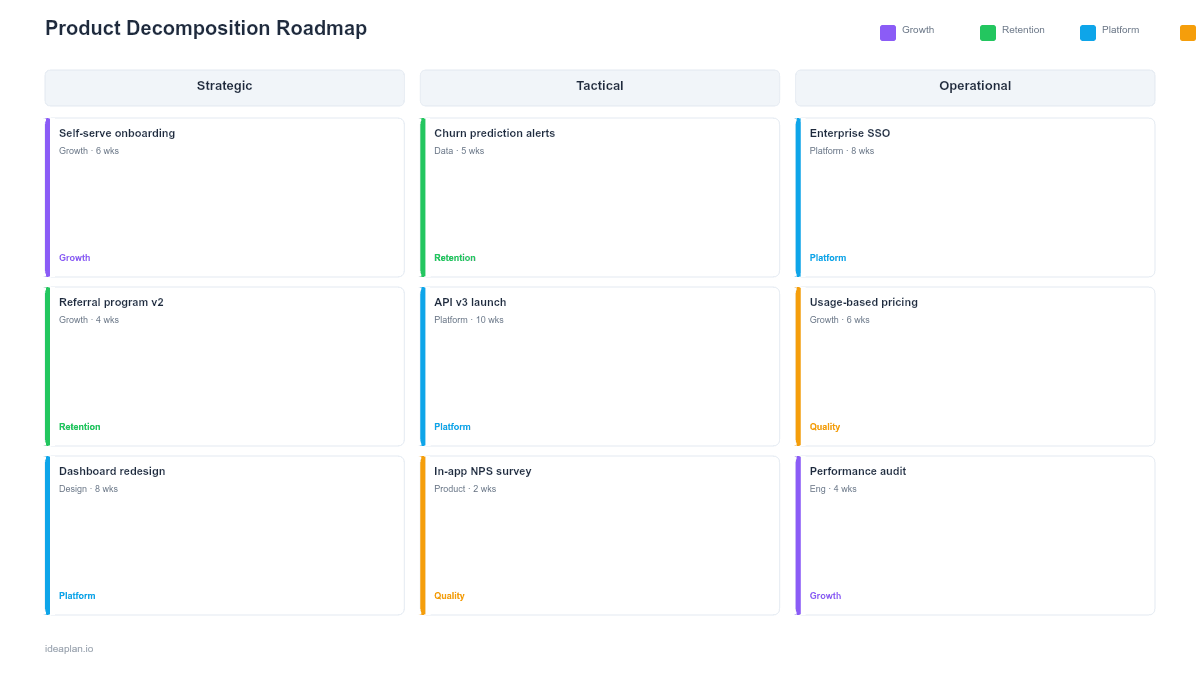
- Blank template slide. Three-tier hierarchy with capability rows at the top, feature boxes in the middle, and component blocks at the bottom, connected by dependency arrows.
- Filled example slide. A mid-stage SaaS product decomposed into 4 capabilities, 12 features, and 8 shared components with dependency arrows showing which components support multiple features.
Why Decompose Your Product
Most product roadmaps show what the team plans to build. A decomposition roadmap shows what the product already is. And where the gaps are. This structural view answers questions that timeline roadmaps cannot.
When a stakeholder asks "why does this feature take so long?", the decomposition shows the chain of components it depends on. When the team debates what to build next, the decomposition reveals which capabilities are thin (one feature, no redundancy) and which are mature (multiple features sharing stable components).
Product decomposition also exposes hidden coupling. If three features all depend on the same notification component, improving that component has triple the impact of improving any single feature. The weighted scoring model becomes more accurate when you can see these shared dependencies.
Template Structure
Capability Layer
Capabilities sit at the top of the hierarchy. A capability is a broad outcome the product enables. "User Authentication," "Reporting," "Team Collaboration." Most products have 4-8 core capabilities. Each capability contains multiple features.
Keep capability names outcome-oriented, not implementation-oriented. "Real-time Collaboration" is better than "WebSocket Layer" because it communicates value to non-technical stakeholders.
Feature Layer
Features sit in the middle. Each feature belongs to one capability and delivers a specific piece of user-facing functionality. "Password Reset," "SSO Login," and "Two-Factor Authentication" are features within the "User Authentication" capability.
Color-code features by status: shipped (green), in progress (amber), planned (blue), or blocked (red). This turns the decomposition into a progress view without needing a separate timeline.
Component Layer
Components sit at the bottom. These are shared building blocks that multiple features depend on. An email service, a permissions engine, an analytics pipeline. Drawing dependency arrows from features down to components reveals which components are most critical.
A component that supports 6 features is a higher-risk, higher-impact target than one supporting 1 feature. Investing in the reliability of high-dependency components pays dividends across the product. See the prioritization guide for frameworks that account for cross-cutting impact.
How to Use This Template
1. List your capabilities
Start with 4-8 broad product capabilities. If you have more than 8, some are likely features masquerading as capabilities. If you have fewer than 3, your capabilities are too broad. Split them.
2. Map features to each capability
Under each capability, list every user-facing feature. Be specific: "Search by keyword" is a feature; "Search" is a capability. Aim for 2-5 features per capability. More than 5 suggests the capability should be split.
3. Identify shared components
Look across features for shared dependencies. Authentication, notifications, file storage, and analytics are common shared components. Place these at the bottom layer and draw arrows up to every feature that depends on them.
4. Draw dependency lines
Connect features to their required components. Also connect features to each other if one requires another to function (e.g., "Invite Team Member" depends on "User Authentication"). Use solid lines for hard dependencies and dashed lines for soft ones.
5. Highlight gaps and risks
Mark capabilities with few features or no planned work. Flag components with the most dependency arrows as risk points. If they go down, multiple features fail. Use this view in planning sessions to prioritize backlog items that strengthen weak areas.
When to Use This Template
The product decomposition roadmap PowerPoint template works best for:
- Architecture reviews where engineering and product need to align on what exists and what is missing
- New PM onboarding to give incoming product managers a complete structural view of the product
- Platform planning where shared components need investment and the team must justify the impact
- Dependency analysis before committing to a feature to understand what it requires and what it enables
- Portfolio conversations where leadership wants to see which capabilities are mature and which are thin
If you need a time-based view of feature delivery, the Epic Roadmap PowerPoint template tracks epics across a timeline. For strategic theme grouping without dependency mapping, the Theme-based Roadmap PowerPoint template organizes work by business themes.
Key Takeaways
- Product decomposition roadmaps show structure and dependencies, not timelines.
- Three layers. Capabilities, features, components. Give a complete view of how the product fits together.
- Shared components with many dependency arrows are high-impact investment targets.
- Color-coding features by status turns the decomposition into a progress view.
- PowerPoint format makes the decomposition presentable in architecture reviews, onboarding sessions, and planning meetings.
- Compatible with Google Slides, Keynote, and LibreOffice Impress. Upload the
.pptxto Google Drive to edit collaboratively in your browser.