Quick Answer (TL;DR)
This free PowerPoint OKR roadmap template maps 2-3 objectives to their key results and supporting initiatives. Each key result card includes a progress score (0.0-1.0), linked initiative, timeline badge, and visual progress bar. It bridges the gap between OKR goal-setting and tactical product planning by showing exactly which work moves which metric.
What This Template Includes
- Cover slide. Title slide with amber accent to distinguish it from other roadmap formats.
- Instructions slide. Six steps for setting up and maintaining the OKR roadmap.
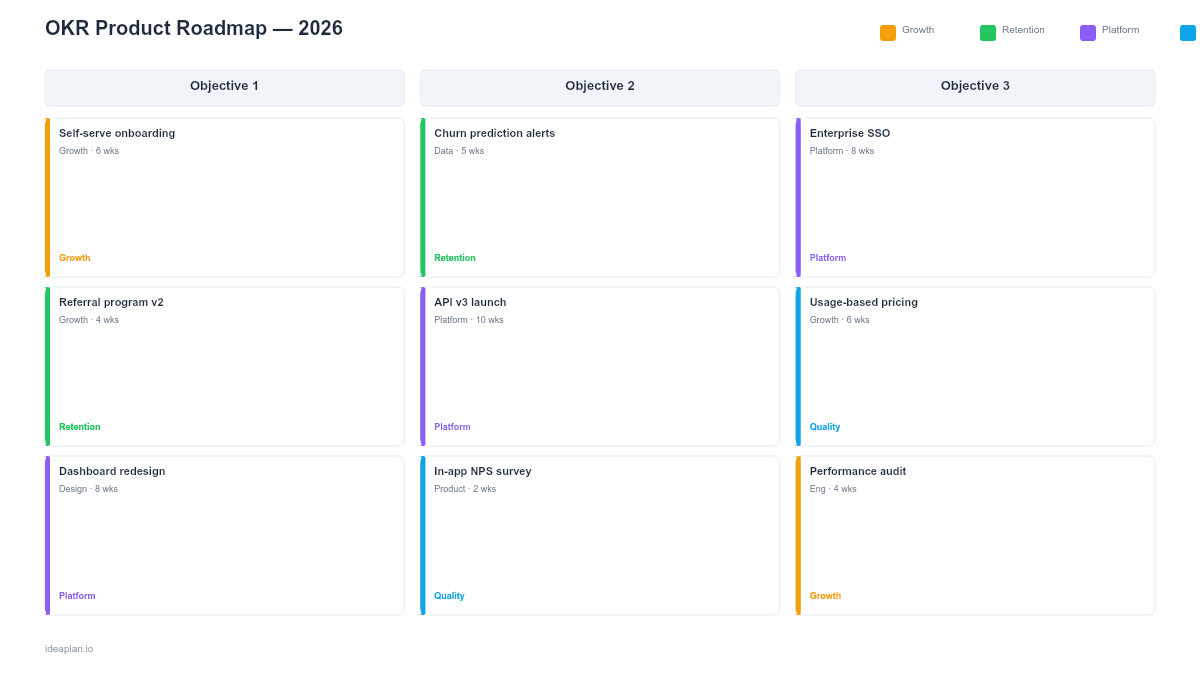
- Blank template slide. Three objective columns with three key result cards each. Each card includes fields for the KR statement, score, initiative name, and timeline.
- Filled example slide. A complete H1 2026 OKR roadmap with three objectives (Accelerate user growth, Reduce churn by 40%, Build platform defensibility), nine key results with progress scores and color-coded progress bars.
Why PowerPoint for OKR Roadmaps
OKR reviews happen in meetings. Planning sessions, quarterly reviews, and team standups all involve presenting OKR progress. PowerPoint is where this happens. A slide on a screen in a conference room or a shared screen on Zoom.
The OKR roadmap format specifically solves the disconnect between goals and product work. Most teams set OKRs in one tool, track product work in another, and never explicitly connect them. This template puts the connection on a single slide: Objective → Key Result → Initiative → Timeline. Anyone looking at the slide can trace from a strategic goal down to the specific work being done.
The progress scoring and visual bars make the slide useful for check-ins, not just planning. At a monthly OKR review, the team can update scores in place and see how the overall portfolio is progressing without switching between tools.
Template Structure
Objective Columns
Three columns, each headed by a colored banner containing one objective. The objective statement should be ambitious and qualitative: "Accelerate user growth" or "Build platform defensibility." It describes what you want to achieve, not how to measure it. That is what key results are for.
Key Result Cards
Each objective column contains three key result cards. Every card includes:
- KR statement. A specific, measurable outcome. "Increase monthly signups from 2K to 5K" or "Achieve SOC 2 Type II certification." The statement includes the baseline and target so progress is unambiguous.
- Score. A number from 0.0 to 1.0 indicating progress toward the target. Color-coded: green (0.7+), amber (0.3-0.69), red (below 0.3). Update this at every check-in.
- Initiative. The specific product work supporting this KR. One initiative per KR keeps the mapping clean.
- Timeline. Quarter or month when the initiative ships.
- Progress bar. Visual bar showing progress toward completion, matching the score value.
Score Colors
The score uses a simple traffic-light system:
- Green (0.7-1.0). On track or exceeding target
- Amber (0.3-0.69). Progressing but at risk
- Red (0.0-0.29). Off track, needs intervention
Google's OKR scoring convention considers 0.6-0.7 a "sweet spot" for stretch goals. If every KR scores 1.0, the goals were not ambitious enough.
How to Use This Template
1. Set objectives first
Work with leadership to define 2-3 product objectives for the period. Objectives should be qualitative and inspiring. They answer "what direction are we heading?" not "what number are we hitting?" See the OKR guide for a structured process.
2. Define measurable key results
For each objective, identify 2-3 key results that would indicate the objective is achieved. Every KR must be specific and measurable with a clear baseline and target. "Improve activation" is not a KR. "Improve day-7 activation rate from 30% to 50%" is.
3. Map initiatives to key results
For each KR, identify the one initiative most likely to move it. This is where the roadmap connects to actual product work. If a KR has no supporting initiative, it is a wish, not a plan. If an initiative does not connect to a KR, question why it is being built.
4. Set initial scores to 0.0
At the start of the period, all scores are 0.0. This is the baseline. The blank progress bars signal that the work has not yet begun.
5. Update scores at check-ins
At monthly or biweekly OKR reviews, update the scores based on actual data. The progress bars and color coding update accordingly, giving the room a quick visual read on overall health.
6. Grade at period end
At the end of the half or quarter, assign final scores. Discuss what drove the results and what to adjust for the next period. Archive this slide as a record of OKR performance.
When to Use This Template
The OKR roadmap is the right choice when:
- Your organization uses OKRs and needs to connect goals to product work
- Quarterly or semi-annual reviews require showing OKR progress alongside the product plan
- Leadership wants to see that product work is tied to measurable outcomes, not just a feature list
- Team standups need a quick visual check on how the product portfolio aligns with goals
- Planning sessions need to evaluate whether proposed initiatives map to strategic objectives
If your team does not use OKRs, the Product Strategy Roadmap achieves a similar goal-initiative mapping without the scoring. For date-based planning, the Quarterly Product Roadmap provides a timeline view.
Featured in
This template is featured in Product Strategy Roadmap Templates, a curated collection of roadmap templates for this use case.
Key Takeaways
- The OKR roadmap connects strategic objectives to specific product work through measurable key results.
- Progress scoring (0.0-1.0) with color coding makes check-ins fast and visual.
- One initiative per key result maintains clear accountability.
- PowerPoint format works for planning sessions, reviews, and executive presentations.
- Archive each period's final scores to build a record of goal attainment over time.
- Compatible with Google Slides, Keynote, and LibreOffice Impress. Upload the
.pptxto Google Drive to edit collaboratively in your browser.