Quick Answer (TL;DR)
This free Google Sheets goals roadmap template connects your product initiatives directly to company objectives. Instead of organizing work by features or timelines, it structures everything around what you are trying to achieve. Making it easy to answer the question every executive asks: "How does this work ladder up to our goals?"
What This Template Includes
- Goal hierarchy structure. A three-level hierarchy (Company Goals, Product Goals, Key Results) that cascades strategic intent from the top down and connects execution from the bottom up. In Google Sheets, each level maps to grouped rows you can expand or collapse.
- Key results tracking. Measurable key results for each goal with baseline values, target values, current progress, and confidence scores. Sheets formulas calculate progress percentages automatically as you update current values.
- Initiative-to-goal mapping. A direct linkage between each product initiative and the specific goal it supports, eliminating orphaned work that does not contribute to any declared outcome.
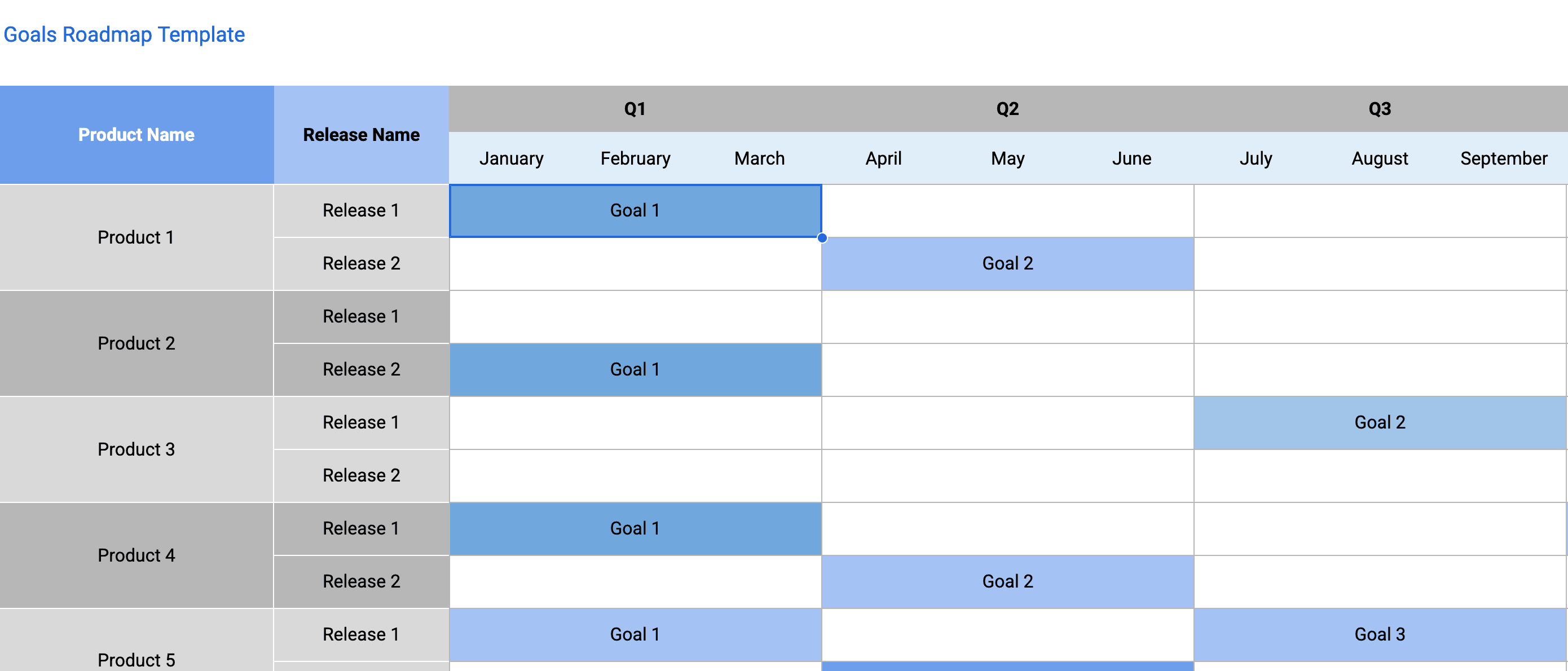
- Quarterly goal milestones. Time-bound checkpoints that break annual goals into quarterly targets, with pre-built tabs for Q1 through Q4 so you can plan and review goals on a quarterly cadence.
- Confidence scoring dashboard. A red/yellow/green confidence assessment for each goal with conditional formatting that makes the dashboard scannable in under 60 seconds, giving leadership an honest signal about which goals are on track and which need intervention.
- Goal retrospective section. A structured template for end-of-quarter goal reviews that captures what was achieved, what was missed, root causes, and lessons for the next cycle.
Why Use Google Sheets for Your Goals Roadmap
Goals-based roadmaps require frequent updates as metrics change. Google Sheets makes this effortless because the data is always live. No export-import cycles, no version conflicts. When a key result metric updates, everyone sees it immediately.
The formula capabilities of Google Sheets also make goals tracking more powerful than static roadmapping tools. You can calculate progress percentages automatically, build trend charts that show velocity toward targets, and create dashboard views that summarize status across all objectives in one glance.
Google Sheets integrates with data sources through built-in functions like IMPORTDATA and IMPORTRANGE, or through Google Apps Script. This means you can pull actual metrics from your analytics tools directly into the roadmap, eliminating manual updates and keeping your progress data accurate.
Template Structure
Company and Product Goal Alignment
The top section establishes the link between company-level goals (revenue targets, market expansion, customer retention) and product-level goals that contribute to them. Each product goal maps to exactly one company goal, creating a clear chain of accountability. In Google Sheets, this maps to a dedicated tab where product leadership fills in the alignment during annual or quarterly planning. It serves as the "north star" for everything below it.
Goal Detail Cards
Each product goal has a dedicated row group that captures the goal statement (written as a measurable outcome, not an activity), the time horizon, the owner, the key results that define success, and the initiatives that will drive those results. The goal statement should follow the pattern "Increase [metric] from [baseline] to [target] by [date]." Vague goals like "Improve user experience" are explicitly discouraged because they cannot be measured and therefore cannot be managed.
Key Results Dashboard
A centralized summary tab that lists every key result across all goals with current progress, confidence score, and trend direction (improving, flat, declining). This is the view that product leaders review weekly. It answers the question "across all our goals, where are we winning and where are we falling behind?" without requiring a deep dive into each individual goal. Conditional formatting with color coding makes the dashboard scannable in under 60 seconds.
Initiative Inventory with Goal Links
Every initiative (feature, project, or program) in the roadmap is tagged with the goal and key result it supports. Initiatives that cannot be linked to any goal are flagged for review. They may be legitimate (infrastructure, tech debt) but they require explicit justification. This section ensures that the team's capacity is allocated in proportion to goal priority, not in proportion to who asked loudest.
Quarterly Review Template
A structured retrospective format used at the end of each quarter to evaluate goal performance. It includes sections for: results achieved versus targets, initiatives completed versus planned, key learnings, and goal adjustments for the next quarter. This review process is what transforms goal-setting from a performative exercise into a genuine learning loop that improves planning accuracy over time.
How to Use This Template
1. Make a copy and define your objectives
What to do: Click "Make a copy" from the Google Sheets menu to create your own editable version. Then enter 3-5 high-level objectives for the quarter. Each objective should be ambitious but achievable, specific enough to measure, and aligned with broader company strategy. Avoid vague objectives like "improve the product". Instead write "reduce time-to-value for new users by 40%."
Why it matters: Product teams that set goals in isolation from company strategy risk building the right thing for the wrong reason. Explicit mapping ensures that every hour of engineering effort can be traced back to a business outcome that leadership cares about.
2. Set key results with baselines and targets
What to do: For each product goal, define 2-4 key results that are specific, measurable, and time-bound. Record the current baseline value, the target value, and the date by which the target should be achieved. Use quantitative metrics wherever possible. Conversion rates, task completion times, NPS scores, revenue per user. The template calculates progress percentages automatically as you update current values.
Why it matters: Key results are the measurement system that tells you whether your initiatives are actually working. Without them, you are flying blind. Shipping features and hoping they move the needle without any way to verify. Goals without key results are just aspirations.
3. Map initiatives to objectives
What to do: Review every initiative on your current roadmap and tag it with the goal and key result it supports. For initiatives that do not map to any goal, decide whether to continue them (with an explicit rationale), deprioritize them, or cancel them. Then identify any goals that have no supporting initiatives. These represent gaps in your execution plan.
Why it matters: This mapping exercise frequently reveals two problems: initiatives that do not support any goal (wasted effort) and goals that have no supporting initiatives (unfunded priorities). Both discoveries are valuable and should be addressed before the quarter begins.
4. Assign owners and set weekly confidence scores
What to do: Every objective needs a single owner who is responsible for driving progress. Every initiative needs an owner who is responsible for execution. Each week, the goal owner rates their confidence that each goal will be achieved: High (on track), Medium (at risk), Low (unlikely without intervention). Record the score and a one-sentence justification. Share the scores in your weekly leadership update.
Why it matters: Confidence scoring is the early warning system that prevents quarter-end surprises. A goal that drops from High to Medium confidence in week 4 of a 13-week quarter gives you 9 weeks to course-correct. A goal that is first flagged as at-risk in week 12 is essentially already missed.
5. Conduct quarterly goal retrospectives
What to do: At the end of each quarter, use the Quarterly Review tab to evaluate every goal. Document which key results were hit, which were missed, and the root causes for misses. Identify patterns (e.g., consistently underestimating engineering effort, or consistently missing goals that depend on external teams) and use those patterns to improve next quarter's goals. Score each objective on a 0.0-1.0 scale and use the results to inform the next cycle.
Why it matters: The retrospective is what separates teams that genuinely improve their planning from teams that repeat the same mistakes quarter after quarter. Without structured reflection, lessons learned evaporate and the same failure modes persist indefinitely.
When to Use This Template
A goals roadmap is the right choice when your organization values outcomes over outputs and wants to ensure that every product initiative is justified by its contribution to a measurable business result. For foundational guidance on roadmap creation, including how to align initiatives with strategic goals, see the guide to building a product roadmap. It is especially effective in organizations that have adopted OKR (Objectives and Key Results), V2MOM, or similar goal-setting frameworks but struggle to connect those goals to day-to-day product work.
This Google Sheets template is ideal for product leaders who report to executives who ask "why are we building this?" more than "when will this ship?" It shifts the roadmap conversation from a feature list to a strategic argument: "We are building these three initiatives because they are the most effective way to achieve our goal of reducing churn by 20%."
Teams of any size can benefit from a goals roadmap, but it is particularly powerful for organizations with 3+ product teams that need to coordinate around shared company objectives. In multi-team environments, the goal hierarchy ensures that teams are rowing in the same direction and that resource allocation reflects strategic priorities rather than historical accident. The spreadsheet format is especially useful here. Google Sheets makes it easy to share the same workbook across teams while keeping the data live and consistent.
It also works well for organizations adopting OKRs for the first time. The familiar spreadsheet interface is less intimidating than dedicated OKR tools, and the flexibility of Google Sheets lets you customize the framework to your organization's style without waiting on vendor feature requests.
Featured in
This template is featured in Product Strategy Roadmap Templates, a curated collection of roadmap templates for this use case.
Key Takeaways
- Goals roadmaps organize product work by outcomes rather than outputs, ensuring every initiative is justified by its contribution to a measurable business result.
- Google Sheets formulas automate progress calculations and conditional formatting makes dashboards scannable, eliminating manual scorekeeping.
- Measurable key results with baselines and targets are non-negotiable. Goals without metrics are just wishes.
- Weekly confidence scoring provides an early warning system that gives teams time to course-correct before goals are missed.
- Mapping initiatives to goals reveals both wasted effort (orphaned initiatives) and unfunded priorities (goals with no supporting work).
- Quarterly retrospectives transform goal-setting from a performative exercise into a genuine learning loop that improves planning accuracy over time.