Quick Answer (TL;DR)
This free PowerPoint template helps design and engineering teams plan the evolution of their design system. New components, design token rollouts, documentation improvements, and adoption tracking across product teams. Work is organized by layer (foundations, components, patterns, adoption) so teams can see what is being built and who is consuming it. Download the .pptx, populate it with your design system backlog, and use it to coordinate the design systems team with the product teams that depend on them.
What This Template Includes
- Cover slide. Title slide with design system name, current version, and design system lead.
- Instructions slide. How to categorize work by layer, tag components by maturity level, and track adoption metrics. Remove before presenting externally.
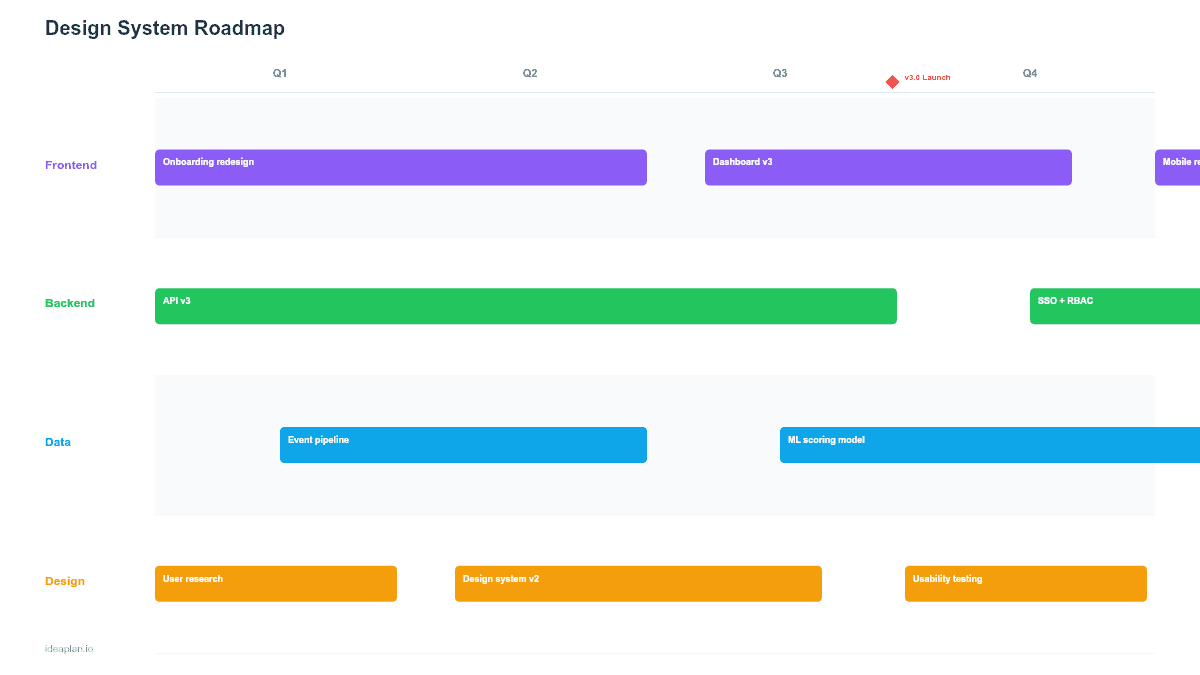
- Blank design system timeline slide. A four-quarter grid with rows for each layer (foundations and tokens, components, patterns and recipes, adoption and governance). Each card shows maturity level, consuming teams, effort estimate, and priority tier.
- Filled example slide. A realistic design system roadmap showing a color token migration, 12 new component builds, a form pattern library, accessibility audit, and adoption rollout to three product teams, with maturity indicators on every item.
Why PowerPoint for Design System Roadmaps
Design systems fail when they are built in isolation. The most common death pattern: a design systems team builds beautiful components that no product team adopts because the rollout was never coordinated. A PowerPoint timeline puts component builds and product team adoption on the same view, making it clear whether the system is being consumed or just built.
The slide format also helps justify continued investment. Design system work is infrastructure. It produces no direct user-facing features. When a CPO or VP of Engineering asks what the design systems team has been doing, a timeline showing component delivery, adoption metrics, and the product teams that depend on each component answers the question visually.
Template Structure
Layer Rows
Four rows represent the design system stack: foundations and tokens (color, typography, spacing, elevation, motion tokens), components (buttons, inputs, modals, tables, navigation elements), patterns and recipes (form patterns, data display patterns, empty states, error handling, onboarding flows), and adoption and governance (documentation, contribution guidelines, training, adoption tracking, deprecation of legacy components).
Maturity Badges
Each component or pattern card carries a maturity badge: draft (in design, not yet coded), beta (coded, limited adoption, breaking changes possible), stable (production-ready, versioned, no breaking changes without deprecation), or deprecated (scheduled for removal). This signals to consuming teams whether a component is safe to adopt or still evolving.
Consuming Team Tags
Cards in the adoption row show which product teams are targeted for rollout. A design system component is only valuable once it replaces the custom implementation in a product team's codebase. Tracking consuming teams makes adoption a first-class deliverable rather than an afterthought.
How to Use This Template
1. Audit current state and backlog
Inventory your existing design system: which components exist, their maturity level, and which product teams use them. Then collect the backlog. Requests from product teams, accessibility gaps, inconsistencies flagged in design reviews, and foundational work like token migrations. The design thinking framework can help structure the discovery phase if you are starting a design system from scratch.
2. Prioritize by dependency and adoption impact
Foundation work (tokens, core primitives) must ship before components that depend on it. Among components, prioritize those used by the most product teams. A button component used in every feature is worth more than a specialized chart widget used by one team. Use weighted scoring with factors like number of consuming teams, number of existing custom implementations to replace, and accessibility impact.
3. Sequence foundations first, then components, then patterns
Place token and foundation work in Q1. Everything else depends on it. Component builds follow in Q1-Q2, prioritized by adoption impact. Pattern libraries build on top of stable components, so they belong in Q2-Q3. Adoption rollouts and training run in parallel with component delivery. Do not wait until everything is built to start rolling out what is ready.
4. Review with design, engineering, and product team leads
The design systems team validates build estimates and dependency sequencing. Product team leads confirm that they can schedule adoption work (replacing custom components) in their own roadmaps. Product team buy-in is non-negotiable. Without it, you build a component library that nobody uses. The cross-functional collaboration playbook covers techniques for gaining this alignment.
When to Use This Template
A design system roadmap is essential when:
- Multiple product teams build the same UI components independently, creating inconsistency and duplicated effort
- A dedicated design systems team needs to communicate priorities and delivery timelines to consuming teams
- A major visual refresh or token migration requires coordinated rollout across the product
- Accessibility remediation is being addressed systematically through the component library
- Design debt has accumulated to the point where custom implementations outnumber shared components
If one designer maintains a Figma library for a single product team, you do not need a formal roadmap. This template adds value when the design system serves multiple teams and requires coordinated adoption to deliver its intended consistency and efficiency benefits.
Key Takeaways
- Design system roadmaps organize work by layer (foundations, components, patterns, adoption) to show the dependency chain from tokens to product team consumption.
- Maturity badges (draft, beta, stable, deprecated) tell product teams whether a component is safe to adopt or still changing.
- Adoption is a first-class deliverable. A component that ships without product team consumption delivered no value.
- Prioritize components by the number of consuming teams and custom implementations they replace.
- Always sequence foundation and token work before components, and components before complex patterns.
- Compatible with Google Slides, Keynote, and LibreOffice Impress. Upload the
.pptxto Google Drive to edit collaboratively in your browser.