Quick Answer (TL;DR)
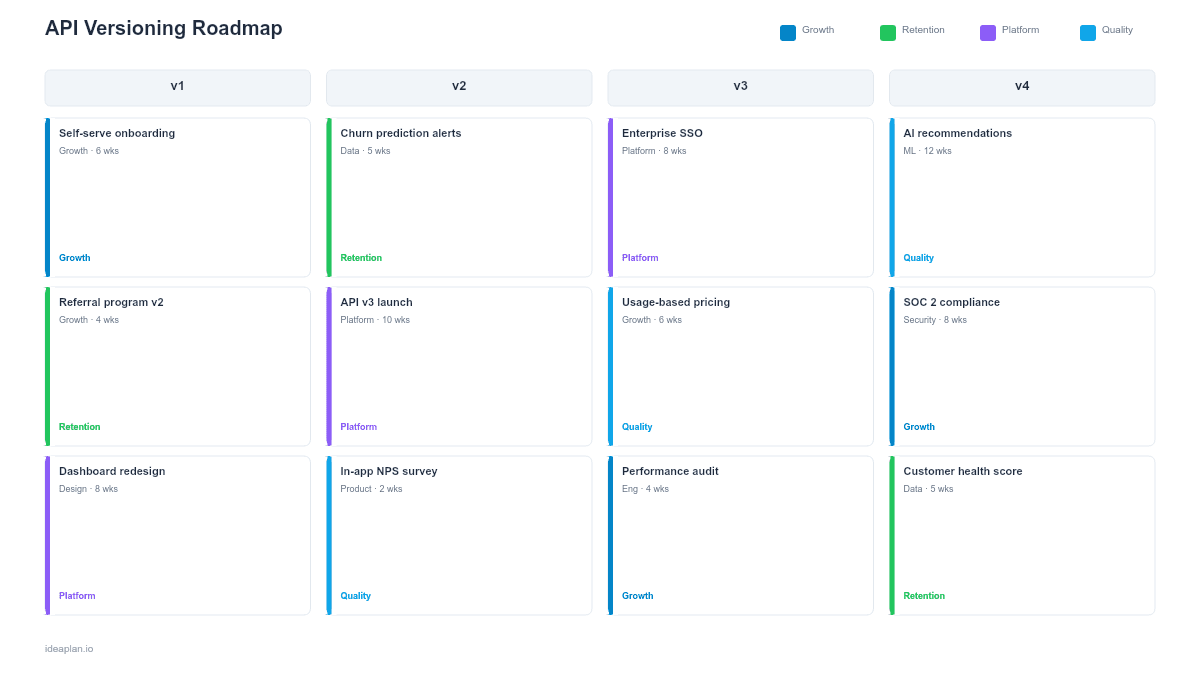
This free PowerPoint template maps your API versioning strategy across a quarterly timeline. Deprecation schedules, migration support windows, breaking-change releases, and client adoption tracking per version. Each item is flagged by impact severity (breaking, additive, patch) and consumer segment (internal, partner, public). Download the .pptx, plot your version transitions, and use it to coordinate engineering, developer relations, and partner teams around a single deprecation and migration plan.
What This Template Includes
- Cover slide. API product name, active version numbers, and API product owner.
- Instructions slide. How to map version lifecycles, flag breaking changes, and set deprecation windows by consumer segment. Remove before distributing.
- Blank versioning timeline slide. A four-quarter grid with rows for each versioning track: active version maintenance, new version development, deprecation and sunset, and migration support. Each card shows version number, change severity, affected consumer segments, and adoption percentage target.
- Filled example slide. A realistic versioning roadmap for a B2B SaaS API showing v2 maintenance patches, v3 beta through GA launch, v1 deprecation with a 9-month sunset window, and migration tooling rollout, with client adoption percentages at each milestone.
Why PowerPoint for API Versioning Roadmaps
Version transitions are the highest-risk events in an API product's lifecycle. A breaking change that catches consumers off guard erodes trust faster than any new feature can rebuild it. A PowerPoint timeline makes the relationship between new version launches and old version sunsets visible on a single view. Forcing you to answer "is there enough migration time?" before you commit to dates.
The format also works across audiences who rarely read changelogs. Partner managers need to warn integration partners about upcoming deprecations. Customer success teams need sunset dates to proactively reach out to affected accounts. Engineering leads need to see how maintenance work on the old version overlaps with development of the new one. A shared slide covers all three conversations.
Template Structure
Active Version Maintenance Row
Tracks bug fixes, security patches, and minor improvements to the currently supported version. Each card shows the patch version, change type (security, bug fix, performance), and whether any consumer-facing behavior changes. This row helps teams see how much capacity goes to maintaining the current version versus building the next one.
New Version Development Row
Maps the timeline from design through beta, GA release, and post-launch stabilization for the next major version. Cards include the key capabilities that justify a new major version, target beta dates, and GA readiness criteria. Link each capability back to the product requirements document that specifies its contract.
Deprecation and Sunset Row
Shows the full lifecycle of each deprecated version: announcement date, documentation of migration path, sunset warning period, and final removal date. Industry practice is 12 months for public APIs and 6 months for partner APIs. Track API call volume on deprecated versions to validate whether consumers are actually migrating.
Migration Support Row
Covers the tooling and documentation that helps consumers move between versions: migration guides, automated codemods, compatibility shims, and dedicated support channels. Migration support must ship before the deprecation clock starts. Consumers cannot migrate to something that is not documented yet.
How to Use This Template
1. Map your current version state
List every active API version, its consumer count, and its traffic volume. Identify which versions are in active development, maintenance-only, or scheduled for deprecation. If you do not know how many consumers are on each version, instrument that tracking before committing to any deprecation timeline.
2. Define breaking changes and group them into versions
Collect all planned breaking changes from engineering backlogs. Group related breaking changes into a single major version bump rather than spreading them across multiple releases. Use RICE scoring to prioritize which breaking changes justify the migration cost and which should be deferred or redesigned as non-breaking additions.
3. Set deprecation windows by consumer segment
Internal consumers get the shortest window (1-3 months) because you control both sides. Partners get 6 months minimum with dedicated migration support. Public developers get 12 months with automated migration tooling where possible. Place these windows on the timeline and verify that engineering has capacity for both new version work and migration support simultaneously.
4. Define adoption targets and tracking
Set quarterly targets for consumer migration: "80% of partner traffic on v3 by Q3" or "Zero v1 traffic by Q4 sunset date." Track adoption weekly once deprecation is announced. If adoption stalls, the roadmap should show where you will invest in migration tooling or direct outreach. Not just move the sunset date back.
When to Use This Template
An API versioning roadmap is essential when:
- Multiple API versions are active simultaneously and maintenance burden is growing
- Breaking changes are planned that require coordinated consumer migration
- External developers or partners depend on version stability and need advance notice of changes
- Deprecation timelines need explicit communication to customer success, partner, and developer relations teams
- Platform strategy requires predictable version cadence to maintain developer trust
If you have a single API version with only additive changes planned, a standard API roadmap is sufficient. This template adds value once you are managing parallel versions and need to coordinate the transition between them.
Featured in
This template is featured in Technical and Engineering Roadmap Templates, a curated collection of roadmap templates for this use case.
Key Takeaways
- API versioning roadmaps make the relationship between new version launches and old version sunsets visible on a single timeline, preventing migration surprises.
- Group breaking changes into planned major version bumps and set deprecation windows by consumer segment: 1-3 months internal, 6 months partner, 12 months public.
- Migration support (guides, codemods, compatibility shims) must ship before the deprecation clock starts. Not after.
- Track adoption percentage per version weekly once deprecation is announced, and invest in outreach or tooling when migration stalls.
- Limit active versions to two whenever possible. Each additional version multiplies maintenance cost, test surface, and documentation burden.
- Compatible with Google Slides, Keynote, and LibreOffice Impress. Upload the
.pptxto Google Drive to edit collaboratively in your browser.