Quick Answer (TL;DR)
This free PowerPoint template structures your hiring plan across four tracks: role prioritization, sourcing strategy, interview process, and employer brand. Each slide connects open roles to the product milestones that need them, maps sourcing channels to role types, and sequences process improvements alongside active hiring. Download the .pptx, plug in your headcount plan, and present a recruiting roadmap that shows leadership exactly how and when the team will grow.
What This Template Includes
- Cover slide. Current headcount, target headcount, number of open roles, planning horizon, and the top three hiring priorities for the period.
- Instructions slide. How to prioritize roles by product dependency, select sourcing channels per role type, and design structured interview loops. Remove before presenting.
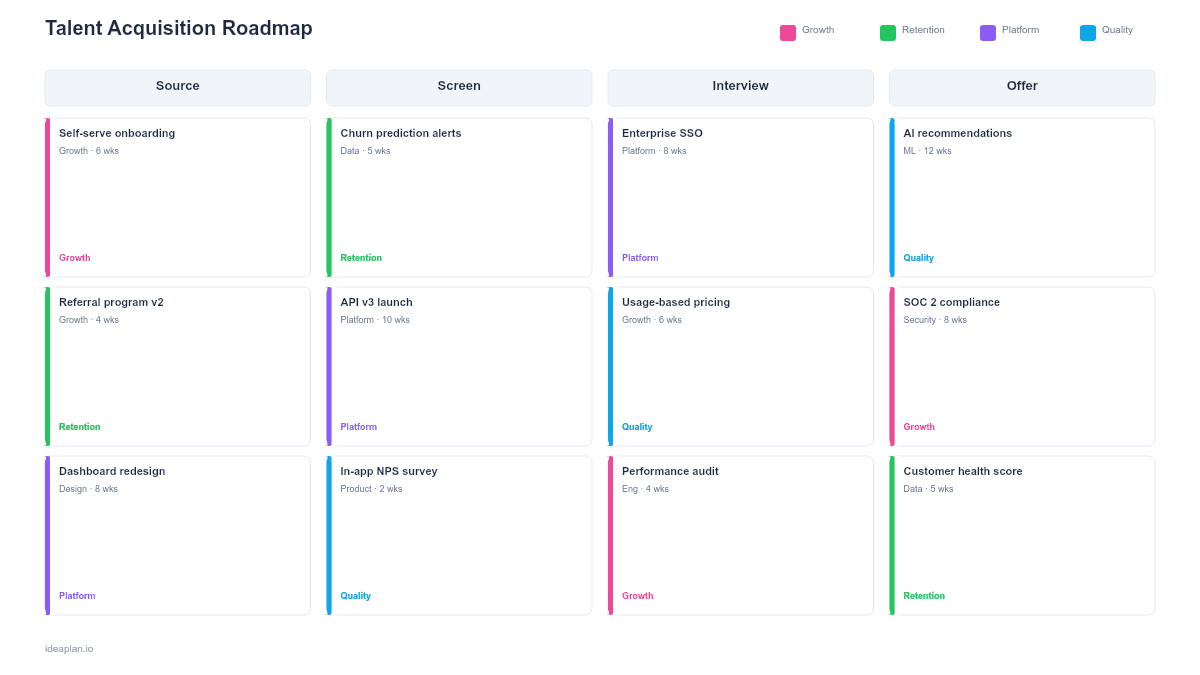
- Blank template slide. Four-track layout (Role Prioritization, Sourcing Strategy, Interview Process, Employer Brand) across quarterly columns with role cards, channel assignments, and pipeline metrics.
- Filled example slide. A product organization hiring 15 people over four quarters. Shows senior backend engineer and product designer as Q1 priorities (blocking platform initiative), three mid-level engineers in Q2, a hiring process overhaul in Q3 (structured scorecards, reduced interview stages), and an employer brand campaign in Q4 targeting the next year's hiring surge.
Why Talent Acquisition Needs a Roadmap
Hiring without a plan creates two predictable problems. First, roles get prioritized by who shouts loudest rather than by what the product needs. The team that escalates to the CEO gets headcount approved first, regardless of whether their role is the one blocking the next milestone. Second, recruiting operates reactively. A role opens, a recruiter starts sourcing, and the process takes however long it takes.
A talent acquisition roadmap fixes both problems. It ties every open role to a specific product initiative or capacity gap, which makes prioritization objective. And it plans sourcing and process improvements alongside active hiring, so the recruiting function gets better over time instead of running on the same ad-hoc playbook every quarter.
The business case is simple arithmetic. Senior technical hires take 3-4 months from job posting to accepted offer. If a Q3 product milestone requires a new senior engineer, the role must be posted in Q1. Without a roadmap that maps hiring timelines to product timelines, this dependency is invisible until it becomes a missed deadline. For guidance on how hiring connects to product planning, see the guide to building a product team.
Template Structure
Four Hiring Tracks
The roadmap covers the full talent acquisition lifecycle:
- Role Prioritization. Ordered list of roles ranked by product dependency and urgency. Each role card shows the title, level, the product initiative it supports, the target start date (working backward from product milestone), and the hiring manager. Roles are grouped by priority tier: Tier 1 (blocking active milestones), Tier 2 (needed within 2 quarters), Tier 3 (planned but flexible timing).
- Sourcing Strategy. Channel selection per role type. Senior technical roles may require executive search firms, employee referral bonuses, and targeted outreach on GitHub or Stack Overflow. Junior roles may rely more on job boards, university pipelines, and inbound applications. Each channel has a cost-per-hire estimate and expected yield.
- Interview Process. The interview loop design, including stages, assessors, scorecards, and timeline targets. Tracks process improvements: reducing stages from 6 to 4, implementing structured scoring, adding technical take-home alternatives, and training hiring managers on bias reduction. Target: offer extended within 2 weeks of first screen.
- Employer Brand. Initiatives that make the company attractive to target candidates. Engineering blog posts, conference talks, open-source contributions, Glassdoor management, careers page refresh. These are slow-burn investments that compound over time and reduce sourcing cost for future roles.
Hiring Pipeline Dashboard
The filled example includes a pipeline summary showing roles by stage: sourcing, screening, interviewing, offer, accepted. This snapshot tells leadership whether the pipeline is healthy or whether bottlenecks need attention. A pipeline with many candidates in "interviewing" but few in "offer" suggests decision-making delays.
Hiring Timeline Gantt
A simple Gantt-style view showing each role's expected timeline from posting to start date, with key milestones: job posted, first candidates screened, interviews complete, offer extended, start date. This view reveals when multiple roles compete for interviewer time and when start dates cluster in ways that overwhelm onboarding.
How to Use This Template
1. Map roles to product milestones
Pull your product roadmap for the next 12 months. For each major initiative, identify the capabilities required. Compare against current team skills. The gaps become your hiring scope. Assign each role a priority tier based on how directly it blocks a product milestone.
2. Work backward from target start dates
If a product milestone is Q3, and the new hire needs 1 month to ramp, the start date must be early Q2. Senior roles take 3-4 months to hire. That means posting in Q4 of the prior year. Junior roles take 6-8 weeks. This backward math determines when each role enters the pipeline.
3. Select sourcing channels per role profile
Different roles require different sourcing strategies. Do not use the same approach for a Staff Engineer and a Junior Product Manager. Map each role to 2-3 channels based on where those candidates are most reachable, the expected cost-per-hire, and historical yield from each channel.
4. Design the interview process with time targets
Define the stages for each role type (screen, technical assessment, team interviews, hiring manager final). Set a target elapsed time from first screen to offer: 10-14 business days. Longer than that and top candidates accept other offers. Track actual elapsed time as a metric and treat deviations as process failures to fix.
5. Review pipeline weekly, roadmap monthly
Check the hiring pipeline weekly: are candidates moving through stages or getting stuck? Review the full roadmap monthly: are timelines holding? If a Tier 1 role is slipping, escalate immediately. The product milestone it supports is at risk. The team scaling template can help model the downstream impact of hiring delays.
When to Use This Template
Talent acquisition roadmaps fit when:
- Multiple roles are open simultaneously and the team needs a prioritized, sequenced hiring plan rather than a flat list of job postings
- Hiring timelines directly impact product delivery and leadership needs visibility into how recruiting delays cascade into milestone risk
- The recruiting process is inconsistent across teams and the organization wants to standardize interview loops, scorecards, and timelines
- A growth round has been raised and the company needs to deploy hiring capital efficiently across product, engineering, and design
- Employer brand needs deliberate investment because inbound candidate quality or volume is below target
If your focus is on the full employee lifecycle (including onboarding, development, and retention) rather than specifically the hiring funnel, the employee experience roadmap template covers the broader scope.
Key Takeaways
- Talent acquisition roadmaps tie every open role to a product milestone, making hiring prioritization objective rather than political.
- Work backward from product timelines to determine when roles must be posted, accounting for 3-4 month hiring cycles for senior roles.
- Select sourcing channels per role type. A single approach for all roles wastes budget on low-yield channels.
- Set and track time-to-offer as a primary process metric; delays beyond 2 weeks cost top candidates to competing offers.
- PowerPoint format supports headcount review meetings where product, HR, and finance need a shared view of hiring investment tied to delivery capacity.
- Compatible with Google Slides, Keynote, and LibreOffice Impress. Upload the
.pptxto Google Drive to edit collaboratively in your browser.