Quick Answer (TL;DR)
This free PowerPoint template plans search feature development across three maturity tiers. Basic Search, Smart Search, and Intelligent Search. Organized by component (indexing, query handling, results ranking, and UI). Each slide maps specific search capabilities to delivery phases with performance benchmarks at each tier. Download the .pptx, assess your current search maturity, and build a roadmap that takes search from a text-match utility to a product differentiator.
What This Template Includes
- Cover slide. Product name, search maturity target, and a current-state assessment showing which tier each search component has reached.
- Instructions slide. How to evaluate search quality, set performance benchmarks, and sequence search improvements by user impact. Remove before presenting.
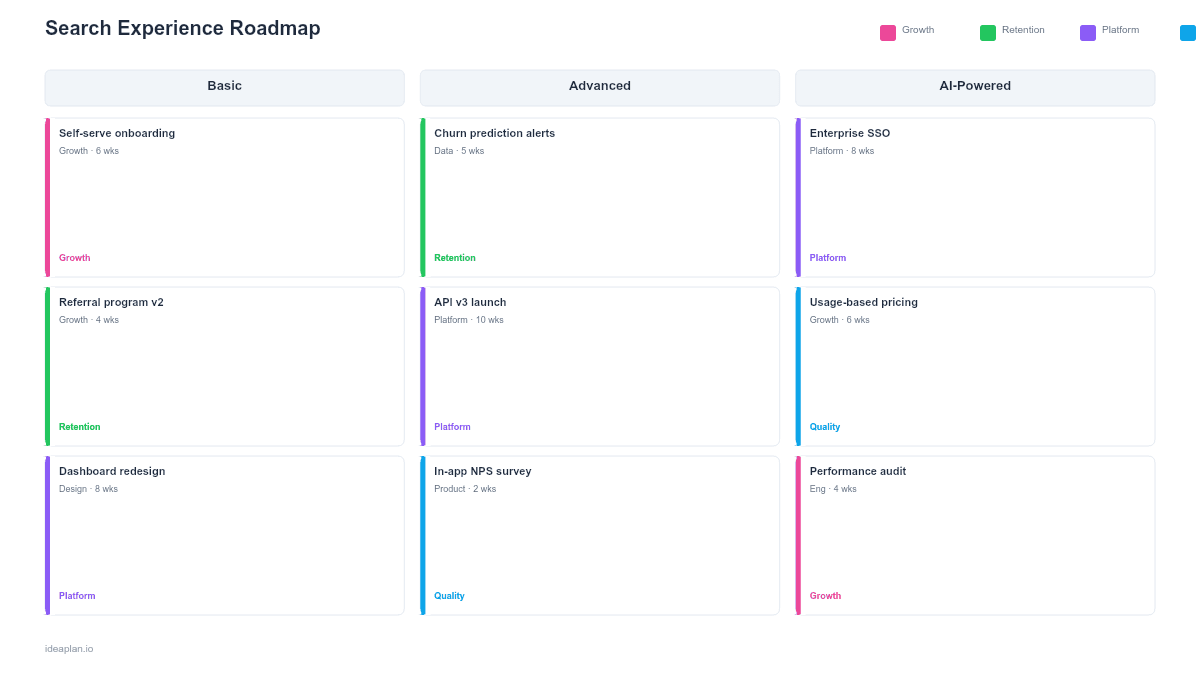
- Blank template slide. Four component rows (Indexing, Query Handling, Ranking, UI/UX) across three maturity tiers with placeholder capability cards and latency benchmarks.
- Filled example slide. A complete search roadmap showing 16 capabilities from full-text indexing through semantic search, with p95 latency targets and relevance score improvements at each tier.
Why Search Needs Its Own Roadmap
Search is one of the most used and least invested-in features in most products. Users try search, get poor results, and stop using it. Then the team concludes "our users do not use search" without recognizing the circular problem.
Good search is compound investment. Each improvement builds on the previous one:
- Indexing quality determines result quality. If your indexing misses content fields, no amount of ranking optimization will surface the right results.
- Query understanding determines relevance. Handling typos, synonyms, and multi-word queries requires deliberate engineering that basic text matching does not provide.
- Ranking creates differentiation. Once you can index content and understand queries, personalized ranking based on user behavior is what separates adequate search from great search.
For products where users navigate large data sets. Marketplaces, knowledge bases, SaaS platforms with user-generated content. Search quality directly affects engagement. The search usage rate metric quantifies how central search is to your user experience, and tracking it before and after improvements validates the roadmap's impact.
Template Structure
Component Rows
Four rows decompose search into independently plannable components:
- Indexing. What content is searchable, how quickly new content appears in results, and how metadata is structured for filtering.
- Query Handling. Typo correction, synonym expansion, query parsing (e.g., distinguishing filters from keywords), and autocomplete suggestions.
- Ranking. Relevance scoring algorithms, personalization signals, freshness weighting, and popularity boosting.
- UI/UX. Search bar placement, results layout, faceted filters, inline previews, and zero-results experience.
Maturity Tiers
Three columns define progressive search sophistication:
- Basic Search. Full-text matching across primary content fields. Filters by category or date. Results sorted by relevance score from a standard engine (Elasticsearch, Algolia). Target: p95 latency under 500ms.
- Smart Search. Typo tolerance, synonym support, autocomplete, and faceted filtering. Results incorporate freshness and popularity signals. Target: p95 latency under 200ms with measurable relevance improvement.
- Intelligent Search. Semantic understanding (vector search or hybrid), personalized ranking, natural language queries, and federated search across content types. Target: p95 latency under 300ms with top-3 result accuracy above 80%.
Performance Benchmarks
Each tier includes measurable targets: latency (p50 and p95), result relevance (click-through on first page), and zero-result rate (percentage of queries that return nothing useful). These benchmarks prevent the common failure of shipping search improvements without measuring whether they actually helped.
How to Use This Template
1. Measure your current search performance
Before planning improvements, establish baselines: average query latency, click-through rate on search results, zero-result rate, and search abandonment rate. If you are not tracking these today, instrument them first. You cannot improve what you do not measure.
2. Identify the weakest component
If users frequently see irrelevant results despite typing accurate queries, the problem is ranking. If results are fine but slow, the problem is indexing. If users cannot express what they want, the problem is query handling. Diagnose before building.
3. Sequence improvements bottom-up
Start with Indexing (ensure all relevant content is searchable), then Query Handling (understand what users are asking for), then Ranking (return the best results), then UI/UX (present results effectively). Each layer depends on the one below it.
4. Set tier targets by quarter
Map each maturity tier to a target quarter. Basic Search might be achievable in one quarter for a team starting from scratch. Smart Search typically requires an additional 1-2 quarters. Intelligent Search is a 2-3 quarter investment depending on data infrastructure readiness. Refer to the product experimentation guide for A/B testing search changes before full rollout.
5. Test with real user queries
Export your top 100 most frequent search queries and manually grade the results at each tier. This practical validation catches issues that aggregate metrics miss, like a specific high-frequency query that returns garbage results.
When to Use This Template
This template is the right choice when:
- Search usage is declining and user research shows poor result quality as the reason users stopped searching.
- Your product has grown in content volume to the point where navigation alone cannot help users find what they need.
- You are migrating search infrastructure (e.g., from database LIKE queries to a dedicated search engine) and need to plan the transition in phases.
- Competitive products have better search and users cite it as a switching reason. Use competitive analysis to benchmark specific capabilities.
- AI-powered search is on the roadmap and you need a foundation of indexing and query handling before semantic search can work effectively.
For teams planning broader performance improvements that include search latency, the Performance Optimization Roadmap PowerPoint template covers system-wide optimization. For AI-specific search capabilities, the Machine Learning Roadmap PowerPoint template covers model training and deployment alongside search.
Key Takeaways
- Search quality compounds: indexing enables query handling, which enables ranking, which enables great UX. Build bottom-up.
- Three maturity tiers (Basic, Smart, Intelligent) let you ship incremental improvements rather than waiting for a perfect search rewrite.
- Performance benchmarks at each tier (latency, relevance, zero-result rate) prevent shipping improvements that do not actually help users.
- Measure search before improving it. Export top queries, grade results manually, and instrument click-through and abandonment rates.
- Semantic search requires good foundational search to work well. Do not skip directly to AI-powered results without solid indexing and query handling first.
- Compatible with Google Slides, Keynote, and LibreOffice Impress. Upload the
.pptxto Google Drive to edit collaboratively in your browser.