Quick Answer (TL;DR)
This free PowerPoint template plans the transition from private testing to public preview. The stage where anyone can try the feature but it is not yet covered by production SLAs. It tracks four workstreams in parallel: stability hardening, documentation completion, support preparation, and migration planning for users who will carry over into GA. Download the .pptx, set your preview milestones, and ensure nothing ships publicly that your team is not ready to stand behind.
What This Template Includes
- Cover slide. Feature name, public preview start date, expected GA date, and program owner.
- Instructions slide. Stability bar definitions, documentation checklist, and support readiness scoring guide. Remove before presenting.
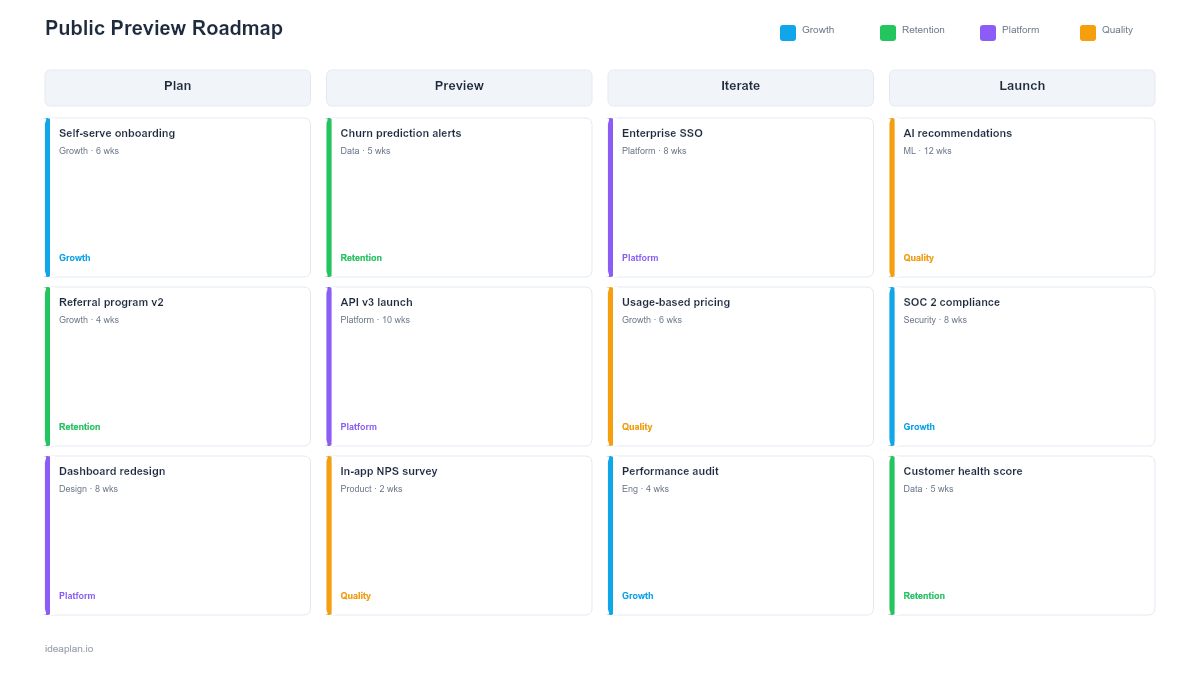
- Blank template slide. Four-phase timeline (Stabilize, Document, Prepare, Launch Preview) with rows for Engineering, Documentation, Support, and Product. Readiness scorecards at each phase boundary.
- Filled example slide. A 6-week public preview preparation for a new API platform, showing stability milestones, 12 documentation items tracked to completion, support training schedule, and the preview launch checklist.
Why Public Preview Requires Its Own Plan
Public preview sits in an uncomfortable middle ground. It is not beta. Anyone can access it without an invitation. But it is not GA. You are explicitly telling users the feature may change, break, or be removed. This ambiguity creates risk on both sides.
For users, the risk is adopting a feature that changes under them. For your team, the risk is that a bad public preview poisons perception before the feature reaches its final form. A buggy preview with missing documentation teaches the market that your product is rough and unreliable, even if the GA version is excellent.
The fix is treating public preview as a mini-launch with its own readiness criteria. The feature does not need to be complete, but it needs to be stable, documented, and supported. Stable means no data loss, no frequent crashes, and predictable behavior within the documented scope. Documented means users can get started without contacting support. Supported means your team knows the feature exists, understands its limitations, and can help users who hit edges.
This is the same principle behind phased rollouts: you expand exposure gradually, and each expansion threshold requires a higher quality bar.
Template Structure
Four-Phase Timeline
- Stabilize (Weeks 1-2). Fix all P0 and P1 bugs. Run load testing at expected preview scale. Validate data integrity under concurrent usage. Set up monitoring and alerting for preview-specific error patterns.
- Document (Weeks 2-4). Complete getting-started guide, API reference (if applicable), known limitations page, and FAQ. Documentation must cover 100% of the features available in preview. Gaps in docs become support tickets.
- Prepare (Weeks 4-5). Train support on the feature, write escalation procedures, set up a preview feedback channel, and configure analytics to track preview-specific metrics.
- Launch Preview (Week 6). Publish the preview with in-app announcement, blog post, changelog entry, and documentation links. Monitor the first 72 hours closely for unexpected issues.
Four Workstream Rows
- Engineering. Bug fixes, load testing, monitoring setup, error rate tracking, performance baselines.
- Documentation. Getting-started guides, reference docs, known limitations, migration notes, video walkthroughs.
- Support. Training sessions, escalation playbooks, preview FAQ, feedback triage workflow, first-response templates.
- Product. Preview scope definition, feature flag configuration, analytics instrumentation, GA criteria tracking.
Readiness Scorecards
At each phase boundary, a scorecard evaluates four dimensions:
- Stability. Error rate below threshold, no data loss scenarios, p95 latency within target.
- Documentation. All preview features documented, getting-started tested by a non-engineer, known limitations published.
- Support. Team trained, playbooks written, feedback channel active, escalation path defined.
- Analytics. Preview usage dashboards live, feature adoption tracking configured, feedback collection instrumented.
How to Use This Template
1. Define preview scope
Decide exactly which capabilities are included in the public preview and which are held back for GA. Document this as a feature matrix: Available, Coming Soon, and Not Planned. Publish this matrix so users know what to expect and what not to test.
2. Set the stability bar
Public preview does not require GA-level reliability, but it cannot be fragile. Define acceptable thresholds: error rate under 1%, no data loss, p95 latency under 2 seconds, uptime above 99%. These are lower than GA targets but high enough that users can form a meaningful opinion of the feature.
3. Complete documentation before launch
Every feature available in preview needs a documentation page. Users who hit undocumented behavior will either file support tickets or abandon the feature. Both outcomes poison the preview signal. Write docs for the happy path first, then add troubleshooting sections for known edge cases. Check your documentation against the standards in the product launch guide.
4. Train support and set up feedback channels
Run a 90-minute training session where support uses the feature end-to-end. Create a preview-specific tag in your ticketing system so you can track support volume separately from GA features. Set up an in-app feedback widget that routes to the product team, not the support queue.
5. Launch and monitor the first 72 hours
The first three days reveal whether your stability bar holds at real-world scale. Assign an on-call engineer and a PM to monitor error rates, support tickets, and feedback channels. If any readiness dimension drops to red, decide quickly: fix it, communicate the limitation, or pull the preview.
When to Use This Template
Public preview roadmaps are right when you are opening access to a feature that is functionally complete but not yet production-hardened. Use this template when:
- The feature is past beta and stable enough for unsupported exploration but not yet ready for SLA commitments
- You want market feedback at scale without the operational commitment of a full GA launch
- Documentation and support readiness are your biggest gaps. The feature works, but nobody outside the team knows how to use it
- Platform or API features need developer adoption before GA, and developers expect docs and stability even in preview
- Migration from preview to GA needs planning so early adopters do not lose data or configuration when the feature becomes official
For invite-only testing with structured feedback collection, use the Beta Launch Roadmap template. For the full cross-functional launch coordination after preview graduates, the Product Launch Roadmap template covers the GA process.
Featured in
This template is featured in Go-to-Market and Product Launch Roadmap Templates, a curated collection of roadmap templates for this use case.
Key Takeaways
- Public preview is not "beta without invites." It requires higher stability, complete documentation, and trained support because anyone can access it.
- Four readiness dimensions (Stability, Documentation, Support, Analytics) must all score green or amber before the preview launches.
- Documentation gaps become support tickets. Complete docs for every preview feature before opening access.
- The first 72 hours after preview launch reveal whether your readiness criteria were accurate. Monitor closely and act fast on any red signals.
- Plan the preview-to-GA migration from the start. Early adopters who lose data or configuration at GA will be your loudest critics, not your biggest advocates.
- Compatible with Google Slides, Keynote, and LibreOffice Impress. Upload the
.pptxto Google Drive to edit collaboratively in your browser.