Quick Answer (TL;DR)
This free PowerPoint template structures your beta program from participant recruitment through graduation to general availability. It covers cohort selection, feedback collection cadence, iteration cycles, and the criteria that determine when the feature is ready to ship broadly. Download the .pptx, define your beta cohorts, and run a program that produces actionable signal instead of noise.
What This Template Includes
- Cover slide. Feature name, beta duration, target cohort size, and program owner.
- Instructions slide. Cohort selection criteria, feedback channel setup, and iteration cycle guidelines. Remove before presenting.
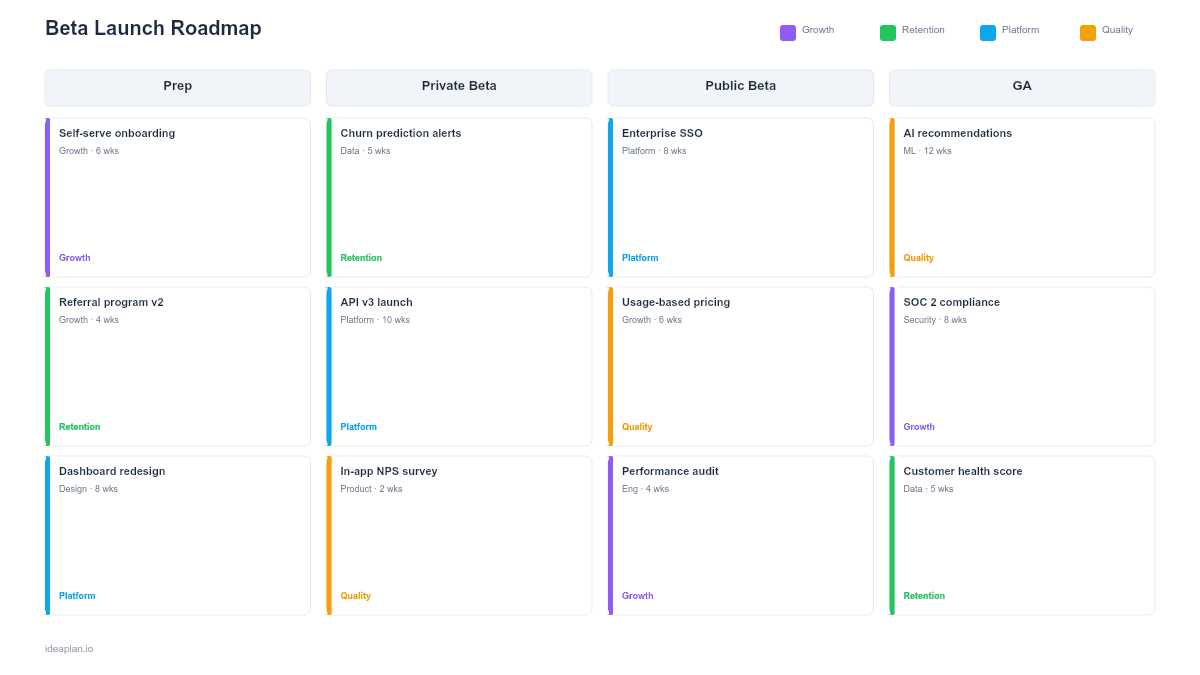
- Blank template slide. Timeline divided into Recruit, Onboard, Iterate, and Graduate phases. Rows for Product, Engineering, and Customer Success. Cards for feedback checkpoints and decision gates.
- Filled example slide. An 8-week beta for a new reporting dashboard, showing three cohorts (power users, new accounts, enterprise), two iteration cycles, and graduation criteria with metric thresholds.
Why Beta Programs Fail
Most beta programs fail in one of two ways. Either they recruit the wrong participants and get feedback that does not represent the broader user base, or they collect feedback without a system for acting on it and the beta drags on indefinitely.
The first failure is a selection problem. If your beta cohort is entirely composed of power users, you will build for power users and miss usability issues that affect the majority. If it is all new accounts, you will optimize onboarding at the expense of depth. The fix is deliberate cohort design. Selecting participants who represent distinct usage patterns so the feedback covers the full spectrum.
The second failure is a process problem. Feedback arrives through Slack, email, surveys, and support tickets. Without structured collection and triage, the team drowns in anecdotes and cannot identify patterns. A defined iteration cycle. Collect, prioritize, fix, release, re-evaluate. Turns feedback into shipped improvements. This follows the same loop described in continuous discovery: observe, synthesize, act, measure.
Template Structure
Four-Phase Timeline
The roadmap divides the beta into sequential phases with clear exit criteria:
- Recruit (Week 1-2). Define cohort criteria, send invitations, onboard beta tooling (feature flags, feedback channels, analytics). Target 20-50 participants across 3-4 segments.
- Onboard (Week 2-3). Activate participants with a guided walkthrough, set expectations for feedback frequency, and establish the communication channel (dedicated Slack group, in-app widget, or scheduled calls).
- Iterate (Weeks 3-7). Run two to three iteration cycles. Each cycle collects feedback, triages issues, ships fixes, and measures the impact. Weekly check-ins with the beta cohort keep engagement high.
- Graduate (Week 8). Evaluate graduation criteria. If the feature meets thresholds, prepare for broader rollout. If not, extend the beta with a revised scope or kill the feature.
Three Workstream Rows
- Product. Feature flag configuration, feedback triage, prioritization of beta-surfaced issues, graduation criteria definition.
- Engineering. Bug fixes, performance optimization, instrumentation for beta testing metrics, rollout percentage adjustments.
- Customer Success. Participant recruitment, onboarding calls, weekly check-ins, NPS collection, escalation handling.
Feedback Loop Cards
Each iteration cycle includes three feedback cards:
- Collect. Structured surveys plus open-ended channels. Survey questions map directly to the graduation criteria so every response produces measurable data.
- Triage. Categorize feedback as Bug, Usability Issue, Feature Request, or Positive Signal. Bugs and usability issues enter the sprint. Feature requests go to the backlog. Positive signals validate the direction.
- Ship. A small release at the end of each cycle addresses the highest-priority bugs and usability issues. Participants see their feedback reflected in the product, which sustains engagement.
How to Use This Template
1. Define graduation criteria
Before recruiting a single participant, write down the conditions that mean the beta is done. These should be measurable: activation rate above 60%, critical bugs below 3, NPS above 30, or task completion rate above 80%. Without graduation criteria, the beta has no finish line.
2. Design your cohorts
Select 3-4 participant segments that represent your target user base. Include at least one segment that will stress-test the feature (high volume, complex workflows) and one that represents your average user. Balance enthusiasm with representation. Beta volunteers tend to be power users, so actively recruit from other segments.
3. Set up feedback infrastructure
Create a single place where all feedback flows: a tagged Slack channel, an in-app survey, or a shared board. Multiple unconnected channels guarantee that feedback gets lost. Instrument the feature with event tracking so you can correlate reported issues with actual usage data.
4. Run iteration cycles
Each cycle lasts 1-2 weeks. Collect feedback in the first half, ship fixes in the second half. At the end of each cycle, report back to participants: "Here is what you told us, here is what we fixed, here is what is next." This feedback loop is what separates a productive beta from a passive one.
5. Evaluate and graduate
At the end of the beta, measure every graduation criterion. If all pass, move to the Early Access Roadmap template or proceed directly to general availability. If some criteria fail, decide whether to extend the beta (with a new deadline) or descope the feature to what works.
When to Use This Template
Beta launch roadmaps fit any feature release where you need user feedback before a broad rollout. Use this template when:
- The feature changes core workflows and you need to validate that existing users can adapt before forcing the change on everyone
- Quality risk is high. The feature involves new infrastructure, third-party integrations, or complex data migrations that need real-world testing
- You need usage data to finalize the design and cannot make confident decisions from internal testing alone
- Stakeholders want proof of user reception before approving the marketing spend and sales enablement effort for a full launch
- The feature targets multiple user segments and you need feedback from each segment to ensure broad applicability
For features that are already stable and need controlled distribution rather than feedback collection, the Feature Flag Rollout Roadmap template covers percentage-based rollout without the beta program structure.
Featured in
This template is featured in:
Key Takeaways
- Define graduation criteria before recruitment. A beta without measurable exit conditions becomes an indefinite soft launch.
- Design cohorts deliberately to represent your full user base, not just the enthusiasts who volunteer first.
- Run structured iteration cycles: collect, triage, fix, ship, report back. Passive feedback collection produces noise, not signal.
- Two to three iteration cycles over six to eight weeks is the typical cadence. Each cycle should produce visible improvements that sustain participant engagement.
- Graduation is a binary decision. Either the feature meets the criteria and moves forward, or it does not and the team addresses the gaps with a new deadline.
- Compatible with Google Slides, Keynote, and LibreOffice Impress. Upload the
.pptxto Google Drive to edit collaboratively in your browser.