Quick Answer (TL;DR)
This free PowerPoint template organizes notification system development across four delivery channels. Email, push, in-app, and SMS. With phases for infrastructure, user controls, and optimization. Each slide maps notification features to delivery milestones, from basic transactional alerts to intelligent notification routing and preference management. Download the .pptx, identify which channels your product supports today, and plan the build-out that turns notifications from a developer chore into a product differentiator.
What This Template Includes
- Cover slide. Product name, notification channels in scope, and a maturity summary showing current vs. target state per channel.
- Instructions slide. How to assess channel readiness, prioritize notification types, and customize delivery phases. Remove before presenting.
- Blank template slide. Four channel rows (Email, Push, In-App, SMS) across three delivery phases with placeholder feature cards and integration checkpoints.
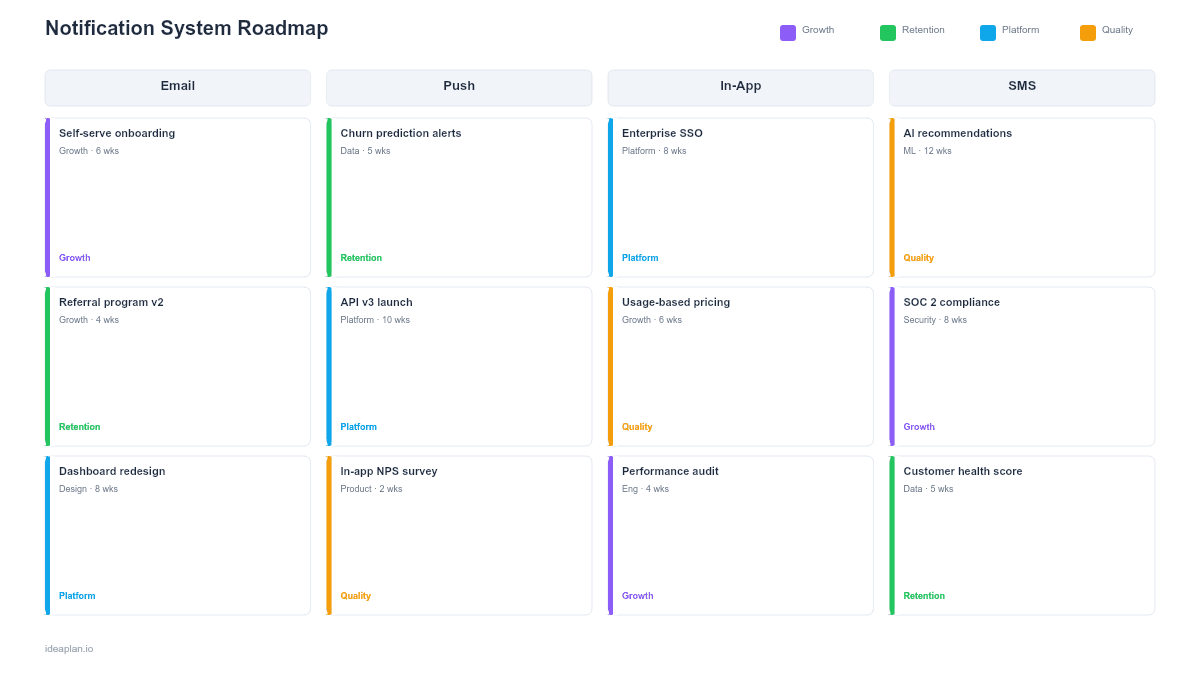
- Filled example slide. A complete notification roadmap showing 18 features including transactional emails, digest scheduling, preference centers, and quiet-hours logic.
Why Notification Systems Deserve Structured Planning
Notifications are one of the highest-touch surfaces in any product. They reach users outside the product itself. In their inbox, on their lock screen, in their browser. Done well, notifications drive engagement and retention. Done poorly, they drive unsubscribes and app deletions.
Most teams bolt notifications on as an afterthought: a developer wires up an email when a specific event fires, then another, then another, until the system is a tangle of hardcoded triggers with no user controls. The result is notification fatigue, inconsistent experiences across channels, and engineering debt every time a new notification type is needed.
A structured roadmap prevents this by treating notifications as a system rather than individual features:
- Channel coverage. Which channels does each notification type support? Users expect consistency. If an order confirmation arrives via email, the shipping update should too. Not via a push notification they never opted into.
- User control. Preference centers, frequency caps, and quiet hours are not optional polish. They are the difference between a notification system users tolerate and one they value. Understanding feature adoption for notification preferences helps you measure whether users are actually customizing their experience.
- Infrastructure reliability. Delivery guarantees, retry logic, and bounce handling are invisible to users but determine whether your notifications actually arrive.
Template Structure
Channel Rows
Four rows cover the primary notification channels:
- Email. Transactional (receipts, resets), marketing (digests, announcements), and lifecycle (onboarding sequences, re-engagement).
- Push. Mobile push (iOS/Android), web push (browser), and rich push (images, action buttons).
- In-App. Notification center, toast/snackbar alerts, badges, and unread counts.
- SMS. Transactional alerts (security codes, critical status changes), appointment reminders, and opt-in marketing.
Delivery Phases
Three columns represent progressive notification maturity:
- Foundation. Basic transactional notifications per channel. Event-triggered, developer-configured, no user controls. The goal is reliable delivery.
- User Control. Preference center, channel selection per notification type, frequency caps, digest options, quiet hours. The goal is user trust.
- Intelligence. Smart routing (choose the best channel per user based on engagement data), personalized timing, A/B testing of notification content. The goal is effectiveness.
Integration Checkpoints
Circle markers on the timeline indicate points where a notification provider integration (SendGrid, Twilio, Firebase Cloud Messaging) needs to be completed before subsequent features can proceed.
How to Use This Template
1. Inventory your current notification types
List every notification your product sends today, which channel it uses, and whether users can control it. Most teams discover they have 20-40 notification types with inconsistent channel coverage and minimal user controls.
2. Categorize by urgency and channel fit
Not every notification belongs on every channel. Security alerts need SMS or push for immediacy. Weekly digests belong in email. Feature announcements work best in-app. Map each notification type to its natural channel based on urgency and content.
3. Build the Foundation phase first
Start with reliable delivery infrastructure: email provider integration, push token management, in-app notification storage. Without this foundation, every subsequent feature is built on shaky ground. Track delivery success using the notification interaction rate metric once notifications are live.
4. Add User Control in the next phase
Build a preference center where users choose which notifications they receive and how. This is not optional. It is legally required in many jurisdictions for marketing communications and practically required for user trust everywhere else.
5. Layer in Intelligence last
Smart routing and personalized timing require behavioral data you will not have until the Foundation and User Control phases are live. Wait until you have 3-6 months of engagement data before investing in notification intelligence features.
When to Use This Template
This template fits when:
- Notification debt has accumulated and your system is a collection of ad-hoc email triggers with no central logic or user preferences.
- Users are complaining about too many notifications, wrong-channel delivery, or inability to control what they receive.
- You are launching a new channel (adding push to a web-only product, or SMS for time-sensitive alerts) and need to plan the rollout systematically.
- Engagement metrics are flat and you suspect notification ineffectiveness is a contributing factor. The notification interaction rate metric can help quantify the baseline.
- Multiple teams send notifications (product, marketing, customer success) and there is no unified strategy or infrastructure.
For broader user experience planning that includes notifications as one touchpoint, see the Customer Experience Roadmap PowerPoint template. For mobile-specific notification planning, the Mobile App Roadmap PowerPoint template covers push notifications alongside other mobile features.
Key Takeaways
- Treat notifications as a system with shared infrastructure, not as individual features wired up by different teams.
- Four channels (email, push, in-app, SMS) each have distinct strengths. Match notification types to the channel that fits their urgency and content.
- User control (preferences, frequency caps, quiet hours) is not a nice-to-have. It is a trust and compliance requirement.
- Build delivery reliability before intelligence. Smart routing is useless if emails are not arriving in the first place.
- Measure each channel separately: delivery rate, interaction rate, and action rate tell you whether notifications are working.
- Compatible with Google Slides, Keynote, and LibreOffice Impress. Upload the
.pptxto Google Drive to edit collaboratively in your browser.