Quick Answer (TL;DR)
This free PowerPoint template structures your migration. System, platform, database, or infrastructure. Into phases with clear milestones, risk checkpoints, and rollback triggers. Each slide covers a migration phase from preparation through cutover, with parallel tracks for engineering work, data validation, and stakeholder communication. Download the .pptx, adapt it to your migration scope, and use it to align engineering, product, and operations on the plan. For more on the release timeline roadmap format and how to structure your planning end to end, see our guide to building a product roadmap.
What This Template Includes
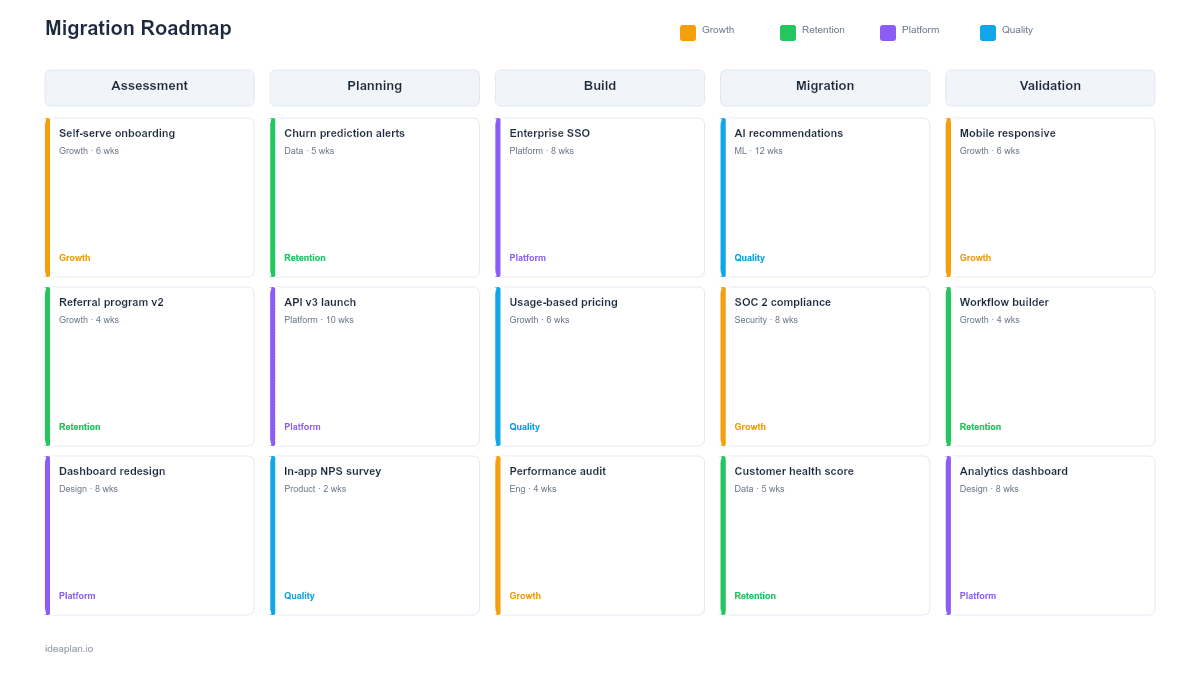
- Migration overview slide. A high-level timeline showing all phases from assessment through post-migration monitoring, with key milestones and decision gates.
- Phase detail slides. One slide per phase (Preparation, Pilot, Gradual Rollout, Full Cutover, Post-Migration) with tasks, owners, success criteria, and duration estimates.
- Risk and rollback slide. A risk register with probability, impact, mitigation steps, and rollback trigger conditions for each identified risk.
- Communication plan slide. A timeline of stakeholder notifications: who gets told what, when, and through which channel.
- Validation checklist slide. A pre-cutover and post-cutover verification list ensuring data integrity, performance benchmarks, and functionality parity.
Why PowerPoint for Migration Planning
Migrations involve product, engineering, infrastructure, customer success, and often external partners. PowerPoint works because it presents the plan at the right altitude for each audience. Engineers reference the phase detail slides for task-level planning. Executives review the overview and risk slides to understand exposure. Customer success uses the communication plan to coordinate with affected accounts. One artifact, multiple readers.
Template Structure
The template follows the standard migration lifecycle: assess, pilot, rollout, cutover, validate.
Slide 1. Migration Overview. A gantt-style timeline showing all phases, overlapping where appropriate. Preparation and Pilot often overlap as infrastructure setup happens alongside early testing. Decision gates between phases make it clear when the team commits to the next step.
Slide 2. Preparation Phase. Tasks include: environment setup, data mapping, integration inventory, performance benchmarking on the current system (you need a baseline to validate against), and team training. This phase typically takes 2-4 weeks.
Slide 3. Pilot Phase. Migrate a small, low-risk subset of users or data. Define what "success" looks like for the pilot: data accuracy, performance within 10% of baseline, no critical functionality regressions. The pilot validates assumptions before committing to a broader rollout.
Slide 4. Gradual Rollout. Expand migration in cohorts: 10%, 25%, 50%, 100%. Each cohort has its own success gate. If a cohort fails the gate, pause and diagnose before proceeding. This is where most migration risk is managed.
Slide 5. Full Cutover and Validation. The final switch, followed by intensive monitoring. The validation checklist covers data integrity checks, performance benchmarks, integration tests, and user acceptance criteria.
How to Use This Template
1. Scope the migration
Define exactly what is being migrated: database, platform, third-party integration, or full infrastructure. List every system, data store, and integration that is in scope. Incomplete scoping is the top cause of migration failures. If your migration involves significant engineering milestones, pair this with a milestone roadmap for detailed tracking.
2. Identify risks and rollback triggers
For each phase, ask: "What could go wrong, and at what point do we roll back?" A rollback trigger is a specific, measurable condition: "If data accuracy drops below 99.5% after pilot migration, we roll back and investigate." Vague triggers like "if things go wrong" lead to slow decisions during incidents.
3. Define the communication plan
Map every stakeholder group (internal teams, affected customers, partners) to the notification they receive at each phase transition. Customers should hear about migrations before they experience any changes, not after. Include specific dates and channels.
4. Run the phases and monitor
Execute each phase with the defined success gates. Log actual versus planned timelines on the overview slide. After full cutover, keep the post-migration monitoring slide active for 2-4 weeks to catch latent issues.
When to Use This Template
Migration roadmaps apply whenever your team is moving from one system to another. Use this template when:
- You are migrating to a new database or platform and need a phased plan that minimizes downtime and data loss risk
- A third-party vendor change requires re-integrating core product functionality on a new provider
- Infrastructure modernization involves moving from monolith to microservices, on-premise to cloud, or between cloud providers
- Customer-facing changes are involved and you need a communication plan that keeps affected users informed throughout the process
For migrations that are purely internal with no customer impact, you can simplify by removing the communication plan slide and focusing on the technical phases.
Featured in
This template is featured in Technical and Engineering Roadmap Templates, a curated collection of roadmap templates for this use case.
Key Takeaways
- Phase every migration: preparation, pilot, gradual rollout, cutover, and post-migration monitoring. Never attempt a single-step cutover for anything beyond trivial changes.
- Define specific, measurable rollback triggers before each phase begins. "Roll back if data accuracy drops below 99.5%" is a trigger. "Roll back if things break" is not.
- Invest disproportionately in the preparation phase. Incomplete scoping is the leading cause of migration failures.
- Communicate with affected stakeholders before they experience changes, not after.
- Run old and new systems in parallel for as long as the budget allows to maintain a safe rollback path.
- Compatible with Google Slides, Keynote, and LibreOffice Impress. Upload the
.pptxto Google Drive to edit collaboratively in your browser.