Quick Answer (TL;DR)
This free PowerPoint template structures the full lifecycle of deprecating a feature. From the initial decision through user communication, migration support, and final removal. It coordinates engineering teardown, customer success outreach, and documentation updates on a shared timeline so nothing falls through the cracks. Download the .pptx, plug in your sunset candidates, and run a deprecation process that respects your users while cleaning up your product.
What This Template Includes
- Cover slide. Product name, features being sunsetted, and the planned removal date.
- Instructions slide. Decision criteria for sunsetting, communication guidelines, and rollback triggers. Remove before presenting.
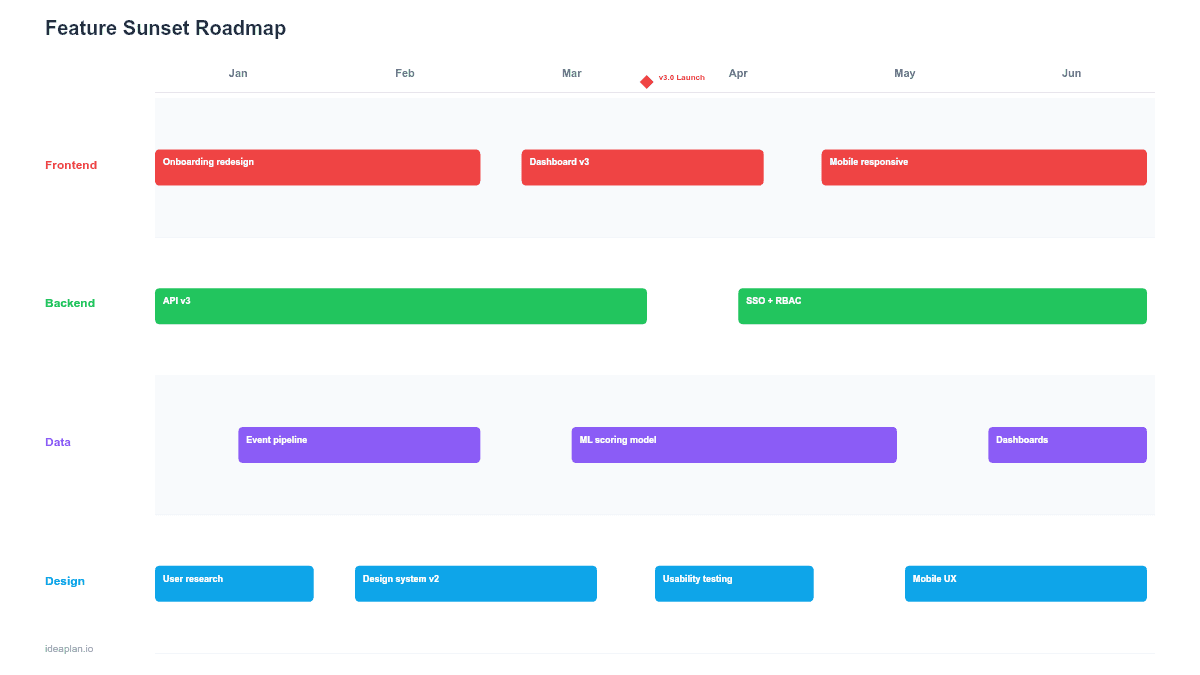
- Blank template slide. Five phase columns (Decision, Announce, Migrate, Wind Down, Remove) with rows for Engineering, Communication, and Support. Placeholder cards for each task.
- Filled example slide. A 4-month sunset plan for a legacy reporting module, showing the full sequence from stakeholder alignment through API removal with specific dates, email templates, and migration milestones.
Why Feature Sunsetting Needs a Plan
Removing features is harder than adding them. Every feature you ship accumulates users, integrations, workflows, and expectations. Pulling something out without a plan creates support tickets, trust damage, and sometimes churn.
Yet keeping every feature alive forever is equally costly. Each maintained feature consumes engineering time for bug fixes, security patches, compatibility testing, and cognitive load for new team members. The concept of feature creep applies in reverse: products that never remove anything become bloated and hard to evolve.
A sunset roadmap forces two disciplines:
- Structured empathy. You plan the user's transition experience as carefully as you planned their adoption experience.
- Cross-functional coordination. Engineering knows when to stop maintaining code. Support knows when to expect escalations. Marketing knows when to update positioning.
For context on how feature removal fits into broader product strategy, see the guide on product strategy.
Template Structure
Phase Columns
Five columns represent the sunset lifecycle, not calendar months. Each phase has a clear entry and exit criteria:
- Decision. Evaluate the feature against usage data, maintenance cost, and strategic fit. Produce a sunset recommendation with evidence.
- Announce. Notify affected users with timeline, rationale, and migration options. Begin the grace period.
- Migrate. Actively help users move to alternatives. Provide migration tools, documentation, and hands-on support for key accounts.
- Wind Down. Disable new usage, freeze the feature, and resolve remaining migration blockers. The feature is visible but no longer accepting new data.
- Remove. Delete code, retire APIs, archive data, and update documentation. The feature no longer exists.
Workstream Rows
Three rows track parallel work across teams:
- Engineering. Code changes, API deprecation notices, data migration scripts, final removal.
- Communication. In-app banners, email sequences, changelog entries, help center updates, account manager briefings.
- Support. Escalation playbooks, FAQ scripts, migration assistance workflows, monitoring for impact on customer churn.
Impact Indicators
Each card includes a user impact badge: Low (affects < 5% of users), Medium (5-20%), High (> 20%). High-impact sunsets require longer grace periods and more hands-on migration support.
How to Use This Template
1. Build the case for sunsetting
Before filling in the roadmap, document why the feature should be removed. Pull usage data: what percentage of active users touched the feature in the last 90 days? Calculate maintenance cost: how many engineering hours per quarter go to bugs, security patches, and compatibility work? Features with low usage and high maintenance cost are clear candidates.
2. Identify affected users and segments
Not all users are equal in a sunset. Some may have built critical workflows around the feature. Segment users by usage intensity and account value. High-value accounts with heavy usage need direct outreach. Low-usage accounts may only need an email.
3. Design the migration path
Every sunset needs an answer to "what do I use instead?" This might be a replacement feature in your product, a recommended third-party tool, or an export option. The easier the migration, the shorter the grace period can be. If no good alternative exists, reconsider whether sunsetting is the right call.
4. Set phase durations based on impact
Low-impact sunsets can move from Decision to Remove in 6-8 weeks. High-impact sunsets need 3-6 months. The Announce and Migrate phases should be longest. Rushing communication is the most common mistake in feature removal. Refer to stakeholder management for handling objections from internal champions of the feature.
5. Monitor through removal and beyond
Track migration completion rates weekly during the Migrate and Wind Down phases. After removal, monitor support ticket volume and churn rate for 30 days. If churn spikes, your migration path may need improvement for future sunsets.
When to Use This Template
The feature sunset roadmap is the right choice when:
- You are deprecating a feature with active users and need to manage the transition without damaging trust or causing churn
- Multiple teams need to coordinate. Engineering cannot just delete code without support, marketing, and customer success being prepared
- The feature has external integrations or APIs that third parties depend on, requiring versioned deprecation notices
- Leadership needs visibility into the sunset timeline and user impact before approving the removal
- You are sunsetting multiple features as part of a product simplification initiative and need a repeatable process
If you are planning a broader system migration rather than individual feature removal, the Migration Roadmap PowerPoint template covers the fuller scope. For communicating changes to stakeholders, the Stakeholder Communication Roadmap template provides a complementary format.
Key Takeaways
- Sunsetting features well is a sign of product maturity. It keeps the product focused and reduces hidden maintenance costs.
- Five phases (Decision, Announce, Migrate, Wind Down, Remove) prevent the most common failure: removing a feature before users are ready.
- Impact badges on each task card ensure high-impact sunsets get proportionally more support and longer timelines.
- The migration path is the most important element. If users have no good alternative, the sunset will create churn.
- Monitor churn and support volume for 30 days after removal to learn from each sunset and improve the process.
- Compatible with Google Slides, Keynote, and LibreOffice Impress. Upload the
.pptxto Google Drive to edit collaboratively in your browser.