Quick Answer (TL;DR)
This free PowerPoint documentation roadmap template organizes your product documentation efforts into a structured quarterly plan. It covers help center articles, API documentation, onboarding guides, and internal knowledge base content. Categorized by audience (end users, developers, internal teams) and mapped to product releases. Download the .pptx, populate it with your documentation backlog, and align your content plan with your product roadmap.
What This Template Includes
- Cover slide. Product name, documentation health score, and total article count across all categories.
- Instructions slide. How to categorize content, assign owners, and sync documentation milestones with product releases. Remove before presenting.
- Documentation Inventory slide. Table showing all planned and existing docs grouped by type (help center, API, onboarding, internal) with status indicators.
- Content Gap Analysis slide. Matrix mapping product features to documentation status (documented, needs update, missing) to highlight gaps.
- Quarterly Plan slide. Timeline showing documentation deliverables per quarter, aligned with product release dates.
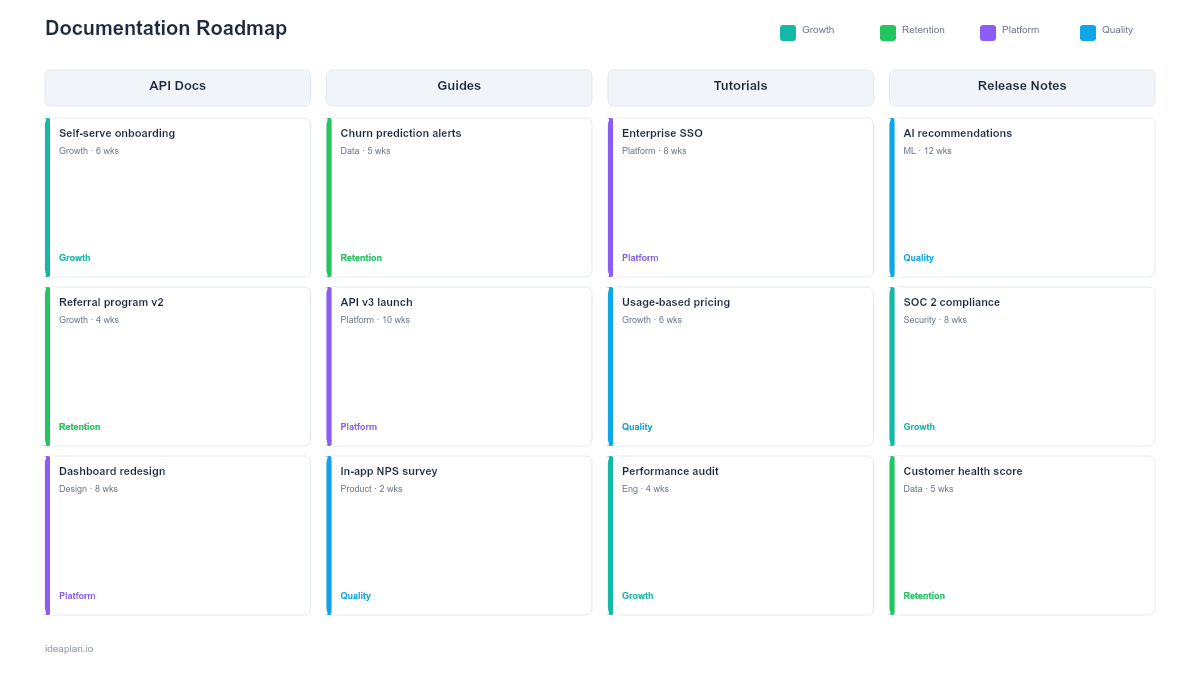
- Filled example slide. A working documentation roadmap with 18 items across four categories, color-coded by status.
Why Documentation Needs Its Own Roadmap
Product documentation is usually an afterthought. A feature ships, someone writes a help article a week later, and the API reference stays outdated for months. This pattern creates three problems that a documentation roadmap solves.
First, poor documentation increases support costs directly. Every missing or outdated article generates tickets. If your support team answers the same question 50 times a month, that question is a documentation failure, not a support problem. Tracking documentation alongside features ensures articles ship when features ship.
Second, developer documentation affects adoption velocity. For API-first or platform products, the quality of your API docs determines how quickly developers integrate. A documentation roadmap that tracks API reference completeness, code samples, and SDK guides makes this work visible.
Third, documentation degrades silently. Unlike code, which breaks loudly, outdated docs just quietly mislead users. A quarterly review cycle built into the roadmap forces the team to audit existing content, not just create new articles.
For a broader view on content planning, see the Content Strategy Roadmap PowerPoint template.
Template Structure
Documentation Inventory Table
The inventory slide organizes content into four categories:
- Help Center. End-user articles explaining features, workflows, and troubleshooting. Audience: customers.
- API Documentation. Reference docs, authentication guides, code samples, webhooks. Audience: developers.
- Onboarding Guides. Getting started tutorials, quick-start flows, first-value walkthroughs. Audience: new users.
- Internal Knowledge Base. Architecture decisions, runbooks, escalation procedures. Audience: internal teams.
Each row in the table includes: title, category, status (published / needs update / planned / missing), owner, and target date.
Content Gap Analysis Matrix
The gap analysis maps your product's top features against documentation status:
- Green. Feature is fully documented with up-to-date content.
- Amber. Documentation exists but is outdated or incomplete.
- Red. No documentation exists for this feature.
This view is effective in stakeholder conversations because it translates abstract "we need better docs" arguments into a concrete grid showing exactly where the gaps are.
Quarterly Documentation Plan
A horizontal timeline with four quarters showing:
- Documentation deliverables grouped by category.
- Dependencies on product releases (e.g., "API v3 docs ship with API v3 release in Q2").
- Ownership assignments for each deliverable.
- A documentation health score target for each quarter (percentage of features with up-to-date docs).
How to Use This Template
1. Inventory your existing documentation
List every piece of documentation you have. Help center articles, API pages, onboarding flows, internal wikis. Mark each as current, needs update, or outdated. This audit typically reveals that 30-50% of existing documentation is stale, which creates the urgency for a plan.
2. Identify gaps using the feature matrix
List your product's top 20 features in the gap analysis matrix. For each feature, check whether documentation exists and whether it is current. Features with no documentation or severely outdated docs move to the top of your backlog.
3. Align with the product release calendar
Pull your upcoming product releases into the quarterly plan. For each release, identify what documentation needs to be created or updated. The goal is simple: no feature ships without documentation shipping at the same time.
4. Assign ownership and capacity
Documentation is everyone's responsibility and therefore nobody's responsibility. Assign a specific owner to each documentation deliverable. If your team does not have a technical writer, designate a PM or engineer for each category and allocate explicit hours per sprint.
5. Track the health score quarterly
Calculate your documentation health score each quarter: (features with current docs / total features) x 100. Set a target. Moving from 45% to 70% in two quarters is meaningful progress. Present this trend to show that documentation quality is improving, not just that articles are being written.
When to Use This Template
A documentation roadmap PowerPoint template is the right choice when:
- Support ticket analysis shows that documentation gaps drive 20%+ of inbound tickets.
- Your product has an API or developer platform and developer adoption depends on reference quality.
- A major product overhaul or redesign will invalidate large sections of existing documentation.
- Your team has hired a technical writer and needs to define their first 90-day plan.
- Customers cite documentation quality in NPS feedback or churn interviews.
If you are planning user onboarding flows specifically, the User Onboarding Roadmap PowerPoint template focuses on the first-run experience. For broader content marketing planning, see the Content Strategy Roadmap PowerPoint template.
Key Takeaways
- Documentation gaps directly increase support costs and slow user activation.
- The content gap analysis matrix turns vague "we need better docs" into a specific, prioritized backlog.
- Aligning documentation milestones with product releases ensures docs ship when features ship.
- A quarterly health score (percentage of features with current docs) measures progress beyond article count.
- PowerPoint format makes the documentation plan presentable to stakeholders who would never open a wiki.
- Compatible with Google Slides, Keynote, and LibreOffice Impress. Upload the
.pptxto Google Drive to edit collaboratively in your browser.