Quick Answer (TL;DR)
Cross-team dependencies are where roadmaps go to die. One team waits on another, the handoff slips, and the downstream feature misses its target by a month. This free PowerPoint template tracks every cross-team dependency in a single view: who provides what, who consumes it, current status, active blockers, and resolution dates. Download the .pptx, catalog your dependencies at the start of each planning cycle, and stop discovering blockers in Week 8 of the quarter.
What This Template Includes
- Cover slide. Product or program name, planning period, total dependency count, and the number currently blocked.
- Instructions slide. How to identify upstream and downstream dependencies, assign owners, and run dependency review meetings. Remove before presenting.
- Blank template slide. A dependency tracker table with columns for dependency ID, description, provider team, consumer team, provider owner, consumer owner, status (on track/at risk/blocked/resolved), blocker description, needed-by date, committed date, and resolution notes.
- Filled example slide. A multi-team SaaS org with 9 dependencies tracked, including "Auth service v2 endpoint needed by checkout team," "Design system tokens needed by mobile team," and "Data warehouse schema update needed by analytics team."
Why Dependency Tracking Matters
The dependency map shows the structural relationships between teams. This tracker is the operational complement: it answers "What is the current status of each dependency, and which ones are in trouble?"
Dependencies fail for predictable reasons. The provider team does not know they are blocking someone. The consumer team assumes the work is on track without confirming. The committed date was verbal, never written down, and the provider team reprioritized without telling anyone. Each of these failures is preventable with a single shared artifact.
Organizations with more than three product teams face an exponential growth in potential dependencies. Five teams can have up to 20 pairwise dependency relationships. Without a tracker, the program manager (or the PM who ends up playing that role) is managing these relationships through Slack messages and memory. That works until it does not.
Template Structure
Dependency Table
The core of the template is a structured table designed for weekly updates:
- Dependency ID. Sequential number for quick reference in standups and planning meetings.
- Description. What is needed, stated specifically. "API work" is useless. "POST /orders endpoint with idempotency key support, documented in Swagger" is trackable.
- Provider team. The team delivering the dependency. They control the timeline.
- Consumer team. The team waiting on the dependency. They bear the cost of delays.
- Provider owner. A named individual on the provider team accountable for delivery.
- Consumer owner. A named individual on the consumer team responsible for integration once the dependency is delivered.
Status Indicators
Each dependency carries one of four statuses:
- On track. Provider has committed a date, work is in progress, no blockers identified.
- At risk. The committed date is in jeopardy. Reasons might include scope expansion, capacity constraints, or technical complexity discovered during implementation.
- Blocked. Work has stopped. A specific blocker is preventing progress. The blocker field describes what needs to happen for work to resume.
- Resolved. The dependency has been delivered and the consumer team has confirmed integration.
Timeline Alignment View
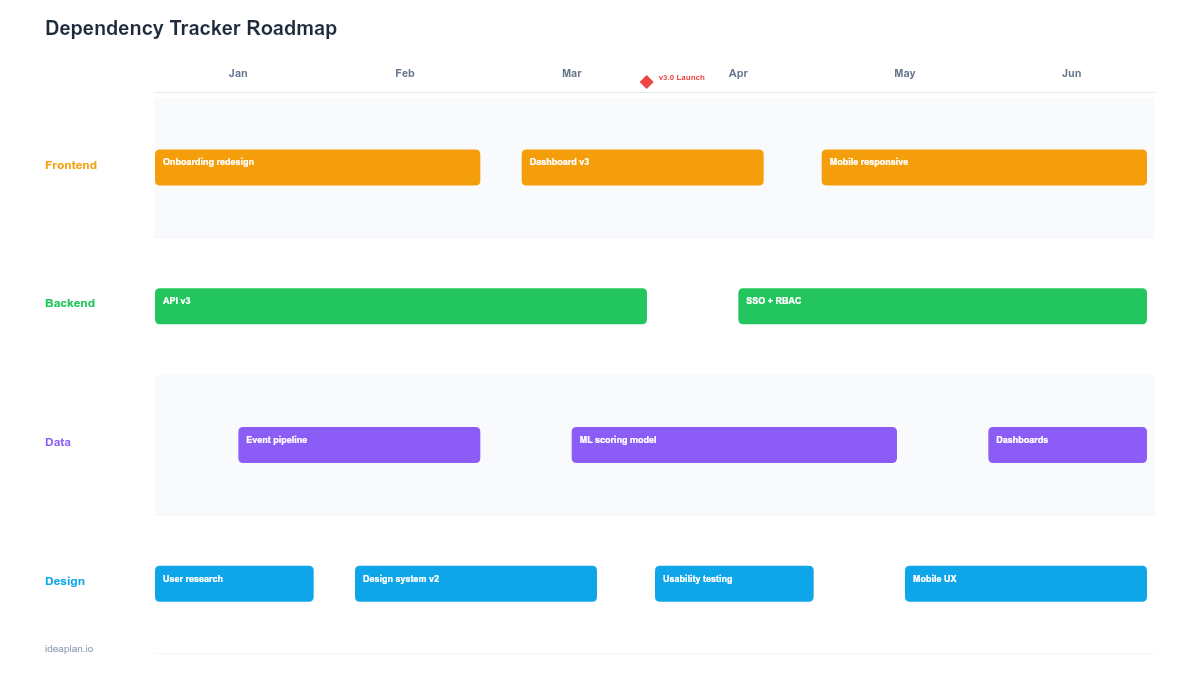
A supplementary Gantt-style view shows each dependency as a bar from identification to needed-by date. Provider committed dates are overlaid as markers. Gaps between committed dates and needed-by dates are highlighted: a dependency needed by March 15 but committed for March 30 is a two-week gap that will cascade into the consumer team's timeline. This visual makes schedule risk immediately obvious to leadership.
How to Use This Template
1. Catalog dependencies during planning
At the start of each quarter, ask every team two questions: "What do you need from another team to deliver your roadmap?" and "What has another team asked you to deliver?" Capture both sides. Dependencies are often asymmetric. The consumer team may have a different understanding of scope or timeline than the provider team. The sprint planning guide covers how to surface dependencies during iteration-level planning.
2. Assign paired owners
Every dependency gets two owners: one on the provider side, one on the consumer side. The provider owner is accountable for delivering the work. The consumer owner is accountable for confirming requirements upfront and integrating the work once delivered. Single-sided ownership creates information gaps.
3. Get written commitments, not verbal ones
"Yeah, we will get to that" is not a commitment. A commitment has three elements: a specific deliverable, a date, and a named owner who has confirmed capacity. Update the tracker with committed dates only after the provider team has explicitly agreed.
4. Run weekly dependency reviews
A 15-minute weekly standup focused exclusively on dependencies. Walk through the tracker, update statuses, flag anything that moved from "on track" to "at risk," and escalate blocked items. This meeting replaces the ad-hoc Slack pings that get buried in channel noise.
5. Escalate blocked dependencies within 48 hours
When a dependency moves to "blocked," the consumer owner has 48 hours to resolve it directly with the provider team. If unresolved, escalate to the engineering managers or program lead. Blocked dependencies that sit for weeks without escalation are the primary cause of quarter-end surprises.
When to Use This Template
Dependency trackers are essential when:
- Three or more teams ship features within the same quarter that have handoff points
- Past quarters saw delays caused by undocumented cross-team commitments
- A release plan requires coordinated deployments across multiple services
- Platform teams provide shared capabilities consumed by multiple product teams
- Program-level planning needs a single artifact showing all cross-team commitments
For single-team products with no external dependencies, this template adds overhead without value. If your dependencies are structural and persistent (the same two teams always depend on each other), consider reorganizing team boundaries to internalize the dependency. The multi-team coordination template covers the broader coordination picture.
Key Takeaways
- Cross-team dependencies are the most common cause of roadmap delays in multi-team organizations.
- Every dependency needs paired owners: one on the provider side accountable for delivery, one on the consumer side accountable for integration.
- Written commitments with specific dates replace verbal promises that get reprioritized without notice.
- A 15-minute weekly dependency review catches status changes before they become quarter-end surprises.
- Escalate blocked dependencies within 48 hours. Delays compound rapidly when blockers sit unresolved.
- Compatible with Google Slides, Keynote, and LibreOffice Impress. Upload the
.pptxto Google Drive to edit collaboratively in your browser.