Quick Answer (TL;DR)
This free PowerPoint template helps operations and product teams build a business continuity plan. Identifying critical processes, defining failover procedures, setting recovery priorities, and scheduling regular testing. Each process gets a recovery time objective, a designated owner, and a tested failover path. Download the .pptx, map your critical systems, and build a continuity plan that survives contact with an actual disruption.
What This Template Includes
- Cover slide. Organization name, BCP version number, last review date, and continuity plan owner.
- Instructions slide. How to classify process criticality, define recovery objectives, and schedule tabletop exercises. Remove before presenting to auditors or board members.
- Critical process inventory slide. A table listing each business process, its criticality tier (Critical, High, Medium, Low), recovery time objective (RTO), recovery point objective (RPO), failover method, and process owner.
- Recovery priority timeline slide. A visual showing the sequence of process restoration after a disruption: what comes back first, what can wait, and what dependencies exist between systems.
- Filled example slide. A SaaS company's BCP covering payment processing (RTO: 1 hour), core API (RTO: 2 hours), customer portal (RTO: 4 hours), and internal tools (RTO: 24 hours), with tested failover procedures for each.
Why Business Continuity Needs a Roadmap
Business continuity planning sits in an uncomfortable middle ground between "we should do this" and "we will get to it next quarter." It never feels urgent until the disruption happens. Then it is the only thing that matters.
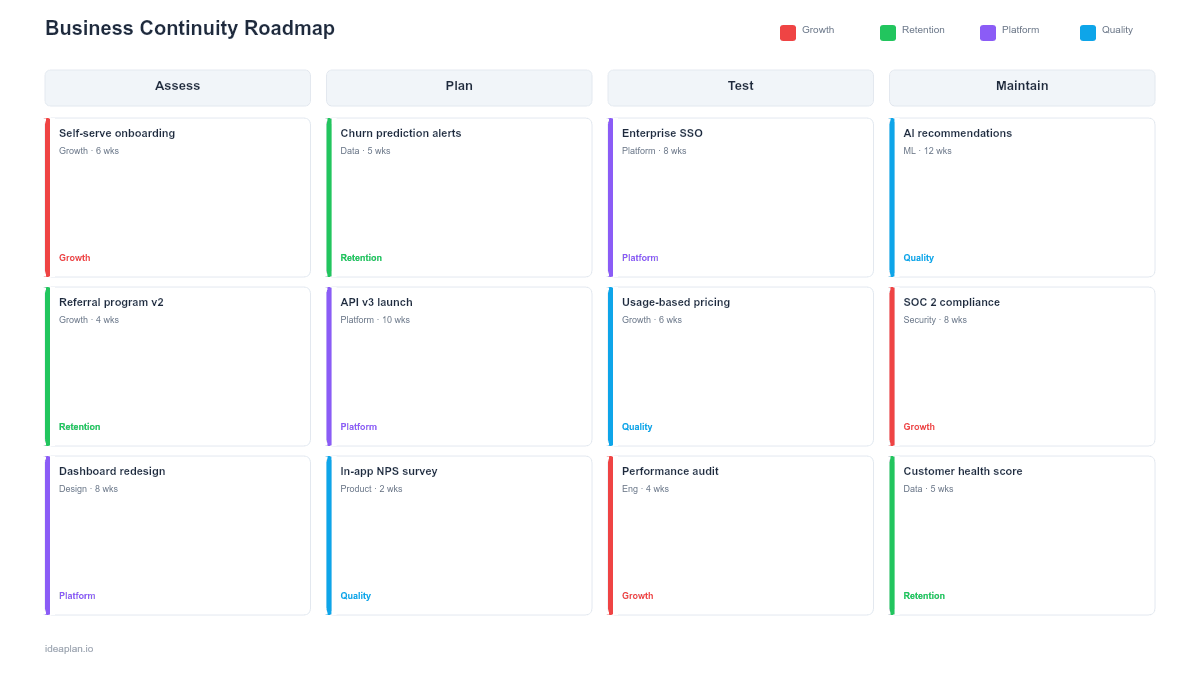
The roadmap format solves the procrastination problem by breaking BCP into quarterly deliverables: Q1 inventory and classify processes, Q2 design failover procedures, Q3 test and validate, Q4 review and update. Each quarter produces a concrete artifact rather than a theoretical plan.
The format also helps during audits and board reviews. SOC 2, ISO 22301, and enterprise customer security questionnaires all ask for evidence of business continuity planning. A slide deck with tested procedures and documented RTOs provides that evidence without creating a separate compliance document. Tying BCP work into your broader product strategy ensures it gets resourced alongside feature delivery.
Template Structure
Critical Process Inventory
The inventory table captures every process that must continue during a disruption:
- Process name. Specific enough to be actionable. "Payments" is a category. "Stripe webhook processing" is a process.
- Criticality tier. Critical (business stops without it), High (severe degradation within hours), Medium (noticeable impact within a day), Low (can tolerate multi-day outage).
- RTO. Maximum acceptable downtime. Critical processes typically need RTOs under 1 hour.
- RPO. Maximum acceptable data loss. A payment system with RPO of zero needs real-time replication. An analytics pipeline with 24-hour RPO can recover from daily backups.
- Failover method. How the process switches to its backup: automatic failover, manual DNS switch, cold standby activation, or manual workaround.
Recovery Priority Sequence
The timeline slide visualizes the recovery order. This matters because processes have dependencies. You cannot restore the customer portal if the authentication service is still down. The timeline makes these dependencies explicit and shows leadership what comes back when. And why certain systems must wait.
Testing Schedule
A section at the bottom of the timeline tracks quarterly testing: which processes were tested, when, what passed, and what failed. Untested continuity plans are fiction. The template enforces testing by making the gaps visible.
How to Use This Template
1. Inventory every process that supports revenue and customers
Start with the processes that directly generate revenue: payment processing, order fulfillment, core product API. Then map the dependencies: authentication, databases, CDN, email delivery. Most teams discover 20-30 critical or high-priority processes. If you find fewer than 10, you are thinking too broadly. Break "the product" into specific services.
2. Set RTOs and RPOs based on business impact
RTO is a business decision, not a technical one. The question is not "how fast can we restore this?" but "how long can we tolerate this being down before we lose revenue, customers, or contractual compliance?" The risk assessment template provides a framework for quantifying these trade-offs.
3. Design failover procedures for each critical process
For each Critical and High tier process, document the exact steps to fail over: who does it, what commands they run, what they verify, and how long it takes. Automatic failover is ideal but expensive. Manual failover with a documented runbook is acceptable for High-tier processes if the RTO allows it.
4. Test quarterly and update after every change
Run a tabletop exercise each quarter where the team walks through a disruption scenario. Once per year, run a live failover test for Critical processes. Update the plan after every infrastructure change, vendor switch, or organizational restructuring. A plan that references last year's architecture is worse than no plan. It creates false confidence.
When to Use This Template
A business continuity roadmap is essential when:
- Your product has SLA commitments that require documented uptime guarantees and failover capabilities
- Compliance requirements (SOC 2, ISO 22301, ISO 27001) mandate a business continuity plan with evidence of testing
- Enterprise customers ask for BCP documentation as part of vendor evaluation or security questionnaires
- Your product depends on third-party services (cloud providers, payment processors, CDNs) that introduce single points of failure
- Leadership needs a clear answer to "what happens if our primary data center goes down?"
If your continuity needs are primarily about infrastructure recovery (servers, databases, networks), the disaster recovery roadmap template focuses specifically on technical DR. This template covers the broader business perspective. Processes, people, and communications alongside technology.
Key Takeaways
- Business continuity planning works best as quarterly deliverables: inventory, design failover, test, and update. Not as a one-time document.
- RTOs and RPOs are business decisions based on revenue impact and contractual obligations, not technical preferences.
- The recovery priority sequence matters. Dependencies between systems dictate what gets restored first.
- Untested plans are unreliable. Build quarterly tabletop exercises and annual live failover tests into your operations calendar.
- A single plan owner with clear process-level accountability prevents the most common BCP failure: shared ownership that becomes no ownership.
- Compatible with Google Slides, Keynote, and LibreOffice Impress. Upload the
.pptxto Google Drive to edit collaboratively in your browser.