


Looking for the best roadmap tool for your team? Here's a quick breakdown of the top options, their features, and pricing to help you decide:
- Productboard: Known for feedback integration and OKR linking. Starts at $25/user/month. Best for mid to large teams but has a complex setup.
- Aha!: Offers advanced planning tools and customization. Pricing begins at $59/user/month. Ideal for enterprises, but it’s costly and has a steep learning curve.
- Roadmunk: Focuses on visual roadmaps with drag-and-drop simplicity. Costs $19–$99/month. Suited for small to mid-sized teams but lacks advanced analytics.
- ProductPlan: Simple, presentation-ready roadmaps. Priced at $49/month. Great for small teams but limited in features like AI or detailed reporting.
- IdeaPlan: AI-powered automation and unlimited viewers. Starts at $20/user/month. Perfect for small to mid-sized teams scaling their processes.
Quick Comparison Table
| Tool | Best For | Starting Price | Key Features | Weaknesses |
|---|---|---|---|---|
| Productboard | Mid to enterprise teams | $25/user/month | Feedback integration, OKR linking | Complex setup, higher cost |
| Aha! | Enterprises | $59/user/month | Advanced planning, customization | High cost, steep learning curve |
| Roadmunk | Small to mid-sized teams | $19/month | Visual roadmaps, drag-and-drop | Limited analytics |
| ProductPlan | Small teams | $49/month | Simple visuals, easy collaboration | No AI, basic reporting |
| IdeaPlan | Scaling teams | $20/user/month | AI automation, unlimited viewers | Limited integrations |
Key Takeaway: Choose a tool based on your team size, budget, and feature needs. Free trials (7–30 days) are available to test how each tool fits into your workflow.
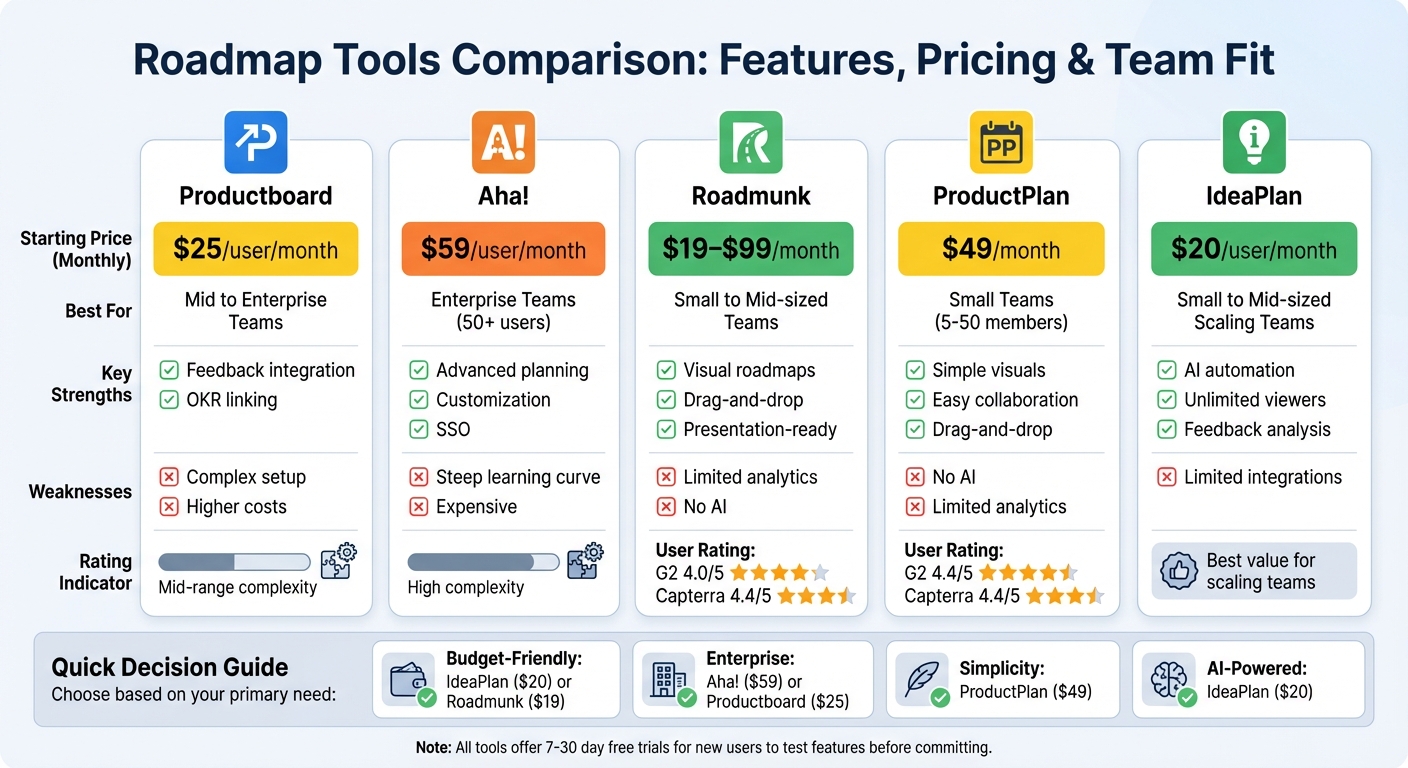
Roadmap Tools Comparison: Features, Pricing, and Best Team Fit
Best Product Roadmap Tools for 2025: Top Picks & Reviews
1. Productboard
Information about Productboard's roadmap features, feedback tools, integrations, pricing, and team fit isn't fully detailed in the current dataset. To understand how Productboard aligns strategic goals with feature planning and handles customer feedback, check out their official website or consult reliable product management reviews.
Up next, let’s take a closer look at Aha! as we continue comparing roadmap tools.
2. Aha!
Roadmap Features
Aha! provides customizable roadmaps tailored for enterprise use, offering various views like portfolio, strategy, and tactical perspectives to keep stakeholders aligned. It includes Gantt charts for visualizing timelines and planning releases. Additionally, the platform allows scenario-based roadmaps, which let teams explore different strategic options before committing resources.
Feedback and Prioritization
Aha! makes it easy to integrate customer feedback directly into roadmaps by using scoring models and prioritization frameworks such as weighted scoring and RICE. Users can vote on features, giving them a direct influence on shaping the product strategy. The platform focuses on enterprise-level prioritization, ensuring that strategic goals align with feature decisions .
Collaboration and Integrations
The platform supports real-time collaboration with features like editing, comments, and @mentions. It also connects seamlessly with tools like Jira, Azure DevOps, Slack, and Salesforce, ensuring smooth data synchronization across systems .
Pricing in USD
Aha! starts at $59 per user per month (billed annually) and includes a 30-day free trial. Enterprise plans are offered with custom pricing and come with extra features like advanced security, single sign-on, priority support, and custom reporting. These plans place Aha! in the higher price range for roadmap tools, with enterprise implementations typically costing between $70 and $120 per user per month.
Team Fit
Aha! is ideal for mid-to-large teams (50+ users) and enterprises that require advanced strategic planning tools. While its extensive customization options are a strength, they come with a steep learning curve and higher costs, which may make it less appealing for startups .
Next, we’ll take a closer look at Roadmunk to compare additional roadmap tools.
3. Roadmunk
Roadmap Features
Roadmunk stands out with its visually-focused approach, creating polished, presentation-ready roadmaps. It offers various view options, such as timeline layouts, Kanban boards, and customizable templates for milestones, themes, and swimlanes. Its drag-and-drop functionality makes it easy to adjust priorities and produce shareable visuals like Gantt charts or portfolio roadmaps tailored for stakeholder presentations.
Theme-based timelines are particularly useful for tracking product releases, while swimlane views help map out cross-team dependencies. For executives, portfolio overviews provide a high-level snapshot of multiple initiatives without getting bogged down in details. Beyond its sleek visuals, Roadmunk incorporates direct feedback tools, which can help refine planning decisions.
Feedback and Prioritization
Roadmunk makes it easier to prioritize strategically by integrating customer feedback into the decision-making process. It allows users to assign weighted priority scores to features, with built-in tools for scoring, ranking, and aligning team decisions effectively.
Collaboration and Integrations
The platform supports real-time collaboration with features like editing, commenting, and sharing to keep teams on the same page. It integrates seamlessly with tools like Jira, Trello, Azure DevOps, and Slack, ensuring that tasks stay synchronized across platforms. These capabilities make it a strong choice for teams that rely on dynamic and ongoing communication.
Team Fit
Roadmunk is a great fit for small to mid-sized teams that focus on creating visual roadmaps and improving stakeholder communication. With a G2 rating of 4.0/5 and Capterra rating of 4.4/5, users frequently highlight its ease of use for crafting shareable roadmaps. However, it may not be the best option for larger enterprises that require extensive analytics or more advanced feedback management features.
Up next, we’ll take a closer look at ProductPlan to see how it stacks up in the roadmap tools landscape.
sbb-itb-7c23fa1
4. ProductPlan
Roadmap Features
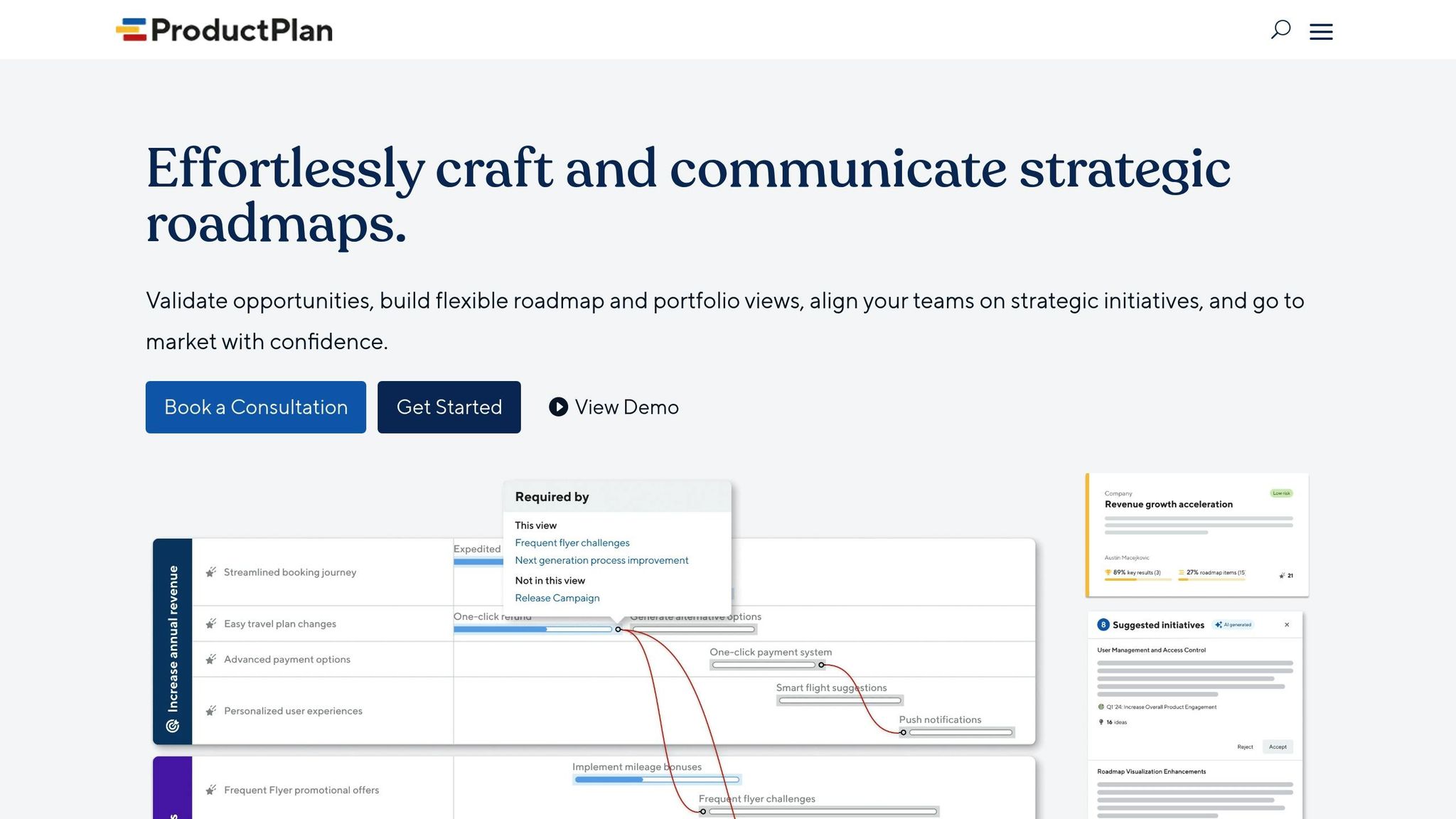
ProductPlan offers an easy-to-use drag-and-drop interface that creates presentation-ready visuals, perfect for stakeholder meetings and keeping teams aligned. It includes customizable timeline views and templates tailored for both quarterly releases and long-term strategies. Teams can also create portfolio roadmaps and export concise summaries designed specifically for executive-level reviews.
Collaboration and Integrations
Built with teamwork in mind, ProductPlan integrates smoothly with popular tools like Jira, Slack, and Zapier. It supports real-time sharing and editing of roadmaps across the team, ensuring development workflows and communication stay in sync.
Pricing in USD
ProductPlan costs $49 per month and comes with a free trial. For organizations with unique requirements, custom enterprise plans are also available, offering flexibility for larger teams or specialized use cases.
Team Fit
With G2 and Capterra ratings of 4.4 out of 5, ProductPlan is a great fit for small to medium-sized teams, typically ranging from 5 to 50 members. Its straightforward drag-and-drop design is especially appealing to non-technical users. However, larger enterprises that need more advanced analytics might find its features somewhat limited.
Next, we'll take a closer look at IdeaPlan and its AI-powered approach to roadmap planning.
5. IdeaPlan
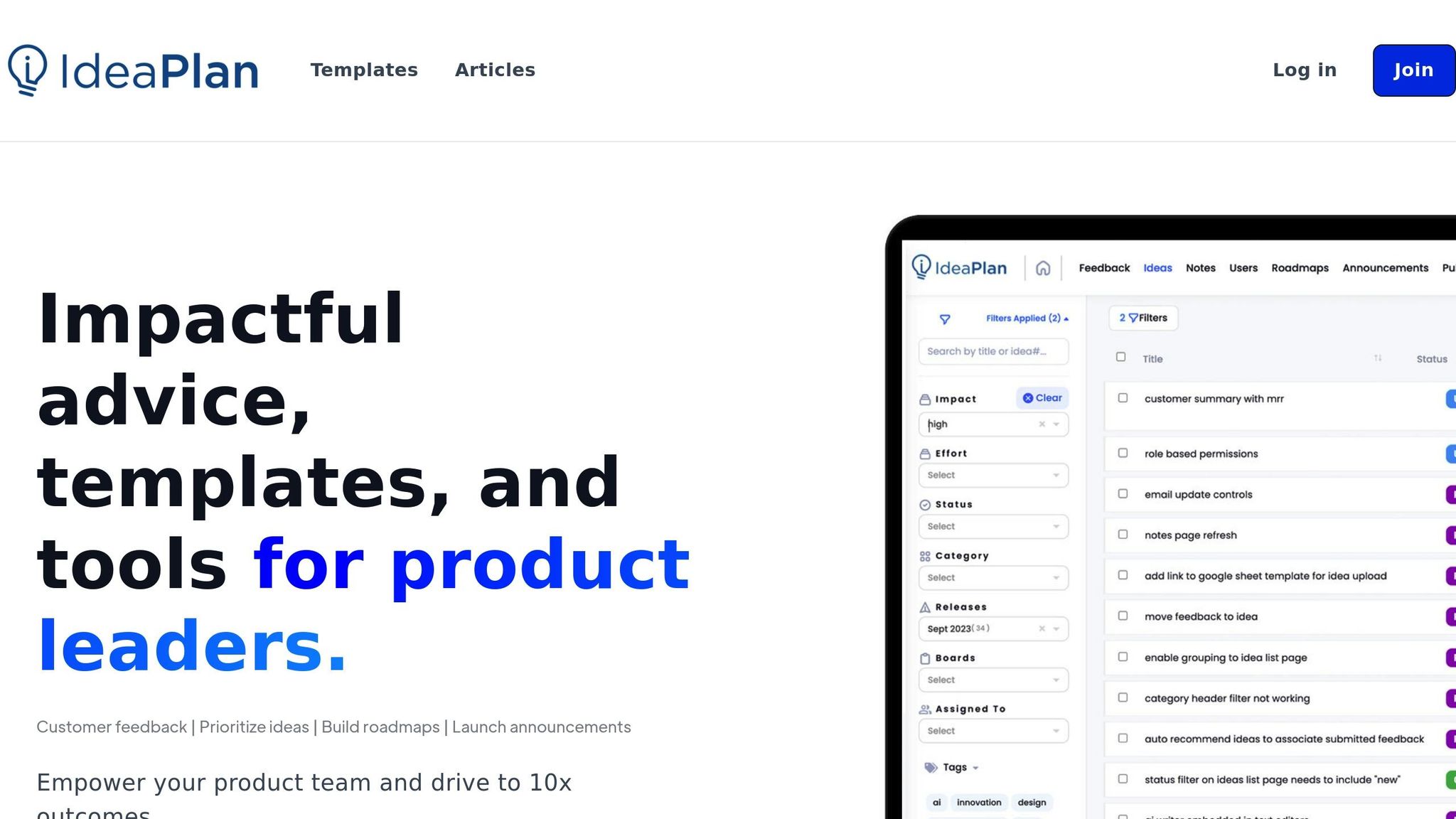
IdeaPlan takes roadmap planning to the next level with its AI-driven approach, blending automation with traditional tools for a seamless experience.
Roadmap Features
IdeaPlan combines AI automation with flexible planning, letting you create unlimited, dynamic roadmaps that automatically adjust as priorities change. Public roadmaps can be shared with custom domains and password protection, keeping customers in the loop. Depending on your plan, you can manage multiple workspaces: one for Growth, three for Premium, and unlimited for Enterprise.
Feedback and Prioritization
With IdeaPlan, feedback analysis is automated to assign weighted priorities. Public idea lists allow for anonymous voting, helping validate which features matter most. The Premium plan supports up to 500 ideas, while the Enterprise plan allows an unlimited number of submissions, making it scalable for teams of all sizes.
Collaboration and Integrations
Collaboration is a breeze with unlimited roadmap viewers included in all paid plans, ensuring stakeholders can stay updated anytime. IdeaPlan integrates with Jira and Zapier, streamlining workflows by connecting roadmaps directly to development and communication tools. Features like private comments, internal notes, status updates, and published changelogs keep teams aligned and maintain clear communication across departments.
Pricing in USD
IdeaPlan’s Growth plan starts at $20 per user per month, offering one workspace, one feedback board, and unlimited roadmaps. The Premium plan, priced at $65 per user per month, expands access to three workspaces and supports up to 500 ideas. For larger organizations, the Enterprise plan offers custom pricing tailored to advanced needs. All plans are billed annually and include core integrations like Jira and Zapier.
Team Fit
IdeaPlan is ideal for small to mid-sized product teams (5–50 members) looking to integrate AI without the complexity of larger enterprise solutions. The Growth plan is perfect for startups just beginning their journey, while the Premium plan is designed for scaling companies refining their feedback processes. Its AI-powered prioritization and unlimited viewer access make it especially useful for teams focused on building customer-driven products. Teams can request a demo to see how it aligns with their needs.
Strengths and Weaknesses
Here’s a quick breakdown of the strengths, weaknesses, and ideal team sizes for some of the top roadmap tools available.
Each tool brings something different to the table, often excelling in specific areas while presenting trade-offs. Productboard, for example, stands out with its customer feedback integration and OKR linking - perfect for teams focused on feedback-driven planning. On the downside, its pricing starts at $25 per user/month, and the setup process can feel overwhelming for smaller teams just starting out.
Aha!, on the other hand, is a favorite among enterprise teams thanks to its advanced strategic planning features and extensive customization options. It even includes compliance features like SSO. However, with a starting price of $59 per user/month (billed annually) and a steep learning curve, it may not be the best fit for new users or smaller teams.
For those who prioritize visual flexibility, Roadmunk is a great option. Its timeline and swimlane views make roadmap creation quick and visually appealing. Priced between $19–$99 per month, it’s a solid choice for small to mid-sized teams. That said, it lacks AI capabilities and advanced analytics, which could be a dealbreaker for data-heavy workflows.
ProductPlan keeps things simple with its drag-and-drop interface and presentation-ready roadmaps, priced at $49 per month. It’s an excellent fit for small teams looking for straightforward tools, but its lack of AI and advanced reporting features limits its utility for more complex strategic needs.
Lastly, IdeaPlan brings AI-powered automation and feedback analysis to the forefront, starting at $20 per user/month for its Growth plan. It’s especially appealing for product leaders scaling their teams, offering unlimited roadmap viewers and dynamic updates. However, its limited integrations may make it less appealing compared to more established platforms.
| Tool | Strengths | Weaknesses | Best Team Size | Starting Price |
|---|---|---|---|---|
| Productboard | Feedback integration, OKR linking | Complex setup, higher costs | Mid to enterprise | $25/user/month |
| Aha! | Strategic planning, customization | Steep learning curve, expensive | Enterprise | $59/user/month |
| Roadmunk | Visual flexibility, rapid roadmap creation | Limited feedback tools, basic reporting | Small to mid-sized | $19/month |
| ProductPlan | Simple visuals, easy collaboration | No AI, limited analytics | Small teams | $49/month |
| IdeaPlan | AI automation, unlimited viewers | Geared for scaling, limited integrations | Small to mid-sized | $20/user/month |
As you can see, each tool has its own strengths and weaknesses. Free plans often provide basic functionality, while business and enterprise tiers unlock more advanced features. To make the best choice, take advantage of free trials and assess which tool aligns with your team's workflow and strategic goals.
Conclusion
Finding the right roadmap tool for your team boils down to matching it with your team's size, budget, and workflow needs. For small teams with limited budgets, tools offering free plans or pricing under $25 per user per month are a great starting point. Options like Productboard's free tier or IdeaPlan's Growth plan at $20 per user per month can provide the essentials without breaking the bank.
For mid-sized teams handling more complex feedback and strategic planning, plans in the $25–$60 per user per month range unlock features like advanced collaboration and detailed reporting. For example, Aha! offers robust planning tools at $59 per user per month (billed annually). Be prepared, though, for a bit of a learning curve with such feature-rich platforms.
When it comes to enterprise teams with 50 or more users, scalability, security, and dedicated support become priorities. Both Aha! and Roadmunk provide custom enterprise pricing with features like SSO and advanced analytics. Meanwhile, IdeaPlan's Enterprise plan eliminates per-viewer costs by offering unlimited ideas, workspaces, and roadmap viewers.
Take advantage of free trials (usually lasting 7–30 days) to test how well a tool integrates with your existing workflow and platforms like Jira or Slack. The key is to choose a tool your team will actively use - keeping everyone aligned and moving forward.
FAQs
What should I look for when selecting a roadmap tool for my team?
When picking a roadmap tool, it's important to weigh factors like features, cost, and how well it aligns with your team's size and specific needs. Prioritize tools that provide customization options, foster team collaboration, and allow for easy updates to handle shifting priorities. If gathering and organizing feedback is a priority, make sure the tool includes strong feedback management capabilities to help your team stay focused and aligned.
Why are free trials helpful when choosing a roadmap tool?
Free trials offer a practical way to dive into a roadmap tool and see how it fits with your team's workflows. They let you explore the tool's features and usability firsthand, helping you evaluate its compatibility with your specific needs.
Taking the time to test the tool allows you to see if it truly supports your goals, giving you the clarity and confidence to make a well-informed decision for your team.
What is the best roadmap tool for small teams on a tight budget?
For small teams working with tight budgets, a free plan at $0 per month can be a great starting point. It provides access to basic features, helping teams collaborate and organize without financial stress. Look for tools that can grow with your team, offering room to expand as your needs evolve.

