Quick Answer (TL;DR)
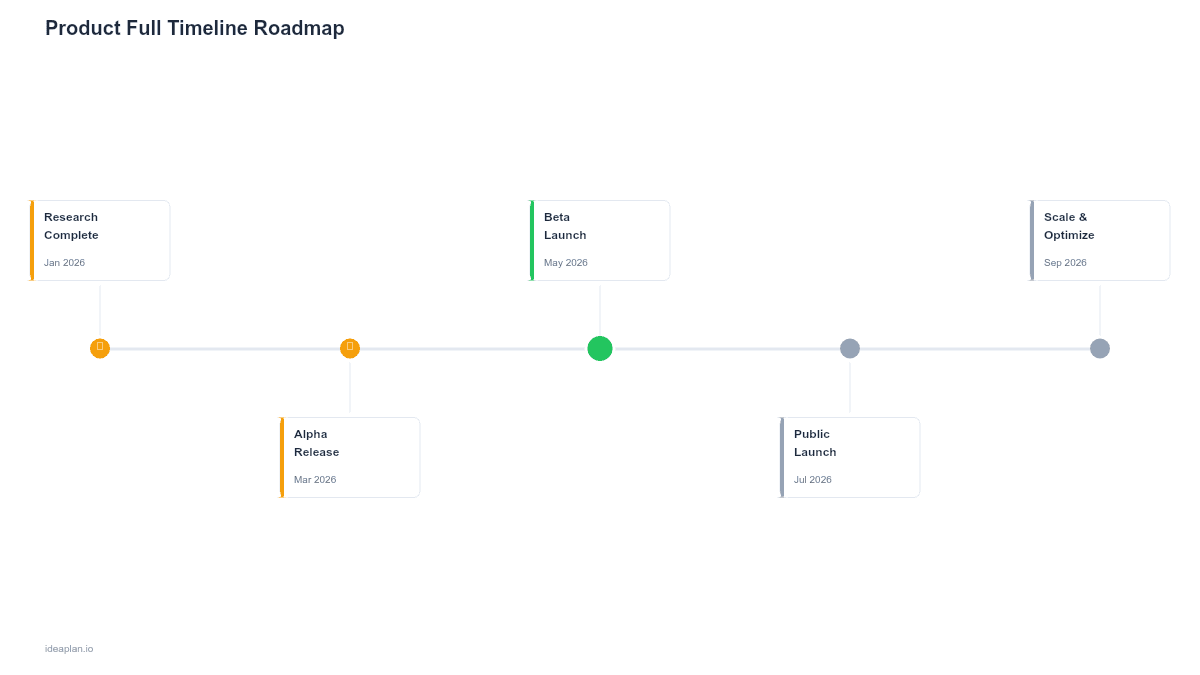
A full timeline roadmap lays out your product's entire journey. From initial concept through launch and long-term evolution. On a continuous timeline that spans quarters and years. It is the most detailed roadmap format available, designed for teams that need to coordinate complex programs with hard deadlines, external dependencies, and multi-phase delivery plans. This IdeaPlan template provides a ready-to-use structure that covers the full product lifecycle in about 60 minutes of setup. For a deeper look at how the features timeline roadmap format works and when to choose it, see our step-by-step guide to building a product roadmap.
What This Template Includes
- End-to-end timeline view spanning from product inception through long-term evolution, plotted across quarterly and annual intervals, following Gantt chart visualization principles.
- Phase markers for Discovery, Definition, Design, Development, Launch, and Growth with clear entry and exit criteria for each phase.
- Milestone layer that overlays key dates. Alpha, beta, GA release, contractual deadlines, regulatory submissions. On the timeline.
- Dependency mapping showing upstream and downstream dependencies between workstreams, teams, and external partners.
- Resource phasing chart illustrating how team composition and capacity requirements change across the product lifecycle.
- Risk register integrated directly into the timeline so that risks are visible in the context of the work they threaten.
Template Structure
Lifecycle Phases
The template divides the product lifecycle into six canonical phases: Discovery (problem validation and opportunity sizing), Definition (requirements, success metrics, and architecture decisions), Design (UX research, wireframes, and technical design), Development (engineering execution across sprints or iterations), Launch (go-to-market, enablement, and rollout), and Growth (iteration, optimization, and scaling). Each phase includes entry criteria that must be met before work begins and exit criteria that define what "done" looks like. These guardrails prevent the common anti-pattern of rushing into development before discovery is complete or launching before enablement materials are ready.
Timeline and Milestone Overlay
The core of the template is a horizontal timeline that stretches across quarters and years. Lifecycle phases are plotted as blocks on this timeline, and milestones are pinned at specific dates. Milestones fall into three categories: internal milestones (design review, architecture sign-off, feature freeze), external milestones (customer commitments, regulatory deadlines, partner integrations), and market milestones (conference demos, analyst briefings, competitive response windows). Distinguishing milestone types ensures that the team knows which dates are movable and which are not.
Workstream Lanes
Within each phase, the template breaks work into parallel workstreams. Typically Engineering, Design, Data, QA, and Go-to-Market. Each workstream has its own lane on the timeline, showing what that team is doing during each phase. Workstream lanes make it immediately visible when one stream is behind schedule relative to others, creating a natural early-warning system. They also make it easier to plan handoffs. For example, ensuring that design deliverables are complete before engineering begins implementation.
Dependency Network
The dependency network is a structured overlay that draws explicit links between workstream activities. Dependencies are categorized as finish-to-start (A must complete before B begins), start-to-start (A and B must begin together), or finish-to-finish (A and B must complete together). Each dependency has an owner, a status, and a risk rating. When a dependency is flagged as at risk, it propagates a warning to every downstream item it affects. This cascading visibility is critical for large programs where a single slip can delay the entire timeline.
Risk Register
Risks are not tracked in a separate document. They live directly on the timeline. Each risk is attached to a specific phase, workstream, and milestone, making it clear what the risk threatens and when it could materialize. The register captures risk description, likelihood, impact, mitigation plan, and owner. Embedding risks into the timeline context prevents them from being forgotten in a separate spreadsheet and ensures they are part of every status review and planning conversation.
How to Use This Template
1. Define Lifecycle Phases and Dates
What to do: Working with your product and engineering leadership, define the start and end dates for each lifecycle phase. Be realistic. Pad timelines for phases that involve high uncertainty, such as Discovery and early Design.
Why it matters: Phase dates form the skeleton of the entire roadmap. If these are wrong, everything built on top of them will be unreliable.
2. Pin External Milestones First
What to do: Identify all externally imposed deadlines. Customer commitments, regulatory filing dates, conference demos, partner launch windows. And pin them on the timeline. These are your fixed constraints.
Why it matters: External milestones are non-negotiable. The rest of the timeline must be built around them, not the other way around.
3. Build Out Workstream Lanes
What to do: For each lifecycle phase, break down the work into workstream-specific activities. Collaborate with each functional lead to define what their team will deliver during each phase and how long it will take.
Why it matters: Workstream lanes turn an abstract timeline into an actionable plan that each team can execute against.
4. Map Dependencies
What to do: Walk through every workstream handoff and cross-team interaction. Log each dependency with its type, owner, and status. Pay special attention to dependencies involving external partners, as these are hardest to control.
Why it matters: Dependencies are where timelines break. Making them explicit and owned transforms them from invisible risks into managed work items.
5. Populate the Risk Register
What to do: Conduct a risk identification session with the full cross-functional team. For each risk, document the description, the impacted phase and workstream, likelihood, impact, and mitigation plan. Assign an owner and a review date.
Why it matters: Risks identified early can be mitigated. Risks discovered late become crises. The register ensures the team is proactive rather than reactive.
When to Use This Template
The full timeline roadmap is designed for products with complex, multi-phase delivery plans that span six months or more. It is the right choice when your product involves coordination across multiple engineering teams, external partners, regulatory requirements, or hard contractual deadlines. Enterprise software products, platform rebuilds, hardware-software integrated products, and regulated industry launches are all scenarios where this template adds significant value.
Product managers leading new product launches will find the lifecycle phase structure particularly useful. It provides a clear framework for communicating where the product is in its journey and what needs to happen before the next phase can begin. This is especially valuable when working with executive stakeholders who need confidence that the launch plan is thorough and well-managed.
This template is heavier than most and carries real maintenance overhead. If your product is a single-team effort with a three-month horizon and no external dependencies, a simpler format. Such as a feature roadmap or a Now-Next-Later roadmap. Will serve you better with less process burden. Reserve the full timeline roadmap for programs where the complexity justifies the investment in detailed planning and ongoing maintenance.
Key Takeaways
- A full timeline roadmap covers the entire product lifecycle from discovery through growth, providing the most complete planning view available.
- Pin external milestones first. These are your fixed constraints around which everything else must be organized.
- Workstream lanes make cross-team coordination visible and highlight schedule misalignments before they cause delays.
- Embed risks directly in the timeline rather than tracking them separately, ensuring they stay visible and contextual.
- Reserve this template for complex, multi-phase programs. Simpler products benefit from lighter roadmap formats.